Mini PCs vs Laptops – Which One Should You Choose?

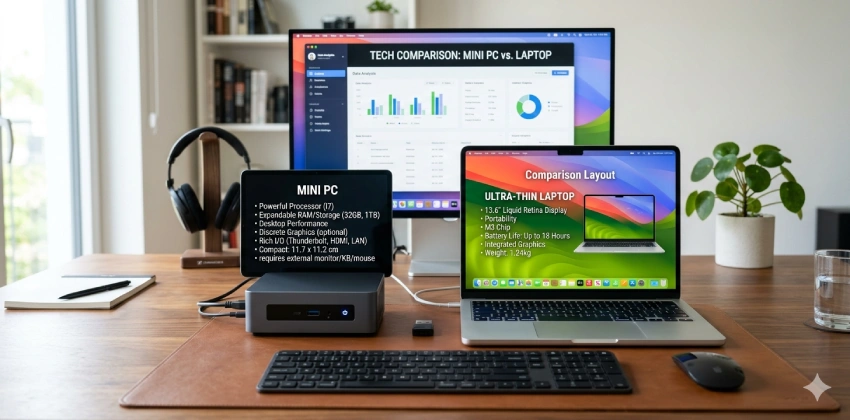
Mini PC vs laptop comparison showing desktop setup and portable computer options in 2026

Mini PCs vs Laptops – Which One Should You Choose?

Choosing a new computer in 2026 is not always an easy decision. Traditional desktop computers are no longer the only option for users who need performance, and laptops are no longer the only choice for people who want convenience.

Today, Mini PCs and laptops have become two of the most popular computing solutions for students, professionals, remote workers, content creators, and everyday users.

A Mini PC offers a compact desktop experience with strong performance, better upgrade flexibility, and often better value for money. A laptop, on the other hand, provides portability, a built-in display, keyboard, battery, and the freedom to work from almost anywhere.

For users who prefer a quiet and compact desktop setup, exploring specialized Mini PC options can help identify models designed for productivity, remote work, and efficient performance. best silent Mini PCs in 2026

So, when comparing Mini PCs vs laptops, which one should you choose?

The answer depends on your personal needs:

  • Do you work mainly from one location?
  • Do you travel frequently?
  • Do you need maximum performance?
  • Do you need upgrade flexibility?
  • Are you building a home office setup?
  • Are you a student who needs mobility?

In this complete buying guide, we will compare Mini PCs and laptops based on performance, portability, price, power consumption, upgradeability, gaming capability, and real-world usage scenarios to help you choose the right device in 2026.

Mini PC vs Laptop: Understanding the Basic Difference

Before comparing their advantages and disadvantages, it is important to understand what makes Mini PCs and laptops different.

A Mini PC is a small desktop computer designed to provide desktop-level computing performance in a compact form factor. Unlike traditional desktops, Mini PCs are extremely small and can often fit behind a monitor or on a small workspace.

A typical Mini PC requires:

  • External monitor
  • Keyboard
  • Mouse
  • Power adapter

Popular examples include Mini PCs powered by:

  • AMD Ryzen processors
  • Intel Core processors
  • Intel Core Ultra AI chips

Mini PCs are becoming increasingly popular for:

  • Home offices
  • Business environments
  • Digital signage
  • Media centers
  • Programming
  • Light content creation

A laptop, however, combines everything into one portable device:

  • Display
  • Keyboard
  • Touchpad
  • Battery
  • Internal components

Laptops are designed for mobility and allow users to work anywhere, whether at home, in an office, a classroom, or while traveling.

Feature Mini PC Laptop
Portability Limited Excellent
Performance Excellent value Good to excellent
Upgradeability Usually better Limited
Display included No Yes
Battery No Yes
Power efficiency Very high High
Workspace flexibility Excellent Good
Gaming capability Depends on model More options
Long-term upgrades Better Limited

1. Mini PC: Compact Desktop Performance

A Mini PC is a small desktop computer that delivers strong performance while saving space. It requires external accessories but offers flexibility, upgrade options, and excellent value for home offices and productivity users.

2. Laptop: Portable All-in-One Computing


A laptop combines the computer, display, keyboard, and battery into one portable device. Its main advantage is mobility, making it ideal for students, travelers, and professionals who work anywhere.

Mini PCs Explained: Advantages and Limitations

Mini PCs have changed significantly in recent years. They are no longer only used for basic office tasks. Modern Mini PCs can deliver impressive performance thanks to advances in processors, cooling systems, and integrated graphics.

For many users, a Mini PC provides the perfect balance between performance, size, and price.

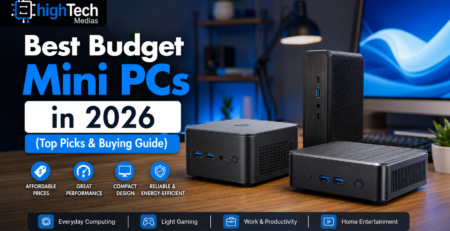
However, choosing the right Mini PC depends on factors such as processor performance, storage options, cooling design, and your main usage scenario. Best Budget Mini PCs in 2026

Modern Mini PCs use efficient processors from manufacturers such as Intel and AMD to deliver strong performance in compact designs. Intel processors

Advantages of Mini PCs

1. Better Performance-to-Price Ratio

One of the biggest advantages of Mini PCs is value.

Because Mini PCs do not include:

  • Battery technology
  • Built-in display
  • Keyboard
  • Touchpad

manufacturers can focus more of the budget on internal hardware.

For the same price, a Mini PC can sometimes offer:

  • More powerful processors
  • More RAM
  • Larger storage
  • Better connectivity

For example, users looking for a powerful home office computer may find that a Mini PC provides excellent productivity performance at a lower cost compared with a premium laptop.

2. Better Upgrade Flexibility

Upgradeability is another major advantage.

Many Mini PCs allow users to upgrade:

  • RAM
  • SSD storage
  • Sometimes Wi-Fi modules

This can extend the useful life of the computer.

A user can start with:

  • 16GB RAM
  • 512GB SSD

and later upgrade storage when requirements increase.

Compared with many modern laptops where RAM is soldered directly to the motherboard, Mini PCs usually provide more flexibility.

3. Excellent for Home Office Setups

Mini PCs are especially attractive for remote workers.

A clean workspace can be created using:

  • Mini PC mounted behind a monitor
  • Wireless keyboard and mouse
  • Large external display

This creates a professional desktop environment while saving valuable desk space.

For users interested in productivity-focused setups, our guide on Best Mini PCs for Home Office in 2026 provides additional recommendations.

4. Lower Energy Consumption

Mini PCs typically consume less power than traditional desktop computers.

This makes them attractive for:

  • Home offices
  • Always-on systems
  • Media centers
  • Small businesses

Lower energy consumption can also reduce long-term operating costs.

Limitations of Mini PCs

Despite their advantages, Mini PCs are not perfect for everyone.

1. Limited Portability

The biggest disadvantage is obvious:

Mini PCs are not designed to be carried everywhere.

Although they are small, users still need:

  • A monitor
  • Keyboard
  • Mouse
  • Power source

This makes them less convenient for people who frequently travel.

2. Additional Equipment Cost

A Mini PC may appear cheaper initially, but first-time buyers should consider additional costs:

  • Monitor
  • Keyboard
  • Mouse
  • Webcam

Users who already own these accessories benefit the most from Mini PCs.

3. Gaming Performance Depends on Hardware

Most Mini PCs use integrated graphics.

They are excellent for:

  • Office applications
  • Web browsing
  • Programming
  • Video playback

However, serious gamers may need:

  • Dedicated GPU
  • Gaming laptop
  • Desktop PC

Laptops Explained: Advantages and Limitations

Laptops remain one of the most popular computing devices because they offer something Mini PCs cannot easily provide: complete mobility.

A laptop gives users everything needed in one package.

Advantages of Laptops

1. True Portability

The biggest advantage of laptops is freedom.

Users can work:

  • At home
  • At the office
  • In a café
  • During travel
  • At university

The built-in battery allows users to continue working even without immediate access to power.

For students, professionals, and frequent travelers, this advantage is difficult to replace.

2. All-in-One Convenience

A laptop includes everything:

  • Screen
  • Keyboard
  • Touchpad
  • Speakers
  • Camera
  • Battery

There is no need to purchase additional accessories.

This makes laptops extremely convenient for first-time buyers.

3. More Variety for Different Users

The laptop market offers options for almost every type of user:

  • Budget laptops
  • Business laptops
  • Gaming laptops
  • Creator laptops
  • Ultrabooks

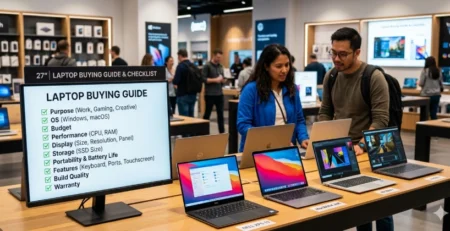
For example, users looking for affordable performance can explore our guide: Laptop Buying Guide 2026

Limitations of Laptops

1. Limited Upgrade Options

Modern laptops are becoming thinner, which often reduces upgrade possibilities.

Common limitations include:

  • Soldered RAM
  • Limited storage expansion
  • Proprietary components

This means buyers should carefully select specifications before purchasing.

2. Higher Cost for Similar Performance

A laptop usually costs more because it includes:

  • Display
  • Battery
  • Portable design
  • Miniaturized components

A Mini PC may offer similar processing power at a lower price.

3. Thermal Limitations

Because laptops have compact internal designs, cooling can be challenging.

Under heavy workloads:

  • Fans may become louder
  • Performance may decrease
  • Heat may increase

Mini PCs vs Laptops: Performance Comparison

Performance depends on the exact model, processor, cooling system, and intended workload.

In 2026, both categories are powerful enough for everyday computing.

For example:

Office Productivity

Both Mini PCs and laptops perform very well for:

  • Microsoft Office
  • Web browsing
  • Video meetings
  • Document editing

Winner: “Tie

Mini PC vs laptop performance comparison chart showing differences in power and efficiency

Content Creation

For video editing, photography, and design:

A Mini PC with stronger cooling may maintain performance longer.

However, professional creator laptops offer:

  • Dedicated GPUs
  • High-quality displays
  • Mobile workflows

Winner: “Depends on usage

Multitasking

Mini PCs often provide excellent value because users can configure:

  • More RAM
  • Larger storage

Winner: “Mini PC advantage

Mini PCs vs Laptops: Portability Comparison

When comparing Mini PCs vs laptops, portability is the biggest difference between these two devices.

A laptop was designed from the beginning to be mobile. It includes everything required to work anywhere:

  • Built-in screen
  • Battery
  • Keyboard
  • Touchpad
  • Wireless connectivity

A Mini PC, despite its small size, is still a desktop computer. It can be moved more easily than a traditional desktop tower, but it still requires external accessories.

For example, a remote worker using a laptop can simply close the lid, put it in a bag, and continue working from another location. A Mini PC user would need to move the computer, monitor, keyboard, mouse, and power adapter.

Winner: “Laptop “

For users who travel frequently, work from multiple locations, or need maximum flexibility, laptops remain the better choice.

Power Consumption and Energy Efficiency

Energy efficiency has become increasingly important as users look for computers that provide strong performance while consuming less power.

Both Mini PCs and modern laptops are designed with efficiency in mind, especially with newer processors such as:

  • AMD Ryzen mobile processors
  • Intel Core Ultra processors
  • ARM-based laptop chips

However, Mini PCs often have an advantage in long-term desktop usage because they are designed to run continuously while using relatively low power.

Typical Mini PC advantages include:

  • Lower idle power consumption
  • Efficient cooling systems
  • Less energy waste compared with traditional desktops

This makes Mini PCs attractive for:

  • Home offices
  • Small businesses
  • Digital workstations
  • Home servers

Laptops also provide excellent efficiency because they must preserve battery life. Their processors are optimized to balance performance and power consumption.

Winner: Slight Advantage to Mini PC for stationary use

For a computer that stays on a desk every day, a Mini PC can provide excellent efficiency.

For mobile use, a laptop’s battery advantage is unmatched.

Upgradeability and Long-Term Value

One of the most important factors when buying a computer is how long it will remain useful.

Technology changes quickly, and users want devices that can adapt to future needs.

Mini PC Upgradeability

Many Mini PCs allow users to upgrade:

  • RAM
  • SSD storage
  • Wireless modules
  • Sometimes cooling components

This upgrade flexibility is one reason Mini PCs have become popular alternatives to traditional desktop computers. Silent Mini PC solutions

This means users can improve their system without replacing the entire device.

For example:

A user may purchase a Mini PC with:

  • 16GB RAM
  • 512GB SSD

After several years, they may upgrade to:

  • 32GB RAM
  • 2TB SSD

and continue using the same machine.

Laptop Upgradeability

Laptop upgrade options depend heavily on the model.

Some business laptops still allow:

  • SSD replacement
  • RAM upgrades

However, many modern thin laptops use:

  • Soldered memory
  • Integrated components
  • Limited expansion options

This makes future upgrades more difficult.

Winner: Mini PC

For users who want a computer that can evolve over time, Mini PCs generally provide better long-term value.

Gaming: Mini PC or Laptop?

Gaming is one area where the choice becomes more complicated.

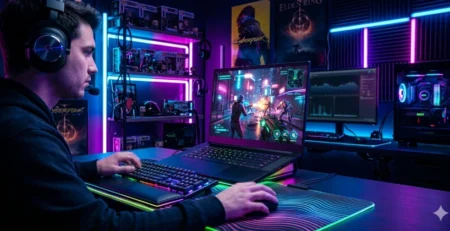
Modern laptops have improved significantly. Gaming laptops under $1000 can now provide:

  • Dedicated NVIDIA RTX graphics
  • High-refresh-rate displays
  • Advanced cooling systems

They are a strong choice for gamers who need portability.

For example, technologies such as NVIDIA DLSS and AI frame generation have improved gaming performance on modern laptops.

Official NVIDIA technologies can be found here:


Mini PCs can also handle gaming, but performance depends greatly on the model.

Mini PCs with integrated graphics are suitable for:

  • Casual games
  • Esports titles
  • Older games
  • Cloud gaming

However, serious gamers usually require:

  • Dedicated graphics
  • Higher cooling capacity
  • Upgradeable GPU solutions

Winner: Gaming Laptop

For gaming, laptops generally offer more choices and stronger graphics performance.

Mini PCs vs Laptops for Home Office and Remote Work

For many professionals, the decision between a Mini PC and laptop depends on the working environment.

Remote work has changed how people think about computers. Many users now need:

  • Video conferencing
  • Multiple applications running simultaneously
  • Large displays
  • Comfortable workspaces

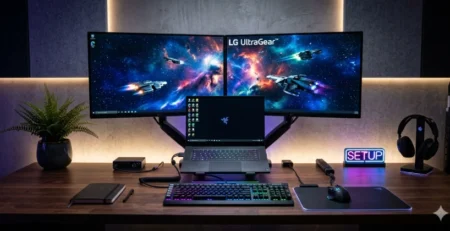
Professionals who want to create a clean and productive workstation can compare models specifically designed for office environments. Best Mini PCs for Home Office in 2026

Mini PC and laptop home office setup comparison for remote workers

Mini PCs vs Laptops for Students

Students usually have different requirements compared with professionals.

Important factors include:

  • Budget
  • Portability
  • Battery life
  • Software requirements

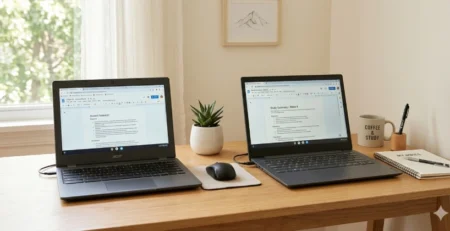
When Students Should Choose a Laptop

A laptop is usually the better option for students who:

  • Move between classrooms
  • Study in libraries
  • Need portability
  • Attend online courses

The built-in battery and display make laptops extremely practical.

When Students Should Choose a Mini PC

A Mini PC may be a good option for students who:

  • Study mainly at home
  • Need an affordable desktop setup
  • Already own a monitor and accessories
  • Need more performance per dollar

For example, computer science students or programmers may appreciate a Mini PC with:

  • More RAM
  • Larger storage
  • Multiple displays

Winner:

Students who travel → Laptop

Students with fixed study spaces → Mini PC

Some students may prefer a device that combines laptop mobility with tablet flexibility. Hybrid computers provide another solution by combining touchscreen convenience with traditional laptop productivity. Ninkear S13 2-in-1 Tablet Laptop

Price Comparison: Mini PC vs Laptop

Price is one of the biggest reasons people compare these devices.

Mini PC Pricing Advantage

Mini PCs often provide more hardware value because buyers are not paying for:

  • Battery technology
  • Display
  • Portable design

A budget Mini PC can provide excellent performance for:

  • Office work
  • Browsing
  • Programming
  • Entertainment

Laptop Pricing

Laptop pricing includes additional components:

  • Screen quality
  • Battery
  • Keyboard
  • Touchpad
  • Compact engineering

However, buyers receive a complete device immediately.

Example Comparison

A $700 Mini PC setup may require:

  • Mini PC
  • Monitor
  • Keyboard
  • Mouse

A $700 laptop includes:

  • Computer
  • Display
  • Battery
  • Keyboard

The best value depends on what accessories the user already owns.

Winner:

Mini PC for maximum hardware value

Laptop for complete convenience

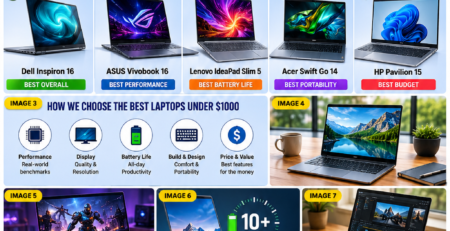
For buyers searching for affordable but capable laptops, comparing models under a specific budget can make the selection process easier. Best Laptops Under $1000 in 2026

Mini PC vs laptop price and value comparison for computer buyers

Who Should Buy a Mini PC?

A Mini PC is the better choice for users who:

✅ Work mainly from one location
✅ Want a clean desktop setup
✅ Need multiple monitors
✅ Prefer upgrade flexibility
✅ Want better performance per dollar
✅ Already own a monitor and accessories

Typical Mini PC users include:

  • Remote professionals
  • Programmers
  • Small businesses
  • Home office users
  • Students studying at home

Who Should Buy a Laptop?

A laptop is the better choice for users who:

✅ Travel frequently
✅ Need battery power
✅ Work from different locations
✅ Attend meetings outside the office
✅ Want an all-in-one device

Typical laptop users include:

  • Students
  • Business travelers
  • Sales professionals
  • Digital nomads
  • Hybrid workers

Users building a professional workstation can also explore different compact computing solutions based on their productivity requirements. Mini PC buying guides

Mini PC vs Laptop: Which One Is Better in 2026?

There is no universal winner.

The best choice depends on your lifestyle.

Choose a Mini PC if you prioritize:

  • Performance
  • Value
  • Upgradeability
  • Desktop productivity

Choose a Laptop if you prioritize:

  • Mobility
  • Convenience
  • Battery life
  • Flexibility

Final Verdict: Mini PCs vs Laptops – Which One Should You Choose?

Before making your final decision, reviewing detailed buying guides can help you compare specifications, pricing, and real-world performance. computer buying guides

The competition between Mini PCs and laptops is closer than ever in 2026.

Mini PCs have become powerful enough to replace many traditional desktop computers while offering excellent efficiency, compact designs, and strong value.

They are especially attractive for users building a permanent workspace, remote professionals who work from home, and anyone who wants maximum performance without paying for unnecessary portability features.

Laptops remain the best solution for users who need freedom and flexibility. Their all-in-one design, built-in battery, and portability make them ideal for students, travelers, and hybrid workers.

Before buying, consider your daily routine:

  • Where will you use your computer?
  • Do you move frequently?
  • Do you already own a monitor?
  • Do you need future upgrades?
  • Is portability more important than performance?

The right choice is not about which device is more powerful. It is about which device better matches your personal workflow.

User Type Best Choice
Remote home worker Mini PC
Office professional Mini PC
Student moving between locations Laptop
Frequent traveler Laptop
Gamer Gaming Laptop
Programmer Mini PC
Content creator Depends on workload
Budget buyer with accessories Mini PC
First-time computer buyer Laptop

Share this post

Comments (6)

Leave a Reply

Your email address will not be published. Required fields are marked *