

Laptop Buying Guide 2026 – What to Check Before You Buy
Advanced computing tools designed for different lifestyles, including remote work, professional productivity, creative applications, gaming, education, and artificial intelligence-based tasks.
With hundreds of models available from different manufacturers, choosing the right laptop can quickly become confusing. Two laptops may have similar prices but offer completely different experiences because of differences in processor efficiency, display quality, battery life, cooling systems, upgradeability, and build quality.
A good laptop should match your personal needs. A student may prioritize portability and battery life, while a content creator may need a powerful processor and high-quality display. A business professional may focus on security, durability, and reliability, while gamers require dedicated graphics performance.
This Laptop Buying Guide 2026 explains the most important factors you should check before buying a laptop, helping you understand specifications and make a smarter purchasing decision.
If you’re already narrowing your choices by budget, you may also want to compare some of the most affordable models available in our guide to the best laptops under $1,000.
1.Understand Your Main Purpose Before Buying a Laptop
The first step in choosing the right laptop is understanding how you will use it. Many buyers make the mistake of selecting a laptop based only on specifications without considering their actual daily requirements.
A powerful gaming laptop may be unnecessary for someone who only browses the internet and works with documents. Similarly, a lightweight ultrabook may not be enough for someone editing 4K videos or running demanding professional software.
Before looking at brands or specifications, identify your main usage category.
Everyday Users and General Productivity
For browsing, email, Microsoft Office, video meetings, entertainment, and basic multitasking, you do not need the most expensive laptop.
If your laptop will be used heavily for Windows and Microsoft 365 applications, it’s also worth checking Microsoft’s official support resources when evaluating software compatibility and everyday productivity requirements.
A good everyday laptop should include:
- Modern Intel Core or AMD Ryzen processor
- At least 16GB RAM
- 512GB SSD storage
- Full HD or better display
- Good battery life
However, if you are considering a desktop-style setup rather than a portable computer, a compact PC can provide another practical option for everyday productivity.
These laptops provide enough performance for several years of comfortable use.
Students
Students usually need a balance between price, portability, and battery life.
The ideal student laptop should offer:
- Lightweight design
- Reliable keyboard
- Long battery endurance
- Fast startup performance
- Durable construction
A laptop that is easy to carry between classrooms, libraries, and home is often more valuable than one with extreme performance.
For students who are working with a tighter budget, our guide to the best laptops under $1,000 provides another useful starting point.
Professionals and Remote Workers
For professionals working from home or offices, productivity and reliability are the most important factors.
If portability and flexible working are your priorities, our coverage of the Ninkear S13 2-in-1 provides another example of a device designed around professional mobility.
Recommended features include:
- Comfortable keyboard
- High-quality webcam
- Strong Wi-Fi connectivity
- Efficient processor
- Good multitasking capability
- Business-grade security features
Professionals who frequently travel should also consider weight and battery performance.
Creators and Designers
Creative professionals need stronger hardware because applications such as Adobe Premiere Pro, Photoshop, Blender, and CAD software require additional resources.
Important specifications include:
- Powerful CPU
- Dedicated GPU
- High-resolution display
- Accurate color reproduction
- Large storage capacity
For creators, display quality is often just as important as processing power.
If your workload is more demanding, you should also compare the overall laptop configuration rather than choosing a model based on one specification.
2.Laptop Processor (CPU): The Brain of Your Computer
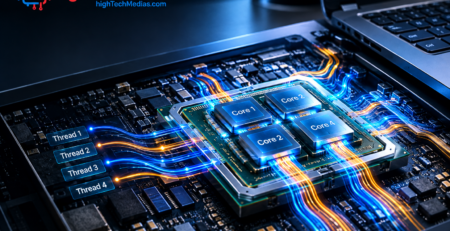
The processor is one of the most important components when buying a laptop because it determines overall speed, multitasking ability, and energy efficiency.
If you want to evaluate the processor together with RAM, storage, display, battery life, and other specifications, our broader laptop buying guide provides a useful reference.
In 2026, modern laptop processors are designed not only for traditional computing but also for artificial intelligence workloads.
Major laptop processor manufacturers include Intel, AMD, and Apple.

Intel Core Processors
Intel continues to provide a wide range of laptop processors designed for different users.
Entry-level processors are suitable for:
- Web browsing
- Office work
- Online learning
Higher-end Core Ultra processors provide:
- Better efficiency
- AI acceleration
- Improved graphics capability
- Professional productivity performance
AMD Ryzen Processors
AMD Ryzen processors have become increasingly popular because they offer strong multi-core performance and excellent power efficiency. You can also review AMD’s official processor portfolio to understand how its current mobile platforms are positioned across different performance levels.
Ryzen processors are commonly found in:
- Productivity laptops
- Gaming laptops
- Creator machines
For users who need strong performance without sacrificing battery life, AMD Ryzen-powered laptops are often excellent choices.
Apple Silicon Processors
Apple laptops use custom-designed processors that combine CPU, GPU, and AI processing into highly efficient chips. If you’re considering macOS instead of Windows, you can explore Apple’s current Mac lineup to compare available systems.
Their main advantages include:
- Excellent battery life
- Strong performance per watt
- Quiet operation
- Optimized software integration
3.How Much RAM Do You Need in 2026?
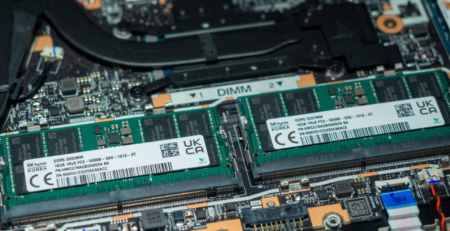
RAM determines how many applications your laptop can handle simultaneously.
In 2026, 8GB RAM should generally be considered the minimum, while 16GB has become the recommended standard for most users.
RAM is particularly important when choosing a laptop for professional multitasking, so it is worth looking beyond the CPU name when comparing models. Best laptops under $1,000
8GB RAM
Suitable for:
- Basic browsing
- Documents
- Online classes
- Light entertainment
However, it may become limiting for future applications.
16GB RAM
Recommended for most users.
Ideal for:
- Multitasking
- Office productivity
- Programming
- Creative applications
- Long-term use
32GB RAM or More
Designed for:
- Video editing
- 3D design
- Engineering applications
- Professional workloads
Most everyday users do not need this amount of memory.

4.Storage: SSD vs Traditional Storage
Storage affects how quickly your laptop starts, opens applications, transfers files, and responds during daily use.
Modern laptops should use SSD storage instead of traditional hard drives.
Why SSD Storage Matters
An SSD provides:
- Faster startup times
- Faster application loading
- Better reliability
- Lower power consumption
- Silent operation
For most users:
512GB SSD
is the recommended minimum in 2026.
Storage Recommendations
| User Type | Recommended Storage |
| Student | 512GB SSD |
| Professional | 512GB–1TB SSD |
| Creator | 1TB+ SSD |
| Gamer | 1TB SSD |
5.Laptop Display: More Than Just Screen Size
The display is one of the components users interact with every day, yet it is often overlooked.
A good laptop display improves:
- Productivity
- Entertainment
- Creative work
- Eye comfort
Important display factors include:
- Resolution
- Panel type
- Brightness
- Refresh rate
- Color accuracy
Resolution
In 2026:
- Full HD remains acceptable
- 2.5K and 3K displays provide better sharpness
- 4K displays target professionals
OLED vs IPS Displays
OLED Advantages:
- Deep blacks
- Excellent contrast
- Vibrant colors
IPS Advantages:
- Reliable brightness
- Good viewing angles
- Often more affordable

6.Battery Life: Choosing a Laptop That Lasts All Day
Battery life determines how practical a laptop is for mobile users.
A laptop with excellent performance but poor battery life may become inconvenient for students, travelers, and professionals.
For users who prioritize quiet operation and productivity, it can also be useful to compare laptops with compact desktop alternatives designed for home-office environments.
Factors affecting battery life include:
- Processor efficiency
- Battery capacity
- Screen brightness
- Software optimization
- Usage habits
These differences become especially important when comparing business and professional laptops designed for frequent travel and daily use. You can also review Lenovo’s laptop lineup when comparing portability, business features, and different form factors.
For most users in 2026:
A good laptop should provide approximately:
- 8–12 hours for productivity
- Longer for efficient ultrabooks
7.Build Quality and Portability
A laptop is a device designed to move, so physical design matters.
Important factors include:
- Weight
- Material quality
- Keyboard comfort
- Hinge durability
- Port selection
For frequent travelers:
A laptop under 1.5kg is usually more comfortable.
For a practical example of how portability can influence laptop design, see our review of the Ninkear S13 2-in-1.
For office users:
A stronger chassis and better keyboard may be more valuable than ultra-light design.

8.Graphics Performance: Do You Need a Dedicated GPU?
The graphics processor (GPU) is responsible for handling visual tasks, including gaming, video editing, 3D rendering, AI applications, and professional design software.
Many modern laptops use integrated graphics built directly into the processor. These solutions are efficient and powerful enough for everyday tasks.
However, users with demanding workloads may require a dedicated graphics card.
Integrated Graphics
Integrated graphics are included inside modern laptop processors.
They are suitable for:
- Web browsing
- Office applications
- Streaming videos
- Light photo editing
- Casual gaming
Advantages:
- Lower power consumption
- Better battery life
- Less heat generation
- More affordable laptops
For most students and professionals, integrated graphics are sufficient.
Dedicated Graphics (GPU)
Dedicated GPUs have their own processing power and memory.
They are recommended for:
- Gaming
- Video editing
- 3D modeling
- Architecture software
- AI development
- Professional creative work
Popular laptop GPU solutions include NVIDIA GeForce RTX and AMD Radeon graphics. For readers who need dedicated graphics for gaming, content creation, 3D work, or AI applications, NVIDIA’s official graphics information is a useful reference.

9.Gaming Laptop vs Productivity Laptop: Which One Should You Choose?
Gaming laptops and productivity laptops are designed for different users.
Understanding the difference can help prevent buying a device that does not match your needs.
Gaming Laptop Characteristics
Gaming laptops usually include:
- Dedicated NVIDIA or AMD graphics
- Higher-performance processors
- Advanced cooling systems
- High refresh rate displays
- Larger power adapters
Advantages:
- Excellent gaming performance
- Strong performance for creative software
- Good upgrade potential
Disadvantages:
- Heavier design
- Shorter battery life
- More fan noise
Productivity Laptop Characteristics
Productivity laptops focus on:
- Portability
- Battery efficiency
- Quiet operation
- Professional design
They are ideal for:
- Office work
- Business users
- Students
- Remote workers
Which One Is Better?
There is no universal winner.
The better choice depends on whether you value graphics performance or portability and efficiency. If you’re considering a completely different form factor, our comparison of Mini PCs vs. laptops explains the trade-offs in more detail.
Choose a gaming laptop if you need:
- High graphics performance
- Gaming capability
- Heavy creative workloads
Choose a productivity laptop if you prioritize:
- Battery life
- Mobility
- Quiet operation
- Professional appearance
10. AI Features and Future-Ready Laptops in 2026
Artificial intelligence has become one of the biggest trends in laptop technology.
Many new laptops now include dedicated AI processing hardware, often called an NPU (Neural Processing Unit).
These AI processors help improve:
- Video conferencing quality
- Background noise removal
- Image processing
- Productivity applications
- Battery efficiency
Why AI Matters for Laptop Buyers
AI features are becoming integrated into everyday applications.
Examples include:
- Automatic meeting summaries
- Real-time translation
- Smart photo editing
- Voice assistance
- Content creation tools
When comparing gaming systems, look beyond the GPU alone and consider cooling, display refresh rate, processor performance, and overall weight. ASUS is one example of a manufacturer offering laptops across gaming and productivity categories.
If you’re interested in understanding how AI-enabled Windows features work beyond the marketing terminology, Microsoft’s technical documentation and learning resources are a useful next step.
When purchasing a laptop in 2026, choosing a model with AI acceleration can improve long-term usability.
AI performance is also becoming relevant in compact desktop systems, especially for users building dedicated home-office or productivity setups.

11.Connectivity and Ports: Do Not Ignore Them
A laptop’s ports determine how easily you can connect accessories and external devices.
Before buying, check the available connectivity options.
Important ports include:
USB-C
Modern laptops increasingly use USB-C because it supports:
- Charging
- Data transfer
- External displays
HDMI
Useful for:
- External monitors
- Projectors
- TVs
USB-A
Still important for compatibility with existing accessories.
Wireless Connectivity
A modern laptop should support:
- Wi-Fi 6 or Wi-Fi 6E
- Bluetooth 5.x
These technologies improve connection stability and speed.
12. Keyboard and Touchpad Quality
Many buyers focus heavily on specifications but overlook the keyboard and touchpad.
However, these are the components you interact with every day.
A good laptop keyboard should provide:
- Comfortable key travel
- Good spacing
- Reliable typing experience
A quality touchpad should offer:
- Accurate tracking
- Smooth gestures
- Responsive clicks
For professionals who write frequently, keyboard quality can significantly affect productivity.
13. Cooling System and Thermal Performance
A laptop’s performance depends not only on its processor but also on how effectively it manages heat.
A poor cooling system can cause:
- Performance reduction
- Increased fan noise
- Lower battery efficiency
Higher-performance laptops usually require:
- Larger fans
- Better ventilation
- Improved thermal design
Thin laptops may sacrifice cooling capability for portability.
If quiet operation is one of your priorities, our guide to the best silent mini PCs provides another perspective on low-noise computing.

14.Laptop Upgradeability: Can You Improve It Later?
Laptop upgradeability has become an important buying consideration.
Unlike desktop computers, many laptops have limited upgrade options.
Before purchasing, check:
- RAM upgrade possibility
- SSD replacement options
- Battery replacement availability
RAM Upgrade
Some laptops allow additional memory installation.
Others use soldered RAM, meaning the memory cannot be replaced.
For long-term use, selecting enough RAM from the beginning is important.
Storage Upgrade
SSD replacement is more common.
A laptop with an additional storage slot provides better future flexibility.
15.Laptop Price Guide: How Much Should You Spend in 2026?
Laptop prices vary significantly depending on specifications, brand, and intended use.
When comparing prices, it can be useful to look at several manufacturers rather than judging value from a single model or brand.
For example, you can browse Dell’s current laptop lineup to compare configurations across different price categories.
Budget Laptops ($400–$700)
Suitable for:
- Students
- Browsing
- Office work
- Entertainment
Recommended specifications:
- 16GB RAM
- 512GB SSD
- Modern entry-level processor
Another option for users focused on value is a compact desktop, particularly when portability is not essential. Our guide to the best budget mini PCs covers that category in more detail.
Mid-Range Laptops ($700–$1200)
This is the best value category for most users.
If you’re shopping around the same price level, our guide to the best laptops under $1,000 can help you compare value-focused options.
Typical features:
- Better displays
- Faster processors
- Premium designs
- Longer lifespan
Ideal for:
- Professionals
- Students
- Remote workers
Premium Laptops ($1200+)
Designed for:
- Creators
- Business professionals
- Developers
- Advanced users
Features include:
- Premium materials
- High-resolution displays
- Powerful processors
- Advanced AI capabilities

16.Common Mistakes to Avoid When Buying a Laptop
Many buyers make decisions based only on marketing terms or one specification.
Avoid these common mistakes:
Buying Based Only on Processor Name
A powerful CPU does not guarantee a good laptop.
Other factors matter:
- Cooling
- Display
- Battery
- Build quality
Choosing Too Little RAM
Buying an 8GB laptop today may limit future usability.
For most users, 16GB provides a better long-term experience.
Ignoring Display Quality
A laptop is used through its screen every day.
Poor brightness or inaccurate colors can negatively affect productivity.
For users who work primarily from a desk, another option is to consider a silent mini PC for a quiet home-office setup, particularly when laptop portability is not a priority.
Choosing the Wrong Category
A gaming laptop may be unnecessary for office work.
If you primarily work from a fixed desk, it is worth comparing laptops with compact desktop solutions before making your final decision.
A lightweight ultrabook may not be enough for professional editing.
Always match the laptop to your real needs.
17.Final Laptop Buying Checklist for 2026
Before purchasing a laptop, check the following:
✅ Processor: Modern Intel, AMD, or Apple chip
✅ RAM: Minimum 16GB recommended
✅ Storage: At least 512GB SSD
✅ Display: Good brightness and resolution
✅ Battery: Suitable for your daily usage
✅ Weight: Comfortable for your lifestyle
✅ Ports: Enough connectivity options
✅ Cooling: Appropriate for performance level
✅ Upgradeability: Check future flexibility
✅ Price: Match your real requirements
Final Verdict – How to Choose the Best Laptop in 2026
The best laptop in 2026 is not necessarily the most expensive model. It is the one that matches your specific needs, workflow, and lifestyle.
If portability is not essential to your setup, it is also worth comparing laptops with compact desktop systems before making your final purchase decision.
Students and everyday users should focus on portability, battery life, and reliability. Professionals should prioritize productivity performance, keyboard quality, and long-term durability. Creators and gamers should invest in stronger processors, dedicated graphics, and better displays.
When choosing a laptop, always look beyond individual specifications. A balanced combination of performance, efficiency, build quality, and user experience creates the best long-term value.
By following this Laptop Buying Guide 2026, you can confidently evaluate different models and select a laptop that will remain useful for years.
Still Deciding Between a Laptop and a Mini PC?
Choosing the right computer is ultimately about matching the device to your workspace, workload, budget, and mobility needs. If you’re still comparing your options, continue with these two guides before making your final decision: Compare laptops and mini PCs




Comments (26)
[…] you’re comparing a new laptop with other form factors, our laptop buying resources can help you evaluate the bigger […]
[…] you are still evaluating the basic specifications that matter when purchasing a laptop, our 2026 laptop buying guide provides a broader starting […]
[…] If you want a more complete checklist covering processor, RAM, storage, display, battery life, and other specifications, see our laptop buying guide: what to check before you buy. […]
[…] Before choosing a configuration, it is also worth looking at the other specifications that matter wh…. […]
[…] you’re still deciding which type of computer is right for your needs, our laptop buying guide for 2026 is a useful starting […]
[…] you are shopping for a laptop specifically for demanding workloads, our broader Laptop Buying Guide 2026 can help you evaluate the CPU alongside RAM, storage, display, and other […]
[…] you want a broader framework for evaluating laptops beyond the $500 price range, our 2026 laptop buying guide covers the major specifications and purchasing considerations in greater […]
[…] you are still deciding between different laptop platforms, our Laptop Buying Guide 2026 provides a broader starting […]
[…] you are still deciding between different laptop categories, our Laptop Buying Guide 2026 is a useful next step before making a […]
[…] you are still deciding what type of computer you need, our guides to the Laptop Buying Guide 2026 and Laptop Processor Guide 2026 provide useful background before you […]
[…] you are still deciding which type of laptop to buy, our [Laptop Buying Guide 2026] can help you evaluate storage alongside the processor, display, battery and other […]
[…] you’re still choosing your main computer, start with our laptop buying guide for 2026 before committing to a full […]
[…] If you’re still deciding which computer suits your needs, start with our 2026 laptop buying guide. […]
[…] comparing other technology for a connected home office can also explore our 2026 laptop buying guide and our guide to the best mini PCs for home […]
[…] If you game and work at the same desk, also consider typing comfort, noise, key layout, and operating-system compatibility. For help matching your computer to the rest of your setup, see our laptop buying guide for 2026. […]
[…] For a broader overview of the decision process, see our laptop buying guide for 2026. […]
[…] This guide explains the differences in practical terms, compares real laptop display examples, and helps you decide whether paying extra for higher resolution makes sense. For a broader overview of laptop purchasing decisions, see the HighTechMedias.com laptop buying guide for 2026. […]
[…] you are deciding between gaming and a general-purpose computer, our laptop buying guide for 2026 explains the trade-offs in portability, performance, and everyday […]
[…] you’re still deciding which computer to purchase, start with our complete 2026 laptop buying guide for a broader look at specifications that […]
[…] and everyday users choose the right drive. If you are still deciding which computer to buy, our 2026 laptop buying guide provides additional advice on selecting the right […]
[…] you want a broader framework for evaluating laptops beyond the $500 price range, our 2026 laptop buying guide covers the major specifications and purchasing considerations in greater […]
[…] If you want a more complete checklist covering processor, RAM, storage, display, battery life, and other specifications, see our laptop buying guide: what to check before you buy. […]
The warning about buying based only on the processor name is worth emphasizing. For someone carrying a laptop between classes, battery life, weight, and a comfortable keyboard can matter more than extra CPU power. I’d also check whether the RAM is soldered before assuming an upgrade will be possible later.
For students carrying a laptop between classrooms, libraries, and home, I would count the charger in the portability comparison too. A lighter laptop with poor battery life may still mean carrying its power adapter every day, so laptop weight alone does not tell the whole story. That makes battery life part of the carrying experience, not just a separate specification.
[…] a system, consider how your preferred editing application uses the CPU, GPU, and media engines. Our laptop buying guide for 2026 also explains the core hardware decisions that matter when selecting a computer for demanding […]
[…] If you’re also comparing specifications beyond size and weight, see our Laptop Buying Guide 2026. […]