

Best Mini PCs for Home Office in 2026
The modern home office has changed dramatically over the last few years. Traditional desktop towers that once dominated office spaces are gradually being replaced by smaller, quieter, and more energy-efficient computing solutions.
Quick answer: For a home office, choose a mini PC with 16GB of RAM, a 512GB SSD, a recent Ryzen or Intel Core processor and support for two monitors. Quiet operation, a small size and reliability matter more than raw power for most office work. If you also edit video or run heavy software, step up to a more powerful model.
One of the fastest-growing categories is the Mini PC.
Still deciding between a mini PC and a laptop? Our comprehensive comparison guide, “Mini PCs vs. Laptops – Which One Should You Choose?“, breaks down the key differences to help you choose the right device for your needs.
A Mini PC delivers the essential performance of a desktop computer while occupying only a fraction of the space. Whether you work remotely, run a small business, attend virtual meetings, manage spreadsheets, edit documents, or use cloud-based applications throughout the day, a Mini PC can provide a clean and efficient workspace without sacrificing performance.
The best Mini PCs (read our integral Best Mini PCs for Home Office in 2026) available today offer powerful AMD Ryzen and Intel processors, support for multiple monitors, fast SSD storage, generous memory configurations, and surprisingly capable graphics performance.
In this guide, we’ll examine the best Mini PCs for home office use in 2026 and explain which models are best for different types of users.
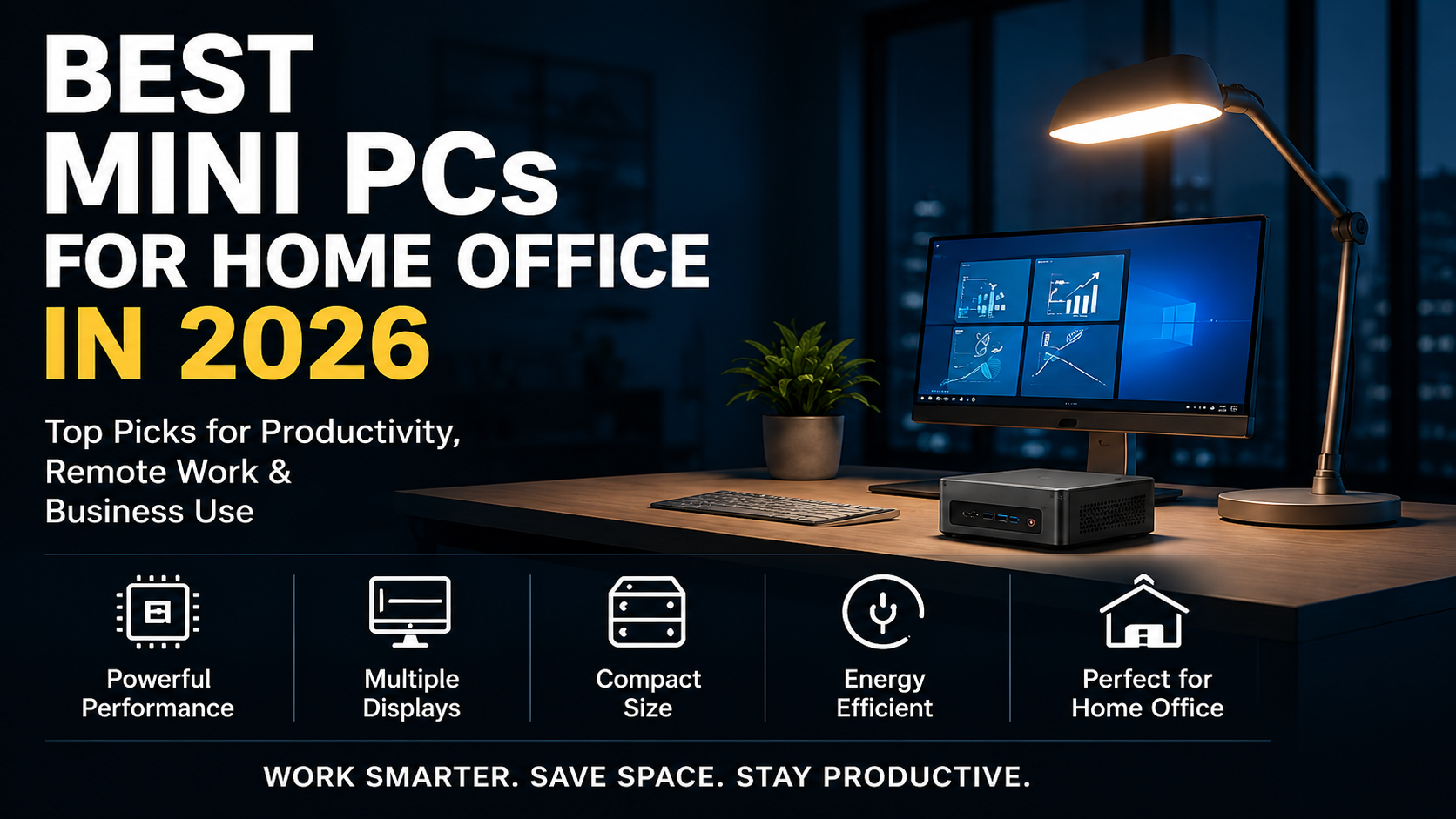
The best Mini PCs available today offer powerful AMD Ryzen and Intel processors, support for multiple monitors, fast SSD storage, generous memory configurations, and surprisingly capable graphics performance.
In this guide, we’ll examine the best Mini PCs for home office use in 2026 and explain which models are best for different types of users.
1. Why More Professionals Are Choosing Mini PCs
Home office users typically prioritize several factors:
- Reliability
- Quiet operation
- Low power consumption
- Small footprint
- Multiple display support
- Long-term value
Mini PCs perform exceptionally well in these categories.
However, if you’re still unsure whether a mini PC or a laptop is the better choice for your needs, check out our in-depth comparison guide: “Mini PCs vs. Laptops – Which One Should You Choose?“
Unlike large desktop towers, Mini PCs can easily fit behind a monitor, under a desk, or even be mounted using a VESA bracket.
For professionals working in smaller apartments or dedicated home office spaces, reducing clutter can significantly improve productivity.
Another major advantage is energy efficiency.
Many modern Mini PCs consume significantly less electricity than traditional desktop systems while still delivering enough performance for office applications, web browsing, multitasking, video conferencing, and content creation.
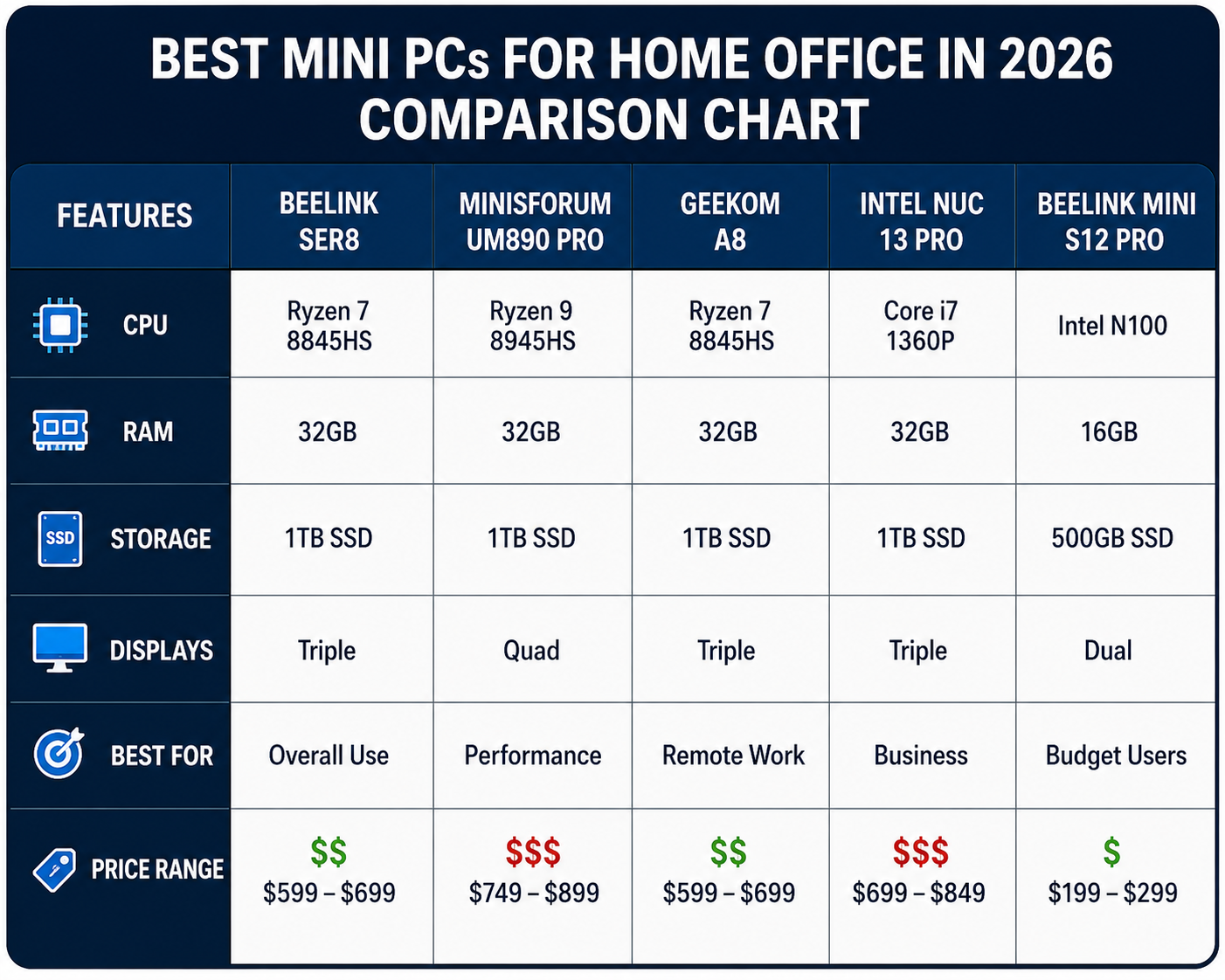
2. What Makes a Great Home Office Mini PC?
Before selecting a Mini PC, it is important to understand the specifications that matter most.
Processor Performance
The processor is the heart of the system.
For productivity workloads, recommended options include:
- AMD Ryzen 7 series
- AMD Ryzen 9 series
- Intel Core Ultra processors
- Intel Core i7 processors
These CPUs provide excellent multitasking performance and enough power for demanding office applications.
Memory (RAM)
For most professionals:
- 16GB RAM = recommended minimum
- 32GB RAM = ideal for power users
If you frequently use:
- Chrome with many tabs
- Microsoft Teams
- Zoom
- Excel
- AI tools
then 32GB provides a noticeably smoother experience.
Storage
Fast SSD storage significantly improves responsiveness.
Recommended:
- 512GB SSD minimum
- 1TB SSD preferred
NVMe SSDs provide much faster performance than traditional SATA drives.
Multiple Monitor Support
Many home office workers rely on dual-monitor setups.
The best Mini PCs support:
- 2 monitors
- 3 monitors
- even 4 monitors
through HDMI, DisplayPort, or USB4 connections.
Noise Levels
A quiet workspace improves concentration.
Modern Mini PCs often produce significantly less fan noise than traditional desktops.
3. Best Overall Mini PC for Home Office
AMD Ryzen-Based Productivity Champion
Why We Like It
A modern Ryzen-powered Mini PC delivers an outstanding balance of:
- performance
- efficiency
- multitasking
- upgradeability
For home office users, Ryzen processors excel at handling dozens of browser tabs, video meetings, spreadsheets, and productivity applications simultaneously.
Pros
- Excellent multitasking
- Strong integrated graphics
- Energy efficient
- Good upgrade options
Cons
- Premium configurations can be expensive
Ideal User
- Remote workers
- Small business owners
- Consultants
- Professionals
Overall Rating
9.5/10
If you want to know averything about Best mini PC for home in 2026, here is the full article
4. Best Mini PCs We Recommend in 2026

1. Ninkear M8
Best Overall
Specifications:
- Ryzen™ 7 8745HS
- Up to 16GB DDR5
- 1TB PCIe 3.0 NVMe SSD
- Triple monitor support
Pros:
- Powerful and efficient performance
- Great for multitasking
- Compact, quiet, and reliable
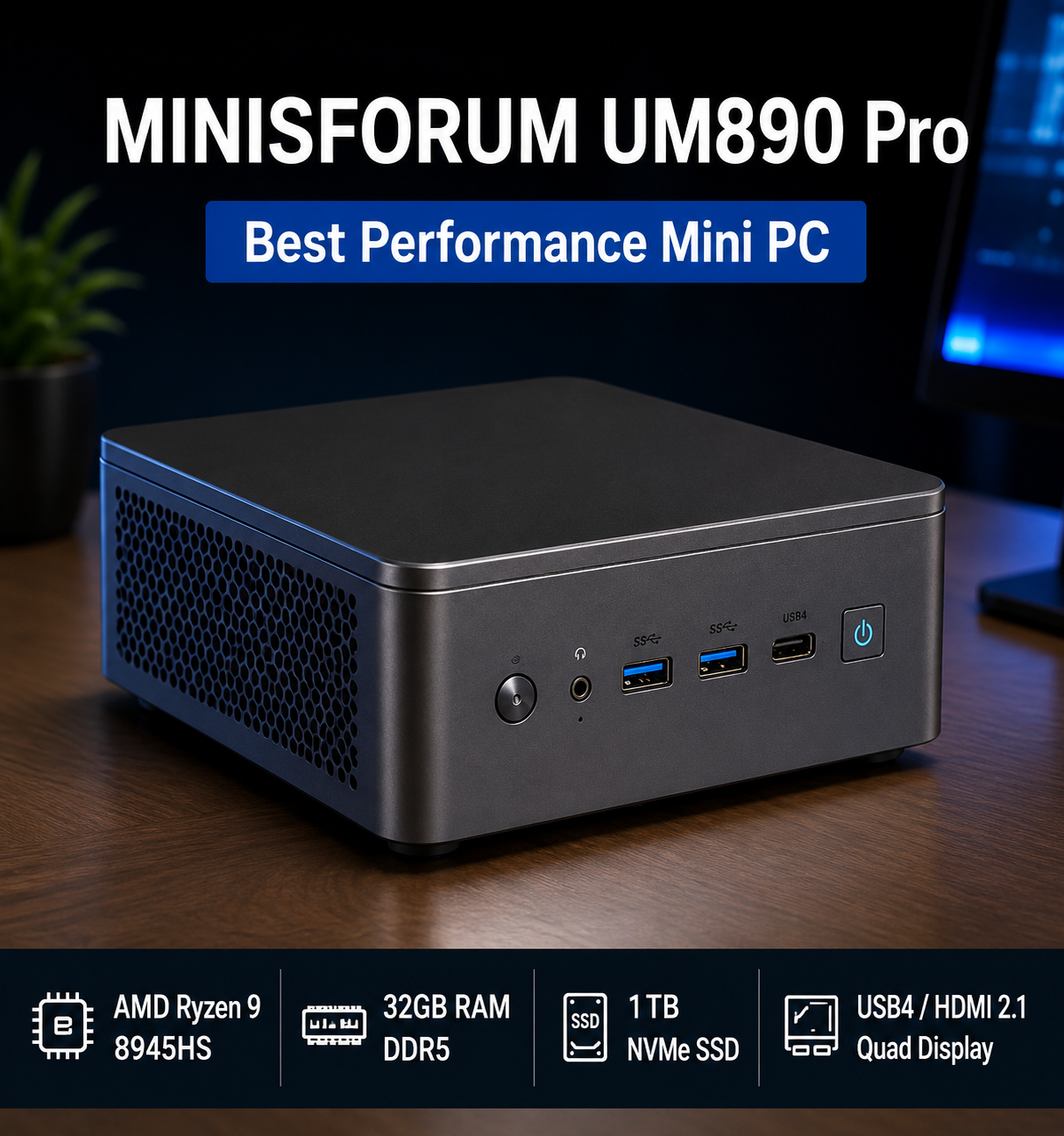
2. MINISFORUM UM890 Pro
Best Performance
Specifications:
- Ryzen 9 8945HS
- 32GB RAM
- 1TB SSD
Pros:
- Extremely powerful
- Excellent for AI tools
- Video editing capable
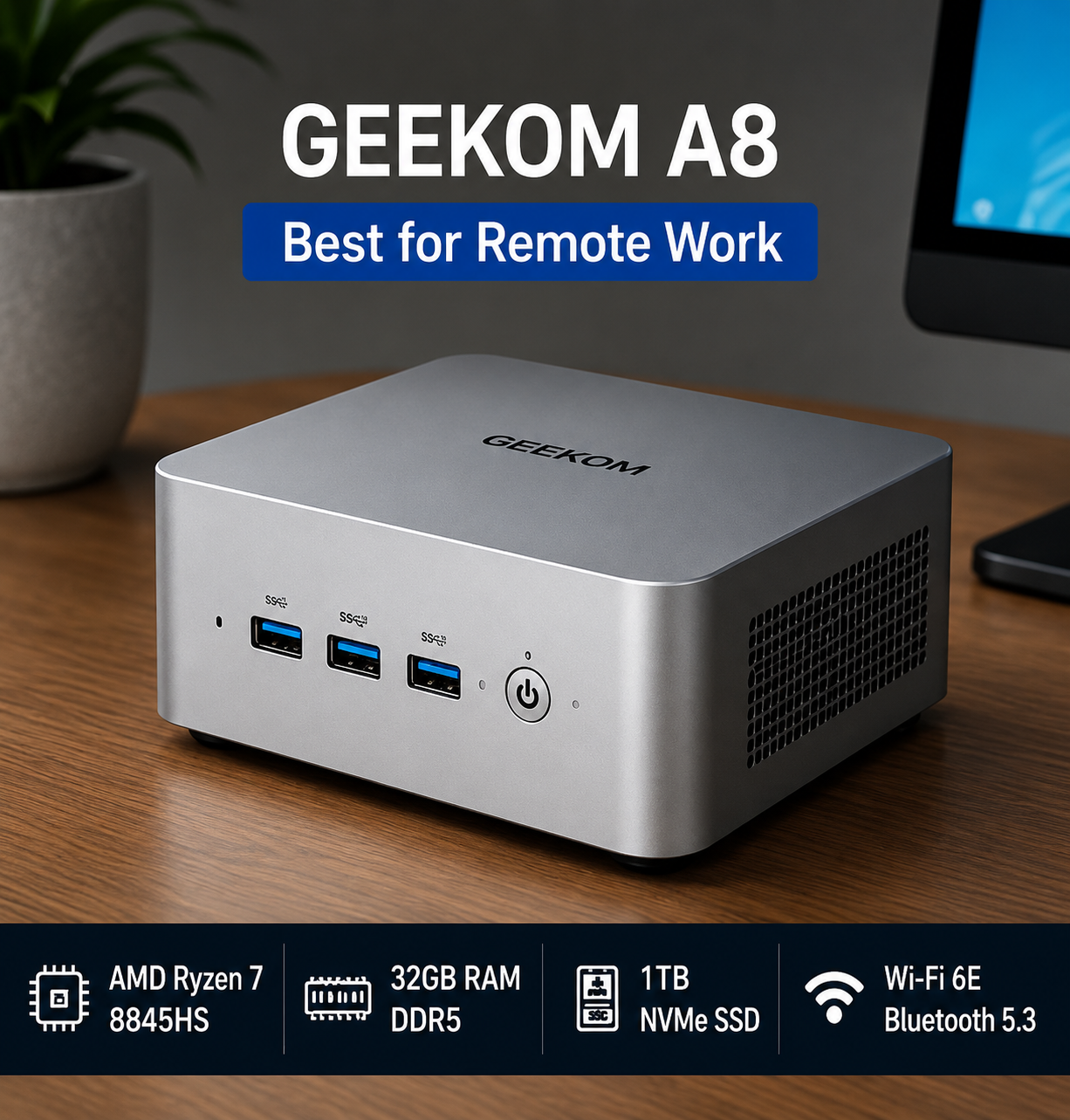
3. Geekom A8
Best for Remote Work
Specifications:
- Ryzen 7 processor
- Wi-Fi 6E
- Multiple display support
Pros:
- Quiet operation
- Stable connectivity
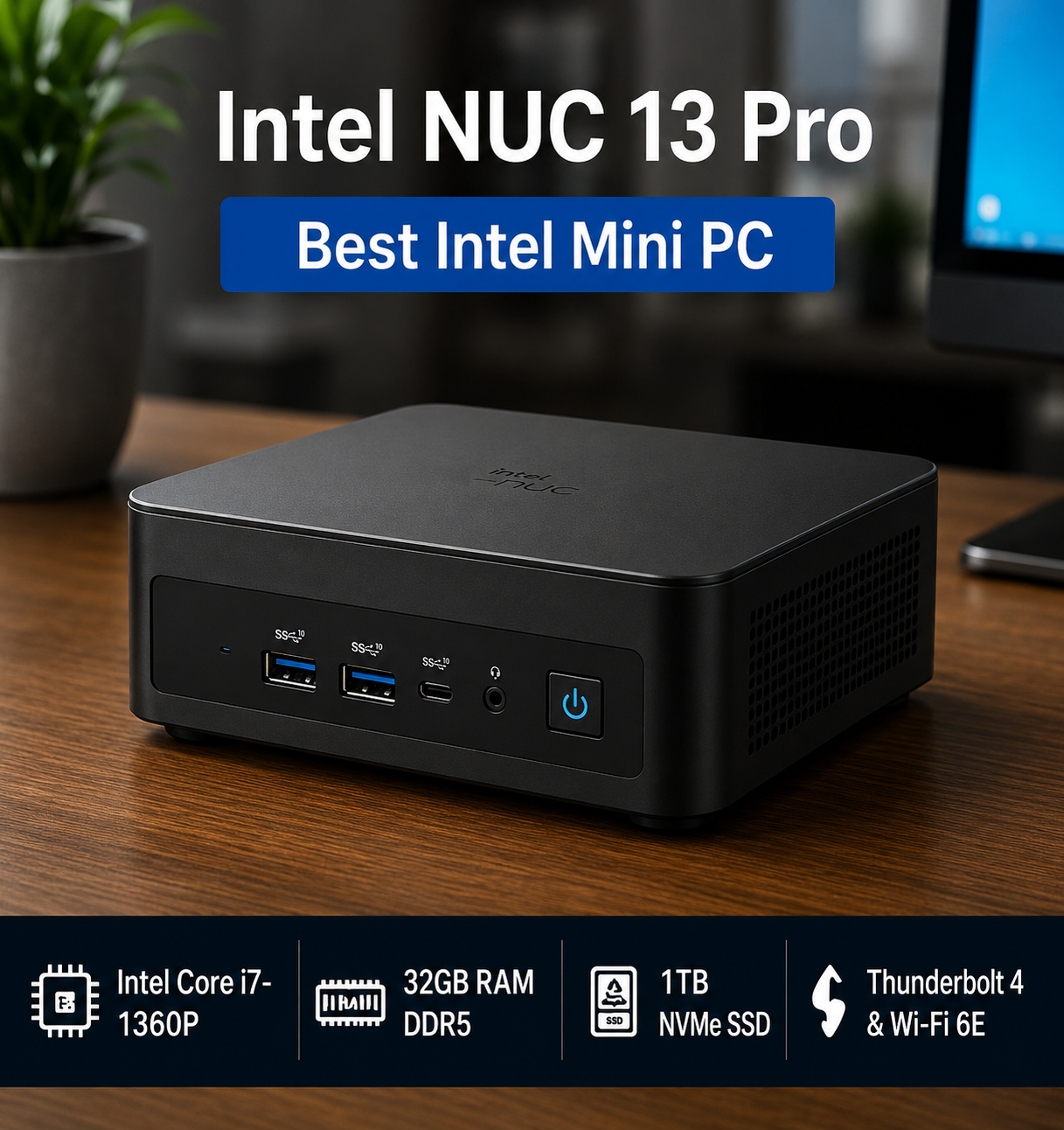
4. Intel NUC 13 Pro
Best Intel Option
Specifications:
- Intel Core i7
- Thunderbolt support
- Enterprise reliability
Intel NUC 13 Pro delivers exceptional business-class performance with up to a 13th Gen Intel Core processor in an ultra-compact form factor, making it ideal for productivity, multitasking, and professional workloads. It also supports up to four 4K displays, high-speed Thunderbolt 4 and Wi-Fi 6E connectivity, providing a powerful and space-saving solution for modern home offices and business environments.
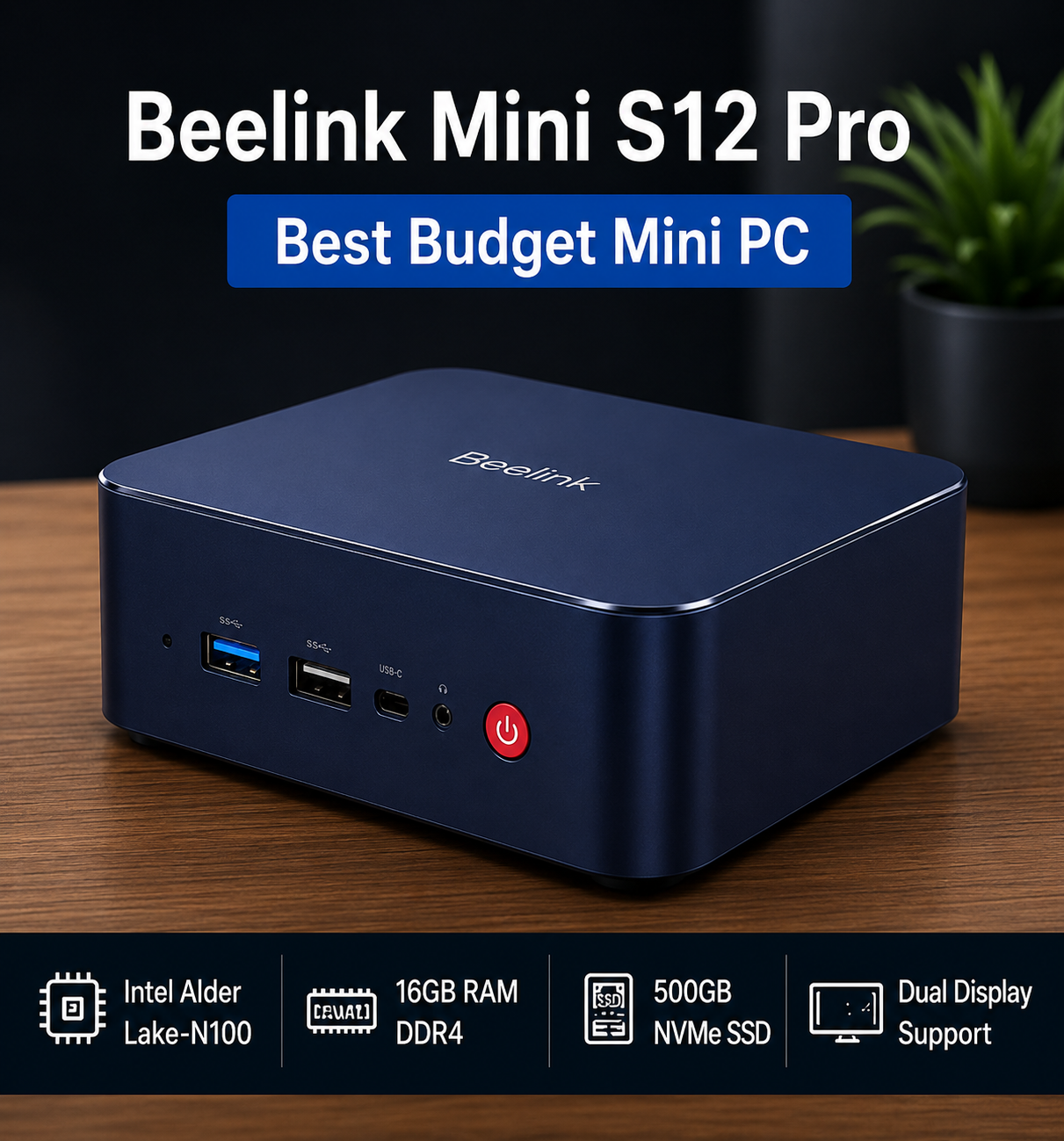
5. Beelink Mini S12 Pro
Best Budget Choice
Specifications:
- Intel N100
- 16GB RAM
- 500GB SSD
Pros:
- Affordable
- Energy efficient
Beelink Mini S12 Pro combines Intel Alder Lake-N100 efficiency, whisper-quiet operation, and compact space-saving design, making it an excellent budget-friendly mini PC for everyday computing, home office tasks, and 4K media streaming.
5. Best Budget Mini PC
Not every home office requires premium hardware; please read our integral article on Best Budget mini PC in 2026
Budget Mini PCs powered by processors such as Intel N100 or entry-level Ryzen chips provide impressive value.
These systems are excellent for:
- web browsing
- document editing
- accounting software
Pros
- Affordable
- Extremely efficient
- Compact
Cons
- Limited performance headroom
Ideal User
- Students
- Basic office workers
- Small business startups
Overall Rating
8.8/10
6. Best Premium Mini PC
Users running demanding workloads may benefit from higher-end systems.
Examples include:
- Ryzen 9 Mini PCs
- Core Ultra Mini PCs
These machines provide workstation-class performance while maintaining a compact footprint.
Best For
- Video editing
- Large spreadsheets
- AI applications
- Professional productivity
Pros
- Exceptional speed
- Future-proof hardware
- Excellent multitasking
Cons
- Higher price
Overall Rating
- 9.7/10
7. Best Mini PC for Multiple Monitors
Many professionals rely on multiple displays.
Benefits include:
- improved productivity
- easier multitasking
- better workflow management
A good office Mini PC should support:
- dual monitors minimum
- triple monitors preferred
Features to Look For
- USB4
- HDMI 2.1
- DisplayPort
- Thunderbolt support
These connections allow users to create powerful workstation environments without needing a large desktop computer.
8. Best Mini PC for Remote Work
Remote workers spend much of their day using:
- Zoom
- Teams
- Slack
- Google Workspace
Therefore, stability and connectivity become critical.
Recommended Features
- Wi-Fi 6E
- Bluetooth 5.3
- Gigabit Ethernet
- AI noise reduction
- Reliable webcam compatibility
A Mini PC optimized for remote work should remain responsive even during long video meetings.
9. Best Energy-Efficient Mini PC
Electricity costs continue to rise.
Mini PCs are attractive because many consume significantly less power than conventional desktop systems.
Benefits
- Lower electricity bills
- Reduced heat output
- Quieter operation
- Better sustainability
For users operating a home office eight hours per day, energy efficiency can become a meaningful long-term advantage.
10. Buying Guide: How to Choose the Best Mini PC
Determine Your Workload
Ask yourself:
Do you primarily:
- browse the web?
- edit documents?
- attend meetings?
Or do you also:
- edit videos?
- use AI software?
- run virtual machines?
Your answer determines the hardware requirements.
Choose Enough RAM
RAM shortages create performance bottlenecks.
Recommended:
Basic Users:
16GB
Power Users:
32GB
Professional Creators:
32GB–64GB
Prioritize Fast Storage
An SSD affects:
- boot times
- application launches
- file transfers
A fast NVMe SSD significantly improves daily productivity.
Consider Upgradeability
Some Mini PCs allow:
- RAM upgrades
- SSD upgrades
These options extend the lifespan of the system.
Check Connectivity
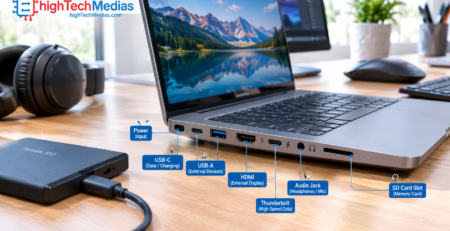
Important ports include:
- USB-C
- USB4
- HDMI
- Ethernet
- Audio jack
Users with multiple peripherals should pay particular attention to connectivity.
If you still need to know the best buying guide for a mini PC in 2026, here is the full article.
11. Are Mini PCs Better Than Laptops for Home Offices?
Read full article Here
For many users, yes.
Advantages over laptops:
- Better cooling
- More ports
- Easier upgrades
- Cleaner workstation setup
However, laptops remain the better option for users who frequently travel.
If portability is not a priority, a Mini PC often provides better value.
Future Trends in Mini PCs
Several trends are shaping the future:
AI Acceleration
New processors increasingly include dedicated AI hardware.
Better Integrated Graphics
Integrated GPUs continue to improve.
Enhanced Efficiency
Manufacturers are reducing power consumption while increasing performance.
Copilot+ Integration
Future Windows systems will increasingly leverage AI-powered productivity features.
12. Frequently Asked Questions
12.1 Are mini PCs good for office work?
Yes. Modern mini PCs handle office apps, video calls, web browsing, spreadsheets and multitasking without trouble. They are also quiet, use little power and take up very little desk space, which suits a home office.
12.2 What mini PC should I use for a compact home office setup?
Choose a mini PC with 16GB of RAM, a 512GB SSD and a recent Ryzen or Intel Core processor. Check that it has enough ports for your monitors, keyboard and other devices. Models with quiet cooling and a small footprint are best for a tight desk. You can mount them behind a monitor with a VESA bracket to save even more space.
12.3 Can a mini PC replace a desktop for working from home?
For most office work, yes. A mini PC gives you similar everyday performance to a desktop in a much smaller case. The main limits are less room for upgrades and weaker graphics than a full tower, so it is not the best choice for heavy gaming or professional 3D work.
12.4 How much RAM do I need?
16GB is recommended for most users. Choose 32GB if you keep many apps and browser tabs open, work with large files or run virtual machines. 8GB is workable for basic tasks, but it can feel slow over time.
12.5 Are mini PCs reliable?
Mini PCs from reputable manufacturers are generally reliable and suitable for long-term office use. To lower the risk, choose a known brand, check that the warranty is clear and make sure the model has good cooling.
12.6 What is the best budget-friendly mini PC for professional productivity?
You don’t need a high-end model for office work. A mini PC with 16GB of RAM, a 512GB SSD and a Ryzen 5 or Intel Core i5 processor handles professional productivity well at a lower price. See our [guide to the best budget mini PCs for tested picks.
12.7 What is the best mini PC for a home office?
The answer depends on your budget and workload, but Ryzen-based mini PCs currently offer one of the strongest combinations of performance and efficiency. Compare the models in this guide for your needs, such as multiple monitors, quiet operation or a small size.
Final Verdict
Mini PCs have matured into powerful and practical alternatives to traditional desktop computers.
For home office users, they offer an attractive combination of performance, efficiency, low noise, and space savings.
Whether you need a budget productivity machine, a powerful workstation, or a multi-monitor office setup, today’s Mini PCs are capable of meeting the demands of modern professional workflows.
Before making a purchase, carefully evaluate your workload, RAM requirements, storage needs, and display configuration. Choosing the right Mini PC can significantly improve productivity while creating a cleaner and more efficient workspace.




Comments (20)
[…] the best mini PC for home office has become easier than ever in 2026. As more professionals embrace remote work, businesses adopt […]
[…] setup, whether you’re running spreadsheets all day, editing video on the side, or just want a work from home computer that disappears into the background, literally and […]
[…] For users who prioritize quiet operation and productivity, it can also be useful to compare laptops with compact desktop alternatives designed for home-office environments. […]
[…] a home office setup, an IPS laptop may be the smarter choice for some users. For entertainment and content creation, an […]
[…] If your laptop will be part of a larger desk setup, you can also compare that experience with our guide to the best mini PCs for a home office […]
[…] Best Mini PCs for Home Office in 2026 […]
[…] example, buyers comparing different form factors should read our guide to the best mini PCs for a home office in 2026 before assuming that a laptop is always the best productivity […]
[…] you are considering a mini PC instead of a laptop, our guide to the best mini PCs for a home office in 2026 provides a useful starting […]
[…] portability is not important because your computer will remain on a desk, a mini PC for home-office use can provide another practical option, especially when you already own a monitor and […]
[…] For a broader look at compact systems for this environment, see our guide to the best mini PCs for home office. […]
[…] you’re setting up a study space at home, you can also explore our guide to the best mini PCs for home office in 2026 for more productivity-focused […]
[…] best mini PCs for home office in 2026 guide covers this use case in more […]
[…] best mini PC for office work should […]
[…] Readers comparing other technology for a connected home office can also explore our 2026 laptop buying guide and our guide to the best mini PCs for home offices. […]
[…] more compact-computing comparisons, see Best Budget Mini PCs in 2026, Best Mini PCs for Home Office in 2026, and Best Mini PCs Under $500 in […]
[…] guide to the best mini PCs for a home office explains why this category can make sense for stationary […]
[…] your editing work is also part of a broader home-office setup, our guide to the best mini PCs for home office use covers the wider productivity requirements to […]
[…] You can also see our guide to the best mini PCs for home office use. […]
[…] system, and none includes a monitor, keyboard or mouse. If your budget is tighter, our guide to the best home-office mini PCs for 2026 and our roundup of the best mini PCs under $500 are good next […]
[…] AI locally in 2026 roundup. If this machine will also be your daily desktop, our guide to the best mini PCs for home office in 2026 shows which models handle both […]