
Best Mini PCs in 2026: Budget Picks & Buying Guide
Finding the best mini PC for home office has become easier than ever in 2026. As more professionals embrace remote work, businesses adopt hybrid work models, and students attend online classes, the demand for compact yet powerful desktop computers continues to grow.
Quick answer: A good budget mini PC has at least 16GB of RAM and a 512GB SSD. Most are fine for office work, study and everyday use. Video editing, software development and heavy multitasking need a stronger model.
Today’s computers are powered by either Intel or AMD processors, each catering to different needs. Intel CPUs excel in single-core performance, making them a top choice for gaming and speed-sensitive applications. AMD Ryzen processors, on the other hand, offer outstanding multi-core performance, making them ideal for multitasking, productivity, content creation, and other resource-intensive tasks. Most laptops come with Windows 11 pre-installed, making them ready to use right out of the box upon delivery. And it is essential to learn some buying guides to avoid any surprise at the delivery.
Today’s mini desktop computers deliver impressive performance while occupying only a fraction of the space required by a traditional desktop tower. They are energy-efficient, affordable, and powerful enough to handle everyday workloads without sacrificing performance.
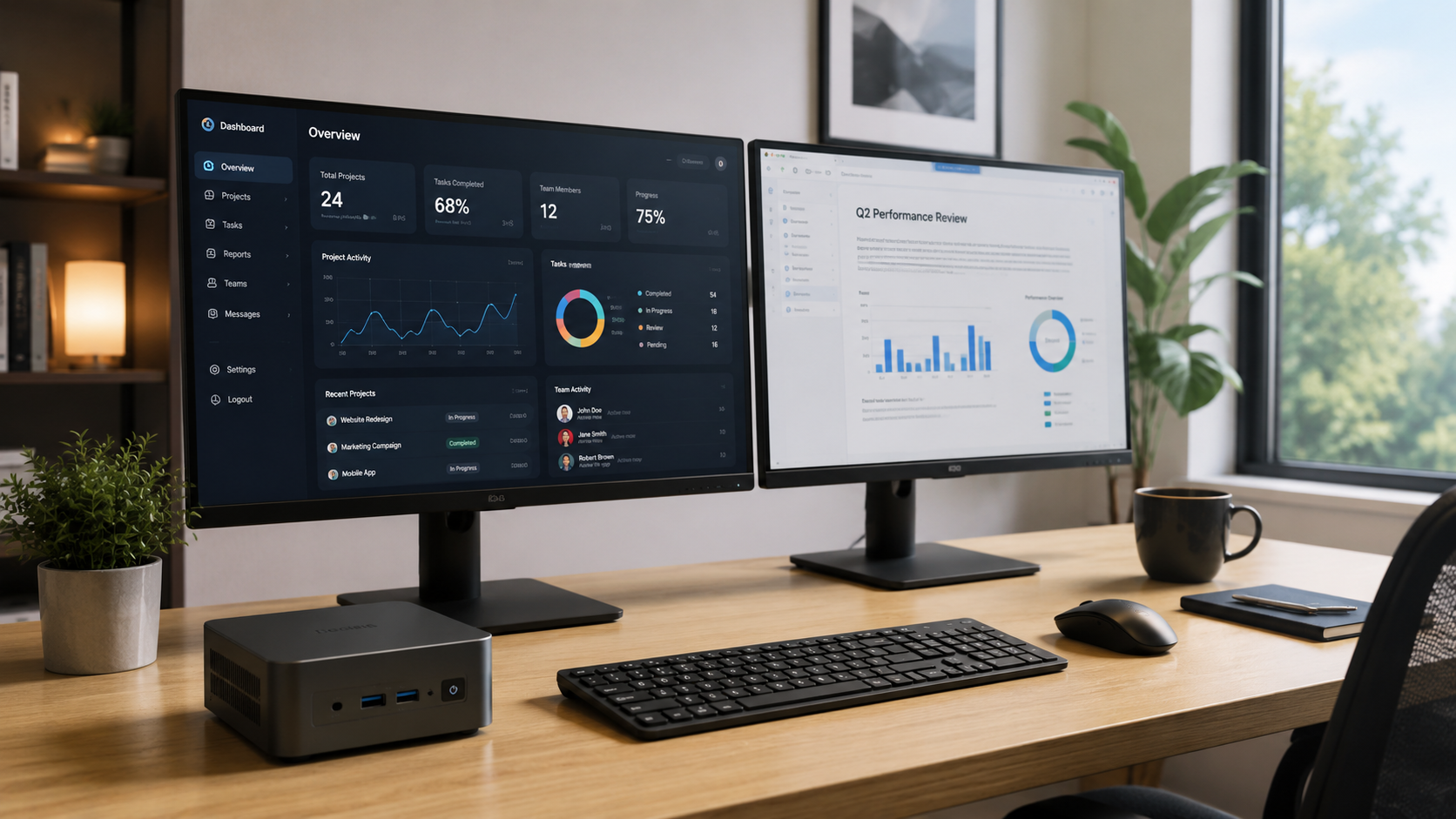
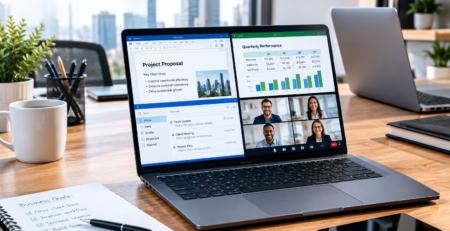
A modern home office setup is about more than just saving space. It requires reliable hardware that supports multitasking, video conferencing, document editing, web browsing, cloud applications, and multiple monitors. Fortunately, today’s compact PCs combine desktop-class processors, fast SSD storage, high-speed memory, and advanced wireless connectivity in incredibly small designs.
Whether you’re managing spreadsheets, attending Zoom meetings, editing presentations, or running multiple business applications simultaneously, a quality mini PC can significantly improve your daily productivity.
Budget mini PCs have also evolved dramatically over the past few years. Entry-level Intel N100 systems are now capable of handling routine office tasks with excellent power efficiency, while AMD Ryzen 5 and Ryzen 7 mini PCs provide workstation-like performance for more demanding users. Features such as Wi-Fi 6, Bluetooth 5.2, NVMe SSDs, DDR5 memory, USB-C connectivity, and support for multiple 4K displays are becoming standard, even in affordable models. This makes a work from home computer more capable and accessible than ever before.
In this buying guide, we’ll explain everything you need to know before purchasing a mini PC, including the most important hardware specifications, how to choose the right processor for your workload, and which budget models provide the best value in 2026. We’ll also compare Intel and AMD options, highlight our recommended products, and help you find the perfect mini PC for your home office and budget.
1. What Is a Mini PC?
A mini PC, also known as a mini desktop or compact PC, is a small-form-factor computer designed to deliver desktop performance while taking up very little desk space. Unlike bulky desktop towers, mini PCs are typically no larger than a paperback book, making them ideal for modern workspaces where efficiency and organization matter.
Despite their compact size, today’s mini PCs include many of the same components found in traditional desktop computers. Most models feature Intel or AMD processors, expandable memory, NVMe solid-state storage, high-speed USB ports, HDMI outputs, Wi-Fi, Bluetooth, and Gigabit or even 2.5Gb Ethernet networking. Many can also support dual, triple, or even quad-monitor configurations, making them suitable for multitasking, programming, financial trading, content creation, and professional office work.
Mini PCs have become increasingly popular because they consume less electricity, generate less heat, and operate much more quietly than conventional desktop computers. Their energy-efficient designs make them excellent choices for businesses, home offices, classrooms, and entertainment centers. Whether you’re replacing an aging desktop or building a dedicated work from home computer, a mini PC offers an excellent balance of performance, portability, and affordability.
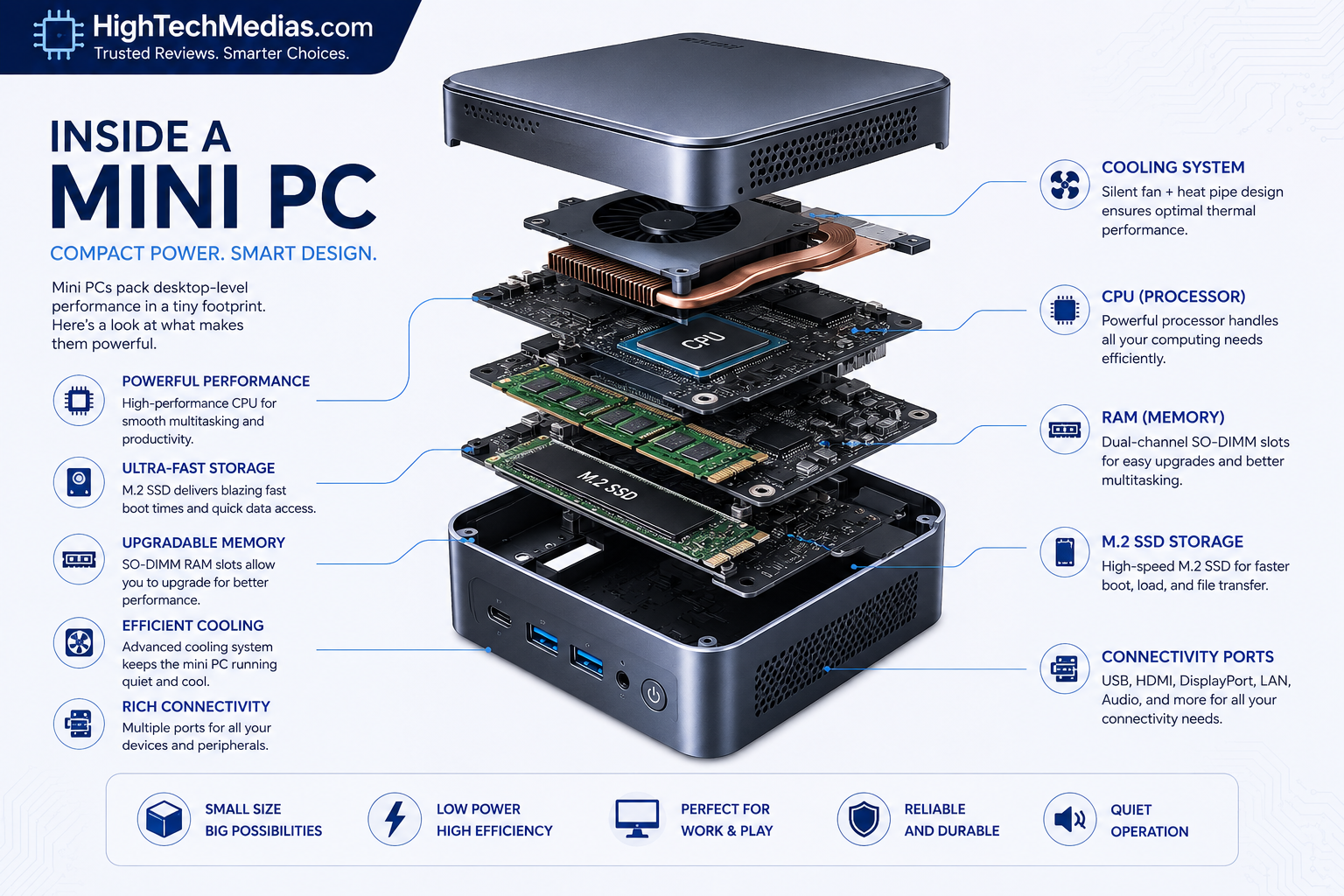
Key Characteristics of a Mini PC
- Ultra-compact design that saves valuable desk space
- Available with Intel N-series, Intel Core, or AMD Ryzen processors
- Supports 8GB to 64GB of RAM depending on the model
- Fast SSD or NVMe storage for quick boot times and responsive performance
- Multiple connectivity options including HDMI, USB-C, Ethernet, Wi-Fi 6, and Bluetooth
- Low power consumption and whisper-quiet operation
- Ideal for office work, remote work, entertainment, and everyday productivity
2. Why Choose a Budget Mini PC in 2026?
Budget mini PCs have become one of the smartest investments for professionals, students, and small businesses looking to maximize value without compromising performance. Thanks to significant improvements in processor technology, even affordable mini PCs now offer enough power to handle most daily computing tasks smoothly.
One of the biggest advantages is affordability. While a traditional desktop or laptop with similar specifications may cost considerably more, many high-quality mini PCs fall within the $200–$600 price range. This makes them attractive to users who want reliable performance without overspending.
Another major benefit is energy efficiency. Modern Intel N100 and AMD Ryzen processors consume significantly less power than older desktop CPUs, helping reduce electricity costs while producing less heat. Combined with advanced cooling systems, many mini PCs operate almost silently, making them ideal for quiet work environments, study rooms, and shared offices.
Mini PCs are also perfect for today’s flexible work environments. Whether you’re working remotely, attending virtual meetings, running a small business, managing online stores, or studying from home, a compact desktop provides the performance needed for everyday tasks while maintaining a clean and organized workspace.
Benefits of Choosing a Budget Mini PC
- Affordable pricing for every budget
- Excellent performance for office productivity
- Compact design suitable for small desks
- Low electricity consumption
- Quiet operation for distraction-free work
- Fast SSD storage and quick startup times
- Support for multiple displays
- Easy to transport between home and office
3. Who Should Buy a Budget Mini PC?
A budget mini PC is an excellent choice for a wide variety of users, including:
Remote Workers
Reliable performance for video conferencing, cloud applications, Microsoft Office, Google Workspace, and multitasking.
Students
Affordable computing for research, online learning, assignments, and educational software.
Freelancers
Perfect for designers, writers, marketers, developers, and consultants who need dependable desktop performance without occupying much desk space.
Small Business Owners
Ideal for accounting, inventory management, customer support, online sales, and everyday office administration.
Home Users
Great for web browsing, streaming, family computing, and managing personal finances.
4. Buying Guide: How to Choose the Best Mini PC for Home Office
Selecting the best mini PC for home office depends on your workload, budget, and future upgrade plans. Before making a purchase, consider the following factors.
1. Processor (CPU)
The processor is the heart of every computer.
Intel N100 / N95
Best for:
- Microsoft Office
- Web browsing
- Video streaming
- Zoom meetings
AMD Ryzen 5 7430U
Ideal for:
- Heavy multitasking
- Programming
- Business applications
- Light photo editing
- Multiple monitors
AMD Ryzen 7 8745HS / Intel Core i7
Recommended for:
- Professional workloads
- Software development
- Video editing
- Creative applications
- Virtual machines
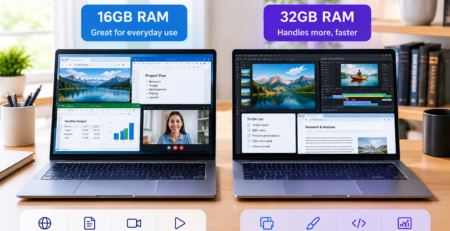
2. RAM
Memory determines how many applications your PC can run smoothly.
8GB
Suitable for basic office work.
16GB
Recommended for most users and offers the best balance between cost and performance.
32GB or more
Ideal for professionals, developers, and content creators who require intensive multitasking.
3. Storage
Choose a mini PC with an SSD for faster performance.
- 256GB SSD → Basic users
- 512GB NVMe SSD → Recommended
- 1TB NVMe SSD → Professionals
- Expandable storage → Best long-term value
4. Graphics Support
If you plan to use multiple monitors, ensure your mini PC supports dual, triple, or quad displays. AMD Radeon 780M graphics and newer integrated GPUs provide excellent support for 4K productivity and light creative workloads.
5. Connectivity
Look for:
- USB-C
- HDMI
- DisplayPort
- Wi-Fi 6 or Wi-Fi 6E
- Bluetooth 5.2 or later
- 2.5Gb Ethernet
- Multiple USB ports
These features ensure compatibility with modern peripherals and fast networking.
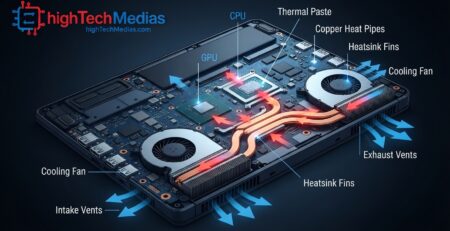
6. Cooling and Noise
A good cooling system keeps temperatures low while maintaining quiet operation. For a home office environment, choose a mini PC with efficient thermal management and low fan noise to minimize distractions during work or meetings.
7. Upgradeability
Some mini PCs allow users to upgrade RAM and storage, extending the lifespan of the device. If you expect your computing needs to grow, choose a model with accessible upgrade options.
8. Warranty and Brand Reputation
Purchase from reputable brands that provide long-term software support and reliable customer service. A warranty of at least two or three years offers added peace of mind and protects your investment.
Explore More Mini PC Options Before You Buy
Every user has different needs, from basic office work to professional productivity. Explore our latest Mini PC guides to compare performance, features, and real-world applications before making your decision.
5. Top Budget Mini PCs in 2026: Intel N100 Mini PCs & Our Beelink Recommendation
Why Intel N100 Mini PCs Are Still Worth Buying in 2026
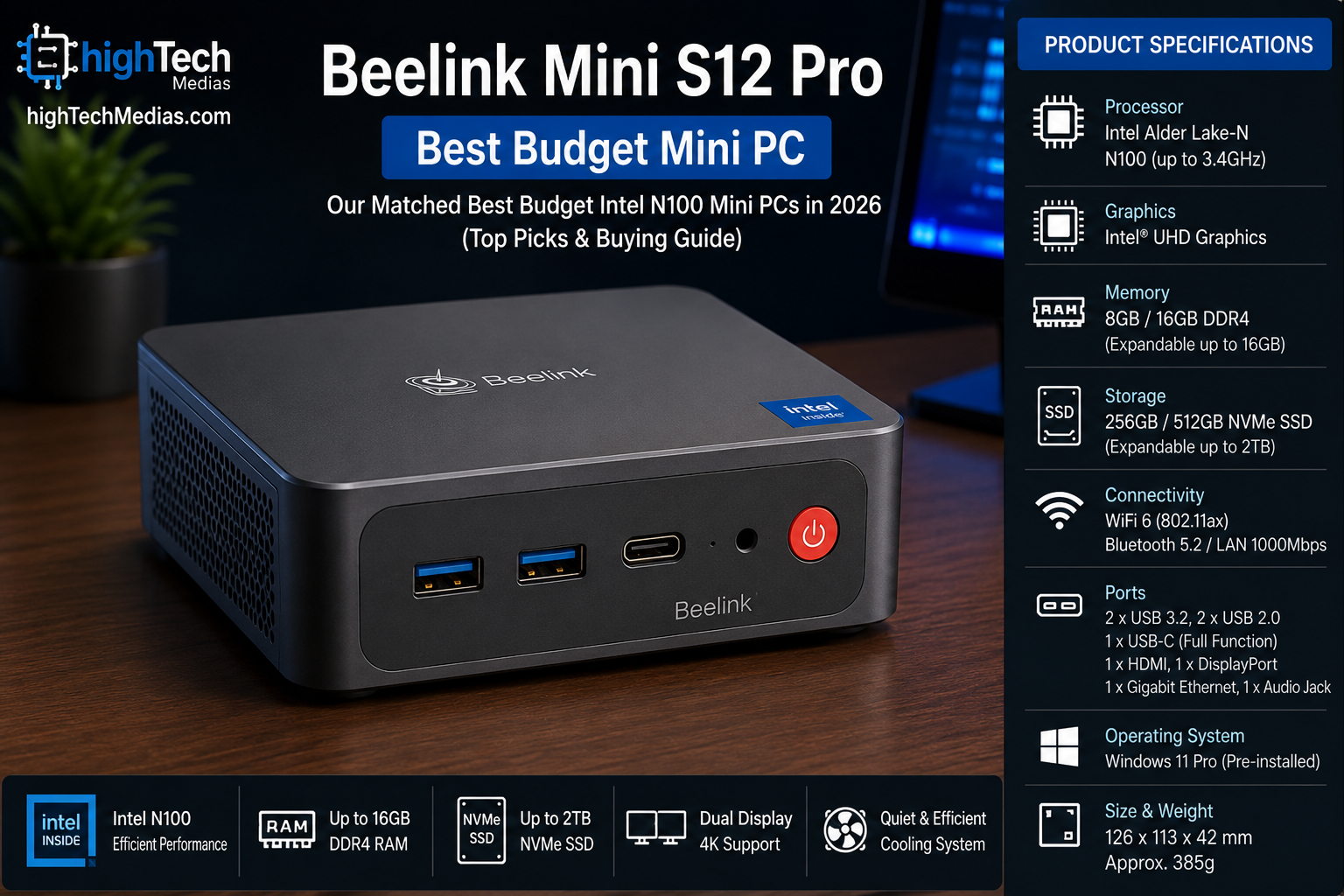
If you’re searching for the best mini PC for home office on a limited budget, an Intel N100 mini PC remains one of the smartest entry-level choices in 2026. Built on Intel’s efficient Alder Lake-N architecture, the Intel N100 delivers excellent everyday performance while consuming very little power. It is designed for users who prioritize affordability, quiet operation, and energy efficiency over demanding workloads.
Unlike older budget processors that struggled with multitasking, the Intel N100 offers noticeable improvements in responsiveness, allowing users to browse the web, edit documents, participate in video conferences, stream 4K content, and manage everyday office tasks without issue. Combined with modern SSD storage and DDR4 or DDR5 memory, an Intel N100 mini desktop provides a surprisingly smooth computing experience for most home and business users.
For anyone building a clean home office setup, Intel N100 mini PCs offer another major advantage: their extremely compact design. Most models fit easily behind a monitor using a VESA mount or occupy only a small corner of a desk, helping create an organized and clutter-free workspace. Their low power consumption also makes them an environmentally friendly and cost-effective work from home computer that can remain powered on throughout the day without significantly increasing electricity costs.
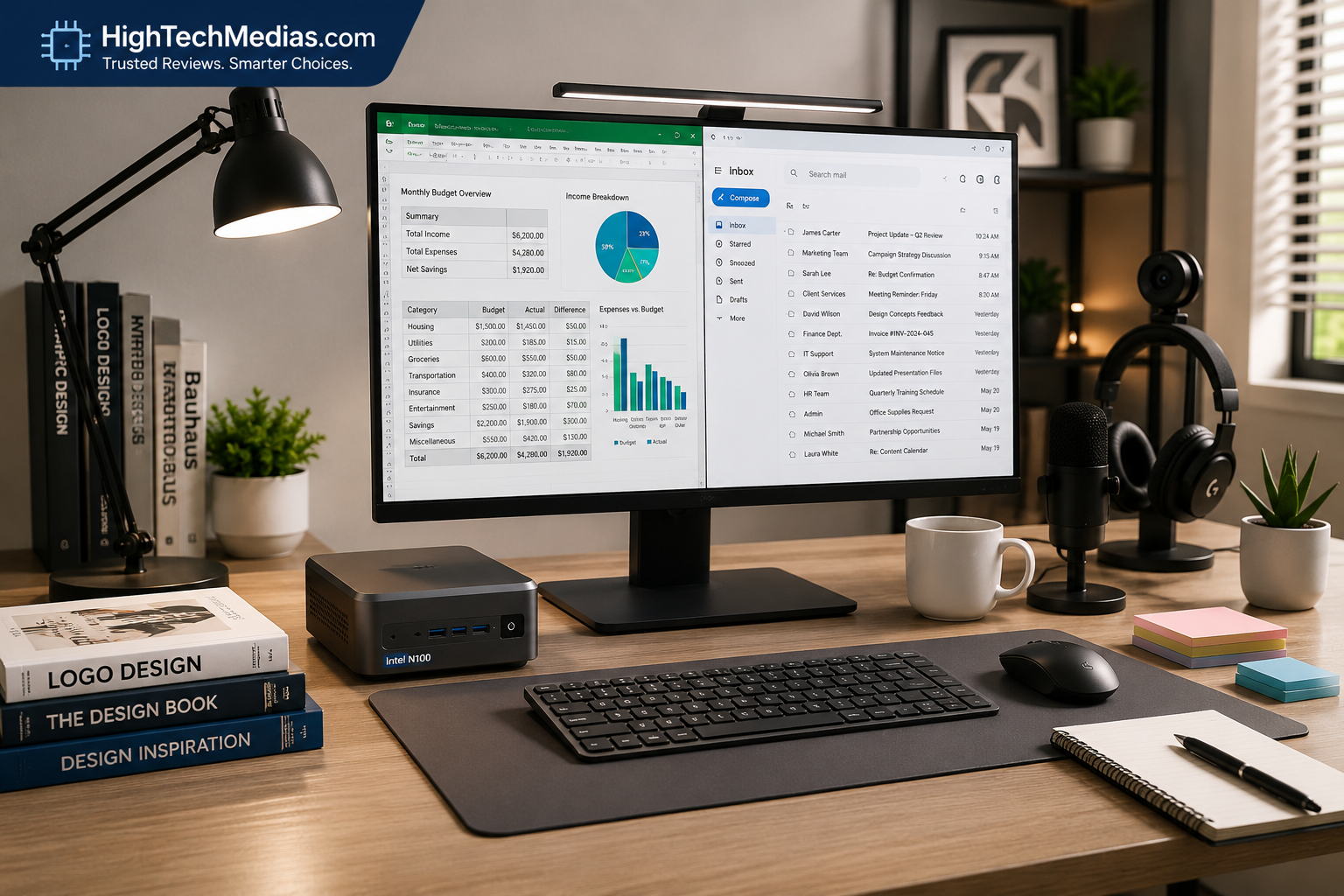
6. Intel N100 Performance: What Can It Handle?
Although the Intel N100 is an entry-level processor, it is capable of handling a wide range of everyday computing tasks efficiently.
Excellent For
- Microsoft Office and LibreOffice
- Google Workspace
- Web browsing with multiple tabs
- Email management
- Zoom, Microsoft Teams and Google Meet
- YouTube and Netflix 4K streaming
- Cloud-based business software
- Online learning
- Digital signage
- Point-of-sale systems
Suitable For
- Basic Photoshop editing
- Light programming
- Small business accounting
- Home office administration
Not Recommended For
- Professional video editing
- 3D rendering
- AAA gaming
- Large virtual machines
- Heavy CAD software
For users whose daily workflow focuses on office productivity rather than intensive creative workloads, the Intel N100 offers one of the best price-to-performance ratios available in 2026.
Pros and Cons of Intel N100 Mini PCs
Pros
✔ Extremely affordable
✔ Excellent power efficiency
✔ Quiet or near-silent operation
✔ Compact design
✔ Low heat output
✔ Great for office productivity
✔ Supports multiple monitors on many models
✔ Ideal for students and remote workers
Cons
✖ Limited graphics performance
✖ Not designed for heavy multitasking
✖ Unsuitable for demanding creative applications
✖ Upgradeability varies between manufacturers
7. Who Should Buy an Intel N100 Mini PC?
An Intel N100 mini PC is ideal for users who need a reliable desktop for everyday computing without spending a premium price.
Recommended users include:
- Remote workers
- Students
- Teachers
- Writers
- Administrative staff
- Small business owners
- Reception desks
- Libraries
- Retail stores
- Home office users
- Digital signage deployments
If your daily workload consists primarily of productivity applications, document editing, web browsing, video conferencing, and cloud services, an Intel N100 compact PC provides more than enough performance.
1. Our Recommended Intel N100 Companion
Beelink Mate MINI S Dock for MINI S12, MINI S12 Pro & MINI S13
While Intel N100 mini PCs provide excellent everyday performance, expanding their networking capabilities can make them even more versatile. The Beelink Mate MINI S Dock is one of the best accessories available for owners of the Beelink MINI S12, MINI S12 Pro, and MINI S13. Designed specifically to complement these compact systems, it transforms a standard mini PC into a powerful networking workstation while maintaining the same clean, space-saving footprint.
For more information, visit Beelink Official website
The Mate MINI S Dock connects through a single 10Gbps USB-C interface, delivering high-speed data transfer while eliminating the need for an additional power adapter. This plug-and-play design keeps cable clutter to a minimum and allows users to expand their workspace quickly and easily. Whether you’re managing a home office setup, configuring a home lab, or building a compact networking solution, the dock integrates seamlessly with the MINI S series.
One of its standout features is the inclusion of four 2.5 Gigabit Ethernet ports, enabling advanced networking functions such as soft routing, firewall deployment, virtualization, NAS connectivity, internal and external network isolation, and link aggregation. Combined with built-in thermal management, the dock maintains reliable, whisper-quiet operation even during continuous workloads, making it suitable for both professional and enthusiast environments.
Key Features
- High-speed 10Gbps USB-C connection
- Plug-and-play installation
- No external power adapter required
- Four 2.5Gb Ethernet ports
- Supports virtualization and soft routing
- Link aggregation support
- Home Lab ready
- NAS networking support
- Built-in aluminum heatsink
- Quiet operation
- Compact 14.8 mm design
- Perfect match for MINI S12, MINI S12 Pro and MINI S13
- Includes 10Gbps USB-A to USB-C cable
Why We Recommend It
Although the Beelink Mate MINI S Dock is not a standalone mini PC, it significantly enhances the capabilities of compatible Intel N100 systems by adding enterprise-grade networking features that would otherwise require much larger and more expensive equipment. For professionals working in IT, cybersecurity, virtualization, or network administration, it represents an affordable upgrade that improves flexibility without increasing desktop clutter.
Its compact design, quiet cooling, and plug-and-play convenience make it a valuable addition to any Intel N100 workstation. Users who need advanced connectivity while maintaining a minimalist workspace will appreciate how seamlessly the dock integrates into an existing Beelink setup.
Official Product
Beelink Mate MINI S Dock
Beelink Official Website:
https://www.bee-link.com/products/beelink-mate-mini-s-dock?_pos=1&_psq=beelink+s12+pro&_ss=e&_v=1.0
2. Our Recommendation AMD Ryzen™ 5 7430U
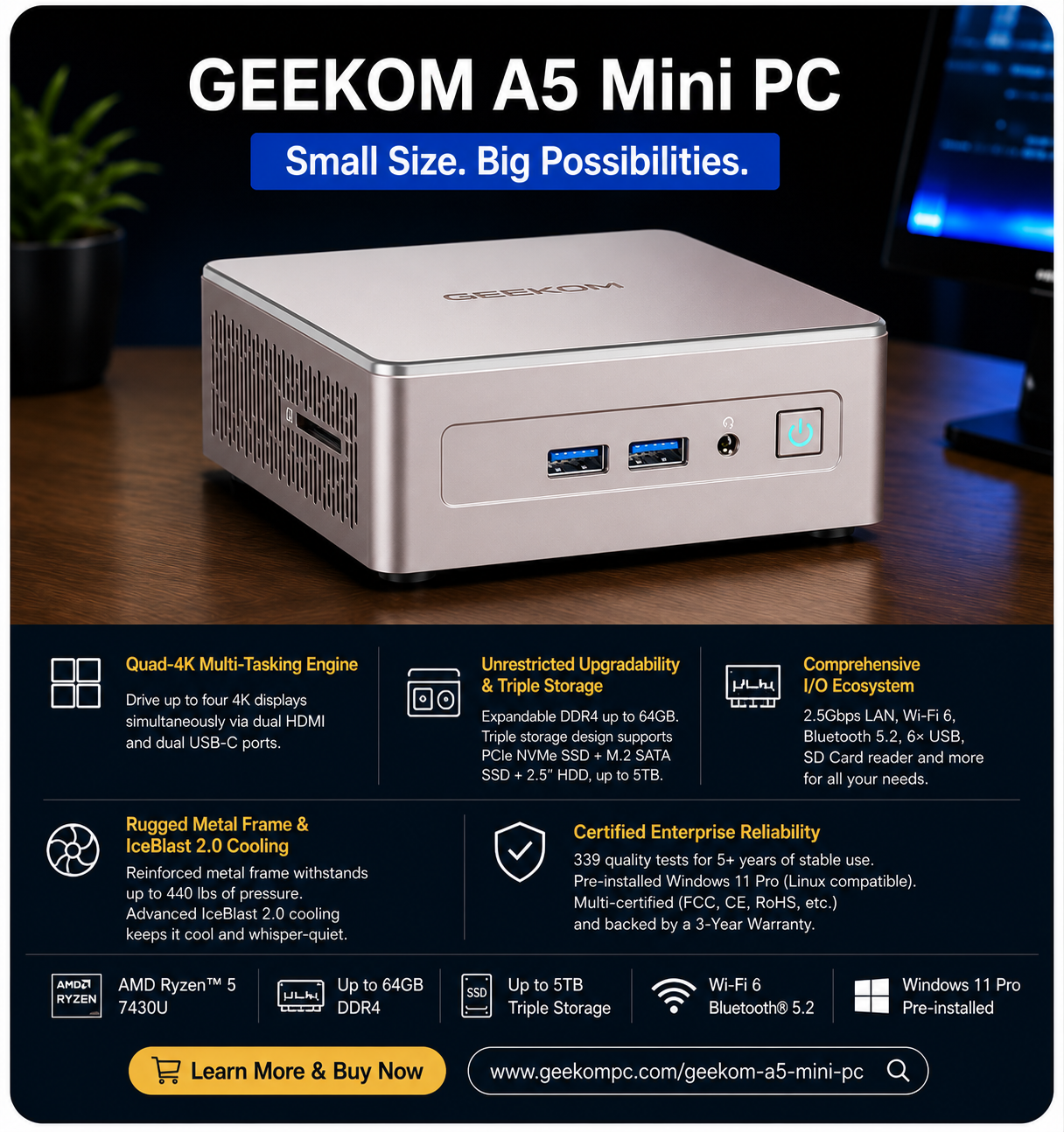
GEEKOM A5 Mini PC (AMD Ryzen™ 5 7430U)
- Why We Recommend GEEKOM A5
- AMD Ryzen™ 5 7430U Processor
- AMD Radeon™ Vega 7 Graphics
- Up to 64GB Dual-Channel DDR4 RAM
- Up to 5TB Expandable Storage
- Supports Up to Four 4K Displays
- Wi-Fi 6 + Bluetooth® 5.2
- 2.5GbE Ethernet
- Windows 11 Pro Pre-installed
For more information, please visitGEEKOM official website
For most users, the GEEKOM A5 represents the ideal balance between price, performance, and expandability. Powered by the efficient AMD Ryzen™ 5 7430U, it delivers responsive performance for multitasking, office applications, programming, cloud computing, web development, and everyday business use.
Unlike many entry-level systems, the A5 supports up to 64GB DDR4 memory and offers an impressive triple-storage architecture capable of expanding to 5TB. This flexibility makes it suitable for professionals whose storage requirements continue to grow over time.
The GEEKOM A5 also excels in multi-monitor productivity. Supporting up to four 4K displays through dual HDMI and dual USB-C ports, it allows users to create an efficient workspace for financial trading, software development, spreadsheet analysis, content creation, and multitasking.
Another advantage is its advanced IceBlast 2.0 cooling system, which maintains stable performance while keeping fan noise low. Combined with its durable reinforced metal frame, enterprise-grade certifications, and pre-installed Windows 11 Pro, the A5 is a dependable work from home computer built for years of reliable operation.
3. Our Matched Best Budget Recommendation AMD Ryzen 7 Mini PC Compact & Ultra-Quiet Mini PCs in 2026 (Top Picks & Buying Guide)
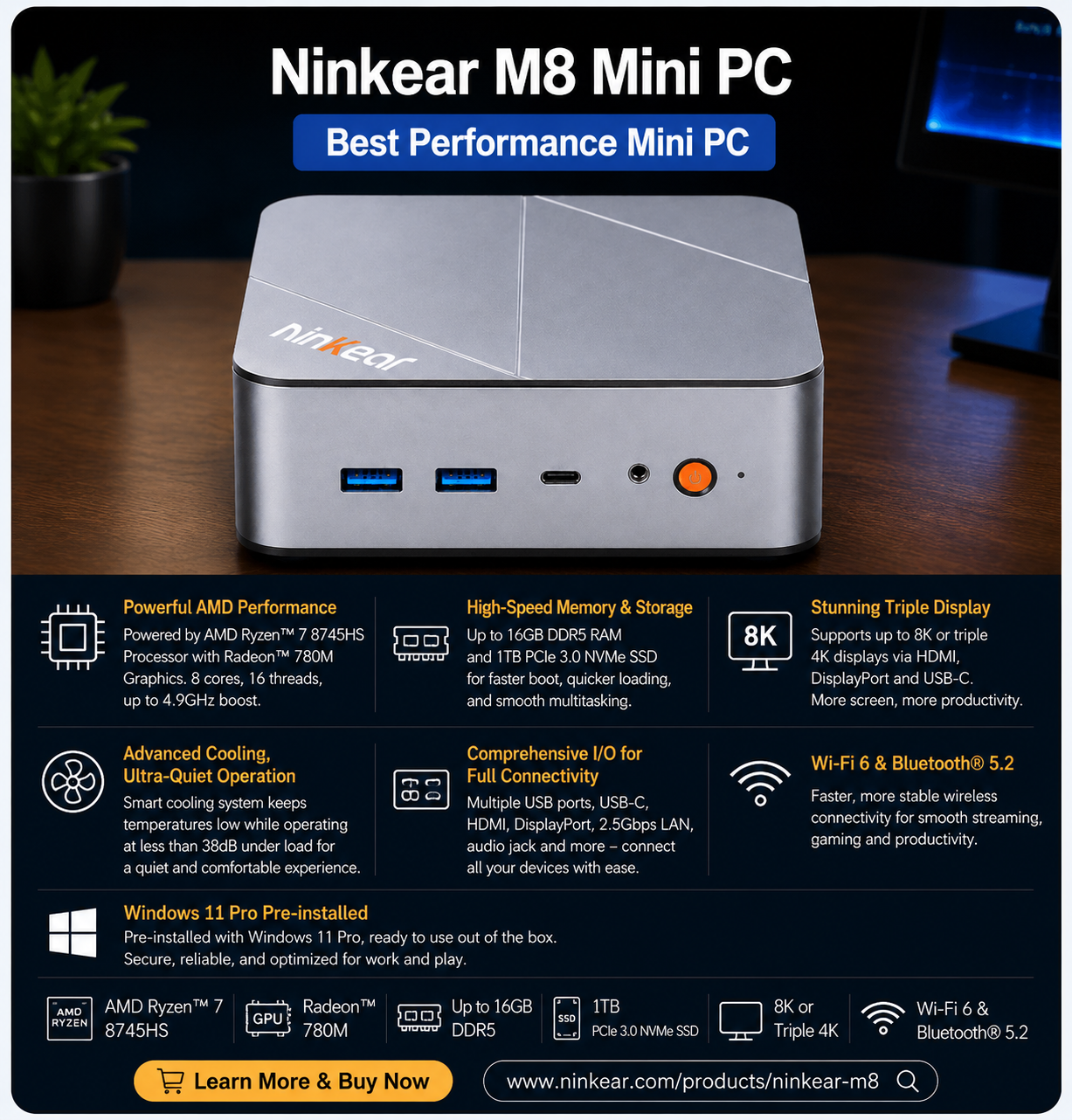
Ninkear M8 AMD Ryzen 7 8745HS
- AMD Ryzen™ 7 8745HS Processor & Radeon™ 780M Graphics
- Up to 16GB DDR5
- 1TB PCIe 3.0 NVMe SSD Storage
- Comprehensive I/O for Full Connectivity
- Supports 8K or Triple 4K Displays
- Advanced Cooling, Ultra-Quiet Operation (<38dB)
- Wi-Fi 6 & Bluetooth® 5.2
- Windows 11 Pro pre-installed, ready to use
For more information, please visit Official Ninkear website
The Ninkear M8 is an excellent choice for anyone looking for the best budget AMD Ryzen 7 mini PC in 2026. Powered by the AMD Ryzen 7 8745HS processor and AMD Radeon 780M integrated graphics, it delivers fast, responsive performance for everyday computing, multitasking, office work, programming, content creation, and light gaming. Combined with 16GB DDR5 RAM and a 1TB PCIe NVMe SSD, it offers quick boot times, smooth application performance, and generous storage for work and entertainment.
Designed for modern workspaces, the Ninkear M8 features a compact form factor with an advanced cooling system that keeps noise levels below 38dB, making it ideal for home offices, study rooms, and business environments where quiet operation matters. It also supports 8K or triple 4K displays, allowing users to expand their workspace for improved productivity, multitasking, and immersive entertainment.
The Ninkear M8 is equipped with comprehensive connectivity, including high-speed USB ports, dual display outputs, Wi-Fi 6, Bluetooth 5.2, and Windows 11 Pro pre-installed, so it’s ready to use right out of the box. For buyers seeking a compact, energy-efficient desktop that combines powerful Ryzen 7 performance, quiet operation, and excellent value, the Ninkear M8 stands out as one of the best budget mini PCs available in 2026.
8. How Many Monitors Can a Budget Mini PC Support?
Most budget mini PCs can drive two monitors, usually through an HDMI port and a DisplayPort or USB-C port. Some models with extra video outputs can run three displays, which is useful for a work-from-home desk. Before you buy, check the specifications for these points:
- Video outputs: count the HDMI, DisplayPort and USB-C ports that can send video.
- USB-C support: a USB-C port only works for a monitor if it supports DisplayPort output. The product page should say so.
- Resolution and refresh rate: running several 4K screens at 60Hz needs newer ports (HDMI 2.0 or higher, or DisplayPort 1.4) and can slow down a budget model.
- Graphics: integrated graphics are fine for office work across two or three screens, but not for gaming or heavy video work on all of them.
If you plan to use three monitors, choose a model that lists three display outputs in its specifications.
9. Frequently Asked Questions About Budget Mini PCs
9.1 Can a budget mini PC handle video editing?
Yes, for light editing such as 1080p videos and short projects, as long as the mini PC has 16GB of RAM and a recent Ryzen or Intel Core processor. For 4K footage, long timelines or heavy effects, you will want more cores, 32GB of RAM and stronger graphics. A budget model will feel slow for that kind of work.
9.2 Which mini PC supports two or three monitors?
Look for a model with at least two video outputs for two monitors, and three for three monitors. HDMI, DisplayPort and USB-C ports with video support all count. Check the specifications to confirm how many displays are supported at your screen resolution.
9.3 How reliable are budget mini PCs for productivity work?
They are reliable for everyday productivity such as browsing, office apps, video calls and spreadsheets. The compromises are weaker graphics, less room for upgrades and slower speeds under long, heavy workloads. Choose a known brand, 16GB of RAM and an SSD to reduce the risk.
9.4 How do I choose a cheap mini PC for basic office work and study?
Aim for 16GB of RAM (8GB is the minimum), a 256GB to 512GB SSD, a recent Ryzen 5 or Intel Core i5 processor, and Wi-Fi 6. Make sure it has enough ports for your monitor, keyboard and other devices. Skip high-end specs you won’t use, since they raise the price without helping office work.
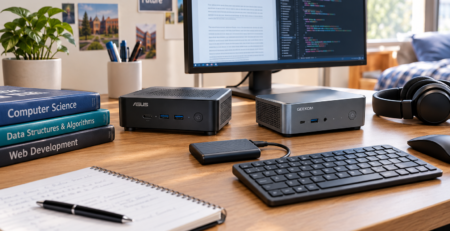
9.5 Is a mini PC or a student laptop better for software development on the same budget?
For a desk setup, a mini PC usually gives you more performance and ports for the same money, but you have to buy a monitor, keyboard and mouse. A laptop costs more for the same power but is portable and has a built-in screen and battery. If you code mostly at a desk, choose the mini PC. If you also need to work in classes or while traveling, choose the laptop.
Final Verdict
If your goal is to build a modern home office setup, a budget mini PC is one of the smartest investments in 2026.
Recommendation:
- Budget users → Intel N100
- Most users → Ryzen 5 7430U (BEST CHOICE)
- Power users → Ryzen 7 / Intel i7
A Mini PC is an excellent choice for many users, but the best device depends on your working style, mobility needs, and performance requirements. Explore our detailed comparisons and laptop guides to choose the right solution.



Comments (8)
[…] Not every home office requires premium hardware; please read our integral article on Best Budget mini PC in 2026 […]
[…] or three years. For users prioritizing affordability without sacrificing everyday performance, our best budget mini PCs in 2026 guide covers more cost-effective […]
[…] However, choosing the right Mini PC depends on factors such as processor performance, storage options, cooling design, and your main usage scenario. Best Budget Mini PCs in 2026 […]
[…] Best Budget Mini PCs […]
[…] you’re looking for more affordable options, our guide to the best budget mini PCs in 2026 covers compact systems that deliver strong everyday performance without […]
[…] more compact-computing comparisons, see Best Budget Mini PCs in 2026, Best Mini PCs for Home Office in 2026, and Best Mini PCs Under $500 in […]
[…] mini PC can be another option for buyers who already have a monitor, keyboard, and mouse. Our best budget mini PCs guide explores affordable desktop alternatives for everyday […]
[…] can also see our best budget mini PC buying guide or best silent mini PCs if noise is a […]