
Best Mini PCs for Programming and Development in 2026
Programming does not always require a large desktop tower. Modern compact systems can provide multi-core processors, fast DDR5 memory, NVMe storage, multiple displays, high-speed networking, and enough CPU performance for software development. In this comparison of the best mini PCs for programming, we focus on two real models that illustrate different approaches to a compact developer workstation: the GMKtec K8 Plus and MINISFORUM UM890 Pro.
The comparison is based on manufacturer specifications, current manufacturer pricing, connectivity, upgradeability, operating-system support, and the kinds of hardware features that matter for programming. Unless explicitly stated, HighTechMedias.com has not physically tested these products.
1. GMKtec K8 Plus vs MINISFORUM UM890 Pro: The Two Real Models to Consider
If you are choosing a compact computer specifically for programming, specifications such as processor cores, memory capacity, storage, Linux compatibility, display support, networking, and upgradeability can matter more than gaming-oriented features.
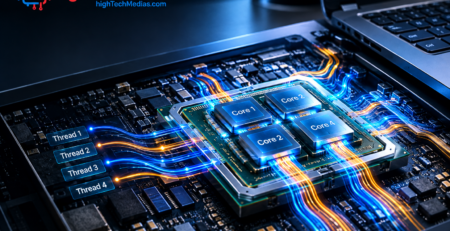
The two systems in this comparison approach that problem differently. The GMKtec K8 Plus uses AMD’s Ryzen 7 8845HS, while the MINISFORUM UM890 Pro uses the higher-tier Ryzen 9 8945HS. Both processors have 8 cores and 16 threads and use AMD’s Radeon 780M integrated graphics.
1.1 GMKtec K8 Plus — A Strong Compact Developer PC
Current manufacturer price: GMKtec’s store currently lists the K8 Plus from $399.99, although the exact price depends on the selected configuration.
Best for: Students, web developers, programmers, remote workers, software engineers, and developers who want a relatively affordable compact desktop.
The K8 Plus is built around the AMD Ryzen 7 8845HS, an 8-core/16-thread Zen 4 processor with boost speeds up to 5.1 GHz. AMD lists the processor with Radeon 780M graphics and support for Windows 11 and Ubuntu x86-64.
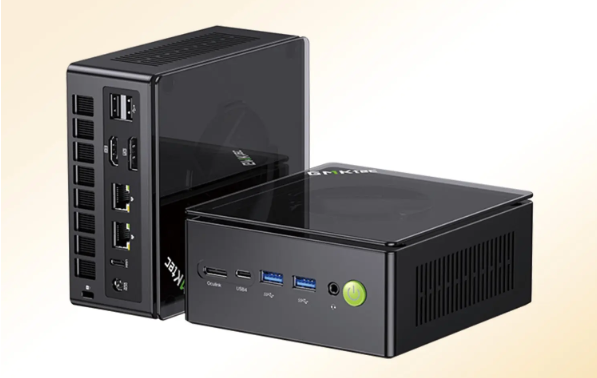
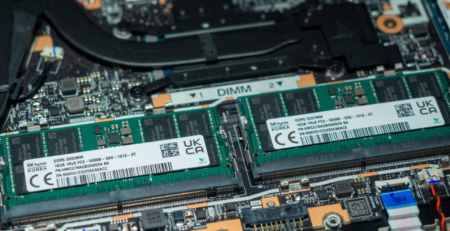
GMKtec’s current specifications list two DDR5 SO-DIMM slots, a standard 32GB configuration, PCIe 4.0 NVMe storage, two M.2 2280 PCIe 4.0 SSD slots, dual 2.5GbE networking, Wi-Fi 6E, two USB4 ports, HDMI 2.1, DisplayPort 2.1, and OCuLink. The manufacturer also states that Linux is supported.
Key specifications
Specification |
GMKtec K8 Plus |
| Processor | AMD Ryzen 7 8845HS |
| CPU | 8 cores / 16 threads |
| Architecture | Zen 4 |
| Maximum boost | Up to 5.1 GHz |
| GPU | Radeon 780M |
| RAM | DDR5-5600, 2 SO-DIMM slots |
| Standard configuration | 32GB |
| Storage | PCIe 4.0 NVMe |
| M.2 slots | 2 |
| Networking | Dual 2.5GbE |
| Wireless | Wi-Fi 6E |
| High-speed USB | 2 × USB4 |
| Display | HDMI 2.1 + DisplayPort 2.1 + USB4 |
| External GPU expansion | OCuLink |
| OS | Windows 11 Pro / Linux supported |
| Dimensions | 132 × 125 × 58 mm |
GMKtec lists the K8 Plus at 132 × 125 × 58 mm and specifies support for up to four displays.
Who should buy the K8 Plus?
The K8 Plus makes the most sense for developers who want a balanced mini PC for programming without moving immediately into workstation-level pricing.
It can suit:
- Computer science students
- Web developers
- Python developers
- JavaScript and TypeScript developers
- Software engineers
- Remote workers
- Developers running IDEs and multiple browser tabs
- Users who want Windows with Linux through WSL
- Developers who want to install Linux directly
For many programming workloads, 8 CPU cores and 16 threads provide a useful amount of parallel processing headroom. The 32GB configuration is also attractive for development because modern workflows can involve an IDE, browser tabs, databases, containers, terminals, and communication tools simultaneously.
Why consider the K8 Plus?
The most interesting aspect of the K8 Plus is its combination of CPU performance, memory capacity, storage expansion, networking, and compact size.
The two M.2 PCIe 4.0 slots are particularly useful for developers who maintain separate project, virtual-machine, database, or backup storage. The dual 2.5GbE ports can also be useful in home-lab environments where fast wired networking matters.
The K8 Plus also supports OCuLink. GMKtec specifically warns that OCuLink is not hot-swappable and should only be connected or disconnected while the computer is powered off.
Pros
- 8-core/16-thread Ryzen 7 processor
- Radeon 780M integrated graphics
- 32GB standard configuration listed by GMKtec
- Two M.2 PCIe 4.0 storage slots
- Dual 2.5GbE
- Two USB4 ports
- OCuLink expansion
- Linux supported
- Compact chassis
Cons
- No dedicated GPU
- Configuration-dependent pricing
- OCuLink should not be hot-plugged
- CPU belongs to an older Zen 4 generation rather than AMD’s newest mobile architectures
1.2 MINISFORUM UM890 Pro — A Higher-End Developer Workstation
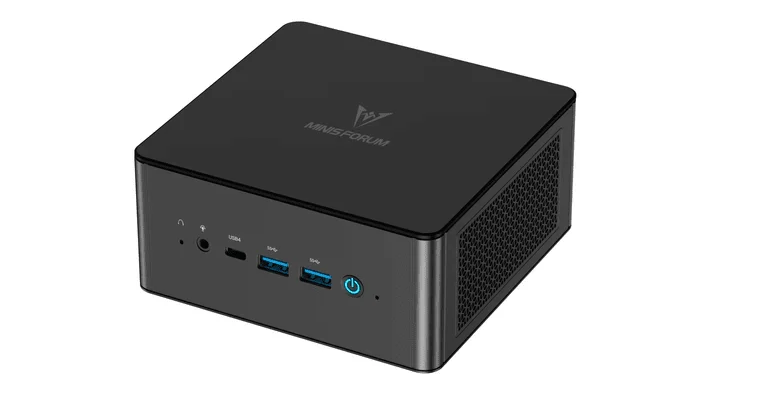
The MINISFORUM UM890 Pro takes a more performance-oriented approach. It uses AMD’s Ryzen 9 8945HS, an 8-core/16-thread Zen 4 processor with a maximum boost clock of up to 5.3 GHz and Radeon 780M graphics.
There is an important pricing distinction here.
MINISFORUM’s current U.S. store lists the UM890 Pro barebone configuration at $463, meaning no RAM, SSD, or operating system. The same page lists a 32GB RAM + 512GB SSD configuration at $919 and a 32GB RAM + 1TB SSD configuration at $991.
Therefore, it would be misleading to write simply “UM890 Pro — $463” in a buying guide and imply that this is the price of a ready-to-use developer PC.
Key specifications
| Specification | MINISFORUM UM890 Pro |
| Processor | AMD Ryzen 9 8945HS |
| CPU | 8 cores / 16 threads |
| Maximum boost | Up to 5.3 GHz |
| GPU | Radeon 780M |
| Memory | DDR5 dual channel |
| Memory slots | 2 × SO-DIMM |
| Storage | 2 × M.2 PCIe 4.0 |
| Networking | 2 × 2.5GbE |
| Wireless | Wi-Fi 6E / Bluetooth 5.3 |
| USB | 4 × USB 3.2 + 2 × USB4 |
| Display | HDMI + DisplayPort + USB4 |
| Expansion | OCuLink |
| Operating system | Windows 11 on applicable configurations |
| Dimensions | 130 × 126 × 52.3 mm |
MINISFORUM lists two M.2 PCIe 4.0 SSD slots, two SO-DIMM slots, dual 2.5GbE, Wi-Fi 6E, two USB4 ports, HDMI 2.1, DisplayPort and OCuLink.
Who should buy the UM890 Pro?
The UM890 Pro is aimed more toward developers who need a high-performance compact PC for coding and are willing to spend more for a higher-tier configuration.
It can be appropriate for:
- Professional software developers
- Backend developers
- Developers working with databases
- Developers running multiple containers
- Engineers using virtual machines
- Advanced home-lab users
- Developers who need multiple high-speed storage drives
- Users planning external GPU expansion through OCuLink
Why consider it?
The Ryzen 9 8945HS gives the UM890 Pro a higher processor tier than the Ryzen 7 8845HS in the K8 Plus, although both chips have the same 8-core/16-thread CPU configuration.
For a developer, the more interesting question is therefore not simply “Ryzen 9 versus Ryzen 7.” It is whether the additional processor capability and the system’s storage, memory, USB4, networking and expansion options justify the higher complete-system price.
The UM890 Pro is particularly interesting for developers who treat a mini PC as a permanent workstation rather than a basic office computer.
Pros
- Ryzen 9 8945HS
- 8 cores / 16 threads
- Radeon 780M
- Dual M.2 PCIe 4.0 storage
- Dual 2.5GbE
- Two USB4 ports
- OCuLink
- DDR5 dual-channel memory
- Strong expansion options
Cons
- Complete configurations are considerably more expensive than the barebone price
- No dedicated GPU
- Older Zen 4 platform
- Higher configuration cost may not be justified for basic coding
- Developer must carefully compare RAM/SSD configurations
2. K8 Plus vs UM890 Pro: What Actually Matters for Developers?
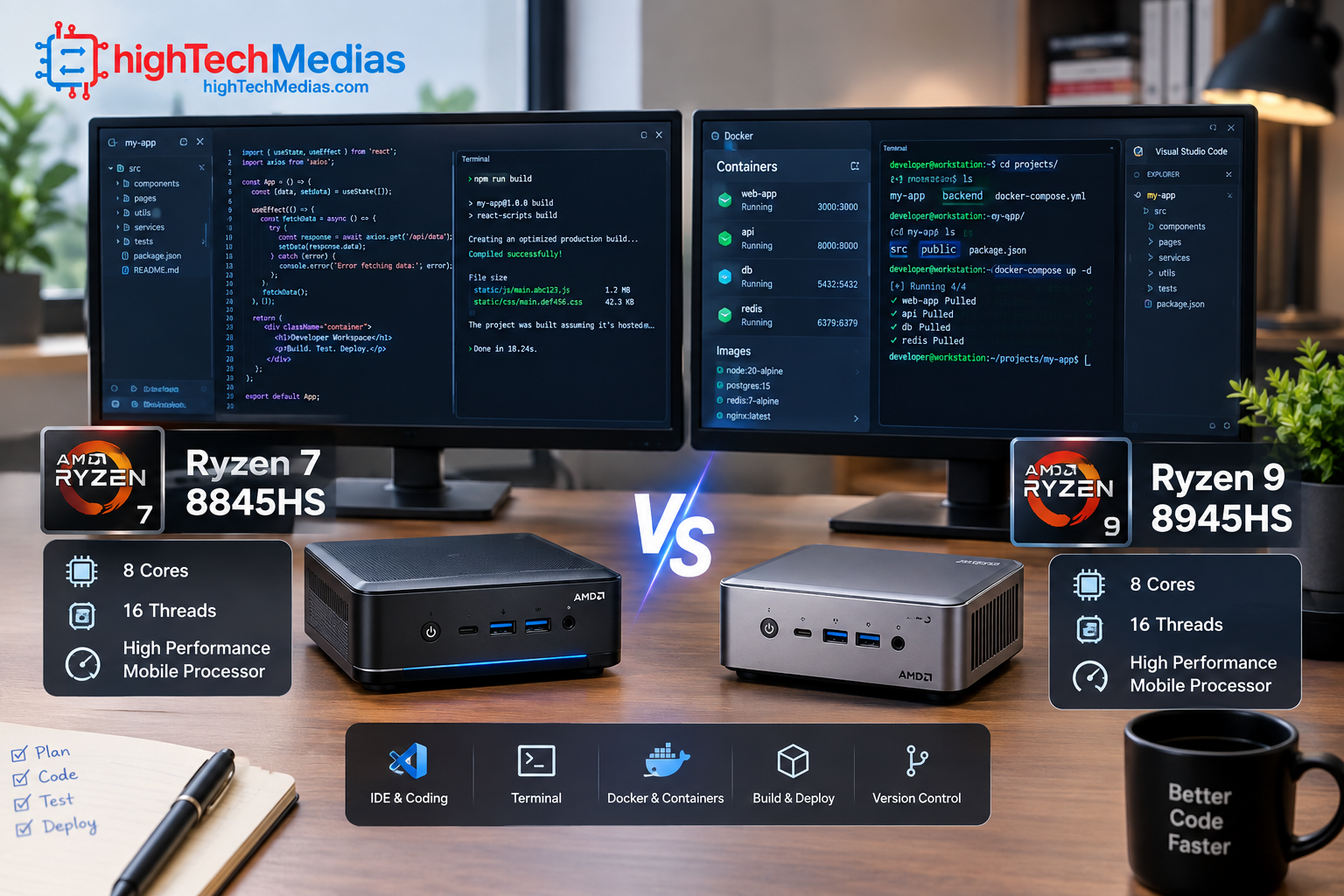
The two systems look similar on paper because both are based on AMD’s Zen 4 mobile architecture and Radeon 780M integrated graphics. The practical difference comes from the processor tier, configuration, price, expansion options, and the workloads you expect to run.
CPU
The K8 Plus uses the Ryzen 7 8845HS, while the UM890 Pro uses the Ryzen 9 8945HS. Both have eight cores and 16 threads. AMD specifies up to 5.1 GHz for the 8845HS and up to 5.2 GHz for the 8945HS in its processor documentation.
For ordinary programming, either processor has ample CPU resources. The distinction becomes more relevant when compiling large projects, running several containers, maintaining local databases, or combining development tools with virtual machines.
3. RAM: How Much Memory Does a Developer Need?
RAM can become one of the most important components in a developer workstation.
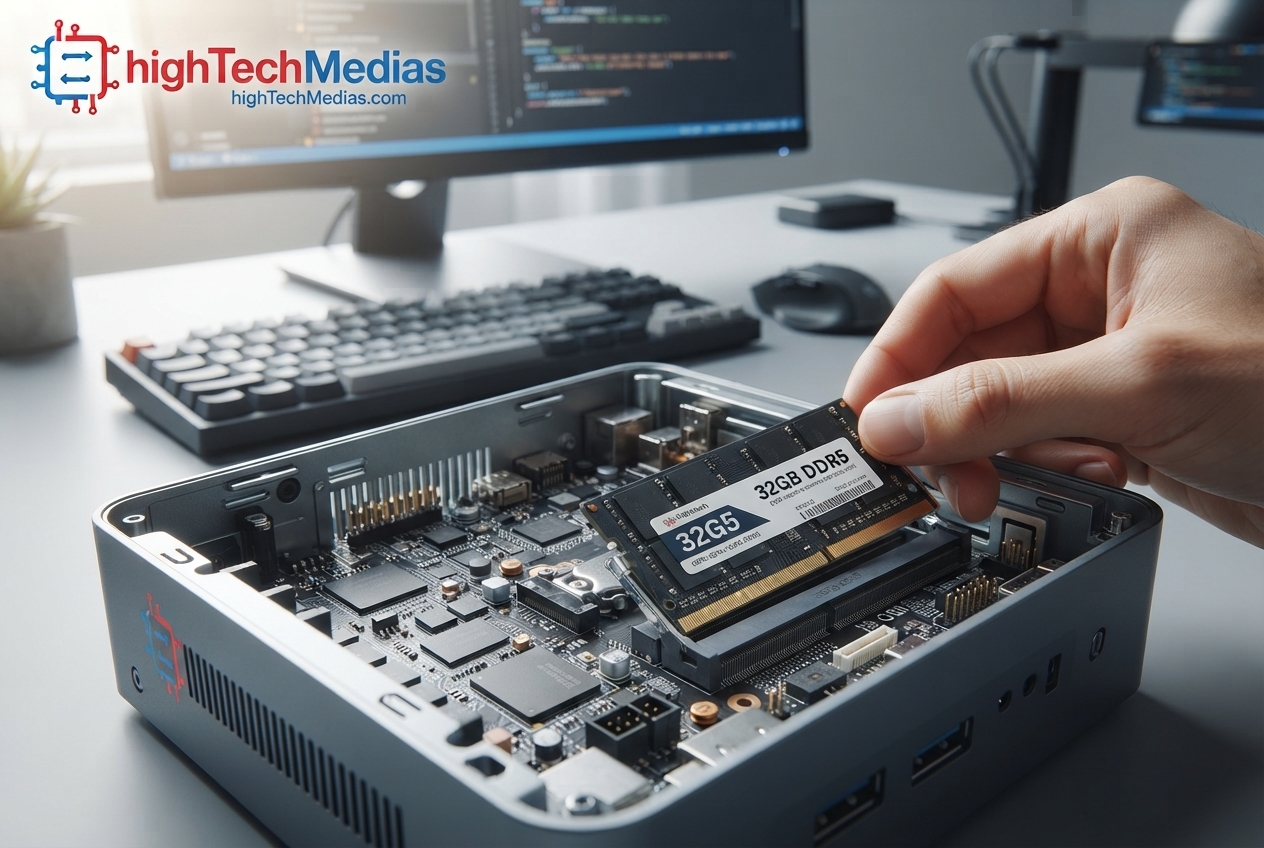
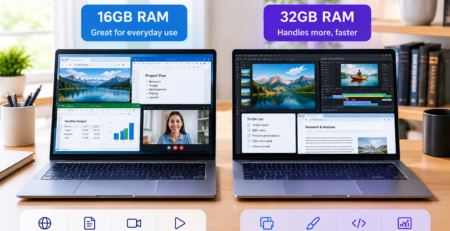
A simple programming setup using a lightweight editor and browser can work comfortably with less memory. However, a modern development environment may include an IDE, browser tabs, local database, Docker containers, Git tools, messaging applications, testing environments, and sometimes virtual machines.
For that reason, 32GB of RAM is a sensible target for a serious developer workstation when the budget permits.
The K8 Plus is particularly interesting because GMKtec lists a 32GB standard configuration and two SO-DIMM slots.
The UM890 Pro also uses dual-channel DDR5 memory with two SO-DIMM slots. MINISFORUM’s current documentation lists support for high-capacity memory configurations.
The important point is that developers should compare the complete configuration, not just the processor name.
A $463 barebone system may initially appear cheaper than a $400-plus configured system, but the cost of adding RAM, an SSD and an operating system can change the final comparison substantially.
4. Storage: Why NVMe SSD Capacity Matters for Programming
Storage affects more than how many files you can keep.
Software development can involve source-code repositories, SDKs, package caches, Docker images, virtual machines, databases, build artifacts, Android development environments, and local test data.
A 512GB SSD can be enough for a lightweight development environment, but 1TB is a more comfortable starting point for developers who expect to install multiple development stacks.
Both systems provide PCIe 4.0 NVMe storage support, while the K8 Plus and UM890 Pro offer two M.2 slots according to their manufacturers.
That second slot can be useful for separating development files from another storage workload, although the best arrangement depends on how the system will be used.
5. Linux Development: Which Mini PC Makes Sense?
Linux compatibility is an important consideration for developers.
Ubuntu describes Ubuntu Desktop as a development platform for app developers, data scientists, engineers and other technical users. Its developer documentation covers Python, Go, Rust, GCC, Clang, .NET, Java and Zig toolchains.
Ubuntu 26.04.1 LTS is currently available for Intel and AMD 64-bit systems, with five years of standard security and maintenance updates.
GMKtec explicitly lists Linux support for the K8 Plus.
With either mini PC, however, developers should verify the exact Linux distribution, Wi-Fi chipset, graphics drivers, BIOS version and other hardware before deployment. Ubuntu itself recommends checking certified hardware or trying Ubuntu on a system when certification is unavailable.
For developers who prefer Windows, Windows Subsystem for Linux provides another option. Microsoft describes WSL as a way to run a GNU/Linux environment and command-line tools directly on Windows without the overhead of a traditional virtual machine or dual boot.
This makes a Windows-based mini PC potentially useful for developers who need both Windows applications and Linux tooling.
6. Windows and WSL for Software Development
Not every developer wants a Linux-only computer.
Windows remains useful for developers who need Windows-specific software, Microsoft development tools, desktop applications, or compatibility with a Windows-focused workplace.
WSL can provide a Linux environment inside Windows. Microsoft’s official documentation also provides guidance for configuring Git, Docker, databases, development editors and GPU acceleration in a WSL development environment.
That means the decision does not necessarily have to be “Windows or Linux.”
For some developers, a Windows mini PC with WSL can provide a practical compromise.
7. Integrated Graphics: Is Radeon 780M Enough for Development?
Neither of these systems is a substitute for a dedicated workstation GPU.
However, most programming workloads do not require a discrete GPU.
The Radeon 780M found in both systems can handle normal desktop acceleration, multiple displays, media workloads and some GPU-accelerated development tasks. AMD lists the Radeon 780M with 12 graphics cores on the Ryzen 7 8845HS, while the Ryzen 9 8945HS also uses Radeon 780M graphics.
The situation changes if your development work involves serious local AI training, large CUDA workloads, professional 3D rendering or GPU-heavy game development.
In those cases, a mini PC with a stronger dedicated GPU or an external GPU solution may make more sense.
The K8 Plus and UM890 Pro both provide OCuLink-related expansion options, but developers should check the exact adapter, enclosure and GPU requirements before purchasing.
8. Connectivity and Multi-Monitor Development
A developer workstation can quickly accumulate peripherals.
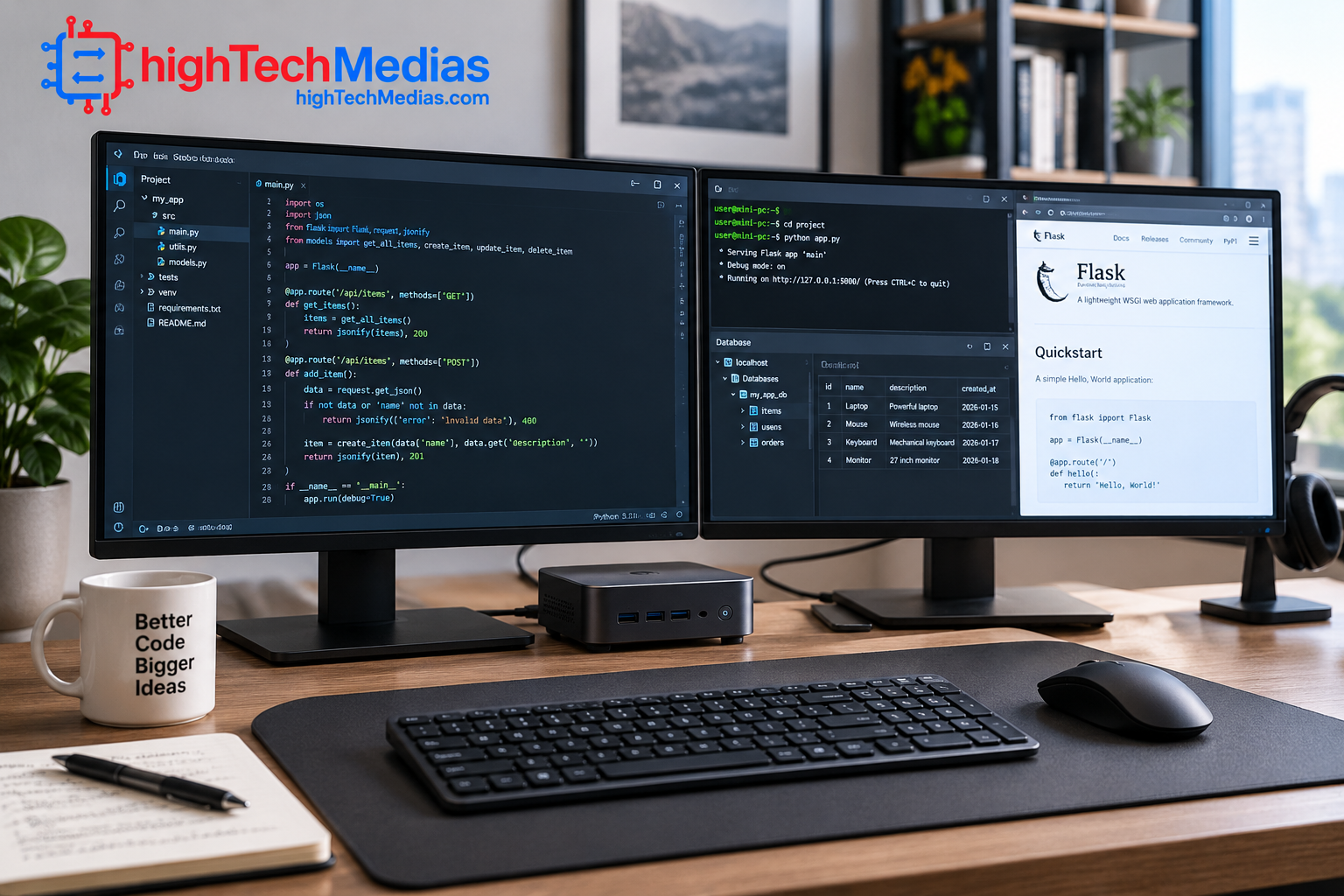
You may need:
- Two or three monitors
- Keyboard and mouse
- External SSDs
- Ethernet
- Development boards
- USB debugging devices
- Audio equipment
- External backup drives
This is why connectivity matters.
The K8 Plus includes two USB4 ports, HDMI 2.1, DisplayPort 2.1, dual 2.5GbE and OCuLink.
The UM890 Pro provides two USB4 ports, HDMI, DisplayPort, four USB-A ports, dual 2.5GbE and OCuLink.
For developers running multiple monitors and several external devices, these ports can be more important than a small difference in processor performance.
9. Docker, Virtual Machines, and Local Development Servers
A basic coding computer and a serious development workstation can have very different requirements.
Running a single IDE is relatively straightforward. Running an IDE alongside Docker containers, databases, local web servers and virtual machines creates a much heavier workload.
This is where CPU cores, RAM and SSD performance become important.
The K8 Plus’s 8-core/16-thread processor and 32GB configuration make it a sensible platform for many local development environments. The UM890 Pro’s Ryzen 9 8945HS provides the same 8-core/16-thread count but belongs to a higher processor tier.
Developers running several virtual machines should pay particular attention to RAM capacity. A system with 64GB can be considerably more comfortable than a system with 16GB when several virtual environments are active simultaneously.
10. Which Mini PC Is Better for Different Types of Developers?
Web development
Either system can handle common web-development workloads involving VS Code, browser testing, Node.js, databases and local servers.
Python development
Both are suitable for Python development, from basic scripting to larger application environments. Ubuntu officially provides Python development guidance and toolchains.
Java development
Java developers often benefit from additional memory because IDEs, application servers and local databases can consume significant resources.
C and C++ development
A multi-core CPU can be useful when compiling larger projects. Ubuntu’s official developer documentation provides GCC installation and configuration guidance for C and C++ development.
Docker development
If containers are central to your workflow, prioritize RAM and SSD capacity as well as CPU performance.
Game development
These mini PCs can support programming and development work, but the integrated Radeon 780M should not be treated as a replacement for a powerful dedicated GPU.
AI and machine learning
CPU-based development and experimentation are possible, but serious local AI workloads can require considerably more GPU memory and compute capability than either of these integrated-GPU systems provides.
11. K8 Plus vs UM890 Pro: Which One Should You Choose?
The answer depends heavily on configuration and workload.
The GMKtec K8 Plus is easier to justify for developers who want a compact system at a relatively accessible starting price. Its Ryzen 7 8845HS, 32GB configuration, dual NVMe support, USB4, dual 2.5GbE and Linux support give it a strong feature set for programming.
The MINISFORUM UM890 Pro is more appropriate for developers who want a higher-tier Ryzen 9 processor and extensive expansion. However, its complete configurations are substantially more expensive than the $463 barebone price currently displayed by MINISFORUM.
So when comparing the two, don’t compare a barebone UM890 Pro against a fully configured K8 Plus.
Compare
like-for-like RAM, SSD and operating-system configurations.
12. Mini PC vs Laptop for Programming
A mini PC is not automatically better than a laptop for development.
A laptop includes the display, keyboard, battery and webcam. It is therefore the easier choice for developers who work in multiple locations.
A mini PC, on the other hand, can provide a more permanent workstation setup. You choose the monitor, keyboard and other peripherals separately, and the computer can remain mounted or placed behind a display.
If portability matters, a laptop may be more appropriate. Our [laptop size and weight guide] can help explain the practical differences when choosing a portable system. Laptop size and weight guide
For a broader comparison, see our [Mini PCs vs. Laptops guide]. Mini PCs vs. Laptops
Developers considering a laptop should also examine the processor because CPU architecture and core count can influence compilation and multitasking. Our [2026 laptop processor guide] covers Intel, AMD and Apple silicon. Laptop processor guide 2026
13. What to Look for When Buying a Developer Mini PC
Before buying a mini PC for software development, check these specifications rather than focusing only on the processor name.
CPU
Aim for a modern multi-core processor. Developers compiling large projects or running multiple services can benefit from additional cores and threads.
RAM
16GB can work for lighter development. For professional development, 32GB is a more comfortable target, particularly if you use containers or virtual machines.
SSD
Choose at least 512GB for a modest setup. A 1TB NVMe SSD is more comfortable for larger development environments.
Linux support
If Linux is important, check actual hardware compatibility rather than assuming that every mini PC works perfectly with every distribution.
Ports
USB4, multiple USB-A ports, HDMI, DisplayPort and Ethernet can reduce the need for hubs and adapters.
Upgradeability
Two SO-DIMM slots and two M.2 slots provide more flexibility than soldered memory and a single storage slot.
Cooling
Sustained compilation and container workloads can keep the CPU busy for extended periods. A compact PC therefore needs a cooling system capable of maintaining performance without excessive noise.
For readers interested in thermal design more generally, our [laptop cooling guide] explains heat pipes, fans and thermal throttling in more detail. Laptop cooling explained
14. Other Mini PC Guides Worth Reading
If your requirements are different from programming, our [best budget mini PCs guide] focuses on lower-cost compact computers. Best Budget Mini PCs in 2026
For a quieter office setup, see our [best silent mini PCs guide]. Best Silent Mini PCs in 2026
And if your main purpose is office productivity rather than software development, our [best mini PCs for home office guide] provides a more general comparison. Best Mini PCs for Home Office in 2026
15. Frequently Asked Questions
Is a mini PC good for programming?
Yes. A modern mini PC with a multi-core CPU, 16GB or 32GB of RAM and an NVMe SSD can be suitable for many programming workloads, including web development, Python, Java, C/C++, databases and container-based development.
Is 16GB RAM enough for programming?
16GB can be sufficient for lighter programming. Developers using Docker, virtual machines, large IDEs or several applications simultaneously should consider 32GB.
Is 32GB RAM enough for software development?
For many professional development environments, 32GB is a practical amount of memory. The exact requirement depends on the number of applications, containers, databases and virtual machines being used.
Is Linux good for software development?
Yes. Ubuntu provides dedicated developer documentation and toolchains for Python, Go, Rust, GCC, Clang, .NET, Java and Zig.
Can Windows be used for Linux development?
Yes. Microsoft’s Windows Subsystem for Linux allows developers to run a GNU/Linux environment and command-line tools directly inside Windows.
Can a mini PC replace a desktop for programming?
For many developers, yes. A sufficiently powerful mini PC can handle the same general programming workloads as a larger desktop. The main limitations appear when workloads require a powerful dedicated GPU, very large memory capacity or extensive PCIe expansion.
Can these mini PCs run multiple monitors?
Both the K8 Plus and UM890 Pro provide multiple display outputs. GMKtec lists HDMI 2.1, DisplayPort 2.1 and USB4 on the K8 Plus, while MINISFORUM lists HDMI, DisplayPort and USB4 on the UM890 Pro.
Can developers use Docker on a mini PC?
Yes. Hardware requirements depend on the number and size of containers. RAM becomes particularly important when databases and multiple services run simultaneously.
16. Final Verdict: K8 Plus vs UM890 Pro
The GMKtec K8 Plus and MINISFORUM UM890 Pro demonstrate two different approaches to a compact development computer.
The K8 Plus combines the Ryzen 7 8845HS, Radeon 780M, DDR5 memory, dual NVMe storage, USB4, dual 2.5GbE and Linux support in a compact chassis. Its manufacturer-listed starting price of $399.99 makes it particularly interesting for developers who want a capable system without immediately moving into much higher complete-system pricing.
The UM890 Pro uses the Ryzen 9 8945HS and provides an extensive expansion package that includes dual M.2 storage, dual 2.5GbE, USB4 and OCuLink. However, buyers need to pay close attention to configuration because the current $463 price is for a barebone system, while complete RAM-and-SSD configurations are considerably more expensive.
For a student, web developer, programmer or remote worker who wants a compact workstation, the K8 Plus provides a straightforward starting point. For a developer who specifically needs a higher-end configuration and extensive expansion, the UM890 Pro deserves consideration.
The most important lesson is to choose based on your actual development workflow:
CPU cores, RAM, SSD capacity, Linux or Windows requirements, container and virtual-machine usage, display connectivity, and future expansion matter more than simply choosing the mini PC with the biggest processor name.







Comments (3)
[…] guide to the best mini PCs for programming and development provides a separate look at developer-focused […]
[…] For additional information about choosing a mini PC for more demanding technical workloads, see: Best Mini PCs for Programming and Development in 2026 […]
[…] specialized workloads, our guides to mini PCs for programming and development and mini PCs for multiple monitors explain what to consider when buying a compact computer for […]