
Best Mini PCs for AI Locally in 2026: Performance, Memory & Value
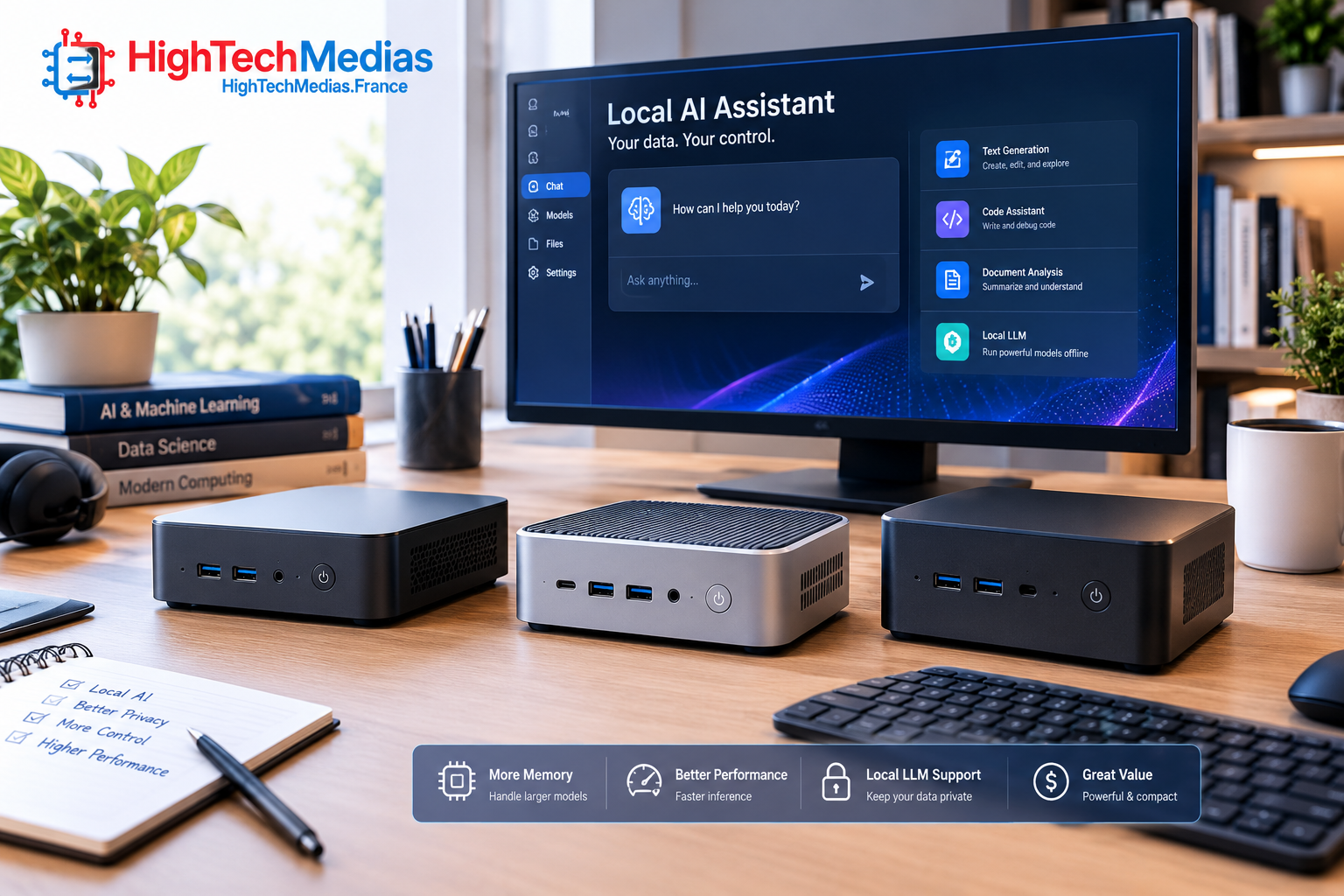
Running AI locally is no longer limited to large desktop workstations with expensive graphics cards. Today’s compact computers can run language models, power private AI assistants, summarize documents, support coding workflows, and process data without sending every prompt to a cloud service. However, not every mini PC is suitable for every AI workload.
The best mini PCs for running AI locally balance memory capacity, GPU performance, cooling, software compatibility, storage, and price. A machine that handles a small 7-billion-parameter language model may struggle with a much larger model, even if both computers use modern processors.
This guide compares three real mini-PC options and explains what their hardware means for everyday local AI use. Prices and configurations can change, so check the manufacturer’s current listing before purchasing.
1. Best Mini PCs for Running AI Locally: Three Models to Consider First
1.1 GMKtec EVO-X2 — Best for Memory-Intensive Local AI
The GMKtec EVO-X2 is a compact computer built around AMD’s Ryzen AI Max+ 395 processor. Its main attraction for local AI is the combination of a powerful integrated GPU and configurations with substantial shared memory. That makes it more relevant to large local language models than many conventional mini PCs designed primarily for office applications.

Price (as of October 2026): The official GMKtec listing showed a starting price of $2,199.99 for the 64GB RAM and 1TB SSD configuration when checked for this article. Higher-memory configurations cost more; verify the selected configuration and checkout price before buying.
Key specifications
- Processor: AMD Ryzen AI Max+ 395
- CPU: 16 cores and 32 threads
- Integrated graphics: AMD Radeon 8060S
- Memory options: configurations include 64GB and 128GB
- Storage: configurations include a 1TB SSD, with larger options available
- Intended use: local LLM inference, AI development, demanding multitasking, and general desktop work
Who should buy this?
The EVO-X2 is worth considering for AI developers, technical professionals, researchers, and advanced enthusiasts who want to experiment with larger models locally. The 128GB configuration is particularly relevant when model size is the main constraint. The 64GB version can be a more economical starting point for smaller models and less demanding workflows.
Why consider it?
The Ryzen AI Max+ 395 combines a 16-core CPU with Radeon 8060S integrated graphics and a large shared-memory design. With suitable software and model quantization, the system can accommodate workloads that exceed the practical memory limits of many 16GB or 32GB mini PCs.
That does not mean every large model will run quickly. Generation speed also depends on the model architecture, quantization, memory bandwidth, software backend, context length, and the amount of memory available to the GPU.
Pros
- Available with high-capacity shared memory
- Powerful integrated graphics for a compact system
- Suitable for both AI experimentation and general computing
- Smaller footprint than a conventional desktop workstation
Cons
- Expensive compared with ordinary productivity mini PCs
- Memory is not a casual after-purchase upgrade; choose the capacity carefully
- Sustained AI workloads can produce substantial heat and fan noise
- Software support may differ from systems using NVIDIA CUDA GPUs
1.2 MINISFORUM MS-S1 MAX — Best for a More Workstation-Oriented Setup
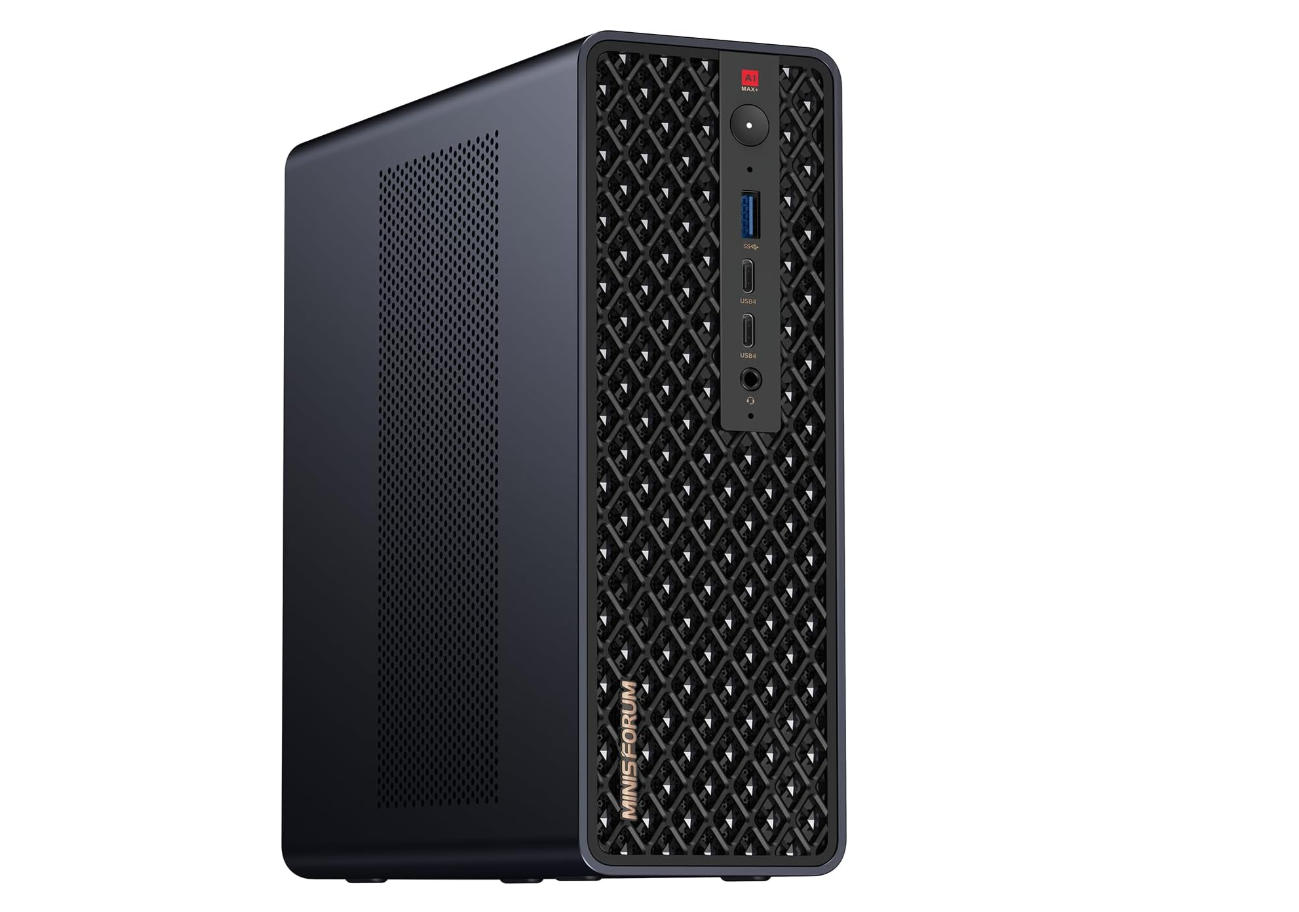
The MINISFORUM MS-S1 MAX is another compact system built around AMD’s Ryzen AI Max+ 395 platform. Its appeal is not simply the processor: networking, expansion, connectivity, cooling, and the selected memory configuration also matter when a mini PC will run AI services for extended periods.
Price (as of October 2026): MINISFORUM’s official store has listed the MS-S1 MAX starting around $2,599 for a 64GB configuration with 2TB storage, while a 128GB configuration has been listed around $3,799. These are configuration-specific prices, not a guarantee of today’s checkout price. Confirm the available options directly with the manufacturer.
Key specifications
- Processor: AMD Ryzen AI Max+ 395 in the relevant configuration
- CPU: 16 cores and 32 threads
- Integrated graphics: AMD Radeon 8060S
- Memory: configurations include 64GB and 128GB
- Storage: configurations include a 2TB SSD
- Connectivity and expansion: designed as a higher-end compact workstation platform; verify the precise ports and configuration on the product listing
Who should buy this?
Consider the MS-S1 MAX if you want a compact machine for local AI development, persistent AI services, and broader technical workloads. It may be a better fit for a developer who values workstation-style connectivity or expansion than someone who only wants to test a small chatbot occasionally.
Why consider it?
For local AI, the machine’s core platform is important, but the complete system matters too. Fast networking can be useful when accessing shared storage or serving models across a local network. Multiple storage options can help separate operating-system files, model weights, datasets, and backups.
Do not assume that a more expensive enclosure automatically makes AI generation faster. When two computers use the same processor, graphics architecture, and memory configuration, differences in inference speed may be smaller than differences in cooling, firmware, power limits, ports, and storage.
Pros
- High-memory configurations for larger models
- Compact form factor with workstation-oriented potential
- Useful for combining AI inference with other technical workloads
- Storage and connectivity options can suit a dedicated local server
Cons
- High-memory configurations are expensive
- Some memory is soldered and cannot be upgraded later
- Larger models still require careful software and quantization choices
- Actual availability, price, and included accessories vary by configuration
1.3 GMKtec EVO-X2 128GB Configuration — Best When Model Capacity Comes First
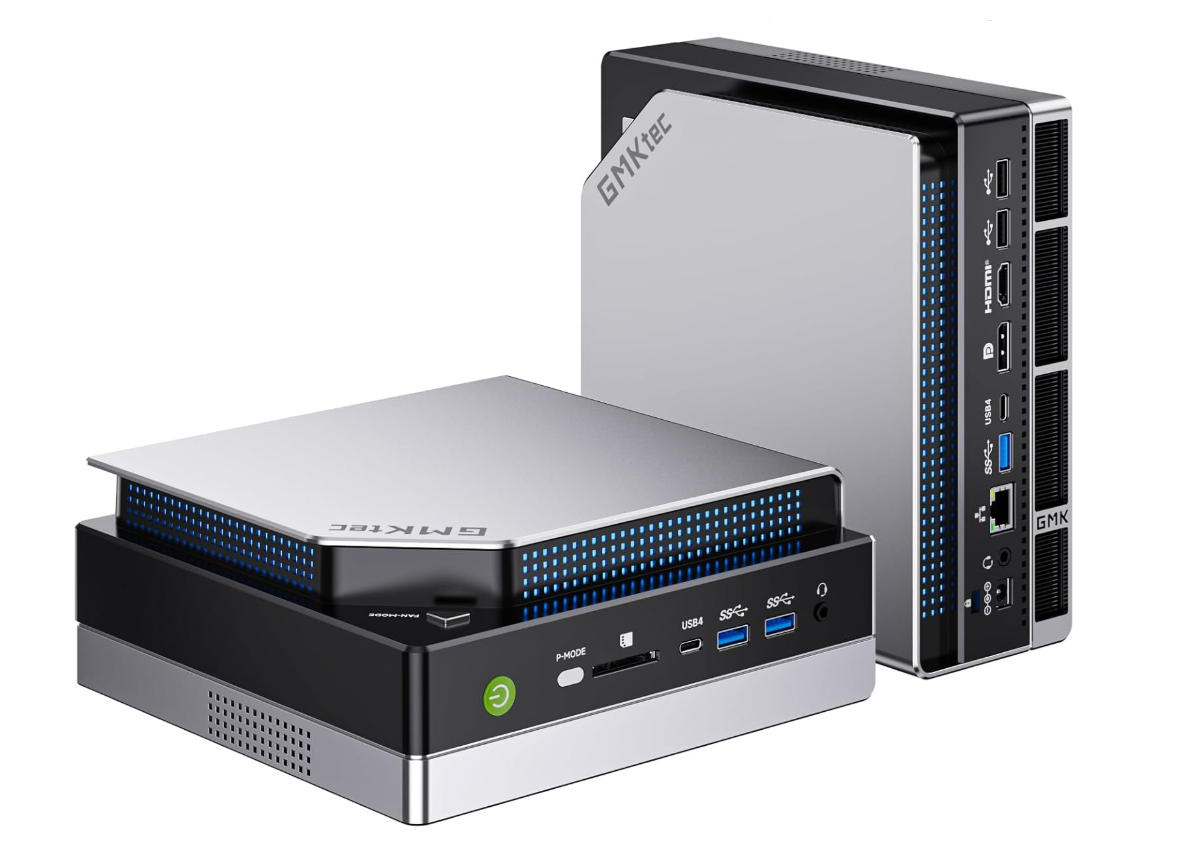
This is a configuration choice rather than a separate computer model. It deserves its own consideration because the amount of memory can determine whether a local AI model fits in the first place.
Price (as of October 2026): The manufacturer’s listing includes 128GB options at higher prices than the $2,199.99 starting configuration. The exact price depends on SSD capacity and the selected package. Check the official EVO-X2 listing before purchase.
Who should buy this?
The 128GB configuration is best suited to users who already know they need more memory for larger quantized models, longer context windows, or concurrent services. It is less compelling for someone who primarily runs small models for basic text generation.
Key considerations
- 128GB system memory is shared between the CPU, integrated GPU, operating system, and applications.
- The maximum amount available to the GPU is not necessarily the same as the total installed memory.
- The model must fit alongside its runtime, context cache, operating system, and other applications.
- A larger SSD helps store model files, but it does not replace the need for adequate working memory.
Why consider it?
For local LLMs, model capacity can matter more than a small difference in processor clock speed. A larger memory pool may allow a model to run locally that would otherwise require aggressive quantization, partial CPU offloading, or a cloud service. Still, capacity is not a guarantee of high token-generation speed, and model quality is not determined by hardware alone.
Pros
- More room for memory-intensive models than typical 16GB or 32GB systems
- Useful for experimentation with multiple model sizes
- Can serve as a general desktop alongside AI workloads
Cons
- Costs substantially more than entry-level mini PCs
- Memory cannot generally be expanded like replaceable desktop DIMMs
- Requires attention to software support and real workload requirements
2. What Makes a Mini PC Suitable for Running AI Locally?
A mini PC can be excellent for office work and still be unsuitable for a demanding local AI workload. The difference comes down to how much memory is available, how the graphics hardware processes the model, and whether the computer can sustain performance under load.
2.1 Memory Capacity: The First Thing to Check
When evaluating a mini PC for local language models, start with memory capacity rather than the processor’s marketing label. Model weights must be loaded into system memory, graphics memory, or a combination of the two. Additional memory is needed for the operating system, the AI runtime, context cache, and other running applications.
A simplified way to think about memory is:
Installed memory |
Typical fit |
|---|---|
| 16GB | Small models and basic experimentation, with limited headroom |
| 32GB | Useful starting point for many smaller quantized models |
| 64GB | More flexibility for larger models and heavier workflows |
| 128GB | Better suited to memory-intensive local LLM experiments |
These are broad planning categories, not guarantees. A model’s architecture, quantization, context length, and runtime can change its actual memory requirements considerably.
2.2 Unified Memory and Shared GPU Memory
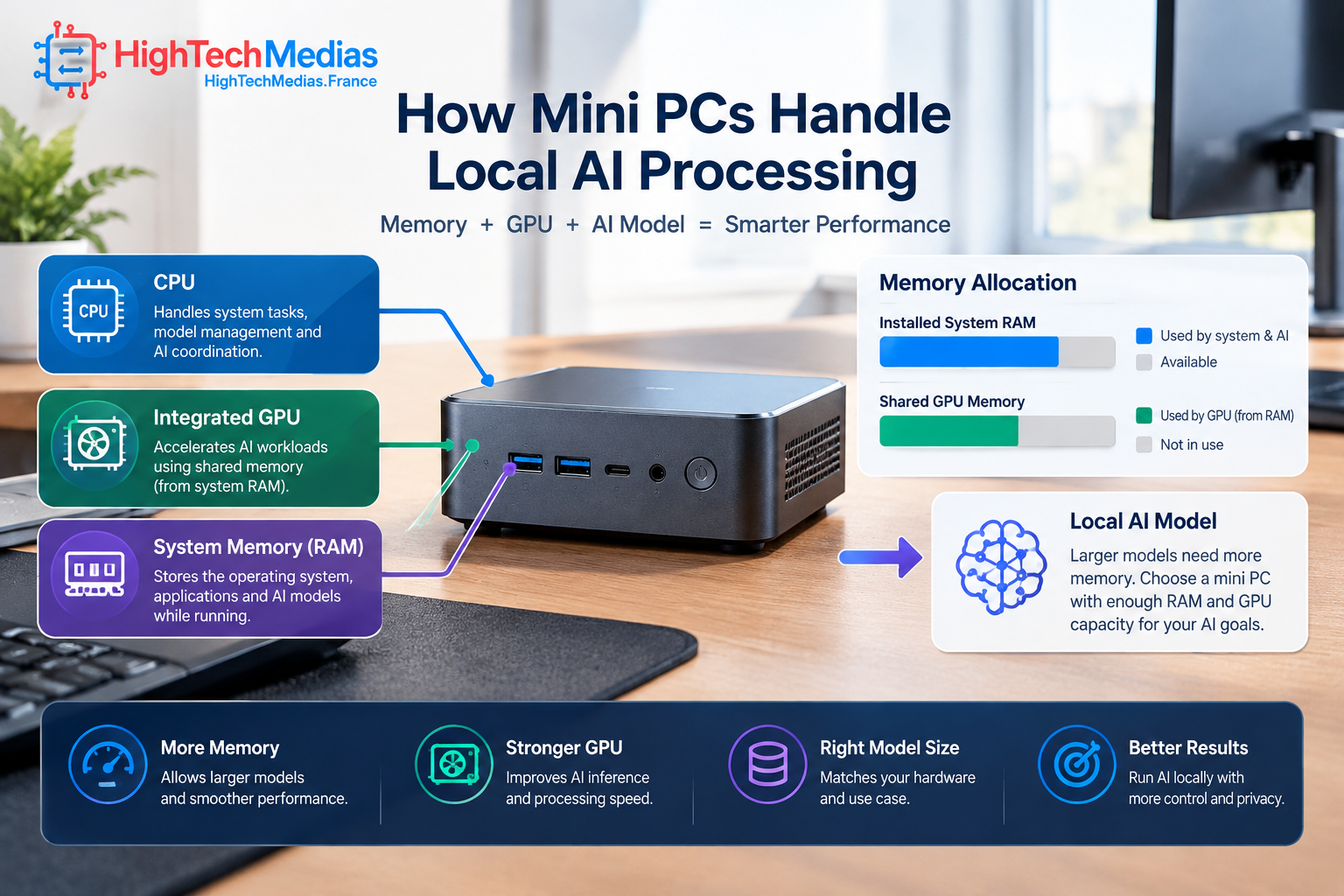
On systems such as the Ryzen AI Max+ 395 platform, the CPU and integrated GPU use a shared memory pool. This is different from a conventional desktop GPU with its own dedicated VRAM.
Shared memory can be valuable because a large portion of system memory may be made available to graphics workloads. However, it is not all automatically available to the model. The operating system and other programs still need memory, and the amount allocated to the GPU depends on system configuration and software.
2.3 GPU Performance and Software Support
A powerful integrated GPU can offer a compelling balance of size, power, and performance. But local AI speed depends on more than theoretical AI TOPS. The model runtime must support the hardware effectively, and memory bandwidth can become a major constraint.
NVIDIA GPUs remain important in AI development because many tools and workflows are built around CUDA. AMD systems can be attractive for large shared-memory configurations, but users should confirm that their preferred inference software supports the selected graphics platform and operating system.
3. How Much Memory Do Local AI Models Need?
The amount of memory a model requires depends on its parameter count, numerical precision, quantization, architecture, and context window. A model described as “7B,” for example, has roughly seven billion parameters, but that label alone does not tell you its total runtime memory requirement.
3.1 Small Models for Everyday Tasks
Smaller quantized models are often a practical place to begin. They can help with drafting, summarizing, question answering, basic coding assistance, and document exploration. A well-configured mini PC with 32GB of memory may be sufficient for many such tasks.
The experience will vary by model and software. Do not assume every 7B or 8B model will fit comfortably in every 16GB system, especially when the context window is large or other applications are running.
3.2 Medium Models for More Flexible Workflows
With 64GB of memory, users have more room to test larger quantized models, longer prompts, and multiple applications. This capacity may suit developers who want to compare models or build local retrieval-augmented generation (RAG) experiments over their own documents.
RAG workflows introduce additional memory needs for the embedding model, vector database, documents, and application services. Plan for the complete workflow rather than the language model alone.
3.3 Larger Models and 128GB Systems
A 128GB mini PC can make larger local models more practical, including some 70B-class quantized models under suitable configurations. However, “can load” does not mean “runs quickly.” Dense models with large weight files can still generate tokens slowly on integrated graphics compared with powerful discrete GPUs or dedicated AI accelerators.
Mixture-of-experts models can have different active-compute requirements from dense models with a similar total parameter count. Always check memory requirements and benchmarks for the exact model and quantization you intend to use.
4. Performance: What Matters Beyond AI TOPS?
AI TOPS is a useful marketing and technical metric, but it is not a universal measure of local LLM performance. Different operations use different hardware paths, and a number advertised for an NPU cannot be directly treated as the expected token-generation rate of a language model.
4.1 Token Generation Speed
For interactive text generation, users often care about how quickly the system produces tokens after a prompt. The result depends on the model, quantization, runtime, memory bandwidth, context length, and hardware acceleration.
When comparing performance claims, look for results from the same model and quantization on comparable software versions. Avoid comparing one manufacturer’s peak AI TOPS figure with another system’s real-world tokens per second.
4.2 Cooling and Sustained Workloads
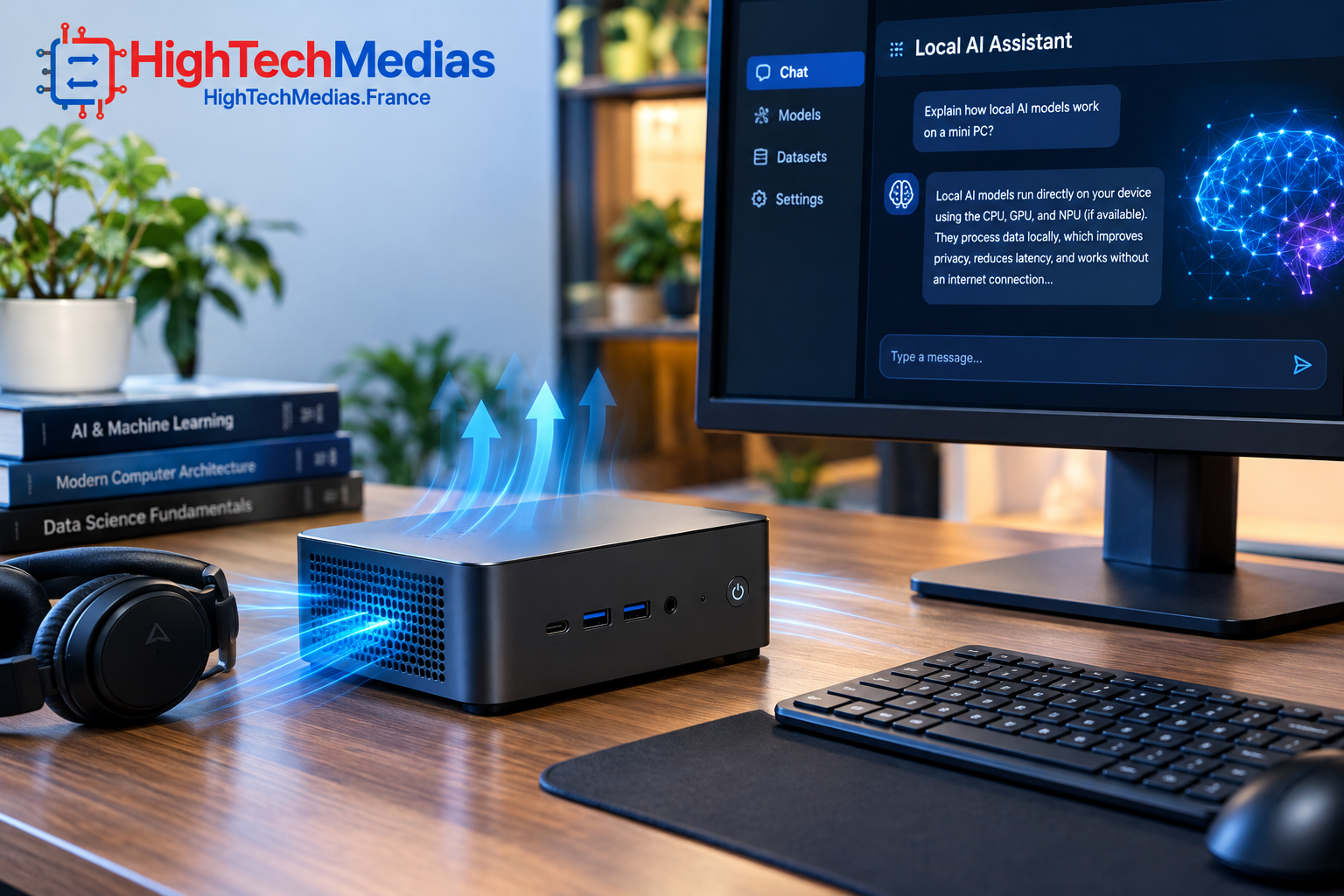
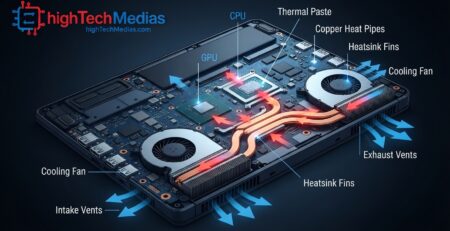
Local inference can keep a processor or integrated GPU busy for long periods. A small chassis has less room for large heat sinks and fans, so cooling design matters.
A mini PC that performs well during a short demonstration may reduce its power or clock speeds during a longer workload if temperatures rise. Reviews that measure sustained performance, fan noise, and temperatures are more useful than specifications alone.
4.3 Storage and Model Loading
An NVMe SSD helps with model downloads, file access, and loading large model weights. More storage is useful if you plan to keep multiple models, datasets, and application environments installed locally.
Storage capacity does not directly replace system memory. If the model cannot fit into the available working memory, a larger SSD alone will not deliver the same experience as a suitable high-memory configuration.
5. Local AI Software: Check Compatibility Before Buying
Hardware is only part of the decision. Your preferred software determines which models you can download, which formats are supported, and whether the CPU or GPU is used efficiently.
5.1 Ollama and LM Studio
Ollama and LM Studio are popular options for running supported language models locally. They provide ways to download and run models without building every part of the inference stack from scratch.
Before buying a computer, confirm the current requirements for the software version, operating system, processor architecture, and graphics backend you plan to use. Support changes over time, and performance can differ between runtimes.
5.2 llama.cpp and Quantized Models
llama.cpp is widely used for local LLM inference, including quantized model formats. Quantization reduces the precision used to store model weights and can lower memory requirements, although it may also affect output quality or speed depending on the model and configuration.
A lower-bit model can make a larger model fit into available memory, but it is not a universal fix. Test the model with your actual prompts and tasks before relying on it for production work.
5.3 NPU Acceleration Is Not the Same as LLM Speed
A modern NPU can accelerate supported AI workloads, especially applications designed for that hardware. However, the presence of an NPU does not guarantee that every local language model will use it.
For a specific AI application, check whether the software supports the NPU and whether it delivers a meaningful benefit for that task. For local LLMs, memory capacity, GPU support, and the inference backend often remain central considerations.
6. Best Mini PC for Local AI by Budget and Use Case
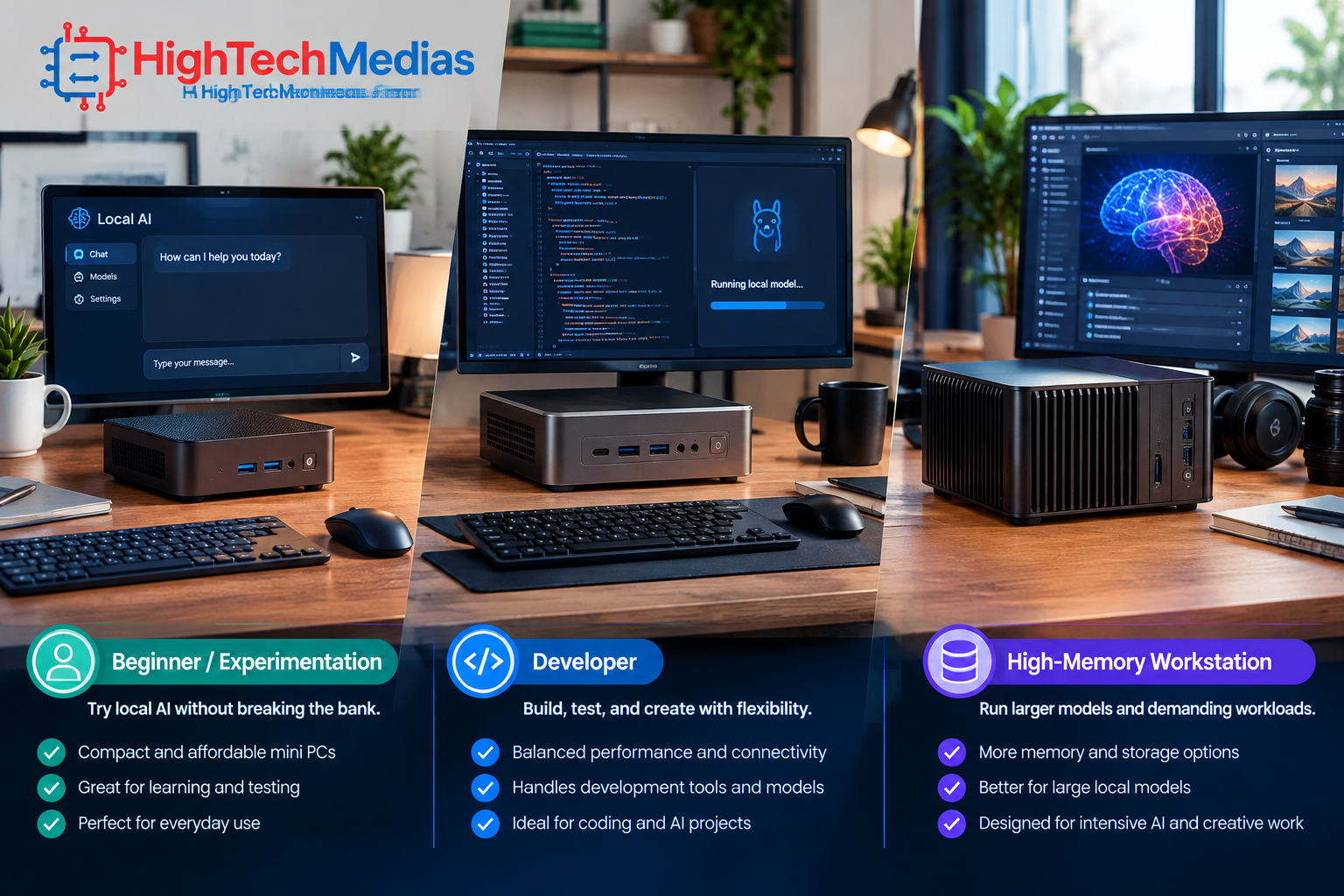
The right choice depends on what you intend to run, how often you will use it, and whether the system will serve as a dedicated AI computer or a general-purpose desktop.
User type |
Practical starting point |
What to prioritize |
|---|---|---|
| Curious beginner | A capable mini PC with 32GB RAM | Software compatibility, reasonable cost, SSD capacity |
| Developer testing smaller models | 32GB–64GB | RAM, CPU performance, supported inference software |
| Researcher exploring larger models | 64GB–128GB | Shared memory, bandwidth, sustained performance |
| Local AI server | 64GB or more, workload-dependent | Cooling, networking, storage, reliability |
| Privacy-focused home user | Depends on the model and application | Offline operation, security, updates, backup |
| AI enthusiast running larger quantized models | 128GB may be useful | Model fit, GPU memory allocation, software support |
A less expensive mini PC may be the better purchase if your models are small. Spending thousands of dollars on a high-memory system makes little sense if your daily work consists of simple summarization or occasional experimentation with compact models.
For more compact-computing comparisons, see Best Budget Mini PCs in 2026, Best Mini PCs for Home Office in 2026, and Best Mini PCs Under $500 in 2026.
7. Mini PC vs. Desktop GPU: Which Is Better for Local AI?
A mini PC is attractive because it takes up little desk space, can be quieter during light workloads, and often uses less power than a large desktop workstation. High-memory integrated-graphics platforms can also make larger model weights accessible without a separate graphics card.
A desktop with a powerful discrete GPU can be the stronger option when your priority is high inference throughput, GPU compute, or compatibility with software built around a particular accelerator ecosystem. Dedicated GPU memory can also be important for workloads that benefit from high bandwidth.
The trade-off is not simply “mini PC versus desktop.” Compare the full system price, memory capacity, GPU architecture, software support, noise, power use, and upgrade options. If your AI workload grows over time, a desktop with replaceable RAM and GPU may offer a more flexible upgrade path.
A mini PC makes sense when compact size and a balanced system are priorities. A GPU workstation may be better when the goal is to maximize model throughput or run demanding training and development workloads. For most buyers, training large foundation models from scratch is a different category from running pretrained models locally.
8. Privacy, Offline Use, and Home AI Services
Running an AI model locally can improve control over where prompts and documents are processed. It may be useful for summarizing personal files, searching a private document collection, drafting text, or testing code without sending every request to an external AI service.
Local execution does not automatically make a system secure. Applications may still connect to the internet, download models, send telemetry, or expose a service on your network if configured to do so. Check application settings and firewall rules, keep software updated, and avoid exposing a local inference endpoint publicly without appropriate protection.
If you plan to use the mini PC as a persistent AI server, consider automatic updates, backups, storage health, power consumption, and recovery after an outage. A machine that works well for a one-hour experiment is not automatically ready to serve multiple users around the clock.
9. How to Choose the Right Local AI Mini PC
Before ordering, work through this checklist:
- Choose the model first. Identify the exact LLM, quantization, and context length you intend to use.
- Estimate memory needs. Allow headroom for the operating system, runtime, context cache, and other applications.
- Check the software backend. Confirm that your chosen tools support the processor and graphics platform.
- Compare real performance evidence. Prefer benchmarks that use the same model and quantization.
- Consider cooling and noise. Look for sustained-load testing, not only short performance bursts.
- Choose storage capacity. Multiple models and datasets can consume substantial SSD space.
- Check upgradeability. Some mini PCs use soldered memory, so the initial configuration may be permanent.
- Verify the full price. Compare the exact RAM and SSD configuration, warranty, shipping, and return policy.
Readers who want a broader comparison of compact computers can also read Mini PCs vs. Laptops: Which One Should You Choose? and Best Mini PCs for Programming and Development in 2026.
10. Frequently Asked Questions
10.1 Can a mini PC run AI models locally?
Yes. A compatible mini PC can run supported language models and other AI applications locally. The model size, memory capacity, software backend, and performance expectations determine whether a particular system is suitable.
10.2 Is 32GB RAM enough for local AI?
It can be enough for smaller quantized models and basic experimentation. Larger models, long context windows, and multiple simultaneous applications may need more memory. Check the requirements of the exact model you plan to use.
10.3 Is 128GB RAM better for local LLMs?
It can allow larger models or more demanding configurations to fit in memory. However, 128GB does not guarantee faster generation in every workload. Software support, memory bandwidth, GPU architecture, and model choice still matter.
10.4 Can local AI run without an internet connection?
After the required software and model files have been downloaded, many local inference setups can operate offline. Initial installation, updates, and model downloads usually require internet access. Check the behavior of the specific application.
10.5 Is an NPU necessary for running local AI?
No. Some local AI applications can run on CPUs or GPUs without using an NPU. An NPU can help when the software is designed to support it, but it should not be the only specification used to choose a local LLM computer.
10.6 Should I buy a mini PC with 64GB or 128GB memory?
Choose 64GB if it fits your planned models and budget. Consider 128GB when you have a clear need for larger model weights, more context, or multiple workloads. Since memory may be soldered, decide before purchase.
10.7 Are AMD mini PCs suitable for local AI?
Some AMD mini PCs are attractive because of their integrated graphics and high-memory configurations. However, compatibility depends on the exact software and graphics backend. Confirm support for the tools you intend to run instead of relying on processor branding alone.
10.8 Can a mini PC train AI models?
Mini PCs can support learning, experimentation, inference, and some development or fine-tuning tasks. Large-scale model training is substantially more demanding and may require dedicated GPUs, multiple accelerators, or cloud infrastructure.
11. Final Verdict: Which Mini PC Should You Choose for Local AI in 2026?
The best mini PCs for running AI locally are the ones that match the size of your models, your software requirements, and your budget—not necessarily the ones with the biggest AI number on the product page.
The GMKtec EVO-X2 is a compelling option to investigate if you want a compact system with a high-memory configuration and powerful integrated graphics. Its 64GB starting configuration is more approachable than its 128GB options, while the higher-memory version makes more sense for users who know that model capacity is their main limitation.
The MINISFORUM MS-S1 MAX deserves consideration for buyers who want a workstation-oriented compact platform and are prepared to pay for its chosen memory and storage configuration. As with the EVO-X2, confirm the exact configuration, software compatibility, and current price before deciding.
For beginners, a less expensive mini PC with 32GB of memory may offer better value if the goal is simply to learn local inference and run smaller models. Upgrade to a 64GB or 128GB system when your actual workload justifies it.
Before making your final decision, compare our guides to the best silent mini PCs for a home office and the best mini PCs for multiple monitors. The right computer should fit your workload today while leaving a realistic path for the AI projects you plan to run tomorrow.




Leave a Reply