
Best Gaming Accessories in 2026: Top Picks for PC Gamers
The right gaming accessories can make PC gaming more comfortable, responsive, and enjoyable without requiring an entirely new computer. Whether you play competitive first-person shooters, racing games, role-playing adventures, or strategy titles, the best gaming accessories in 2026 are the ones that suit your games, your desk, and your budget—not necessarily the most expensive products on the market.
A responsive mouse can make aiming feel more consistent, a well-designed keyboard can improve comfort during long sessions, and a good headset can help you hear game details and communicate clearly with teammates. A controller can also be a better fit for platformers, racing games, and titles designed around analog sticks.
This guide compares five real products across different accessory categories, using manufacturer specifications and currently listed U.S. prices where available. Prices and promotions can change, so check the linked product pages before purchasing.
If you’re building a complete setup, start with our Ultimate Gaming Setup Guide for advice on arranging your desk, display, computer, and peripherals.
1. Five Best Gaming Accessories in 2026: Top Picks at a Glance
These five products cover the essentials: a lightweight gaming mouse, a configurable keyboard, a comfortable wired headset, a wireless controller, and a mousepad. They are not directly interchangeable, so the best choice depends on which part of your setup needs improvement.
Rank |
Product |
Best for |
Listed U.S. price |
|---|---|---|---|
| First choice | Logitech G PRO X SUPERLIGHT 2c | Competitive gaming and compact mouse shapes | $149.99 |
| Second choice | Keychron K2 HE | Customizable keyboard response and mixed gaming/typing | $103.99 sale price; $129.99 listed regular price |
| Third choice | HyperX Cloud III Wired | Voice chat and long gaming sessions | $69.99 listed promotional price |
| Fourth choice | 8BitDo Ultimate 2C Wireless | Controller-friendly PC games | Around $29.99 at a U.S. retailer |
| Fifth choice | SteelSeries QcK mousepad | A reliable, consistent mouse surface | Varies by size and edition |
Prices are based on manufacturer or retailer listings reviewed for this article; they are not guaranteed future prices. The Keychron and HyperX listings may be promotional, and SteelSeries pricing depends on the selected size or version.
First choice: Logitech G PRO X SUPERLIGHT 2c — Best lightweight gaming mouse
U.S. price: $149.99 (as of October 2026).
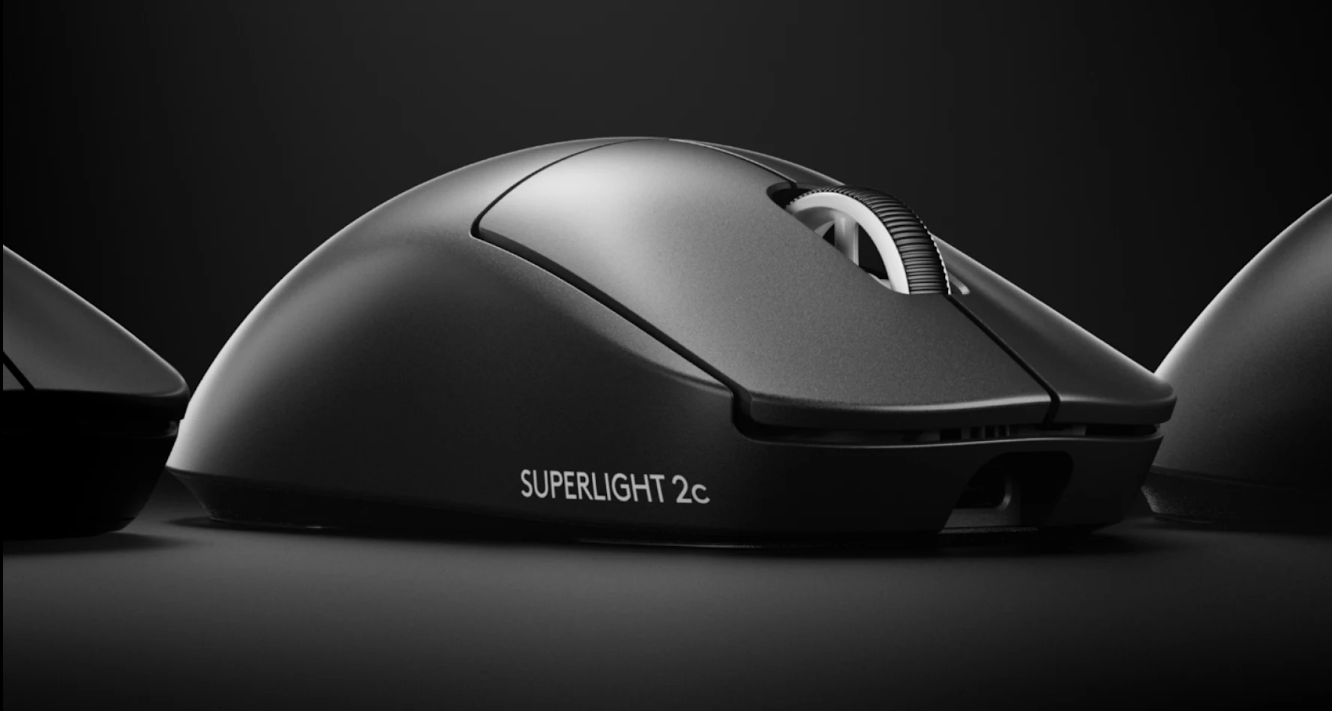
The Logitech G PRO X SUPERLIGHT 2c is a compact wireless gaming mouse designed for players who value low weight and precise tracking. Logitech lists a 51-gram design, its HERO 2 sensor, LIGHTFORCE switches, and up to 95 hours of battery life. Its compact shape may suit players with smaller hands or those who prefer a shorter mouse.
Who should buy it?
Competitive players, especially those who play shooters or other games requiring frequent, precise mouse movement. It may also suit players who prefer a smaller mouse over a full-size ergonomic design.
Key specifications
-
Weight: 51 g
-
Sensor: Logitech HERO 2
-
Maximum listed sensitivity: up to 44,000 DPI
-
Connectivity: LIGHTSPEED wireless
-
Switches: LIGHTFORCE hybrid
-
Advertised battery life: up to 95 hours
Why consider it? Its low weight and compact shape can make repeated movements easier for some players. Wireless connectivity also helps keep the desk clear of cable drag.
Pros
-
Very light and compact.
-
High maximum sensor sensitivity.
-
Wireless connection designed for gaming.
-
Advertised long battery life.
Cons
-
Premium price.
-
Compact dimensions may not suit large hands or every grip style.
-
The full feature set may be unnecessary for casual players.
Second choice: Keychron K2 HE — Best customizable gaming keyboard
$129.99 listed regular price (as of October 2026).
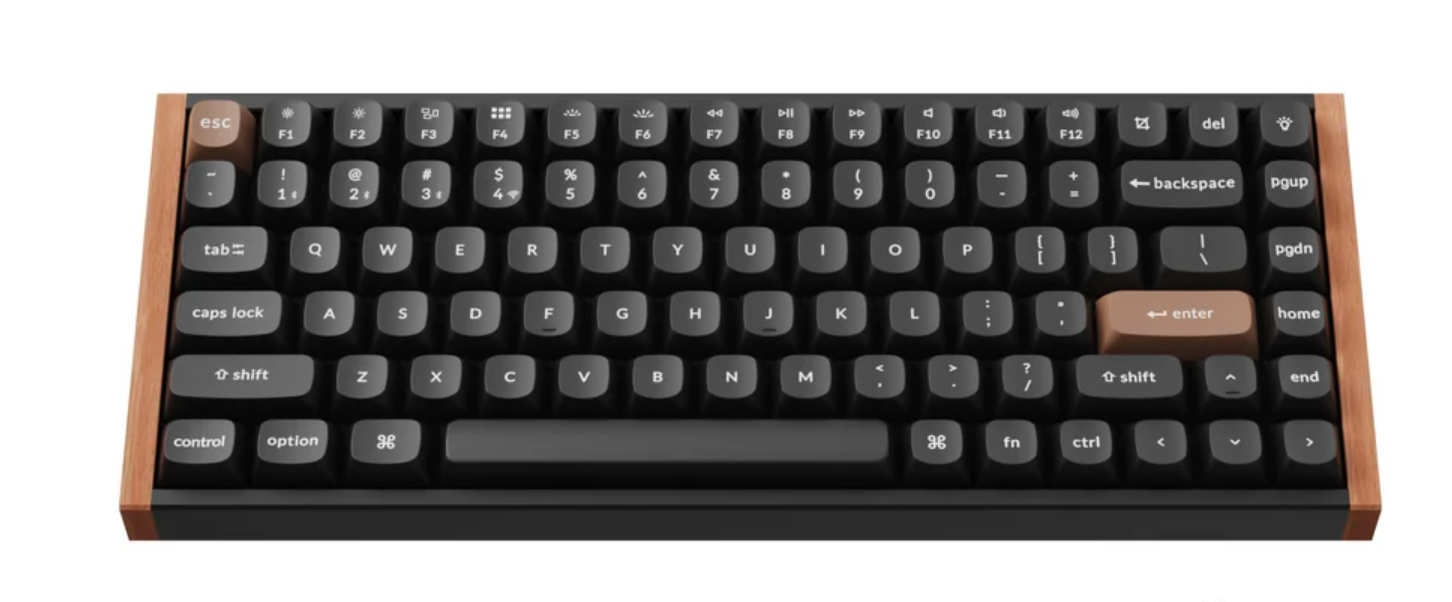
The Keychron K2 HE combines a compact 75% keyboard layout with magnetic switches and adjustable actuation. Keychron lists 2.4 GHz wireless, Bluetooth connectivity for up to three devices, and wired USB-C connectivity. Its magnetic switches support Rapid Trigger and adjustable actuation between 0.2 and 3.8 mm.
Who should buy it? PC gamers who want configurable key response, players who also type for work or school, and people who prefer a compact layout that leaves more room for mouse movement.
Key specifications
-
Layout: 75%, ANSI
-
Switch type: Gateron Double-Rail Magnetic Nebula
-
Connectivity: 2.4 GHz, Bluetooth, and wired USB-C
-
Polling rate: up to 1,000 Hz in wired and 2.4 GHz modes
-
Adjustable actuation: 0.2–3.8 mm
-
Battery: 4,000 mAh; up to 110 hours advertised
-
Compatibility: Windows, macOS, and Linux
Why consider it? Adjustable actuation allows users to change how far a key travels before registering a press. Rapid Trigger can be useful in games where repeated key presses and releases matter. However, these features are not essential for every game, and the benefit depends on player preference.
Pros
-
Adjustable magnetic-switch actuation.
-
Compact layout with dedicated arrow keys.
-
Multiple connection options.
-
Useful for both gaming and everyday typing.
Cons
-
Costs more than basic mechanical keyboards.
-
Its advanced features may require time to configure.
-
Layout and key feel are matters of personal preference.
Third choice: HyperX Cloud III Wired — Best wired gaming headset
U.S. promotional price: $69.99 (as of October 2026)
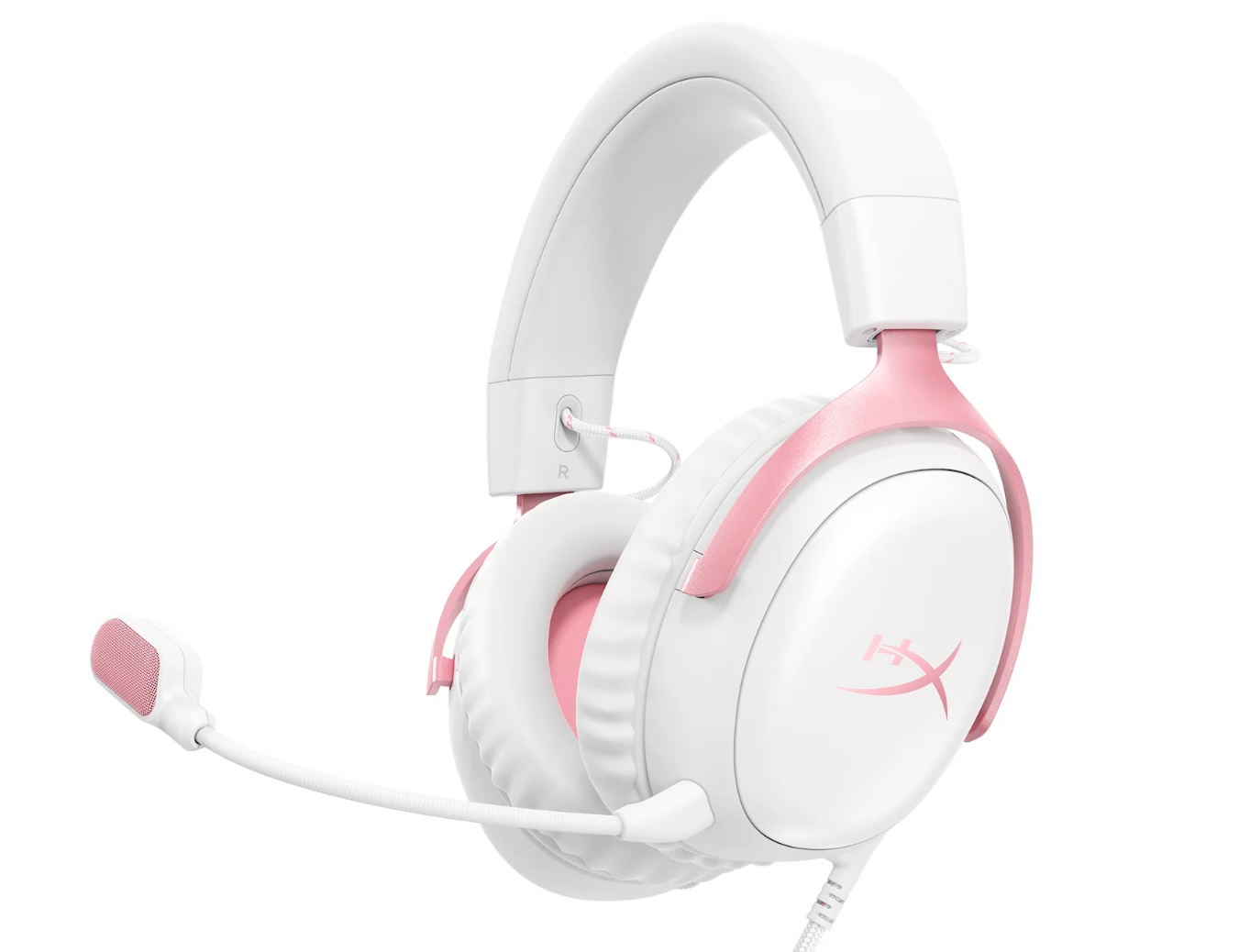
The HyperX Cloud III Wired is a closed-back, over-ear headset with 53 mm drivers, memory-foam ear cushions, and a detachable noise-cancelling microphone. HyperX lists compatibility with PC, PlayStation, Xbox, Nintendo Switch, Mac, and mobile devices, with connection options that include 3.5 mm, USB-A, and USB-C. Check the connection requirements for your specific platform before buying.
Who should buy it? Players who want a straightforward wired headset for multiplayer chat, single-player gaming, and everyday computer use without needing to recharge a headset battery.
Key specifications
-
Design: closed-back, over-ear
-
Drivers: 53 mm dynamic drivers
-
Microphone: detachable, 10 mm, noise-cancelling
-
Connections: 3.5 mm, USB-A, and USB-C options
-
Ear cushions: memory foam and leatherette
-
Compatibility: multiple PC and console platforms
Why consider it? The wired design avoids battery management and provides broad connection flexibility. The detachable microphone is practical for players who also use the headset for media or general listening.
Pros
-
No headset battery to recharge.
-
Detachable microphone.
-
Several connection options.
-
Memory-foam cushions designed for comfort.
Cons
-
The cable limits movement compared with wireless headsets.
-
Comfort varies with head shape, glasses, and personal preference.
-
Advertised spatial-audio features may depend on software and platform support.
Fourth choice: 8BitDo Ultimate 2C Wireless — Best budget-friendly PC controller
U.S. retailer price: $29.9 (as of October 2026)
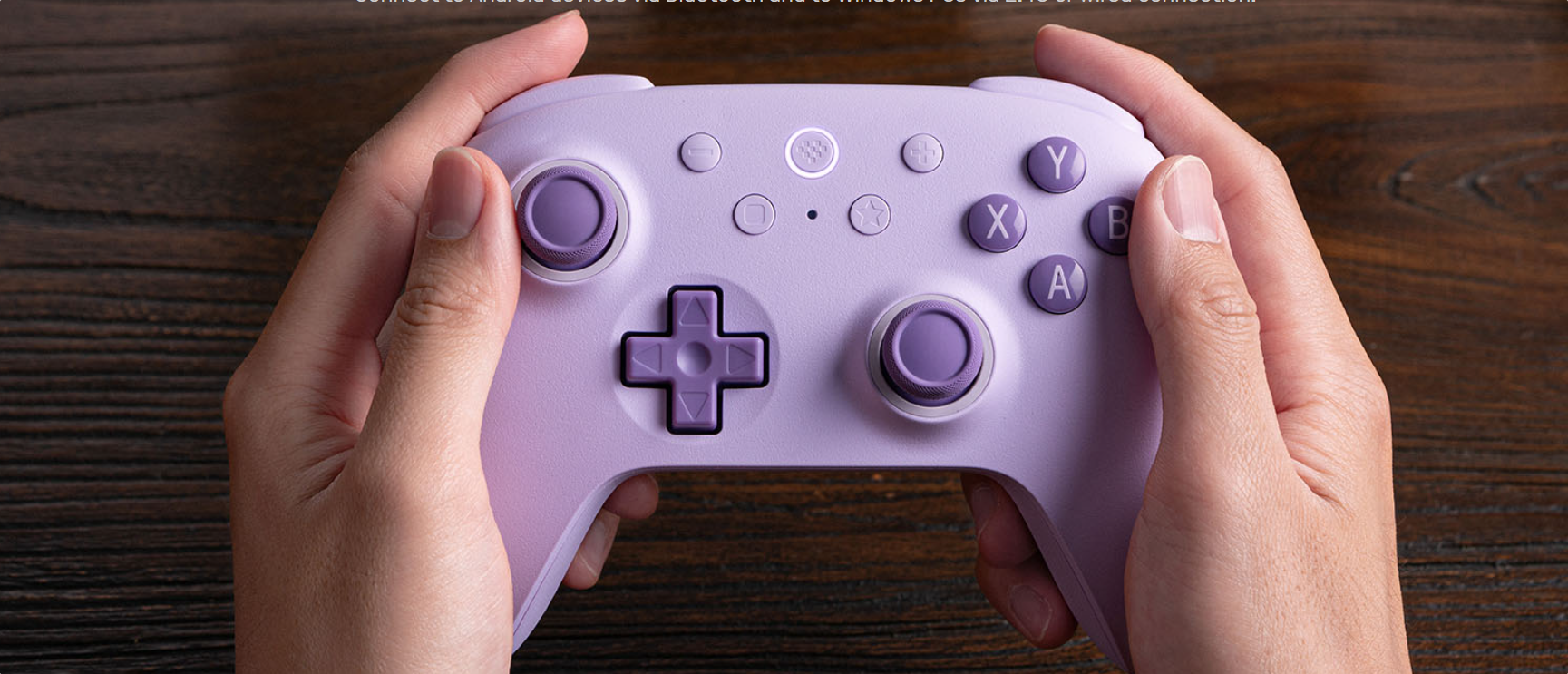
The 8BitDo Ultimate 2C Wireless is a practical alternative to a mouse and keyboard for games built around analog movement. The manufacturer lists Windows and Android compatibility, 2.4 GHz wireless connectivity for Windows, Bluetooth for Android, and a wired mode for Windows. Its Hall Effect joysticks and triggers are designed to reduce the mechanical contact involved in conventional stick and trigger sensing.
Who should buy it? Players who enjoy racing games, platformers, sports games, action adventures, and other controller-friendly titles. It can also be useful as a secondary input device alongside a gaming mouse and keyboard.
Key specifications
-
Layout: Xbox-style
-
Connectivity: 2.4 GHz wireless and wired for Windows; Bluetooth for Android
-
Polling rate: up to 1,000 Hz over 2.4 GHz and wired connections
-
Joysticks and triggers: Hall Effect
-
Advertised battery life: up to 19 hours over 2.4 GHz
-
Compatibility: Windows 10 and later, Android 9.0 and later
Why consider it? It offers wireless play and extra remappable bumpers at a lower price than many premium controllers. Hall Effect components may reduce certain wear-related issues, although they do not make every component immune to failure.
Pros
-
Affordable compared with many premium controllers.
-
Wireless and wired PC options.
-
Hall Effect sticks and triggers.
-
Extra remappable bumpers.
Cons
-
Its compatibility differs by connection mode.
-
Not every PC game supports controllers equally well.
-
It lacks some advanced features found on more expensive controllers.
Fifth choice: SteelSeries QcK — Best practical gaming mousepad
Price: varies by size and edition
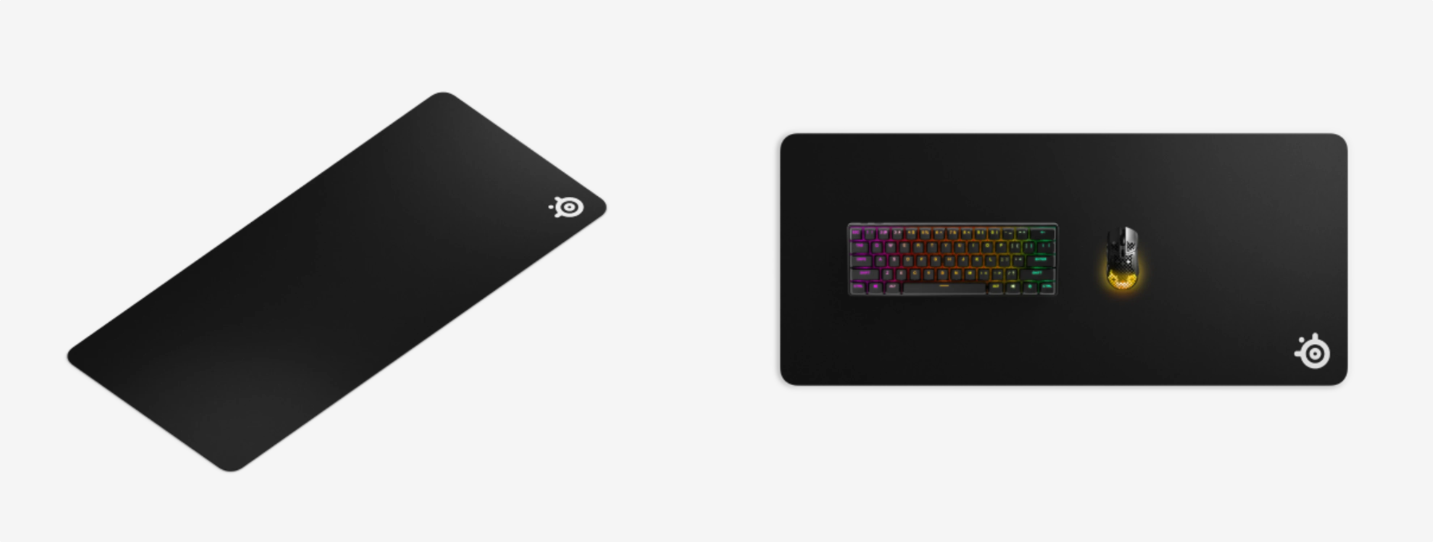
A mousepad is an easy accessory to overlook, but it gives the mouse a consistent surface and helps prevent direct contact with a hard desk. The SteelSeries QcK range uses a micro-woven cloth surface and a non-slip rubber base, with multiple sizes available. The standard QcK Large measures 450 × 400 mm, while the XXL version measures 900 × 400 mm.
Who should buy it? Players who use low mouse sensitivity, need more room for sweeping movements, or want a dedicated gaming surface without adding complicated hardware.
Key specifications
-
Surface: micro-woven cloth
-
Base: non-slip rubber
-
QcK Large dimensions: 450 × 400 × 2 mm
-
QcK XXL dimensions: 900 × 400 × 2 mm
-
Product range: several sizes and editions
Why consider it? A larger mousepad can reduce the chance of running out of room during broad movements. The best size depends on desk space, mouse sensitivity, and whether the keyboard should also sit on the pad.
Pros
-
Straightforward, practical upgrade.
-
Multiple sizes available.
-
Non-slip base.
-
Cloth surface suitable for a range of gaming styles.
Cons
-
Cloth surfaces collect dust and require cleaning.
-
Large sizes may not fit small desks.
-
Performance feel differs between cloth, hard, and hybrid surfaces.
2. How to Choose the Right PC Gaming Accessories
A good accessory should solve a real problem in your setup. Before spending money, consider the games you play most, your preferred input method, and the amount of desk space available.
2.1 Choose a mouse based on shape, weight, and control
A high DPI number does not automatically make a mouse better. DPI describes how far the cursor moves relative to physical mouse movement, but sensor consistency, shape, weight, button placement, and your preferred sensitivity matter too.
For competitive shooters, many players prefer a lightweight mouse that is easy to reposition. Other players may prefer a larger ergonomic mouse with more buttons for macros or abilities. Try to match the mouse to your grip style and hand size instead of choosing by specifications alone.
2.2 Choose a keyboard for the games you play
Mechanical keyboards can offer distinct switch feels, while magnetic-switch keyboards add adjustable actuation on compatible models. Compact layouts leave more space for the mouse, but they may omit dedicated keys that some users rely on.
If you game and work at the same desk, also consider typing comfort, noise, key layout, and operating-system compatibility. For help matching your computer to the rest of your setup, see our laptop buying guide for 2026.
2.3 Prioritize comfort and communication in a headset
For multiplayer gaming, microphone clarity and comfort are often more important than flashy lighting. Closed-back headsets can help limit outside noise, but fit and isolation vary by design. If you play for several hours at a time, look for ear cushions that feel comfortable and controls that are easy to reach.
Spatial-audio features can help create a sense of direction, but their effectiveness depends on the game, software, and platform. Avoid assuming that a headset’s marketing terms guarantee a competitive advantage.
2.4 Match the controller to the game and platform
Controllers are particularly useful for games designed around analog sticks and triggers. However, PC support differs between games and connection modes. Check whether the controller supports your operating system, whether a wireless adapter is included, and whether the game offers button prompts that match the controller layout.
2.5 Don’t overlook the mousepad
A consistent mouse surface is inexpensive compared with many electronic accessories. Players using low sensitivity often benefit from a larger pad, while players with limited desk space may prefer a medium size. Surface friction is personal: some prefer a fast glide, while others want more resistance to help control movement.

Leave a Reply