

Best Laptops for College Students in 2026
Choosing a college laptop is about more than processing power. Students need a reliable computer for lectures, research, assignments, video calls, group projects, and entertainment without spending money on features they may never use. The best laptops for college students in 2026 balance performance, portability, battery life, keyboard comfort, and long-term value.
This guide compares five real laptop options across different budgets and study needs. It covers premium MacBooks, a lightweight Windows laptop, and a more affordable entry-level option, with practical buying advice for students and their families.
Before purchasing, check your college’s technology requirements. Engineering, architecture, computer science, and certain creative programs may require Windows-specific applications, dedicated graphics, or more memory than a typical general-education course.
1. The 5 Best Laptops for College Students in 2026
The following selection is intended to cover different student needs rather than suggest that every student should buy an expensive premium computer. Prices are U.S. manufacturer-listed starting prices or clearly identified configurations; promotions, education pricing, availability, and specifications can change.
First choice: Apple MacBook Air M5 (13-inch).
$1,099 starting price (as of October 2026)
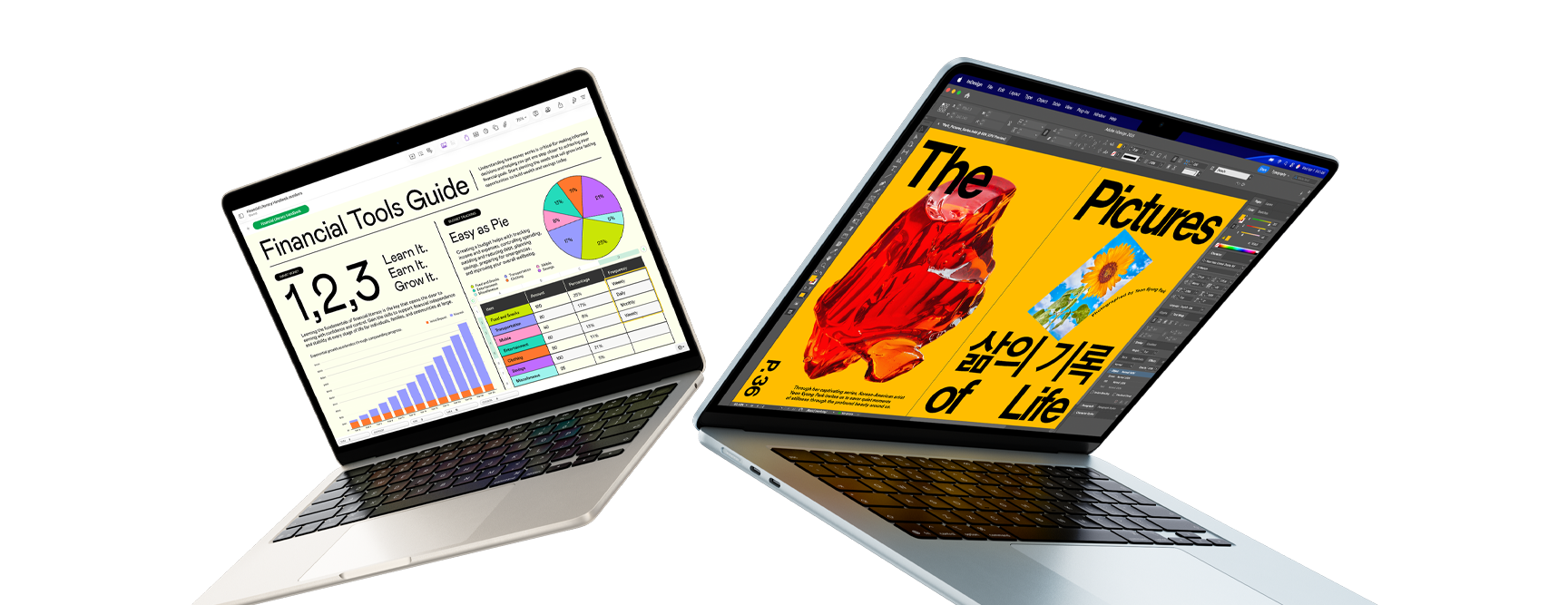
Who should buy this? Students who want a portable laptop for writing, research, presentations, everyday multitasking, and creative work within the macOS ecosystem.
Key specifications
-
Apple M5 chip with a 10-core CPU and 10-core GPU in the configurations described in Apple’s launch information.
-
13-inch or 15-inch display options.
-
macOS operating system.
-
Configurations with different unified-memory and SSD-storage capacities.
-
USB-C/Thunderbolt connectivity and MagSafe charging, depending on the specific configuration.
Why consider it?
The MacBook Air is a strong all-around option for students who value a compact design and efficient everyday performance. It is suitable for large research documents, browser-based learning platforms, video meetings, presentations, and many creative applications. Students already using an iPhone or other Apple devices may also appreciate the integration between their devices.
The 13-inch model is particularly practical for crowded lecture halls, libraries, and commuting. Students who frequently work with split-screen documents may prefer the larger 15-inch version.
Pros
-
Portable design for daily campus use.
-
Strong performance for typical productivity and creative workloads.
-
Fanless design on MacBook Air models, so there is no cooling-fan noise.
-
Education pricing may reduce the initial cost.
Cons
-
More expensive than many entry-level Windows laptops.
-
macOS may not support every specialized Windows-only college application natively.
-
Memory and internal storage configurations should be selected carefully because upgrades after purchase are limited.
Second choice: Dell XPS 13 (2026)
Prices varying according to the configuration.
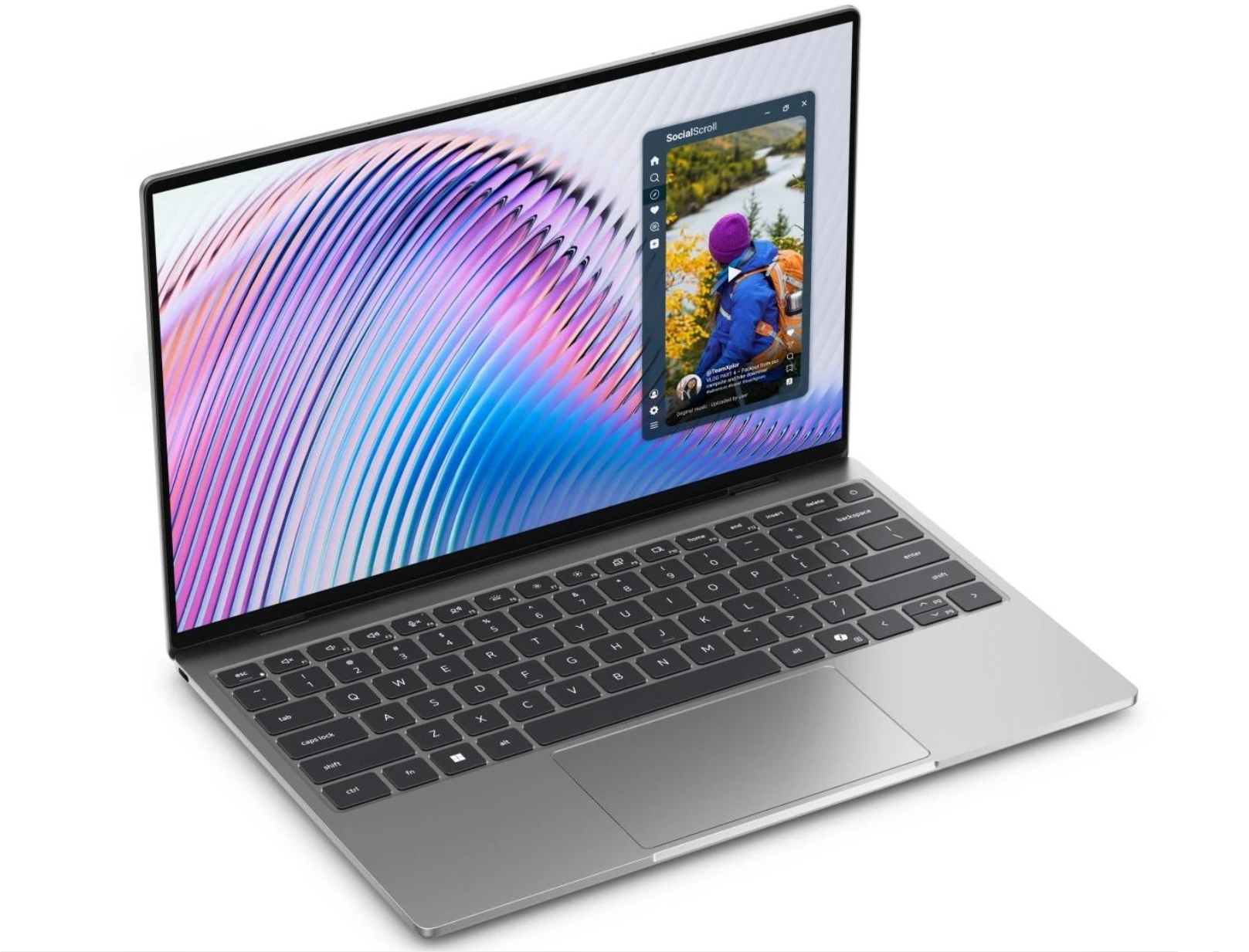
Who should buy this? Students who prefer Windows, need a premium compact laptop, and want a machine suited to coursework, office applications, research, and compatible development tools.
Key specifications and features
-
Intel Core Ultra Series 3 processor options.
-
Configurations available with up to 32GB of RAM and a 1TB SSD, according to Dell’s announcement.
-
Touchscreen, backlit keyboard, and Intel Wi-Fi 7 listed as standard in the announced model.
-
Compact chassis designed for portability.
Why consider it?
Windows remains important for students whose courses rely on Windows-specific applications, institutional software, or workflows that are easier to run on a conventional Windows PC. The XPS 13 is worth comparing when portability and a premium build matter more than obtaining the lowest possible price.
Check the exact processor, RAM, storage, ports, and display before buying. Different configurations can have meaningfully different capabilities and prices.
Pros
-
Compact design for carrying between classes.
-
Windows application compatibility.
-
Options for higher memory and storage configurations.
-
Features suited to everyday productivity.
Cons
-
Premium configurations can cost more than budget student laptops.
-
A compact screen may feel restrictive for extended split-screen work.
-
It is not the right choice for demanding graphics work unless the particular configuration meets the application’s requirements.
Third choice: ASUS Zenbook A14 (UX3407)
$1,099.99 listed starting price (as of October 2026)
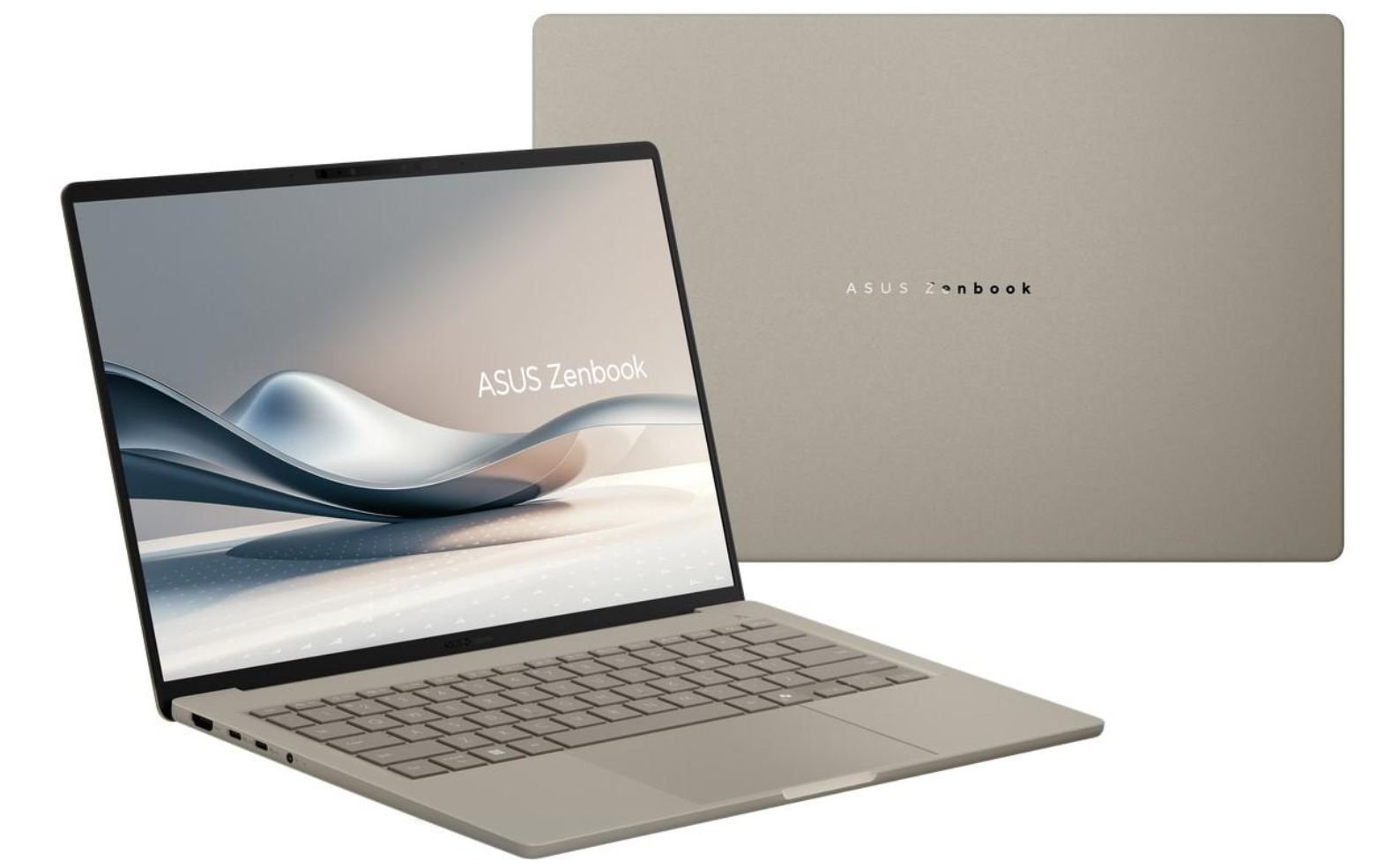
Who should buy this? Students who carry their laptops all day and prioritize low weight, portability, and a modern Windows experience.
Key specifications and features
-
Windows 11 Home.
-
Snapdragon X-series processor options, depending on the model.
-
14-inch 16:10 WUXGA OLED display on listed configurations.
-
Configurations with up to 32GB of LPDDR5X memory and up to 1TB of PCIe 4.0 SSD storage.
-
USB4, USB-A, HDMI, and a 3.5mm audio connection listed on the manufacturer’s specification page, subject to configuration.
Why consider it?
A laptop’s weight becomes important when students carry books, chargers, and other equipment around campus. The Zenbook A14 is designed around portability, and its OLED display can be attractive for reading, media, and everyday work.
Its Snapdragon processor uses an ARM-based architecture. Most common student productivity tasks may work well, but students should confirm that specialized engineering software, examination tools, peripherals, and other required applications support their exact configuration before purchasing.
Pros
-
Lightweight design.
-
OLED display on listed configurations.
-
Options for substantial memory and SSD capacity.
-
A broad selection of physical connections for a slim laptop.
Cons
-
ARM software compatibility requires checking.
-
The OLED screen and premium construction may not suit a tight student budget.
-
Processor, memory, and storage options differ across model numbers.
Fourth choice: Apple MacBook Neo
Standard retail pricing from $599.
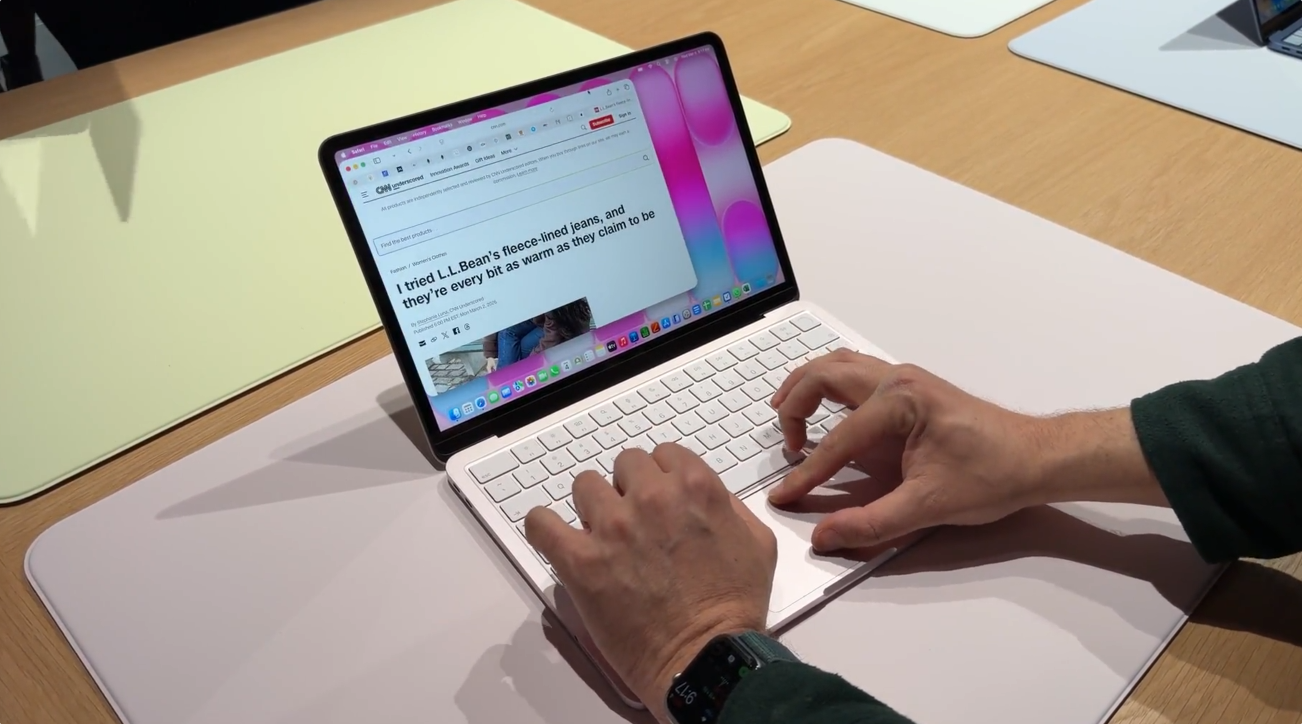
Who should buy this? Students who mainly use web-based learning platforms, documents, presentations, email, video calls, and standard productivity applications.
Key specifications
-
macOS operating system.
-
Apple’s entry-level MacBook platform.
-
Configuration-specific memory, storage, display, camera, and connectivity details should be confirmed on the official product page before ordering.
Why consider it?
Not every student needs a high-performance processor or a premium workstation. For general coursework, the most important features are often a comfortable keyboard, reliable connectivity, adequate storage, a good display, and a system that can run required applications.
The MacBook Neo’s lower listed starting price makes it worth comparing with similarly priced Windows laptops. However, a lower price does not automatically make it the best value for every major.
Pros
-
Lower starting price than the MacBook Air M5.
-
Suitable for common academic and everyday tasks when applications are compatible.
-
An option for students who prefer macOS.
Cons
-
Entry-level hardware may be less suitable for demanding creative or technical workloads.
-
Configuration limits may matter for students who keep many applications open.
-
Students requiring Windows-only applications should investigate compatibility first.
Fifth choice: ASUS Zenbook A14 with a Snapdragon X Plus configuration
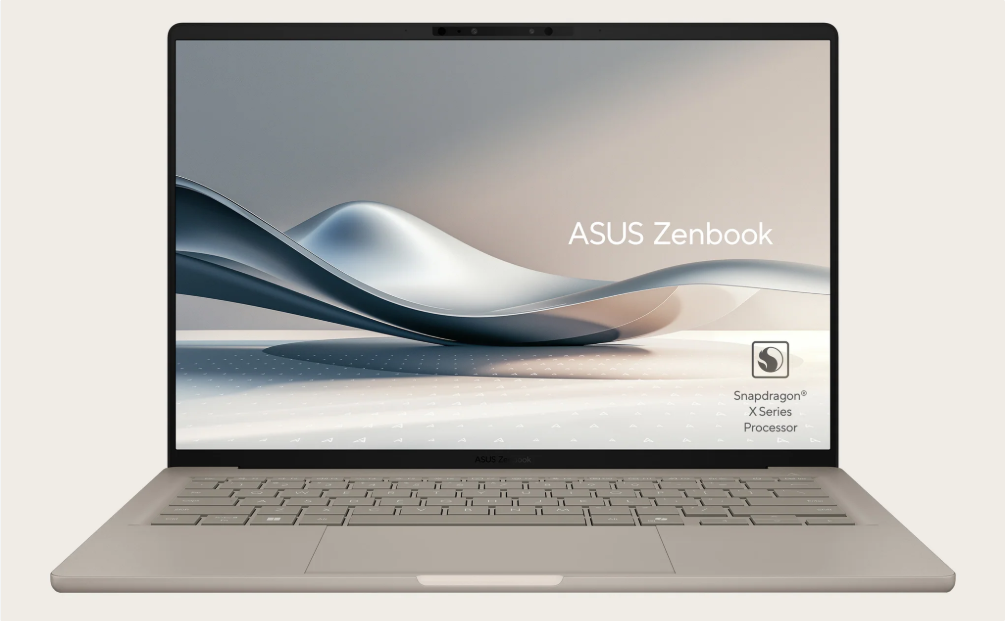
This fifth choice is a configuration-specific alternative for students who want a lightweight Windows laptop but need to compare pricing and processor options carefully. It is not a separate laptop model from the Zenbook A14 listed above.
Who should buy this? Students who prioritize portability and battery-conscious everyday computing and have confirmed that their applications work on an ARM-based Windows computer.
Key specifications
-
Snapdragon X Plus processor on applicable configurations.
-
Windows 11 Home.
-
OLED display on the listed UX3407 family.
-
Up to 32GB of memory and up to 1TB of SSD storage across the model family; not every configuration includes the maximum capacity.
Why consider it?
A lower-tier processor configuration may provide a better balance between price and everyday student needs than a more expensive configuration. The key is to compare the exact model number and final price rather than assuming all Zenbook A14 listings have the same hardware.
Pros
-
Portable design.
-
Multiple configurations to compare.
-
Suitable for routine productivity when software compatibility is confirmed.
Cons
-
It duplicates the Zenbook A14 family rather than offering a genuinely different laptop.
-
Availability and pricing vary.
-
Students should not assume every Snapdragon application or peripheral works identically to its Intel or AMD equivalent.
2. How to Choose the Best Laptops for College Students in 2026
The right computer depends on the student’s major, budget, and daily routine. A history student writing essays has different requirements from an engineering student running 3D simulations. Before buying, establish which applications the college requires and which features will make daily work easier.
For a broader overview of the decision process, see our laptop buying guide for 2026.
2.1 Processor: Choose for your workload
The processor affects how smoothly a computer handles multitasking, demanding applications, and sustained workloads. Modern Apple silicon, Intel Core Ultra, AMD Ryzen, and Qualcomm Snapdragon processors can all serve students well, but their performance and software compatibility differ.
-
General education: A modern entry-level or midrange processor is often sufficient for writing, research, video meetings, and web applications.
-
Computer science: Consider the requirements of the programming languages, development tools, containers, and virtual machines used in your courses.
-
Engineering: Check requirements for CAD, simulation, MATLAB, specialized laboratory software, and any required GPU acceleration.
-
Creative programs: Photo editing, video production, 3D design, and animation may benefit from stronger graphics capabilities and additional memory.
Processor names alone do not guarantee real-world performance. Cooling, power limits, memory, and application optimization also matter. Our Intel vs. AMD vs. Apple laptop processor guide explains the main platform differences.
2.2 RAM: Leave room for multitasking
Memory allows the operating system and applications to work simultaneously. Students who regularly keep a browser, a word processor, video conferencing software, spreadsheets, and research tools open should avoid configurations with too little memory.
As a practical starting point:
-
8GB: Can handle basic tasks, but may become restrictive with heavier multitasking.
-
16GB: A sensible target for many students purchasing a laptop for several years of use.
-
32GB or more: Worth considering for software development, large datasets, virtual machines, advanced creative work, or demanding technical applications.
These are general buying guidelines, not universal minimum requirements. Check the software vendor’s specifications, and remember that unified memory in Apple silicon systems is not directly interchangeable with the way RAM is marketed on all Windows laptops.
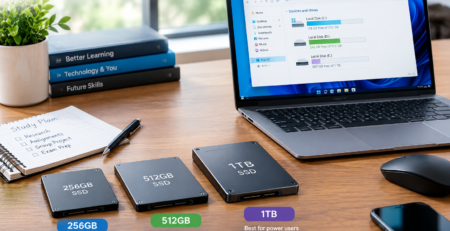
2.3 SSD storage: 256GB, 512GB, or 1TB?
Solid-state storage helps applications launch quickly and makes everyday file access responsive. The appropriate capacity depends on whether the student stores large projects, games, videos, datasets, or virtual machines locally.
Storage |
Best fit |
Main consideration |
|---|---|---|
| 256GB | Web-based coursework and light file storage | Requires careful storage management |
| 512GB | Most general-purpose students | A practical balance for many workloads |
| 1TB | Large projects, creative work, games, and local datasets | Higher purchase cost |
Cloud storage can reduce the need to keep every document on the laptop, but it does not replace local capacity for applications and large offline projects. Read our 256GB vs. 512GB vs. 1TB SSD laptop storage guide before selecting a configuration.
2.4 Display: Comfort matters during long study sessions
Students may spend hours reading digital textbooks, writing papers, and comparing research documents. Screen size, resolution, brightness, reflections, and scaling can affect everyday comfort.
A 13- or 14-inch laptop is generally easier to carry around campus. A 15- or 16-inch model provides more workspace but takes up more room in a backpack and on a lecture-hall desk.
OLED displays can offer deep blacks and strong contrast, while IPS LCD displays remain a practical option across a broad range of prices. Neither technology automatically guarantees the best screen for every student.
Compare the differences in our OLED vs. IPS laptop display guide.
2.5 Battery life: Do not rely only on manufacturer claims
Battery life is particularly important for students moving between lectures, libraries, campus cafés, and study groups. However, advertised battery estimates are not directly comparable when manufacturers use different testing conditions.

rightness, wireless connectivity, video meetings, browser tabs, processor workload, and battery age all influence runtime. A laptop that lasts through a light video playback test may deliver a different result during a day of research and online classes.
Look for independent tests that match your intended workload, and consider whether the college has convenient charging points. Our laptop battery life guide explains the factors that matter.
3. Best Student Laptops by College Major
The most suitable laptop for a student depends on the work they need to complete. A computer that excels at everyday coursework may not meet the requirements of a technical degree.

3.1 Humanities, business, and social sciences
Students in humanities, business, communications, and social sciences typically spend much of their time writing, researching, reading PDFs, preparing presentations, and participating in video calls.
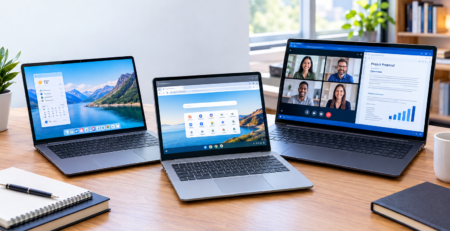
Prioritize a comfortable keyboard, a good webcam and microphone, reliable Wi-Fi, a readable display, and a battery that can support a typical day. A well-configured MacBook Air, MacBook Neo, or Windows ultrabook may be sufficient.
3.2 Computer science and software development
Computer science students should look beyond basic office performance. IDEs, local databases, development containers, virtual machines, and mobile-device emulators can increase memory and storage demands.
A laptop with 16GB of memory is a reasonable starting point for many courses, while 32GB can be helpful for heavier development workflows. Students should confirm whether their curriculum requires x86 Windows software, Linux environments, Apple development tools, or particular virtualization features.
For more targeted recommendations, explore our best laptops for programming in 2026.
3.3 Engineering, architecture, and design
Engineering and architecture programs may use CAD, finite-element analysis, 3D modeling, or other applications with demanding hardware requirements. Some programs require specific Windows configurations or certified graphics hardware.
Do not buy a lightweight laptop based on portability alone if the department specifies a dedicated GPU, minimum video memory, or a particular operating system. Confirm compatibility with the college before committing to a purchase.
3.4 Media, photography, and video production
Students who edit photographs, produce videos, or work with visual effects should consider sustained processor performance, graphics capabilities, display quality, and storage capacity. A fast external SSD may also be useful for project files and footage.
The least expensive model is not necessarily the most economical if it slows down essential work or requires costly upgrades later.
4. MacBook vs. Windows Laptop: Which Is Better for College?
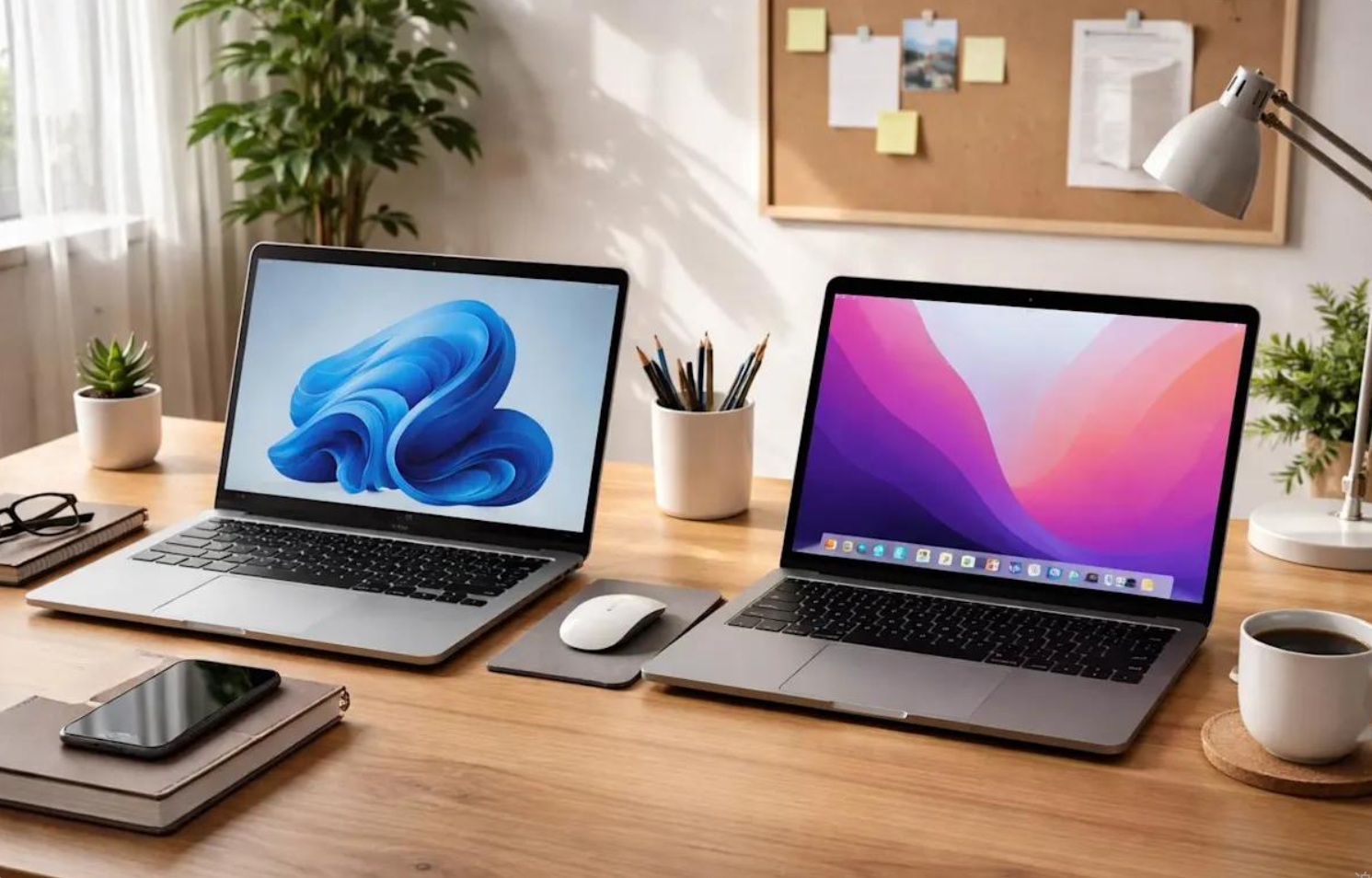
Neither macOS nor Windows is the universal winner. The better operating system is the one that supports the student’s applications, fits their budget, and works with the technology they already use.
4.1 Choose a MacBook if…
A MacBook may suit students who value a portable design, use Apple’s ecosystem, and rely primarily on applications that support macOS. Students studying music, design, writing, or general business may find it a strong option, depending on their course requirements.
Before buying, verify compatibility with exam software, laboratory applications, printers, external displays, and any required campus tools.
4.2 Choose Windows if…
A Windows laptop may be the more straightforward choice for students whose courses depend on Windows-specific programs, specialized peripherals, or institutional software.
Windows models are available across a wide range of prices, screen sizes, processor platforms, and hardware configurations. This flexibility makes it easier to shop within a strict budget or select a device with particular ports or graphics capabilities.
For a more detailed comparison, read MacBook Air vs. Windows laptop in 2026.
4.3 What about Chromebooks?
Chromebooks can be cost-effective for students whose coursework relies on browser-based applications, cloud documents, and supported Android or Linux applications. They may be less suitable when a course requires full desktop software that is unavailable on ChromeOS.
Our Chromebook vs. Windows laptop guide explains the trade-offs.
5. How Much Should College Students Spend on a Laptop?
A realistic laptop budget should include more than the purchase price. Students may also need a protective sleeve, USB-C hub, external storage, headphones, and warranty coverage.
Use these ranges as planning categories rather than claims about the exact price of every model.
Budget |
What to expect |
Buying advice |
|---|---|---|
| Under $500 | Basic Windows laptops or Chromebooks, often with compromises | Check memory, storage, screen quality, and warranty carefully |
| $500–$800 | More capable everyday student options and some discounted premium models | Compare processor, RAM, display, and battery reviews |
| $800–$1,200 | Many premium ultrabooks and entry configurations of higher-end laptops | Balance portability against memory and storage |
| Above $1,200 | Higher configurations and specialized performance models | Pay more only when the workload justifies it |
For tighter budgets, see our guides to the best laptops under $700 and the best laptops under $1,000.

5.1 Look for student discounts
Students should compare manufacturer education stores, college technology programs, and authorized retailers. Check whether a promotion applies to the exact configuration and whether proof of enrollment is required.
A discounted laptop is not automatically a better deal if it has too little storage or cannot run essential applications. Compare the final price, warranty, return policy, and configuration rather than focusing on the advertised percentage off.
5.2 Consider refurbished laptops carefully
A manufacturer-certified refurbished laptop may offer value, but students should check battery condition, warranty duration, return rights, keyboard layout, and whether the machine will receive operating-system and security updates for the expected period of use.
A very old premium laptop can be a worse long-term purchase than a newer midrange model. The goal is dependable service throughout college, not simply the lowest checkout price.
6. Laptop Portability, Keyboard Comfort, and Everyday Use
A laptop can have impressive specifications and still be inconvenient for campus life. Students should consider how often they will carry it, where they will work, and whether they need to connect to external equipment.

6.1 Size and weight
A 13- or 14-inch laptop is often a practical compromise for students who move between classes. Larger models may provide more room for spreadsheets, research documents, and creative applications, but can be less convenient to transport.
Include the charger in your weight comparison. Some compact laptops use small USB-C power adapters, while performance-oriented systems may need larger chargers.
See our laptop size and weight guide for more detail.
6.2 Ports and accessories
Students may need to connect external monitors, projectors, USB drives, wired networking equipment, or audio devices. Some thin laptops rely heavily on USB-C, making an adapter or dock useful.
Check the actual port list rather than assuming every USB-C connector supports charging, high-speed data, and external displays. Our laptop ports explained guide covers the important differences.
6.3 Cooling and fan noise
Most general-purpose college laptops are designed for ordinary productivity, but intensive workloads can generate heat. Sustained processor-heavy tasks may lead to fan noise or reduced performance if a laptop reaches its thermal limits.
Students who compile large software projects, edit video, or run demanding simulations should consider independent sustained-performance testing rather than short benchmark results alone.
Learn more in our laptop cooling and thermal throttling guide.
7. Common Laptop-Buying Mistakes to Avoid
Even a well-reviewed computer can be the wrong purchase if it does not fit the student’s needs.
-
Buying without checking course requirements. Some departments specify operating systems, RAM, graphics hardware, or approved software.
-
Choosing storage that is too small. Large media projects, development environments, and offline files can consume space quickly.
-
Paying for unnecessary performance. Students who primarily write papers and browse the web may not benefit from an expensive workstation.
-
Ignoring keyboard and display comfort. These are among the features students use every day.
-
Trusting battery claims without context. Real-world usage can differ considerably from controlled manufacturer testing.
-
Forgetting the warranty and repair policy. A laptop is an important academic tool, so support and downtime matter.
-
Assuming every AI feature is essential. An AI-branded processor does not automatically improve every college workflow.
Before finalizing a purchase, review the exact configuration and the manufacturer’s current support terms.
8. Frequently Asked Questions
8.1 What is the best laptop for college students in 2026?
There is no universal winner. The MacBook Air M5 is worth considering for students who prefer macOS and want a premium everyday laptop. The Dell XPS 13 and ASUS Zenbook A14 are alternatives for Windows users. Students on tighter budgets should compare entry-level laptops, including the MacBook Neo, against their course requirements.
8.2 Is 8GB of RAM enough for college?
It may be enough for basic browsing, writing, and cloud-based coursework. However, 16GB is a more comfortable target for many students who multitask or intend to keep the same laptop for several years. Technical programs may require more.
8.3 Is a MacBook or Windows laptop better for college?
Choose based on software compatibility, budget, and personal workflow. macOS works well for many general academic tasks, while Windows may be required for certain technical applications. Check your department’s specifications before deciding.
8.4 Are gaming laptops good for college?
Gaming laptops can be suitable for engineering, 3D work, game development, and other GPU-intensive applications. However, they are often heavier and may need larger chargers. Students who do not need dedicated graphics may find a lightweight ultrabook more convenient.
8.5 How much storage does a college student need?
A 512GB SSD is a useful target for many students, although 256GB can work for cloud-focused coursework. Students storing games, virtual machines, video projects, or large research datasets may benefit from 1TB or more.
8.6 Are lightweight laptops worth the extra cost?
They can be, especially for students who carry a laptop every day. The benefit depends on how much weight is saved, whether the battery meets the student’s needs, and whether the lighter design sacrifices essential ports or performance.
8.7 Should students buy a laptop before starting college?
Students should first check the college’s official technology recommendations. Buying too early can result in choosing an incompatible system or missing a program-specific requirement. If the requirements are already published, comparing models before enrollment can help with budgeting.
8.8 Can students use AI laptops for studying?
AI-enabled laptops can support compatible on-device AI features, transcription, image tools, and productivity applications. Actual benefits depend on the processor, software, privacy settings, and whether the relevant applications use local processing or cloud services. Read our best AI laptops in 2026 guide for a more focused comparison.
9. Final Verdict: Which College Laptop Should You Buy in 2026?
The best laptop for college is the one that meets academic requirements, fits the student’s budget, and remains comfortable to use throughout the day.

The MacBook Air M5 is a compelling premium choice for students who prefer macOS and need dependable everyday productivity. The Dell XPS 13 is worth considering for students seeking a compact Windows computer, while the ASUS Zenbook A14 places a strong emphasis on portability. The MacBook Neo offers a lower-priced entry into Apple’s laptop range, provided its configuration and application support are sufficient.
Before ordering, compare current U.S. prices, verify the exact model and memory configuration, and check your college’s software requirements. A laptop that meets those needs is generally a better investment than a more expensive model purchased for specifications you will rarely use.
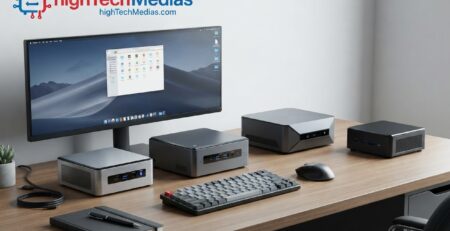
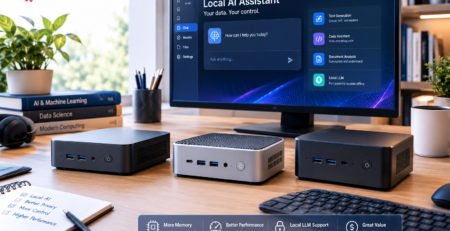
For more buying advice, start with our complete laptop buying guide, compare laptops under $1,000, or explore the best mini PCs for students if you need a separate desktop setup for a dorm or home study space.
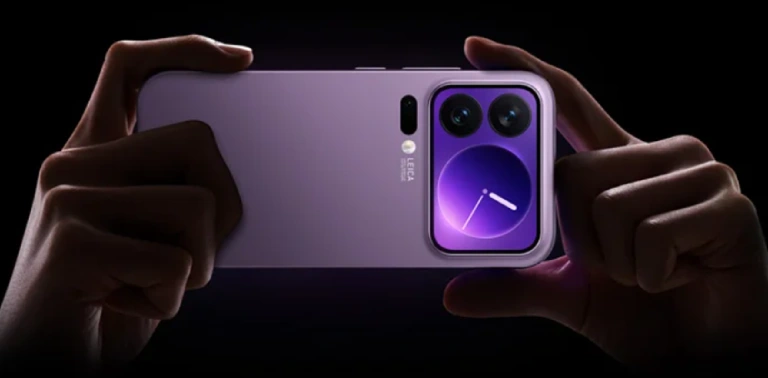
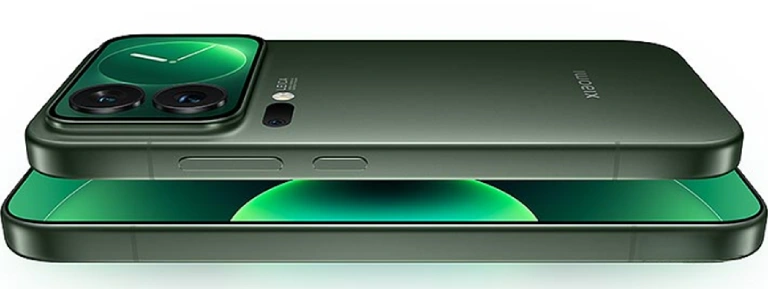
| General | |
|---|---|
| Operating System | Android v16 |
| Fingerprint Sensor | In Display |
| Thickness | 8 mm |
| Weight | 192 g |
| Display | |
| Size | 6.3 inch |
| Type | LTPO AMOLED |
| Resolution | 1220 x 2656 px |
| Refresh Rate | 144 Hz |
| Features | Dolby Vision, HDR10+, HDR Vivid, 2160Hz PWM |
| Protection | Xiaomi Dragon Crystal Glass |
| Pixel Density | 464 ppi |
| Camera | |
| Rear Camera | 50 MP + 50 MP + 50 MP (OIS) |
| Front Camera | 50 MP |
| Video Recording | 8K @ 30fps |
| Connectivity | |
| Network | 4G, 5G, VoLTE |
| Bluetooth | v5.4 |
| WiFi | Yes |
| NFC | Yes |
| USB | USB-C v3.2 |
| IR Blaster | Yes |
| Battery | |
| Capacity | 6300 mAh |
| Fast Charging | 100W |
| Wireless Charging | 50W |
| Reverse Charging | 10W (Wired), 22.5W (Wireless) |
| Technical | |
| Processor | Snapdragon 8 Elite Gen 5 |
| CPU | 4.6 GHz Octa Core |
| RAM | 12 GB |
| Storage | 256 GB |
| Memory Card | Not Supported |
| Headphone Jack | No 3.5mm Jack |
| FM Radio | No |





Leave a Reply