
MacBook Air vs Windows Laptop in 2026: Which Should You Buy?
Buying a laptop in 2026 is no longer simply a choice between different processors, amounts of RAM, or screen sizes. The operating system and overall ecosystem can have just as much impact on your everyday experience.
That is why the MacBook Air vs Windows laptop decision deserves more attention than a simple specification comparison.
A MacBook Air can be appealing because of its portability, battery life, quiet operation, build quality, and integration with other Apple devices. Windows laptops, meanwhile, offer a much broader selection of hardware, prices, ports, displays, processors, graphics options, and form factors.
Neither platform is automatically better for everyone.
The right choice depends on what you actually do with your computer.
A student may have very different priorities from a gamer. A software developer may care about compatibility that does not matter to an office worker, while a content creator may prioritize display quality and creative applications.
This guide looks beyond specifications to answer a more useful question:
Which laptop platform makes the most sense for your particular needs in 2026?
If you are still evaluating the basic specifications that matter when purchasing a laptop, our 2026 laptop buying guide provides a broader starting point
MacBook Air vs Windows Laptop: The Biggest Difference Is the Ecosystem
Before comparing hardware, it is important to understand the fundamental difference between these two approaches.
Apple controls both the hardware and software experience of the MacBook Air. The computer runs macOS and is designed to work closely with other Apple products and services.
If you already use several Apple devices, the Mac platform can also provide a more integrated ecosystem.
Windows takes a different approach.
Microsoft develops Windows, but numerous manufacturers build Windows laptops. That includes companies such as Dell, HP, Lenovo, ASUS, Acer, and others. As a result, the Windows market is much more diverse.
You can find thin-and-light notebooks, business laptops, gaming machines, touchscreen systems, 2-in-1 computers, mobile workstations, and affordable entry-level models.
Apple’s approach is more controlled.
Windows gives you more choice.
That difference affects almost everything else, including hardware, software, pricing, upgrades, gaming, and portability.
MacBook Air vs PC: Hardware Choice and Design
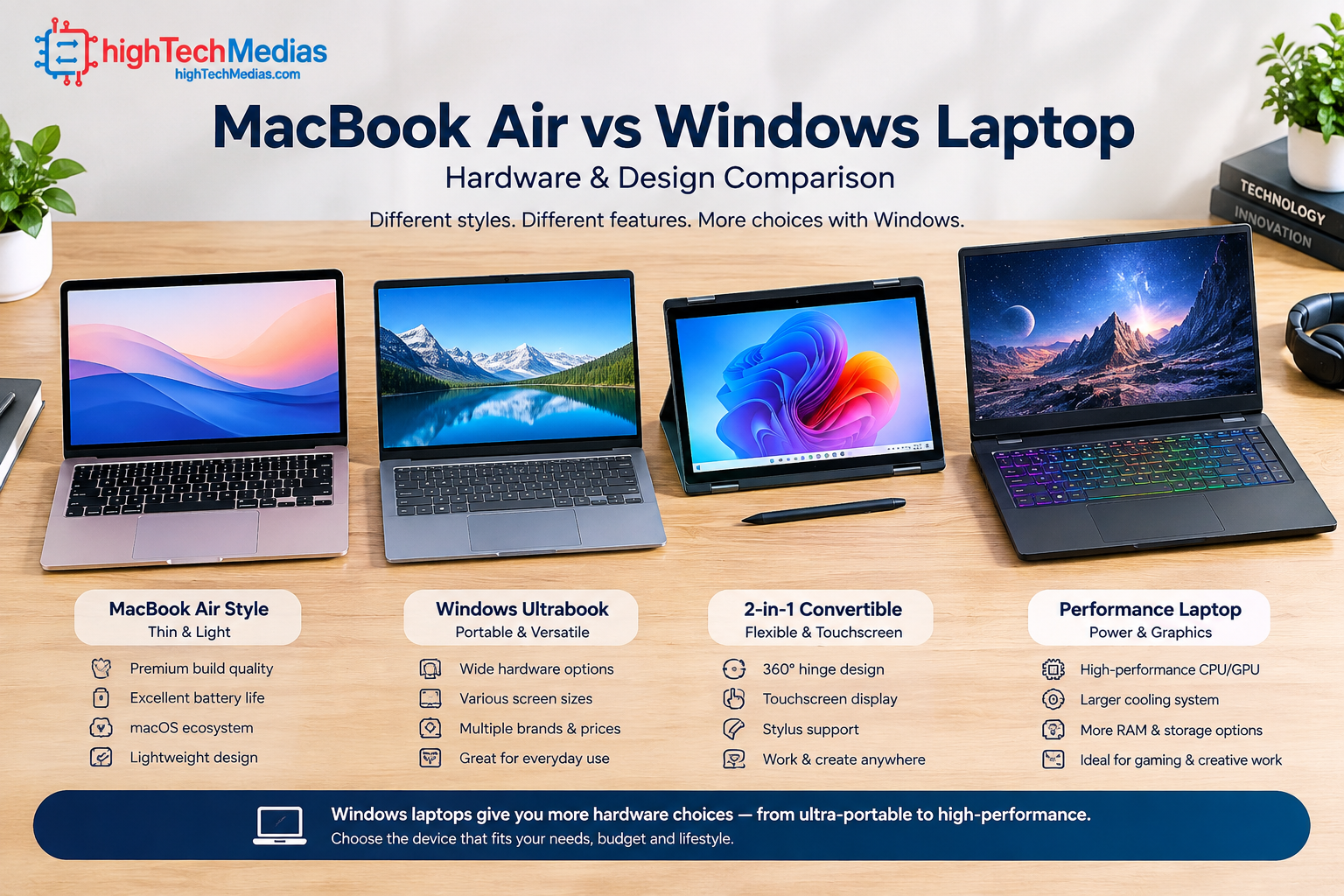
One of the strongest advantages of the Windows market is hardware variety.
A Windows laptop can be purchased with different screen sizes, processors, graphics hardware, memory configurations, storage capacities, keyboards, ports, and chassis designs.
You can also choose between traditional clamshell laptops and convertible 2-in-1 systems.
The Dell laptop lineup, for example, covers several types of users, while Lenovo’s laptop range includes everything from mainstream notebooks to business-focused and performance-oriented systems.
ASUS and HP similarly offer Windows machines across multiple categories.
The MacBook Air is more focused.
Apple’s laptop is designed primarily around a thin, portable notebook experience. This makes the buying decision relatively straightforward, but it also means you have fewer hardware configurations to choose from.
For buyers who already know exactly what they want, this simplicity can be an advantage.
For buyers who want to customize their laptop around a particular budget or workload, Windows usually provides more flexibility.
Which is better?
-
Windows wins for hardware choice.
-
MacBook Air wins for simplicity and consistency.
Windows hardware diversity becomes particularly useful when you are shopping around a specific budget, which is why our guide to the best laptops under $1,000 is a useful next step.
Performance: Don’t Judge a Laptop by CPU Specifications Alone
Performance is one of the areas where laptop comparisons often become unnecessarily complicated.
It is tempting to compare processor names and immediately declare a winner. But real-world laptop performance depends on more than the CPU.
Windows laptops are available with processors from different hardware platforms, so buyers should compare the actual processor and system rather than judging Windows as a single hardware category. Intel processors
AMD is another major processor platform found across the Windows laptop market.
Cooling, power limits, memory, storage, software optimization, graphics hardware, and the workload itself can all affect the result.
The MacBook Air is designed around Apple’s silicon platform and a tightly integrated hardware/software environment. This can produce an excellent balance between performance, efficiency, heat, and battery consumption.
Windows laptops offer much more variation.
A lightweight Windows machine may prioritize efficiency, while a larger performance laptop can use a more powerful processor and dedicated GPU.
That means saying “Windows is faster” or “MacBook is faster” is usually too simplistic.
For everyday activities such as browsing, writing documents, video calls, spreadsheets, email, and media consumption, both platforms can provide more than enough performance.
For demanding workloads, you should compare specific models rather than operating systems.
Everyday productivity
For web browsing, office applications, research, communication, and document creation, both platforms are excellent.
The difference is usually more about software preferences and workflow than raw speed.
Heavy multitasking
If you regularly run many applications simultaneously, compare the amount of memory and the processor configuration of the actual machines you are considering.
A higher-end Windows laptop may provide considerably more hardware flexibility.
A MacBook Air can provide strong everyday performance in a very portable design.
Professional workloads
For video editing, software development, engineering applications, 3D work, data analysis, and other demanding tasks, application compatibility should be evaluated before buying.
This is where the operating system becomes particularly important.
Battery Life and Efficiency
Battery life is one of the most important practical differences between modern laptops.
A laptop that performs well but needs frequent charging may be less useful to someone who spends most of the day away from an outlet.
The MacBook Air has traditionally been attractive to mobile users because Apple’s hardware and operating system are designed together around efficiency.
A Windows laptop can also provide excellent battery life, but results vary significantly between models.
Screen resolution, brightness, refresh rate, processor type, graphics hardware, battery capacity, and power-management settings can all influence endurance.
For example, a large Windows laptop with a high-refresh-rate display and dedicated GPU may consume considerably more power than a thin productivity notebook.
That does not make the Windows platform less efficient as a whole. It simply reflects the enormous range of hardware available.
Who should prioritize battery life?
If you travel frequently, attend classes, work from coffee shops, or move between meetings, battery life should be one of your top buying criteria.
-
Do not simply look at advertised battery figures.
-
Read independent testing when available and consider your actual workload.
A laptop used mainly for documents and web browsing can behave very differently from one used for video editing or gaming.
Portability: MacBook Air or Windows Laptop?
Portability is another area where the comparison becomes highly dependent on the individual model.
The MacBook Air is designed as a thin-and-light notebook, making it attractive to people who carry their computer frequently.
However, Windows manufacturers also produce extremely thin and lightweight laptops.
The important question is therefore not simply whether MacBook or Windows is lighter.
Instead, compare:
-
overall weight
-
thickness
-
charger size
-
battery endurance
-
screen size
-
keyboard comfort
-
available ports
-
durability
-
performance
The charger matters more than many buyers realize.
A laptop that weighs slightly less but requires a large power adapter may not feel substantially more portable in everyday use.
For students and commuters, the combination of laptop weight, charger size, battery life, and durability can be more important than a small difference in chassis dimensions.
For readers who are comparing portability more broadly, our laptop buying guide covers weight, display size, performance, and other factors.
If portability is your highest priority, you may also want to compare a conventional laptop with a compact desktop through our Mini PCs vs. laptops guide
Display Quality: Look Beyond Resolution
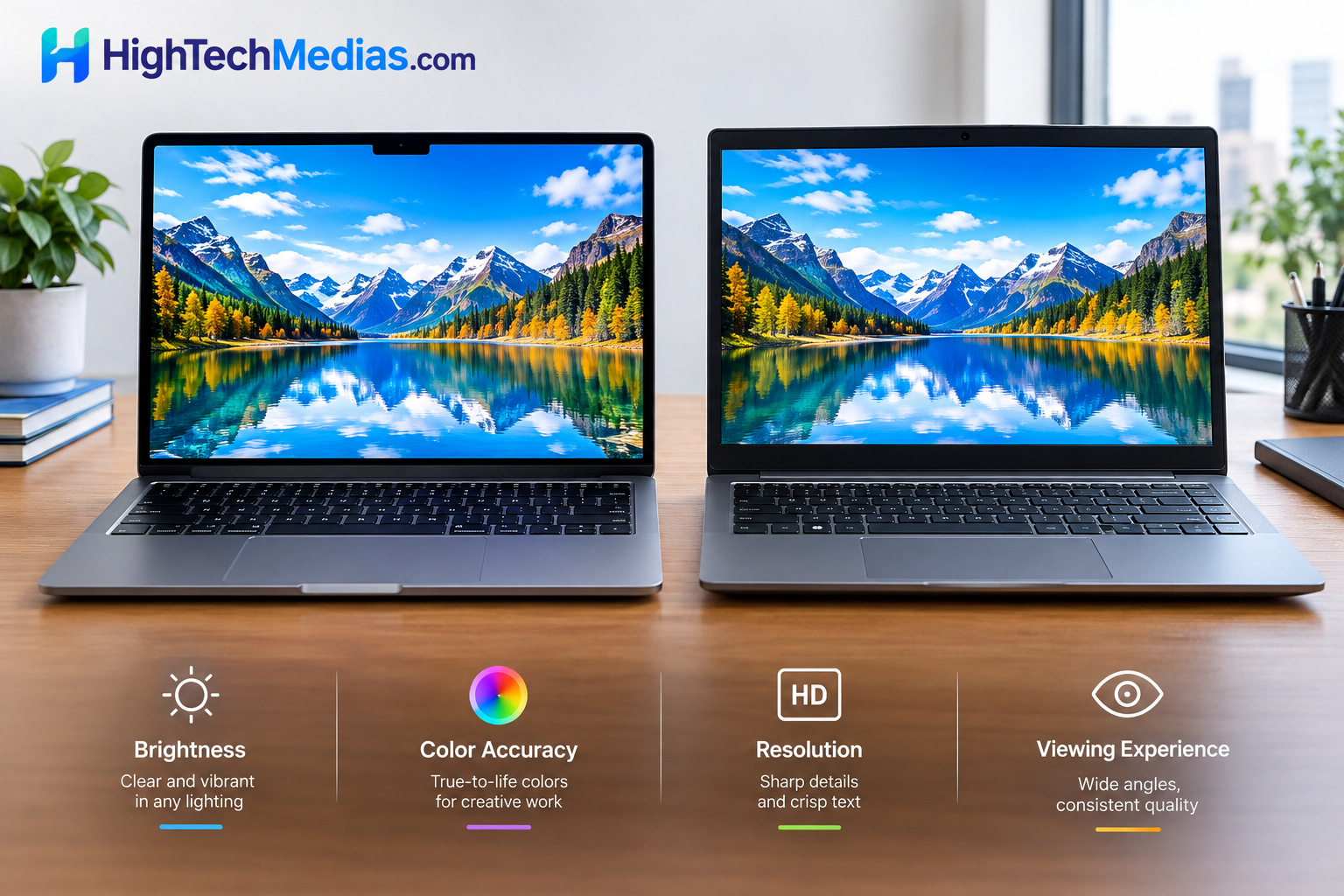
Display quality can dramatically affect your experience, especially if you spend hours reading, editing photos, watching video, or working with spreadsheets.
Both MacBook Air and Windows laptops can offer high-quality displays, but Windows gives you a much wider selection.
Depending on the model, you can find different combinations of:
-
screen size
-
resolution
-
refresh rate
-
panel technology
-
brightness
-
color coverage
-
touch support
-
aspect ratio
The MacBook Air generally targets users who want a high-quality integrated display without needing to configure dozens of options.
Windows gives you more choices.
A professional photographer, video editor, gamer, and office worker may all have completely different display requirements.
For example, gamers may prioritize a high refresh rate, while a content creator may care more about color accuracy.
Keyboard and Trackpad Experience
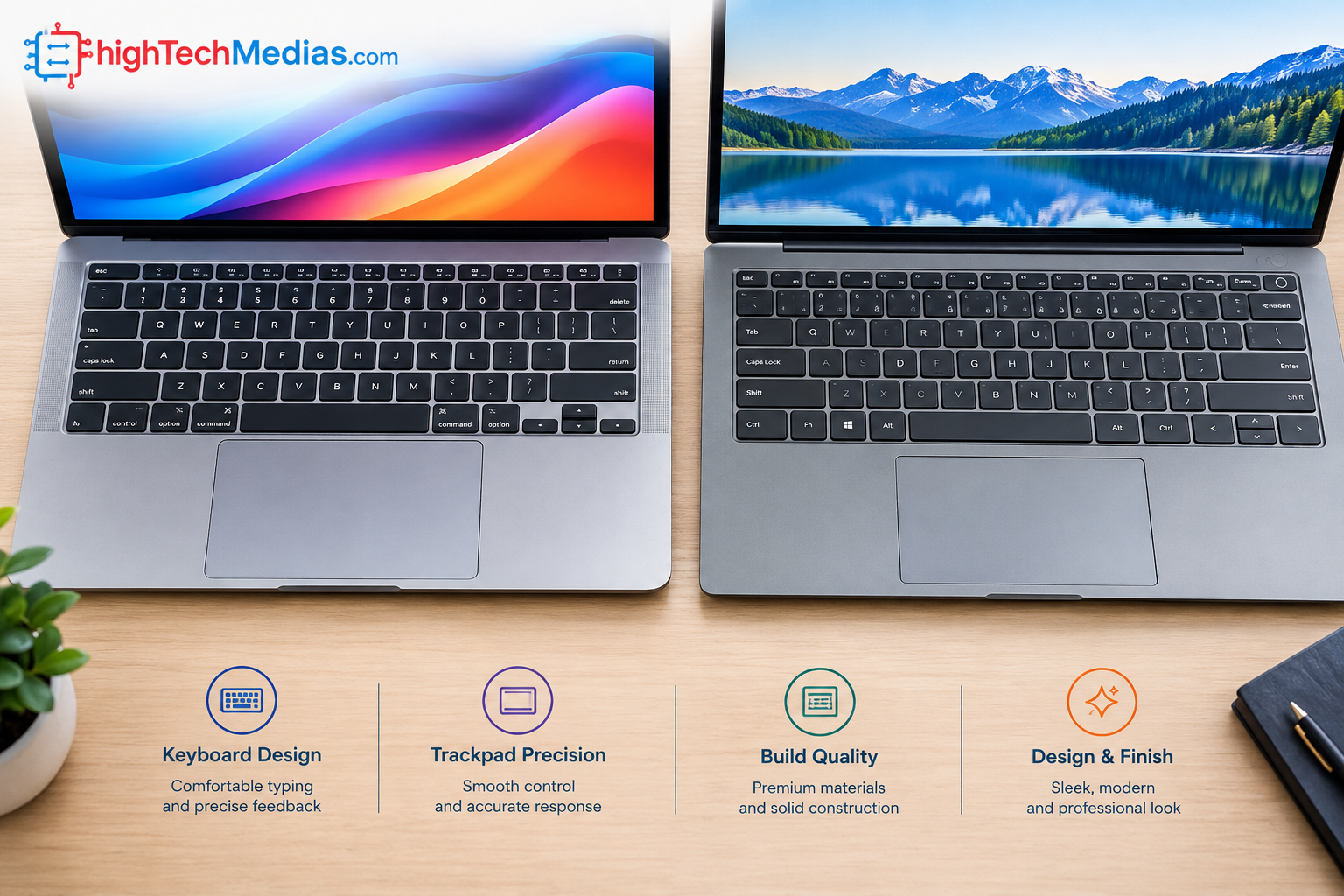
The keyboard and trackpad are easy to overlook when comparing specifications.
Yet these are the components you interact with constantly.
For writers, programmers, students, and professionals who spend hours typing, keyboard comfort can have a greater impact on satisfaction than a small difference in processor performance.
The MacBook Air’s trackpad experience is one of the reasons many users prefer Apple’s laptops.
Windows laptops vary considerably.
Some premium Windows laptops have excellent keyboards and precision touchpads, while inexpensive systems may compromise in these areas.
This is another reason why choosing a Windows laptop based solely on CPU and RAM can lead to disappointment.
Whenever possible, consider the complete machine.
Ask yourself:
-
Is the keyboard comfortable?
-
Is the trackpad accurate?
-
Is there enough key travel?
-
Does the layout suit your workflow?
-
Is the palm rest comfortable?
-
Does the laptop flex while typing?
For long work sessions, these details matter.
Software Compatibility: The Decision That Can Change Everything
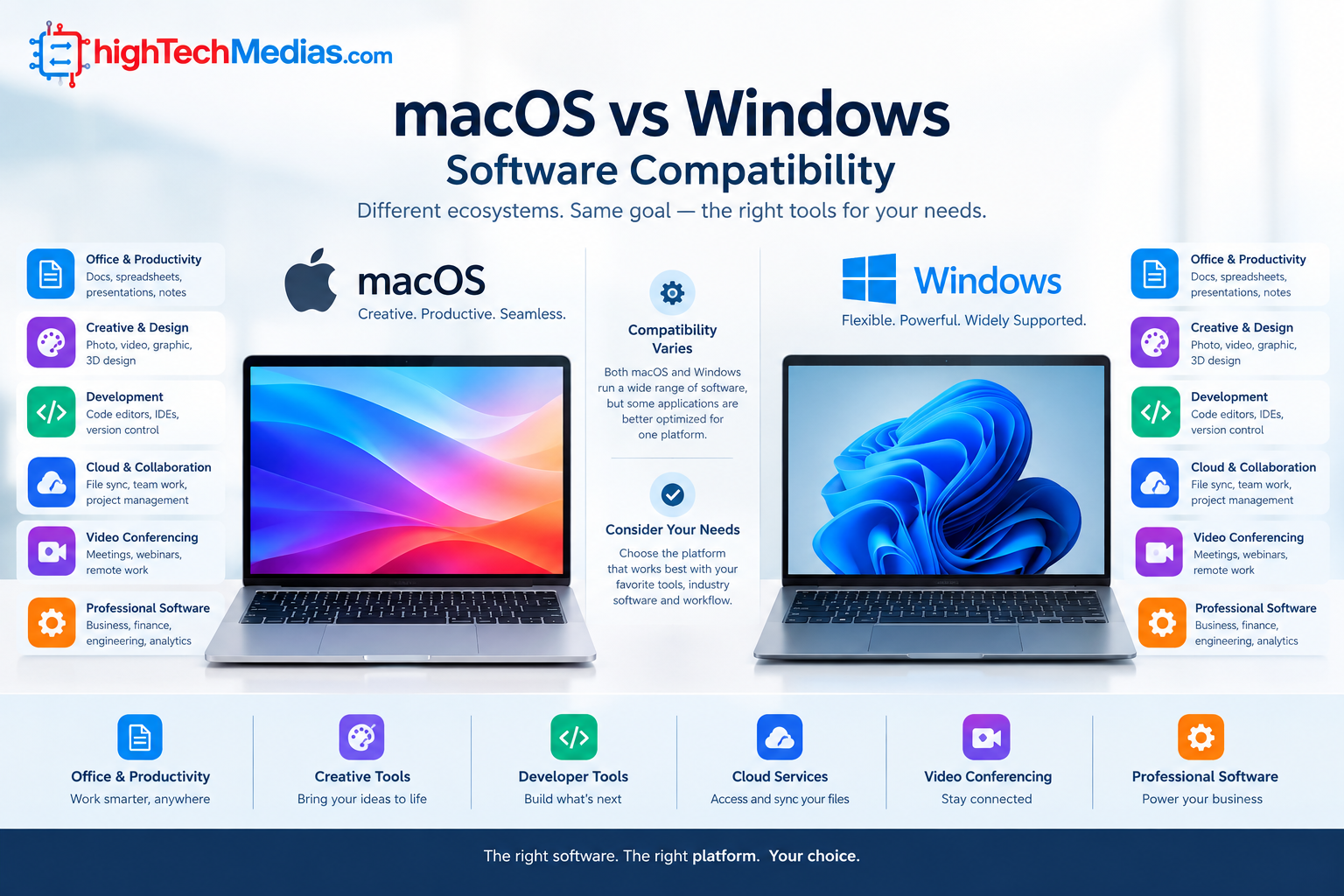
Software compatibility is arguably the most important factor in choosing between the two platforms.
A computer can have excellent hardware and still be the wrong purchase if it cannot run the software you need.
Windows has exceptionally broad software support, particularly in corporate, engineering, business, gaming, and specialized professional environments.
Microsoft Office applications are available on both platforms, but businesses should still check their specific workflows, add-ins, macros, management systems, security tools, and other requirements.
For Windows documentation, administration, and development resources, Microsoft Learn provides official technical documentation and learning resources.
Similarly, Microsoft Support provides official support information for Windows and Microsoft’s broader software ecosystem.
Specialized software
This is where you should do your homework before buying.
Some professional applications are available for both operating systems.
Others are optimized primarily for Windows.
Some software may have a macOS version but lack specific plugins or features available on Windows.
For professional users, “Is the software available?” is not enough.
Ask:
Does the exact version and workflow I need work properly?
That distinction can save you from an expensive mistake.
Microsoft Support provides official support information for Windows and Microsoft’s broader software ecosystem.
macOS vs Windows for Students
Students have particularly diverse needs.
A student studying literature may primarily need a browser, word processor, PDF tools, video conferencing, and cloud storage.
-
An engineering student may require specialized CAD or simulation software.
-
A computer science student may need particular development tools.
-
A design student may prioritize creative applications and display quality.
-
This means there is no universal best laptop for students.
The MacBook Air can be a strong choice for students who value portability, battery life, a high-quality display, quiet operation, and integration with Apple devices.
Windows may be the safer choice when the student’s school requires Windows-only applications.
Before buying, check the software requirements published by the school or department.
For students who simply need a reliable everyday computer, either platform can work extremely well.
MacBook Air vs Windows Laptop for Office Work
Office workers typically care about reliability, productivity, communication, security, compatibility, and battery life.
Both platforms can handle standard office workloads comfortably.
Word processing, spreadsheets, presentations, email, browser-based applications, video meetings, and cloud services are available across both ecosystems.
However, corporate environments can be heavily standardized around Windows.
If your employer provides Windows-specific software, device management, security tools, VPN applications, or internal systems, a Windows laptop may create fewer compatibility issues.
This is especially relevant for Microsoft-heavy organizations.
Dell‘s laptop lineup covers several types of users.
For independent professionals and smaller businesses, the decision may be more flexible.
If your workflow revolves around browser applications and common productivity software, either platform can work.
Therefore, for the best laptop for work, start with the software and IT requirements rather than the logo on the lid.
Remote Work: Which Platform Makes More Sense?
Remote workers have slightly different priorities.
A good remote-work laptop should provide:
-
reliable video conferencing
-
good battery life
-
comfortable keyboard
-
high-quality display
-
dependable Wi-Fi
-
strong webcam and microphone performance
-
useful connectivity
-
enough performance for multitasking
Both MacBook Air and Windows laptops can meet these requirements.
The choice becomes more interesting when you consider the rest of your home-office setup.
-
Do you connect multiple external displays?
-
Do you use specialized USB accessories?
-
Do you need a particular business VPN?
-
Do you frequently connect external storage?
-
Do you rely heavily on Microsoft-specific software?
These questions can determine which platform is more convenient.
For users who primarily work through a browser and standard productivity applications, both platforms are strong.
For users working inside a highly standardized Windows corporate environment, Windows may be easier.
If your laptop will be part of a larger desk setup, you can also compare that experience with our guide to the best mini PCs for a home office
Another option for a permanent home-office setup is a compact desktop, and our guide to the best silent mini PCs explores that category.
Programming and Software Development
Programmers should be careful about making this decision based on general internet recommendations.
There is no single “best” operating system for every developer.
macOS can be attractive to developers who value a Unix-based environment while also wanting a polished desktop platform.
Windows has become significantly more flexible for developers and can be particularly attractive for software ecosystems that are centered around Microsoft technologies.
Linux compatibility and virtualization options can also influence the decision.
The best choice depends on your development environment.
Consider:
-
programming languages
-
IDEs
-
containers
-
virtual machines
-
databases
-
cloud platforms
-
command-line tools
-
deployment environments
-
enterprise requirements
-
mobile development
For developers working with Apple’s ecosystem, a Mac can make more sense.
For developers building Windows applications or working in Microsoft-heavy environments, Windows may be the natural choice.
The important lesson is simple:
Choose the platform around your development workflow, not around generic benchmark charts.
Content Creation: MacBook Air or Windows?
-
Content creators need to consider the type of content they produce.
-
A writer may care primarily about the keyboard, screen, battery life, and portability.
-
A photographer may care about display quality and photo-editing software.
-
A video creator may need stronger sustained performance, more memory, fast storage, and potentially a dedicated GPU.
-
A 3D artist may need a powerful graphics processor.
-
The MacBook Air can be attractive for creators who prioritize portability, battery efficiency, quiet operation, and Apple’s creative software ecosystem.
-
Windows has an advantage in hardware variety.
You can choose a thin creator laptop or move to a much more powerful system with dedicated NVIDIA graphics.
For demanding graphics workloads, NVIDIA’s official website is a useful starting point for understanding its GPU and AI hardware ecosystem.
For professional content creation, don’t automatically assume a thin laptop is the best option.
If your workload involves long rendering sessions, 3D applications, high-resolution video, or complex effects, sustained performance and cooling may matter more than portability.
For buyers interested in unusual laptop form factors, our review of the Ninkear S13 2-in-1 tablet laptop provides another example of Windows hardware flexibility.
Gaming: Windows Is Usually the Easier Choice
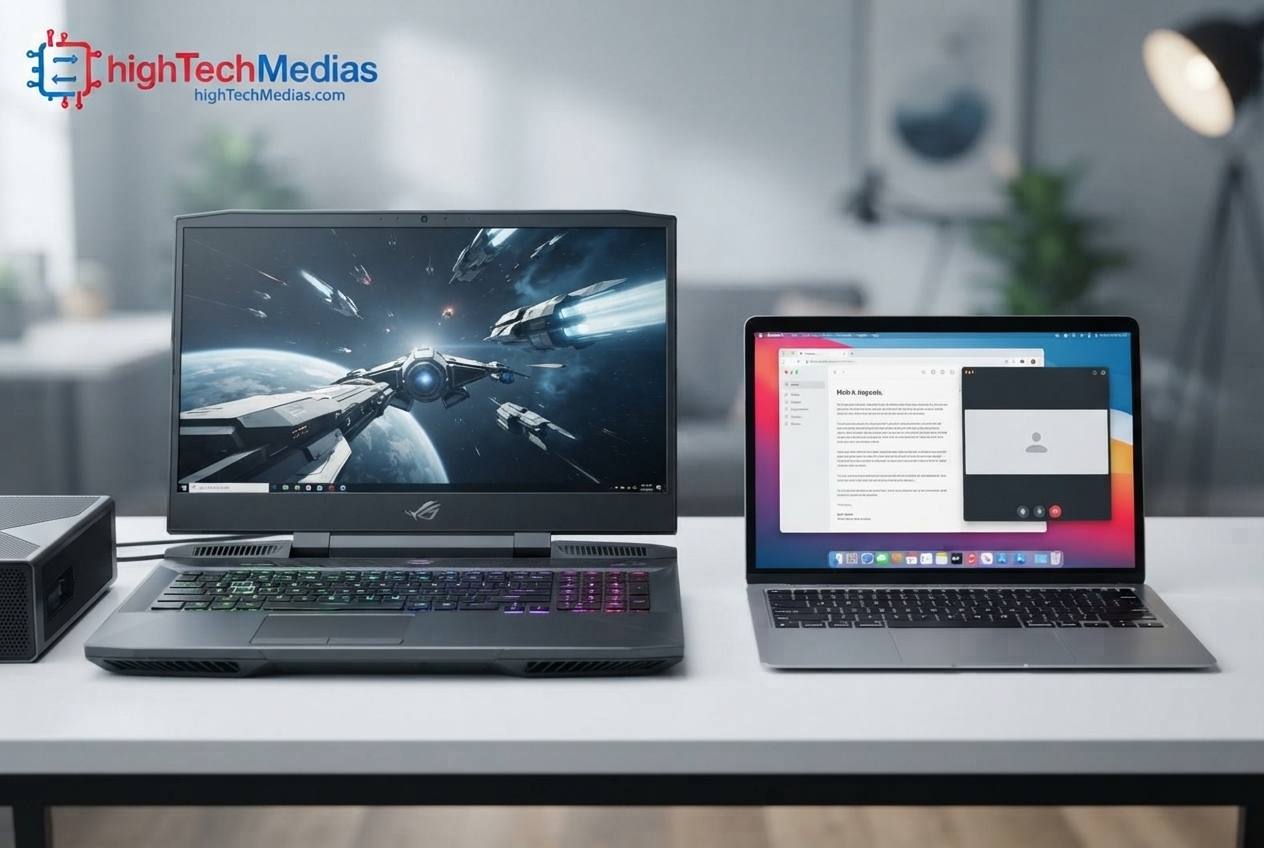
Gaming is one category where the answer is much clearer.
-
For most PC gamers, Windows remains the more practical choice because of its broad gaming hardware and software ecosystem.
-
Windows laptops are available with dedicated GPUs, high-refresh-rate displays, advanced cooling systems, mechanical-style keyboards, and other gaming-oriented features.
-
You can also choose hardware based on your budget.
-
A MacBook Air is not designed primarily as a gaming laptop.
While Macs can run a growing selection of games, gaming should not be the main reason to choose a MacBook Air.
If gaming is a major part of your laptop use, a Windows machine should usually be your starting point.
AI Features and Modern Laptop Workloads
AI has become an increasingly important part of laptop marketing.
Modern laptops may include hardware designed to accelerate certain AI workloads, including processors with dedicated AI acceleration.
But buyers should be careful about treating “AI PC” as a reason by itself to purchase a particular laptop.
Think about what AI features you will actually use.
-
Do you need local AI processing?
-
Will your applications use an NPU?
-
Do you primarily use cloud-based AI services?
-
Does your professional software support the hardware acceleration available on the laptop?
The operating system is only one part of the equation.
The processor, NPU, GPU, application support, memory, and software ecosystem all contribute to the actual experience.
Ports, USB-C and External Displays
Connectivity is another important consideration.
Modern laptops increasingly rely on USB-C, but the exact capabilities vary.
USB-C does not automatically mean every port supports the same charging, data-transfer, video-output, or peripheral features.
If you regularly connect:
-
monitors
-
docks
-
external SSDs
-
cameras
-
keyboards
-
audio interfaces
-
Ethernet adapters
-
memory-card readers
check the actual specifications of the laptop.
External displays deserve special attention.
If your work depends on one or more external monitors, verify exactly how many displays the laptop supports and under what conditions.
Do not assume two laptops with similar-looking USB-C ports have identical capabilities.
Repairability and Upgradeability
Long-term ownership is another area where Windows laptops can provide more variety.
Some Windows models make it possible to replace or upgrade certain components, although this varies significantly between manufacturers and product lines.
Other thin Windows laptops may have components that are integrated or difficult to replace.
MacBooks are designed around Apple’s integrated hardware approach, and buyers should pay particular attention to the configuration they purchase because future hardware expansion options can be limited.
That makes the initial configuration important.
If you expect your workload to grow over several years, think carefully about memory and storage requirements before buying.
The same principle applies to Windows laptops.
Don’t purchase a configuration that barely meets today’s needs if you expect to keep the computer for many years.
Pricing and Long-Term Value
Price comparisons between MacBook Air and Windows laptops can be misleading.
A $700 Windows laptop and a $1,000 MacBook Air may look like direct competitors because they are both portable notebooks.
But their hardware, display, build quality, battery capacity, processor platform, storage, memory, and overall design may be very different.
The better comparison is between machines that can perform the same job well.
For budget-conscious buyers, the Windows market offers more entry-level choices.
You can also find strong Windows laptops at different price points.
For example, buyers with a defined budget can explore our guide to the best laptops under $1,000.
At the same time, long-term value is not simply about purchase price.
Consider:
-
expected lifespan
-
battery longevity
-
build quality
-
software support
-
repair options
-
resale value
-
accessories
-
upgrade possibilities
-
productivity
A more expensive laptop that remains useful for several additional years can sometimes provide better value than a cheaper machine that needs replacement sooner.
Before buying, it is also worth reviewing the broader factors covered in our laptop buying guide
MacBook Air vs Windows Laptop: Which Is Better for You?
-
At this point, the answer should be becoming clearer
-
There is no universal winner
-
Instead, your use case should determine the platform
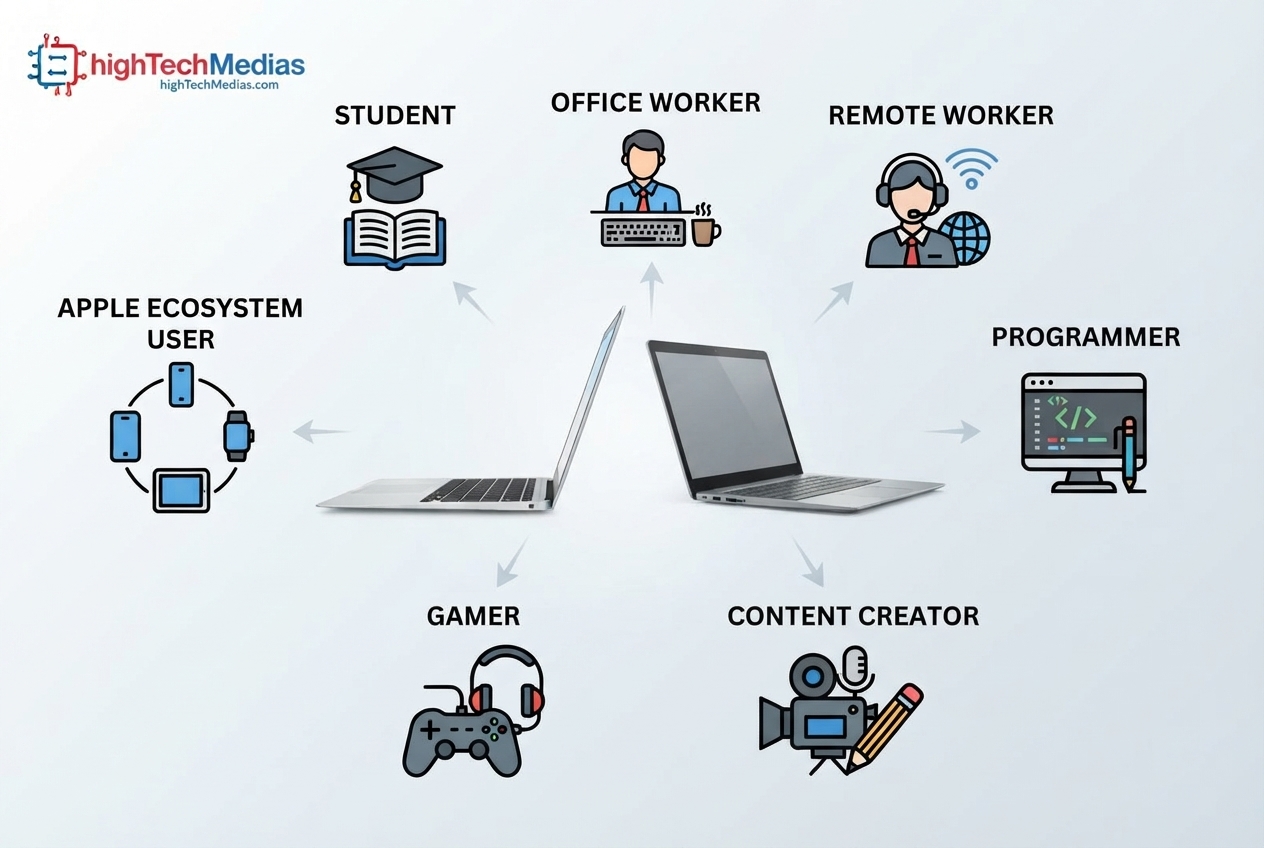
| User | Recommended direction | Why |
| Student | Depends on software | Check school requirements first |
| Office worker | Both | Standard productivity works well on both |
| Remote worker | Both | Battery, webcam, software and connectivity matter |
| Programmer | Depends | Development environment determines the better fit |
| Content creator | MacBook Air can be attractive | Portability and creative workflow |
| Gamer | Windows | Broader gaming hardware and compatibility |
| Microsoft-heavy business user | Windows | Easier compatibility with many enterprise workflows |
| Apple ecosystem user | MacBook Air | Strong device and service integration |
| Maximum hardware choice | Windows | Much broader selection |
| Battery-focused user | Compare specific models | Battery life varies by hardware |
| Budget buyer | Windows | More choices at lower price points |
| Frequent traveler | MacBook Air or premium Windows | Compare weight, charger and endurance |
Windows also becomes interesting when you are comparing a laptop against a compact desktop, so our Mini PCs vs.aptops comparison is worth reading
For Apple Ecosystem Users
If you already use an iPhone, iPad, Apple Watch, AirPods, or other Apple products, the MacBook Air can be particularly appealing.
The value is not necessarily one individual feature.
It is the way the devices work together.
For people who regularly move between Apple devices, that ecosystem can reduce friction in everyday tasks.
If that describes you, exploring Apple’s current Mac lineup can help you compare available configurations and models. Apple Mac
However, don’t choose a MacBook solely because you own an iPhone.
Your professional software still matters more.
For Buyers Who Want Maximum Choice
Windows is difficult to beat when hardware flexibility is the priority.
You can choose from numerous manufacturers and product categories.
You can prioritize:
-
price
-
weight
-
screen size
-
touch support
-
graphics performance
-
ports
-
keyboard design
-
memory
-
storage
-
upgradeability
You can also select a machine specifically designed for business, gaming, creative work, travel, or general productivity.
That level of choice is one of Windows’ biggest strengths.
For Buyers Who Want Simplicity
The MacBook Air can be attractive to someone who does not want to spend hours comparing dozens of configurations.
Apple’s lineup is comparatively focused.
You choose the model, configuration, storage, and memory level, then use the computer.
That simplicity can be valuable.
Not everyone wants to understand CPU power limits, GPU wattage, display technologies, RAM configurations, and dozens of competing Windows models.
Sometimes the best laptop is simply the one that fits your needs without creating unnecessary complexity.
What About a 2-in-1 Windows Laptop?
This is one area where Windows offers a significant advantage.
If you want a laptop that can transform into a tablet, support touch input, or work with a stylus, Windows provides many options.
That can be useful for students, designers, professionals who annotate documents, and people who enjoy flexible form factors.
The MacBook Air remains a conventional laptop design.
If touch and convertible functionality are priorities, Windows deserves serious consideration.
For a real-world example of this category, see our review of the Ninkear S13 2-in-1 tablet laptop
How to Make the Final Decision
Before purchasing either platform, answer these seven questions:
What software do I need?
This should come first.
Do I play PC games?
If yes, Windows will usually provide more options.
Do I need a specific professional application?
Check compatibility before buying.
How important is battery life?
If you travel frequently, give it a high priority.
Do I need specialized ports or multiple external displays?
Check the exact laptop specifications.
What hardware configuration do I need?
Consider memory, storage, CPU, GPU, display, and connectivity.
How long do I plan to keep the laptop?
A three-year purchase and a seven-year purchase should not necessarily have the same configuration.
If you want a broader checklist before making a purchase, our 2026 laptop buying guide covers the major hardware and buying considerations.
Frequently Asked Questions
Is a MacBook Air better than a Windows laptop?
Neither is universally better. The right choice depends on software compatibility, workload, budget, gaming requirements, portability, battery needs, and ecosystem preferences.
Is MacBook Air good for students?
Yes, particularly for students who need a portable computer for research, writing, web browsing, communication, and general productivity. Students should check whether their school requires Windows-only software before purchasing.
Is Windows better for gaming?
For most laptop gamers, yes. Windows provides a much broader selection of gaming laptops, dedicated graphics hardware, high-refresh-rate displays, and compatible games.
Which is better for Microsoft Office?
Microsoft Office is available on both platforms. However, people working in organizations with Windows-specific applications, enterprise management tools, or specialized Microsoft workflows may find Windows more convenient.
Which is better for programming?
It depends on the development environment. macOS can be excellent for developers who prefer its Unix-based environment and Apple development ecosystem, while Windows is particularly strong for Microsoft-oriented development and offers broad hardware flexibility.
Which has better battery life?
Battery life depends on the exact laptop configuration and workload. The MacBook Air can be very attractive for battery-focused users, but efficient Windows laptops can also provide excellent endurance.
Is a MacBook Air good for content creation?
It can be an excellent choice for portable photo, video, writing, and creative workflows. However, demanding professional workloads may justify a more powerful Windows laptop with dedicated graphics or a higher-performance Mac configuration.
Should I buy a MacBook Air or Windows laptop in 2026?
Start with your software and use case rather than choosing based on brand. If you value Apple’s ecosystem, portability, battery efficiency, and a focused laptop experience, the MacBook Air may be the better fit. If you need gaming, maximum hardware choice, specialized Windows software, or a wider range of prices and designs, Windows may make more sense.
Final Verdict: MacBook Air vs Windows Laptop
The MacBook Air vs Windows laptop debate does not have one answer that works for everyone.
The MacBook Air is compelling for users who value portability, battery life, a polished operating system, a high-quality display, quiet operation, and integration with Apple’s ecosystem.
Windows is compelling because it gives buyers far more choice.
You can find affordable notebooks, premium business laptops, gaming machines, 2-in-1 systems, creator-focused computers, and high-performance workstations.
For students, the deciding factor should often be software requirements.
For office workers and remote professionals, both platforms can be excellent.
For programmers, the development environment matters.
For content creators, the specific applications and performance requirements should determine the machine.
For gamers, Windows is usually the obvious starting point.
And for people deeply invested in Apple’s ecosystem, the MacBook Air may offer the smoothest overall experience.
The best approach is therefore not to ask which operating system is universally superior.
Ask a more practical question:
Which platform fits the way you actually work, study, create, travel, and use your computer every day?
Once you answer that, the right laptop becomes much easier to identify.
Still comparing your options?
If you want to evaluate laptops beyond the MacBook Air vs Windows decision, continue with our broader laptop buying resources. You can also compare laptops with compact desktop alternatives if portability is not your priority.




Comments (5)
[…] you’re also considering macOS, our MacBook Air vs. Windows Laptop comparison explains the major differences between the two […]
[…] you are deciding between the two platforms, our comparison MacBook Air vs Windows Laptop in 2026 provides a broader buying […]
[…] you are also considering Apple’s macOS ecosystem instead of Windows, our MacBook Air vs. Windows laptop comparison explains the main differences in software, hardware, portability, and everyday […]
[…] purchasing, also compare your needs against our MacBook Air vs Windows Laptop guide and Laptop Size and Weight […]
[…] you are deciding between Windows and macOS, our MacBook Air vs. Windows Laptop comparison is a useful next […]