
LPDDR5 vs DDR5 Laptop RAM: What’s the Difference?
Choosing a laptop involves more than comparing processors, storage capacities, and screen resolutions. Memory also plays an important role in everyday responsiveness, multitasking, gaming, and battery life. When comparing modern laptops, two memory technologies you will commonly encounter are LPDDR5 and DDR5.
The difference between LPDDR5 vs DDR5 laptop RAM comes down to more than speed. LPDDR5 is designed primarily for low-power operation and compact system designs, while DDR5 is widely used in laptops that prioritize flexible memory configurations and upgrade options. Neither technology is automatically faster or better in every situation.
Manufacturers also use different memory capacities, transfer rates, and hardware configurations, so the memory label alone cannot tell you how a laptop will perform. This guide explains the technical differences, compares real laptop models, and helps you decide which memory type makes the most sense for your budget and workload.
If you’re still deciding which computer to purchase, start with our complete 2026 laptop buying guide for a broader look at specifications that matter.
1. Five Real Laptop Models to Consider
The following models illustrate how LPDDR5X and DDR5 appear in real laptop designs. LPDDR5X is an enhanced member of the LPDDR5 memory family, so it is included where relevant. Always confirm the exact configuration before purchasing because memory specifications can vary by processor, region, and model.
First choice: ASUS ROG Zephyrus G16 (2026)
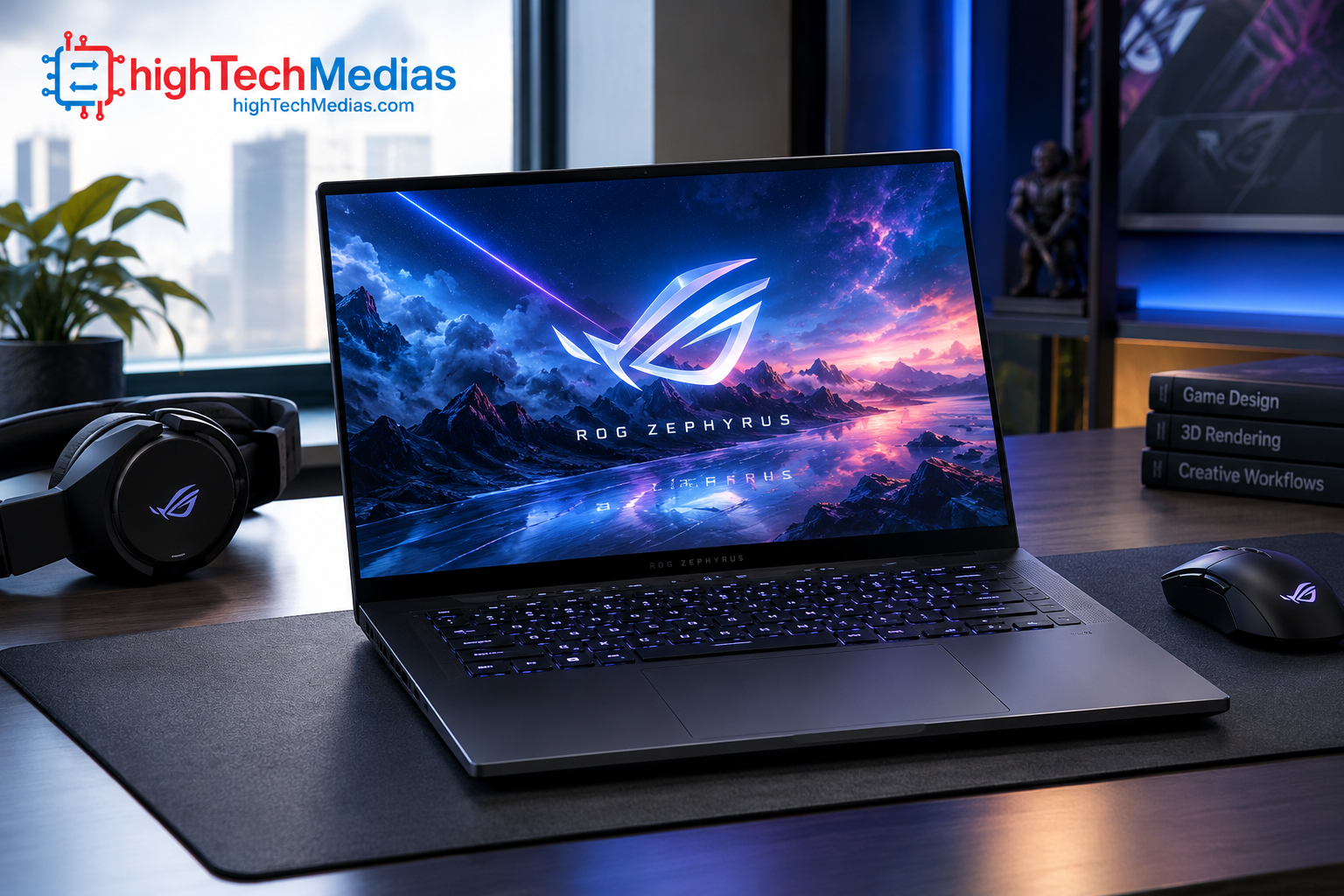
Memory type: LPDDR5X | Official product information: ASUS ROG Zephyrus G16 specifications
Best for: Gamers, creative professionals, and users who want a premium laptop with fast onboard memory.
Key specifications include:
-
LPDDR5X memory configurations of 32GB or 64GB, depending on the model.
-
Advertised memory transfer rates up to 8533 MT/s on listed configurations.
-
Memory is soldered onboard and cannot be expanded through a conventional memory-slot upgrade.
-
Dedicated graphics configurations are available within the product family; the exact graphics hardware depends on the configuration.
The manufacturer’s specification page confirms the onboard LPDDR5X configurations and notes that actual memory speeds can vary by CPU configuration.
Why consider it? The G16 demonstrates why manufacturers choose LPDDR5X for premium, space-conscious laptops. Fast memory, a compact design, and a high-performance platform can make a compelling combination for gaming and creative work.
Pros
-
High memory transfer rates on supported configurations.
-
Compact onboard memory design.
-
Premium laptop platform with performance-oriented options.
Cons
-
Memory cannot be upgraded through standard SO-DIMM slots.
-
Higher-capacity configurations may cost more.
-
Performance still depends on the GPU, CPU, cooling, and game or application.
Current Price:
Check the official store for the current price of the specific configuration. A reliable current U.S. price for every configuration was not established, so no unverified amount is quoted here.
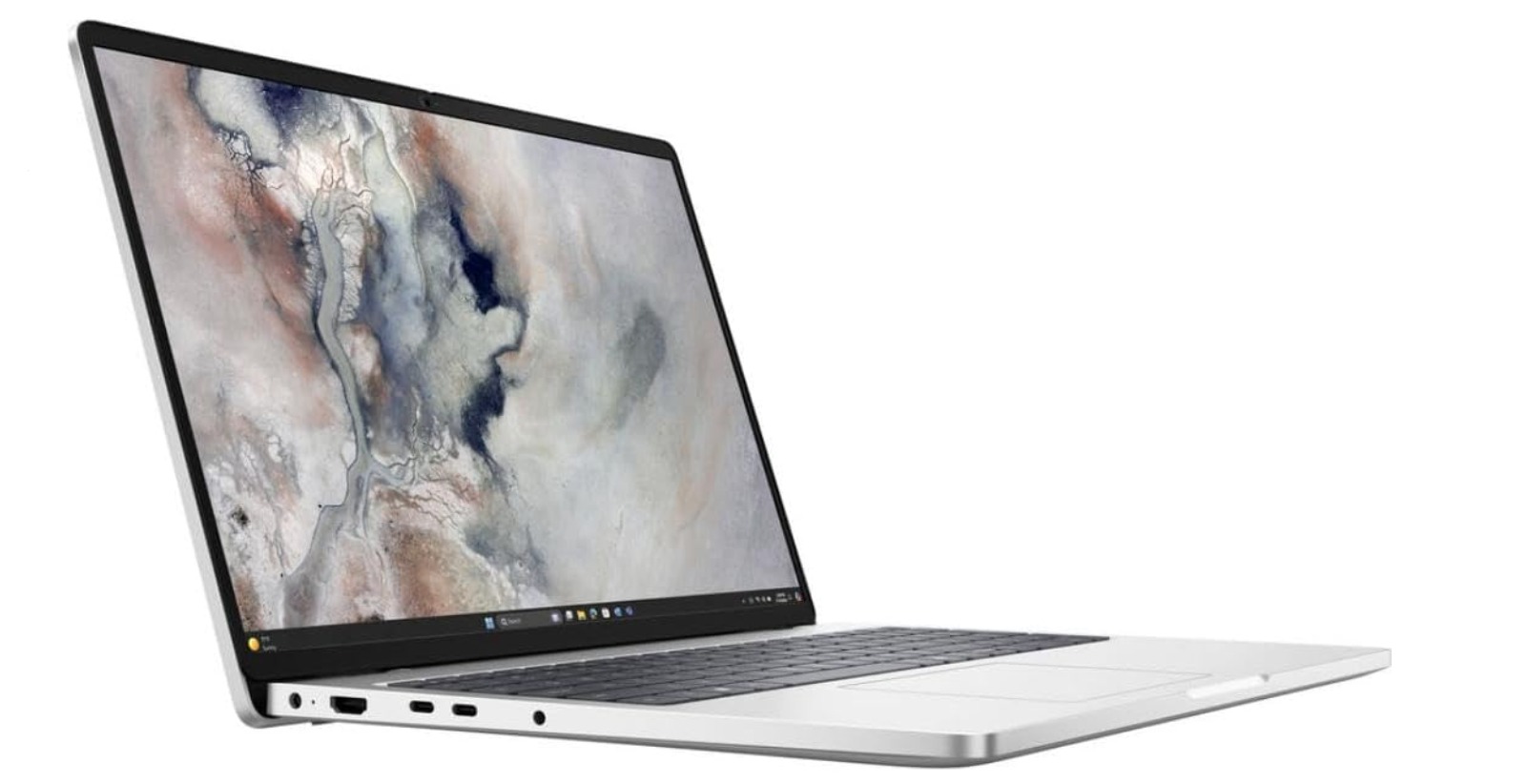
Second choice: Dell Pro 5 16 — DDR5 configuration
Best for:
Business professionals, office workers, and users who value memory configuration options.
A listed Intel configuration includes:
-
Intel Core Ultra 5 335 processor.
-
16GB DDR5 memory at up to 5600 MT/s.
-
512GB SSD.
-
16-inch, 1920 × 1200 display.
-
Windows 11 Pro in the cited configuration.
Dell lists DDR5 configurations with different capacities, including options that use two memory modules. Certain configurations in the product family also offer LPDDR5X or LPCAMM2, so the precise memory implementation must be checked before ordering.
Why consider it? The Pro 5 is a useful example of a business laptop in which buyers can compare different memory configurations rather than assuming every version uses the same type of RAM.
Pros
-
Business-oriented design and operating-system options.
-
Multiple listed DDR5 memory configurations.
-
Suitable for office productivity and professional multitasking.
Cons
-
Pricing changes with configuration and promotions.
-
Some configurations may have memory limitations different from others.
-
A higher RAM transfer rate does not automatically translate into proportionally faster applications.
Price:
A Dell U.S. listing showed a configuration at approximately $1,914 (as of October 2026) when checked. This is a listed configuration price, not a guaranteed current price for every version.
Third choice: Dell Pro 5 16 — LPDDR5X configuration
Best for:
Students, developers, technology enthusiasts, and buyers who value repairability and upgrades.
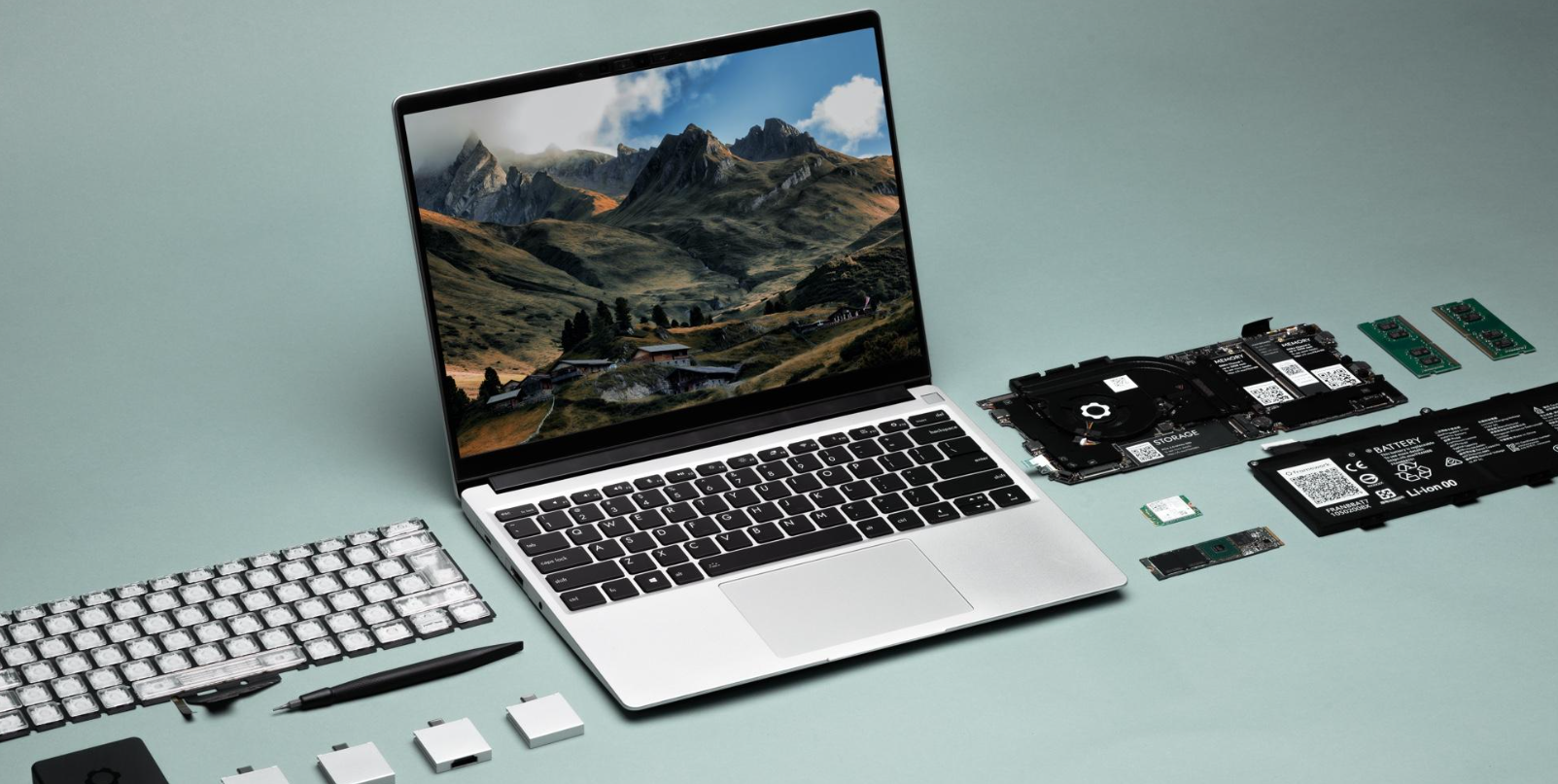
Framework has listed the Laptop 13 DIY Edition with Intel Core Ultra Series 1 processors. The marketplace listed a starting sale price of $799 for that edition when checked; availability and included components can change.
The relevant memory configuration uses removable laptop memory rather than requiring buyers to treat the RAM as permanently fixed onboard.
Why consider it? A modular laptop can be appealing if you want to replace or expand compatible memory later instead of choosing a fixed memory capacity at checkout.
Pros
-
Upgrade-oriented design.
-
Useful for technical users who prefer repairable hardware.
-
Can make future memory upgrades easier, subject to compatibility limits.
Cons
-
DIY configurations may require separately purchased components.
-
Total cost depends on the chosen configuration and accessories.
-
Upgradeability does not guarantee that every memory module will be compatible.
Price:
The listed $799 sale price (as of October 2026) is a reference to the advertised DIY edition, not necessarily a complete ready-to-use system with every component included.
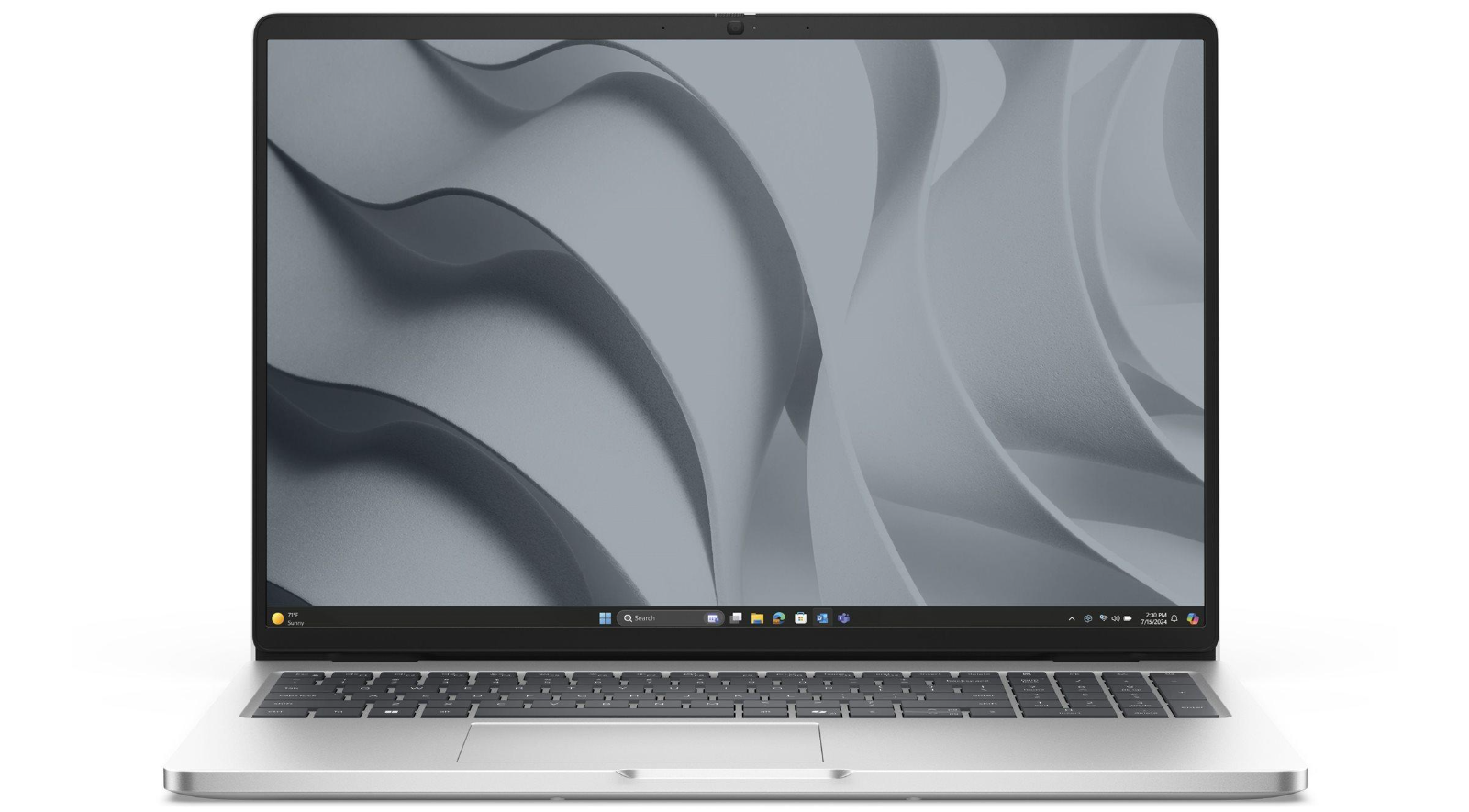
Fifth choice: Dell Pro 5 16 — AMD DDR5 configuration
Best for:
Business users who want a modern AMD-based laptop with a conventional DDR5 configuration.
A listed configuration includes:
-
AMD Ryzen AI 7 PRO P450 processor.
-
32GB DDR5 memory in a two-module configuration.
-
512GB SSD.
-
16-inch, 1920 × 1200 display.
-
Windows 11 Pro.
Dell has listed this configuration at $2,395, although promotional pricing and availability may change.
Why consider it? This configuration illustrates how a professional laptop can pair a substantial memory capacity with DDR5. For many demanding workflows, sufficient RAM capacity is more important than chasing the highest advertised transfer rate.
Pros
-
32GB configuration suited to substantial multitasking.
-
Business-focused features and Windows Pro options.
-
DDR5 implementation that can be compared with other configurations in the product family.
Cons
-
The listed configuration is relatively expensive.
-
Memory upgrade options depend on the exact model and configuration.
-
Processor performance and application requirements still determine the overall experience.
Price:
The cited $2,395 (as of October 2026) listing is a reference price, not a guarantee of current availability.
2. What Is LPDDR5 Laptop RAM?
LPDDR5 stands for Low Power Double Data Rate 5. It is a memory standard designed to reduce power consumption while providing the bandwidth needed by modern mobile computing platforms.
LPDDR memory is commonly associated with smartphones, tablets, thin laptops, and compact devices where power efficiency and physical space are important. LPDDR5X extends the family with higher supported data rates in compatible systems.
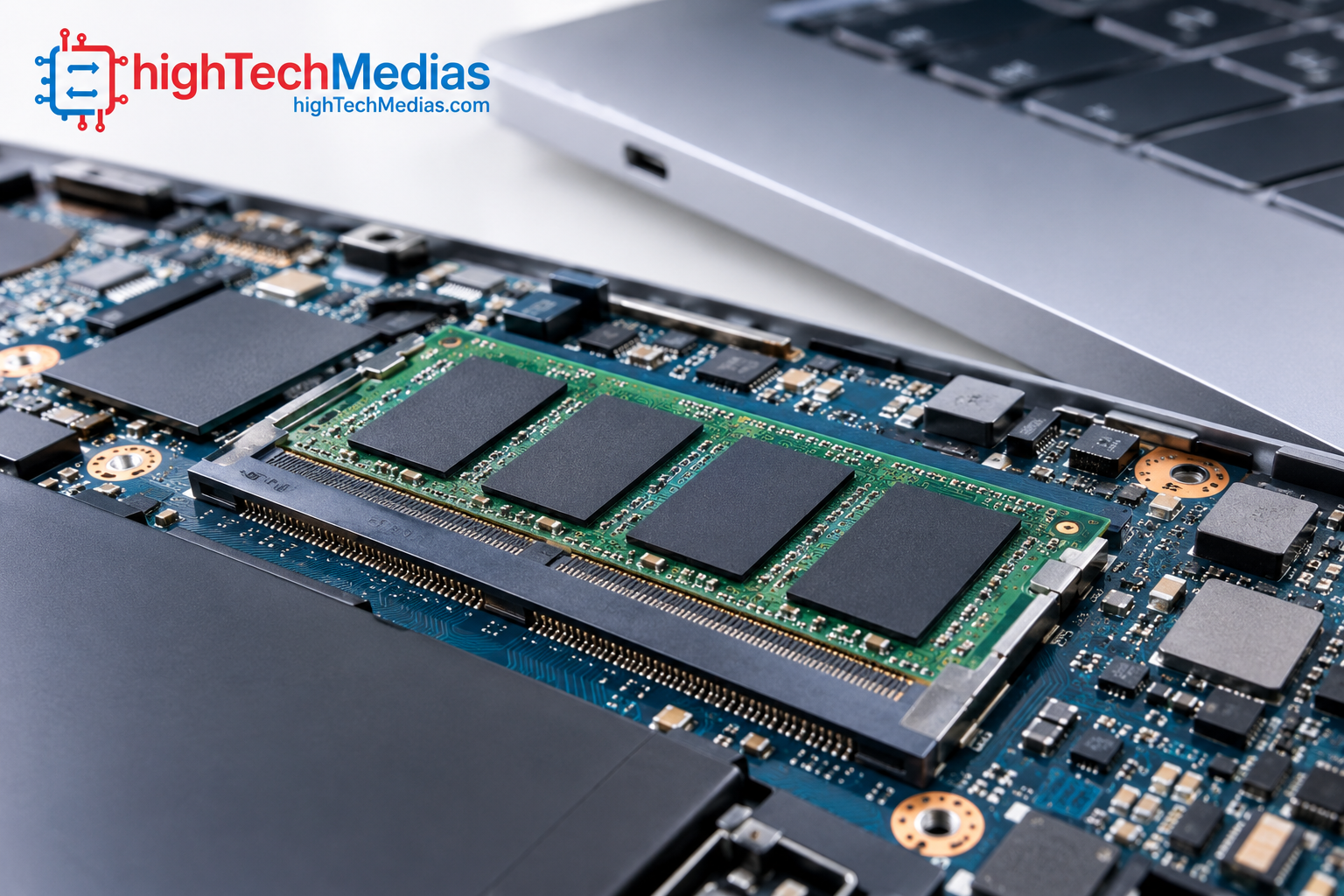
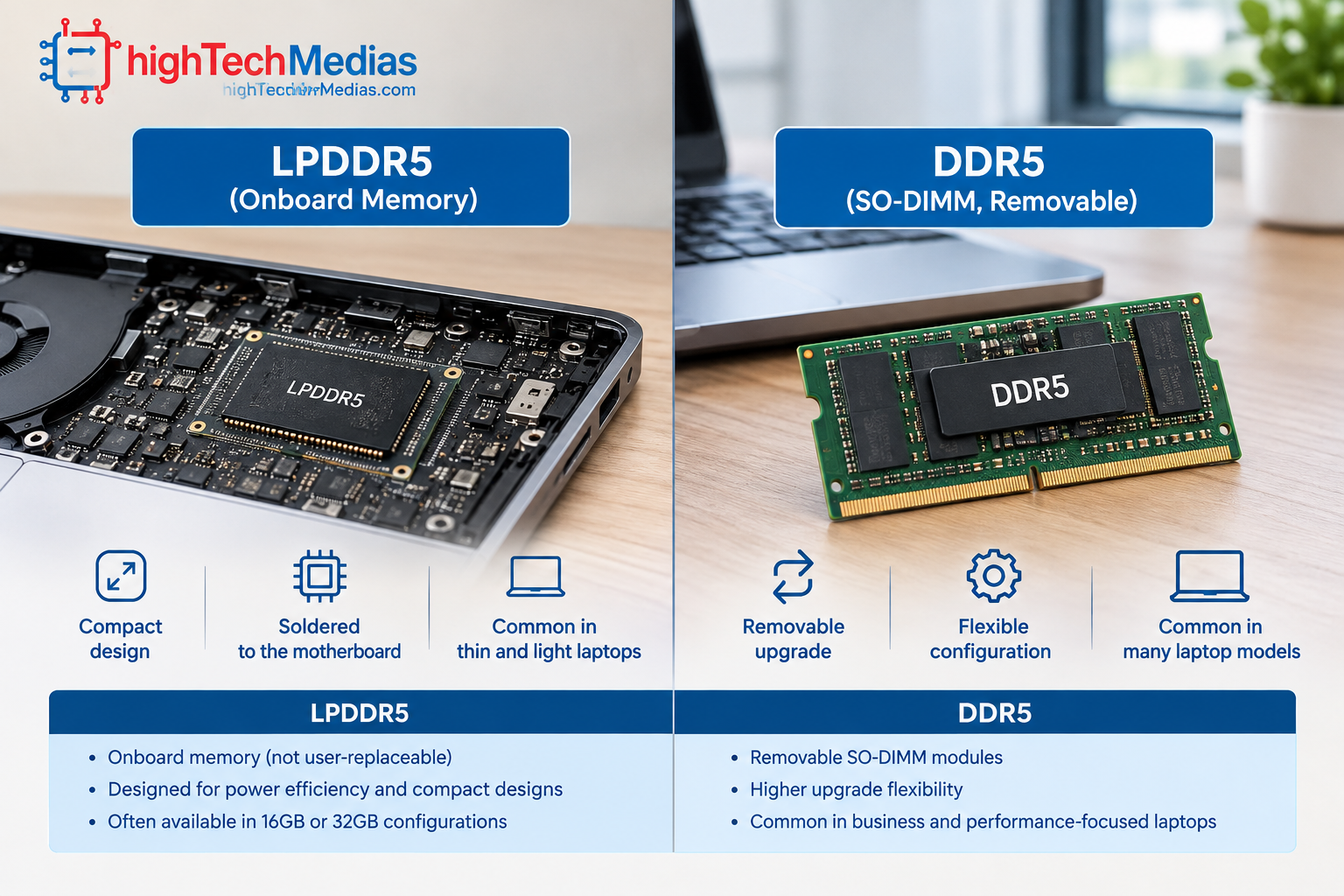
A key design characteristic is that LPDDR5 is commonly integrated directly onto the motherboard or package in modern laptops. This arrangement can help manufacturers design thin systems with efficient power delivery, but it generally means the memory cannot be replaced using a standard laptop RAM module.
The important distinction is that LPDDR5 describes the memory technology, not the laptop’s overall performance. A laptop with LPDDR5 can still feel slow if it has insufficient capacity, an entry-level processor, limited cooling, or a slow storage device.
For more context on the processor’s role in a laptop, see our Intel vs. AMD vs. Apple silicon processor guide.
What does LPDDR5X mean?
LPDDR5X is an enhanced version of LPDDR5. Supported systems can offer higher data transfer rates, but the actual rate depends on the memory chips, processor, motherboard design, and manufacturer configuration.
For example, ASUS lists LPDDR5X at up to 8533 MT/s on supported 2026 ROG Zephyrus G16 configurations. That number applies to specified configurations, not every laptop using LPDDR5X.
The takeaway: LPDDR5 and LPDDR5X are particularly relevant when battery efficiency and compact system design are priorities. Check the actual memory capacity and supported transfer rate rather than relying on the technology name alone.
3. What Is DDR5 Laptop RAM?
DDR5 stands for Double Data Rate 5. It is the fifth generation of the standard DDR memory family used across desktop and laptop computers.
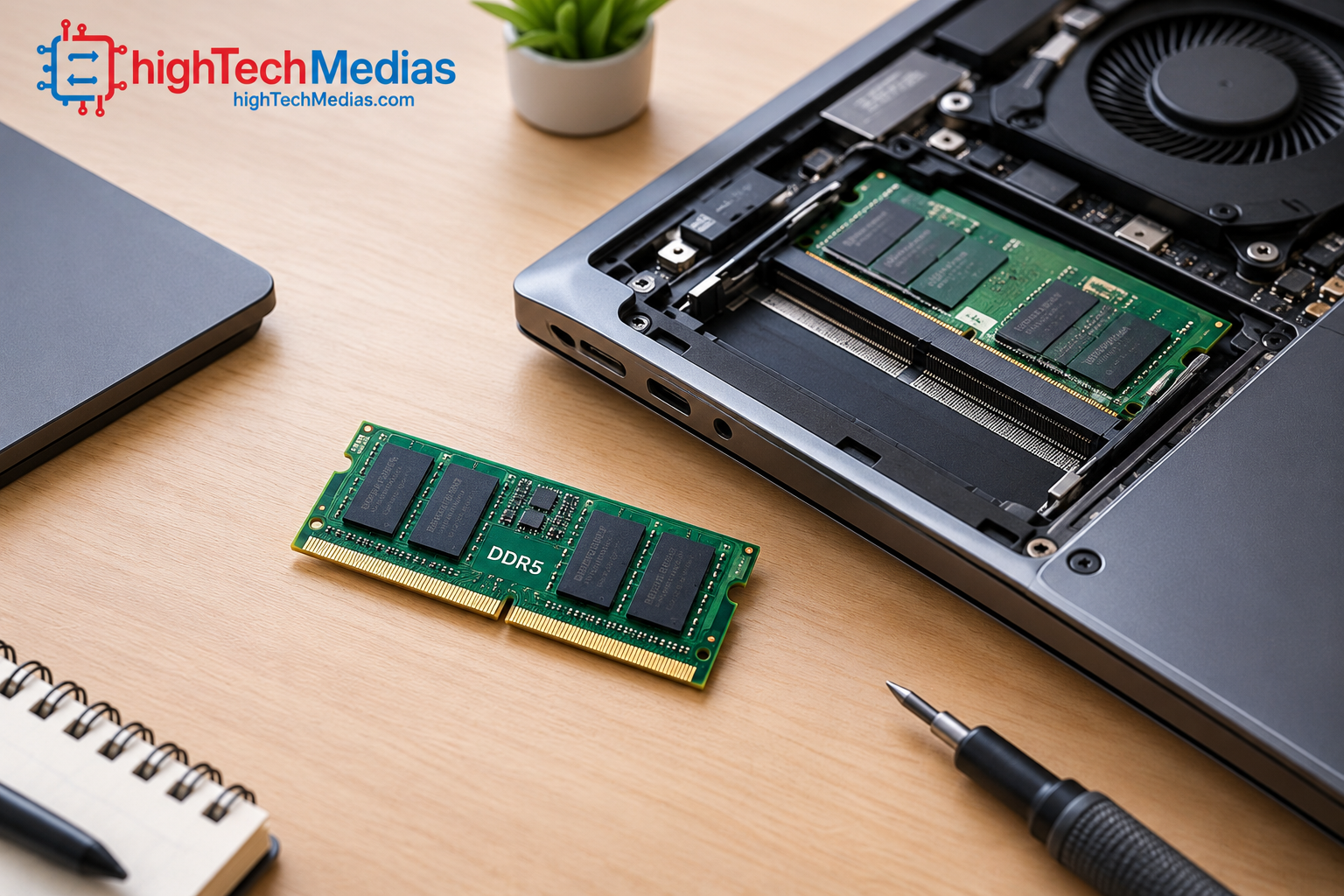
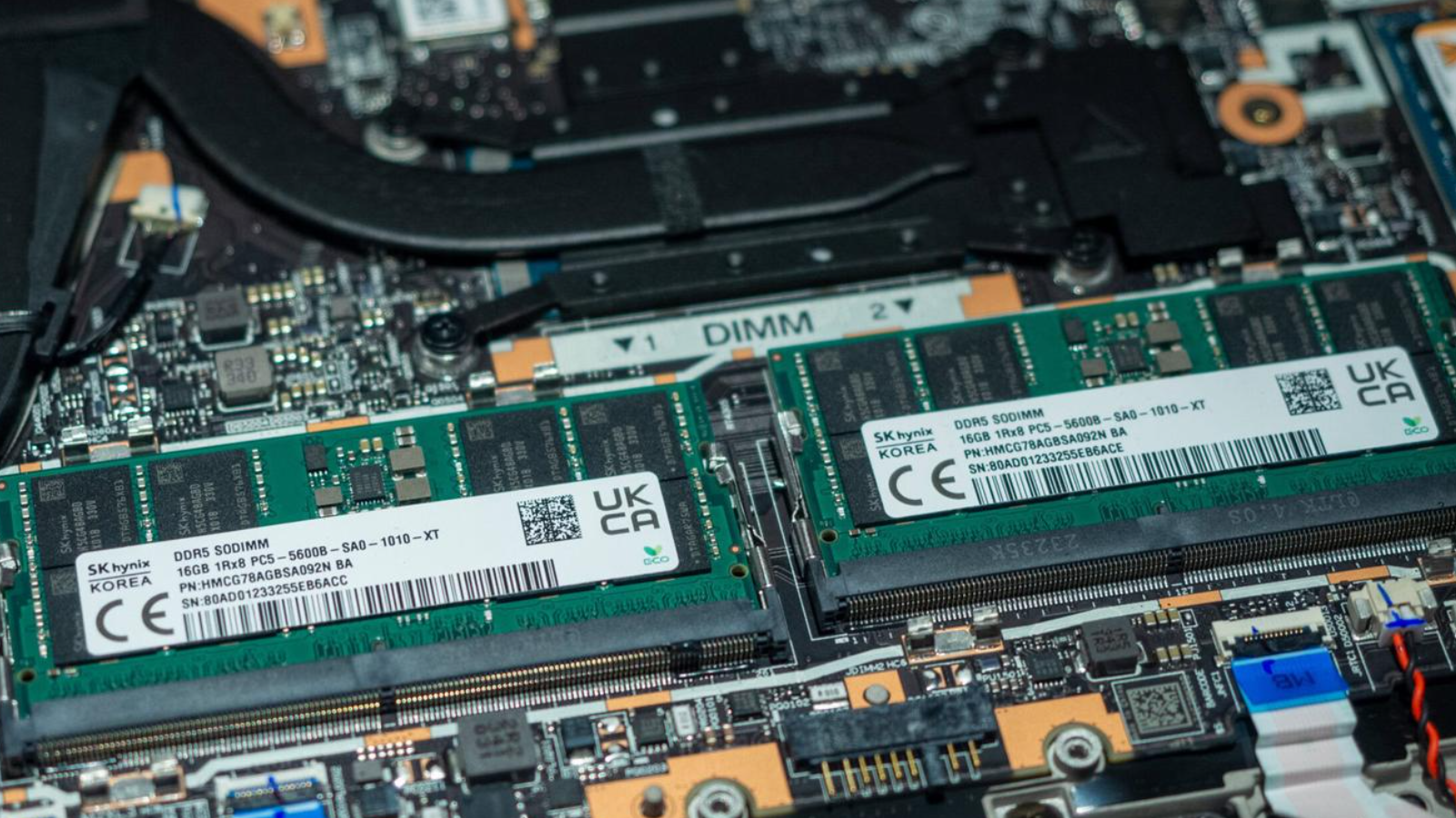
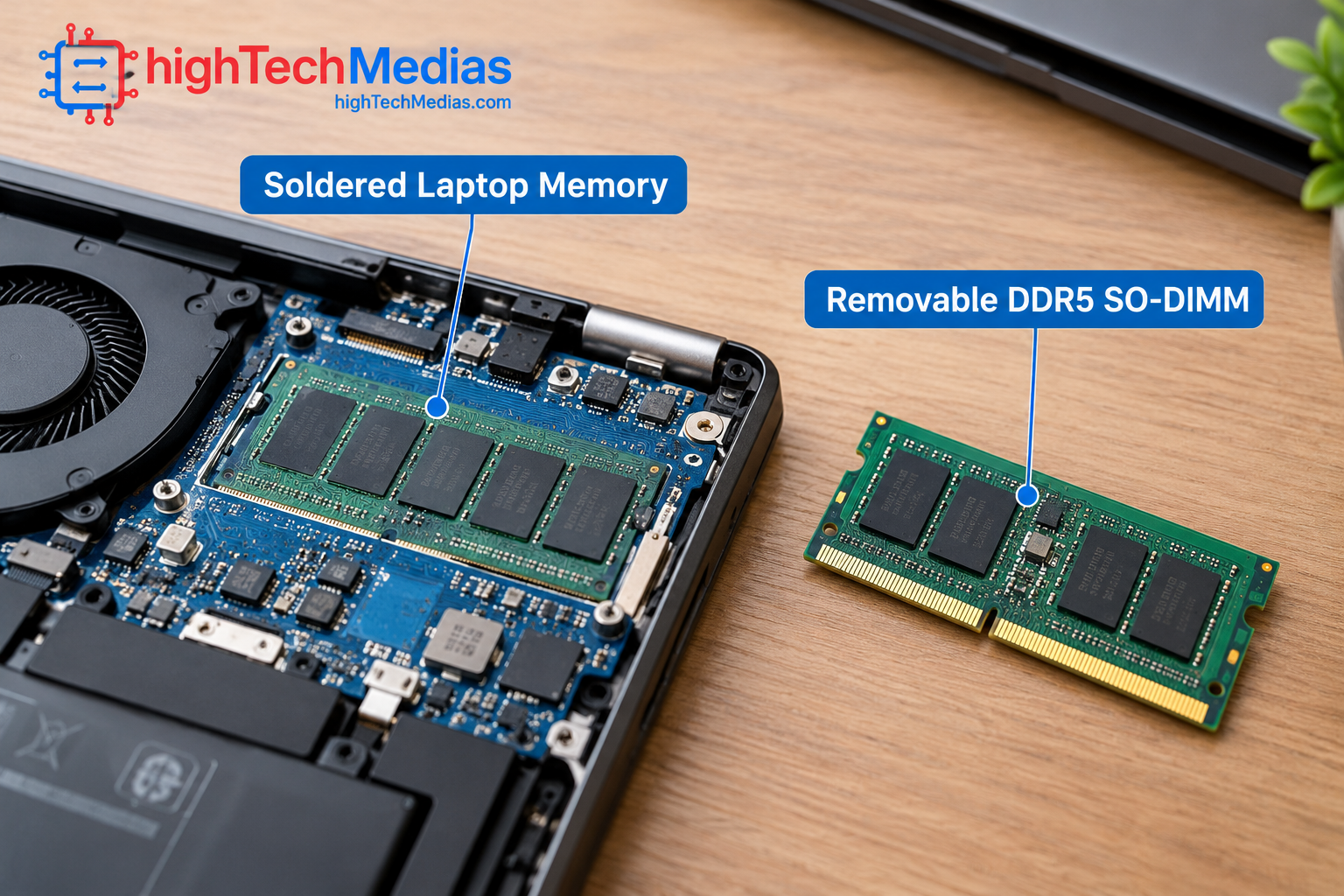
In laptops, DDR5 commonly appears in removable SO-DIMM modules. These small memory sticks fit compatible slots inside the computer, allowing users or technicians to replace or expand the RAM in systems designed for that purpose.
DDR5 is also available in other physical implementations. Therefore, DDR5 does not automatically mean upgradeable RAM. A manufacturer can use DDR5 in a removable module, while other designs may use different packaging or memory arrangements.
DDR5 is popular in business laptops, performance laptops, gaming systems, and computers built for workloads that benefit from larger memory capacities. Whether it can be upgraded depends on the laptop’s specific design.
Why DDR5 remains important
DDR5 can be a strong choice for users who expect their memory requirements to grow. A laptop with compatible memory slots may allow an upgrade from a lower capacity to a higher one later, subject to the system’s maximum supported capacity and module compatibility.
However, not every DDR5 laptop offers the same upgrade path. Some have one accessible slot, some have two, and some configurations may combine soldered memory with a slot.
Before purchasing, consult the official service manual or configuration page. Our guide to laptop ports and connectivity can also help you evaluate other hardware features that affect long-term usability.
4. LPDDR5 vs DDR5 Laptop RAM: Key Differences
The following table summarizes the practical differences between the two memory families.
Feature |
LPDDR5 / LPDDR5X |
DDR5 |
|---|---|---|
| Main design priority | Low-power mobile operation | General-purpose computer memory with broad implementation options |
| Power efficiency | Designed for power-conscious devices | Depends on the module, system, and workload |
| Physical implementation | Commonly onboard in thin laptops | Often removable SO-DIMM modules in upgradeable laptops |
| Upgradeability | Usually not user-upgradeable when soldered | Often upgradeable when the laptop has accessible slots |
| Maximum capacity | Depends on the processor and system design | Depends on the processor, motherboard, and supported modules |
| Transfer rate | Varies by generation and configuration | Varies by module and supported platform |
| Battery life | Can support efficient mobile designs | Battery life depends on the complete system |
| Gaming | Can work well when properly configured | Can work well when properly configured |
| Repair and replacement | More difficult if soldered | Easier when standard modules are accessible |
| Best buying consideration | Efficiency, size, and factory-selected capacity | Capacity options and possible upgrades |
The table describes common laptop implementations, not universal rules. For instance, LPDDR5X is not automatically faster in every real application than DDR5, and a DDR5 laptop is not necessarily upgradeable.
Processor support also matters. Intel’s published mobile processor memory specifications show that supported memory types, maximum capacity, and transfer rates differ across processor families and individual SKUs.
5. Speed and Memory Bandwidth: Which Is Faster?
Memory speed is one of the most visible specifications in laptop product listings. Manufacturers commonly express memory data rates in megatransfers per second (MT/s), although some marketing pages use the term MHz loosely.
A higher transfer rate can increase theoretical memory bandwidth, but it does not guarantee that every application will run faster.
Memory bandwidth describes how much data can be transferred between memory and the processor over time. It matters when the processor or graphics hardware needs to move large amounts of data quickly.
For example, a laptop using LPDDR5X at a supported 8533 MT/s may offer substantial bandwidth. However, comparing it directly with a DDR5 laptop rated at 5600 MT/s does not establish which computer is faster overall. Channel configuration, memory bus width, processor architecture, and application behavior also influence results.
What about latency?
RAM latency describes the delay involved in accessing data. It is affected by memory timings, operating frequency, the memory controller, and the overall platform.
A memory kit with a higher advertised transfer rate is not guaranteed to deliver proportionally lower latency. Nor does a single latency figure tell you how quickly a laptop will open applications or export a video.
When evaluating two laptops, look for independent benchmarks of the actual systems rather than comparing one memory specification in isolation.
Which is better for everyday tasks?
For web browsing, video calls, office documents, streaming, and email, both LPDDR5 and DDR5 can provide excellent performance. In these workloads, processor performance, memory capacity, storage speed, and software optimization often matter more than small differences in memory data rates.
If you want to understand another major factor in system responsiveness, read our comparison of 256GB vs. 512GB vs. 1TB laptop SSD storage.
6. Power Consumption and Battery Life
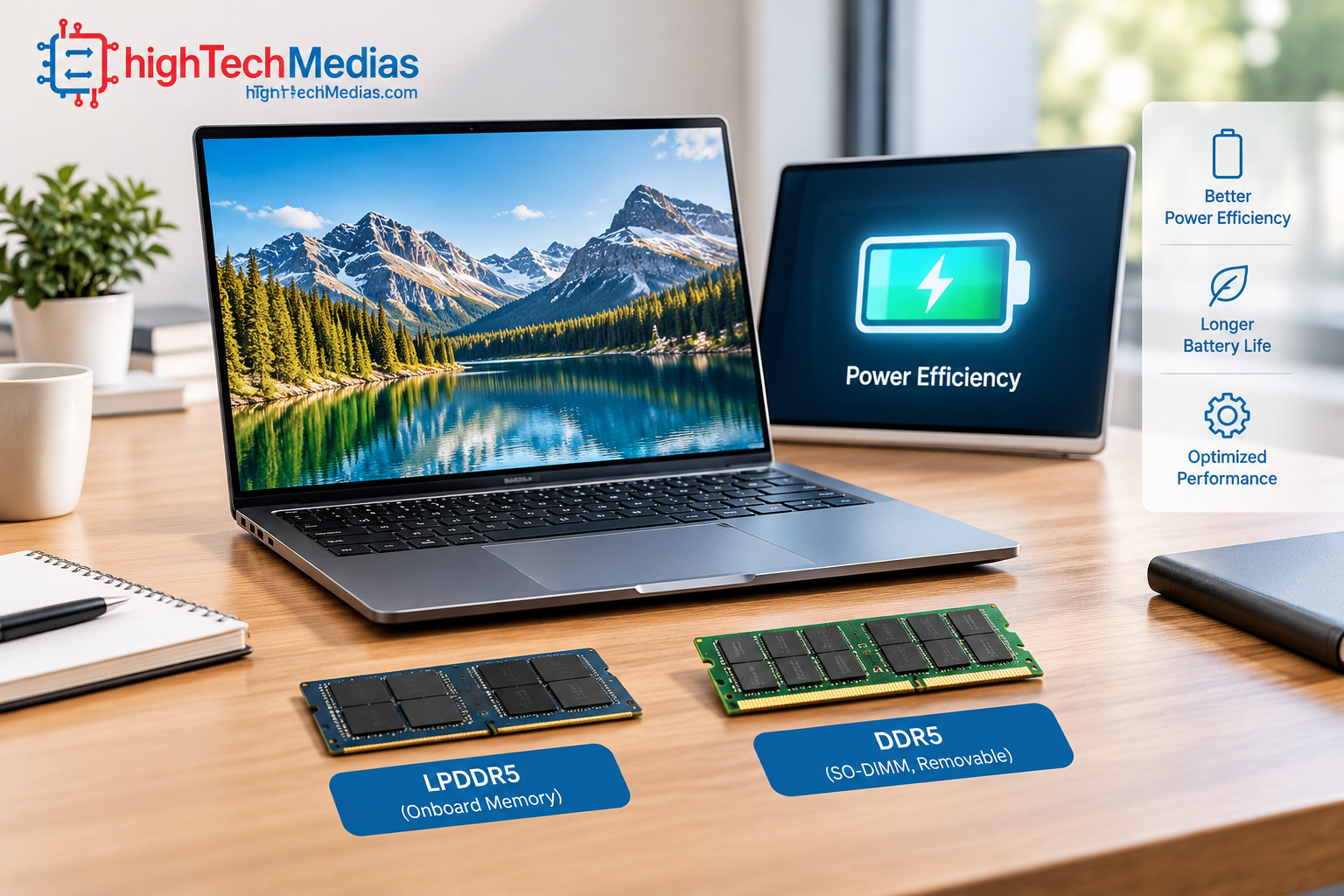
Power efficiency is one of the principal reasons LPDDR memory is used in mobile computing devices.
Laptops have limited battery capacity, and their processors, displays, memory, storage, wireless components, and cooling systems all consume power. A memory technology designed for low-power operation can help manufacturers build efficient systems, but the memory alone does not determine how long a laptop lasts between charges.
Actual battery life depends on several variables:
-
Processor architecture and workload.
-
Display brightness, resolution, and refresh rate.
-
Battery capacity and battery condition.
-
Wireless connectivity and background applications.
-
Cooling behavior and performance settings.
-
Memory capacity, activity, and implementation.
A laptop with LPDDR5X may be designed for long unplugged sessions, but a poorly optimized system can still drain its battery quickly. Conversely, a well-designed DDR5 laptop can provide useful battery life if its complete hardware platform is efficient.
When comparing laptops, prioritize independent battery tests conducted under comparable conditions. A manufacturer’s advertised battery-life figure is useful context, but it may not reflect your particular workload.
For more practical advice, see our laptop battery life guide.
7. Upgradeability: Soldered RAM vs. Removable RAM
For many buyers, this is the most important practical difference between LPDDR5 and DDR5 laptops.
LPDDR5 memory is commonly soldered onto the motherboard or integrated into a compact system design. In these configurations, you generally cannot add more memory later by purchasing a compatible module.
8. Gaming Performance: Does RAM Type Matter?
Gaming performance depends on the entire computer, including the processor, graphics hardware, cooling system, memory capacity, and the game’s requirements.
Both LPDDR5X and DDR5 can be suitable for gaming. The best choice depends on the laptop’s implementation and the performance you expect.
Gaming with integrated graphics
Integrated graphics share system memory rather than relying exclusively on their own dedicated video memory. As a result, memory bandwidth can influence graphics performance.
A higher-bandwidth memory configuration may help a laptop with integrated graphics in workloads that are sensitive to memory throughput. The size of the benefit varies by game, processor, graphics architecture, and memory configuration.
Gaming with a dedicated graphics card
When a laptop has a dedicated GPU with its own video memory, many graphics-intensive tasks rely heavily on that dedicated memory. System RAM still matters for the game engine, operating system, background applications, and data transfers, but the system memory label alone is not a reliable predictor of frame rates.
A laptop with DDR5 and a powerful GPU can outperform an LPDDR5X laptop with weaker graphics hardware. The reverse may also be true in other configurations.
Gaming recommendation: Compare real game benchmarks, graphics hardware, cooling performance, and memory capacity before making a decision. Do not choose a laptop based on RAM data rate alone.
For a broader view of gaming hardware and peripherals, explore our ultimate gaming setup guide.
9. Which Memory Type Is Better for Students and Everyday Users?
Students and everyday laptop users generally benefit most from a balanced configuration rather than the highest possible memory transfer rate.
For writing assignments, browsing, video calls, research, and streaming, both memory technologies can work well. LPDDR5 is particularly attractive in thin laptops that prioritize portability and efficiency. DDR5 can be a good choice when a removable-memory design offers flexibility for future upgrades.
Recommended configuration priorities
-
Basic schoolwork: Prioritize sufficient RAM capacity, a responsive processor, and reliable battery life.
-
College multitasking: Consider 16GB as a practical starting point for many workloads, with 32GB worth considering for demanding software or longer-term headroom.
-
Creative coursework: Check the requirements of video-editing, design, engineering, and 3D applications before choosing capacity.
-
Long-term ownership: Prefer a system with enough memory from day one or a documented upgrade path.
These are general recommendations rather than universal minimum requirements. Some specialist applications require more memory, while lighter tasks may run comfortably with less.
Students comparing operating systems can also read our guide to Chromebook vs. Windows laptops.
10. Which Memory Type Is Better for Business and Professional Work?
Business users should evaluate memory based on their applications, workload, and expected ownership period.
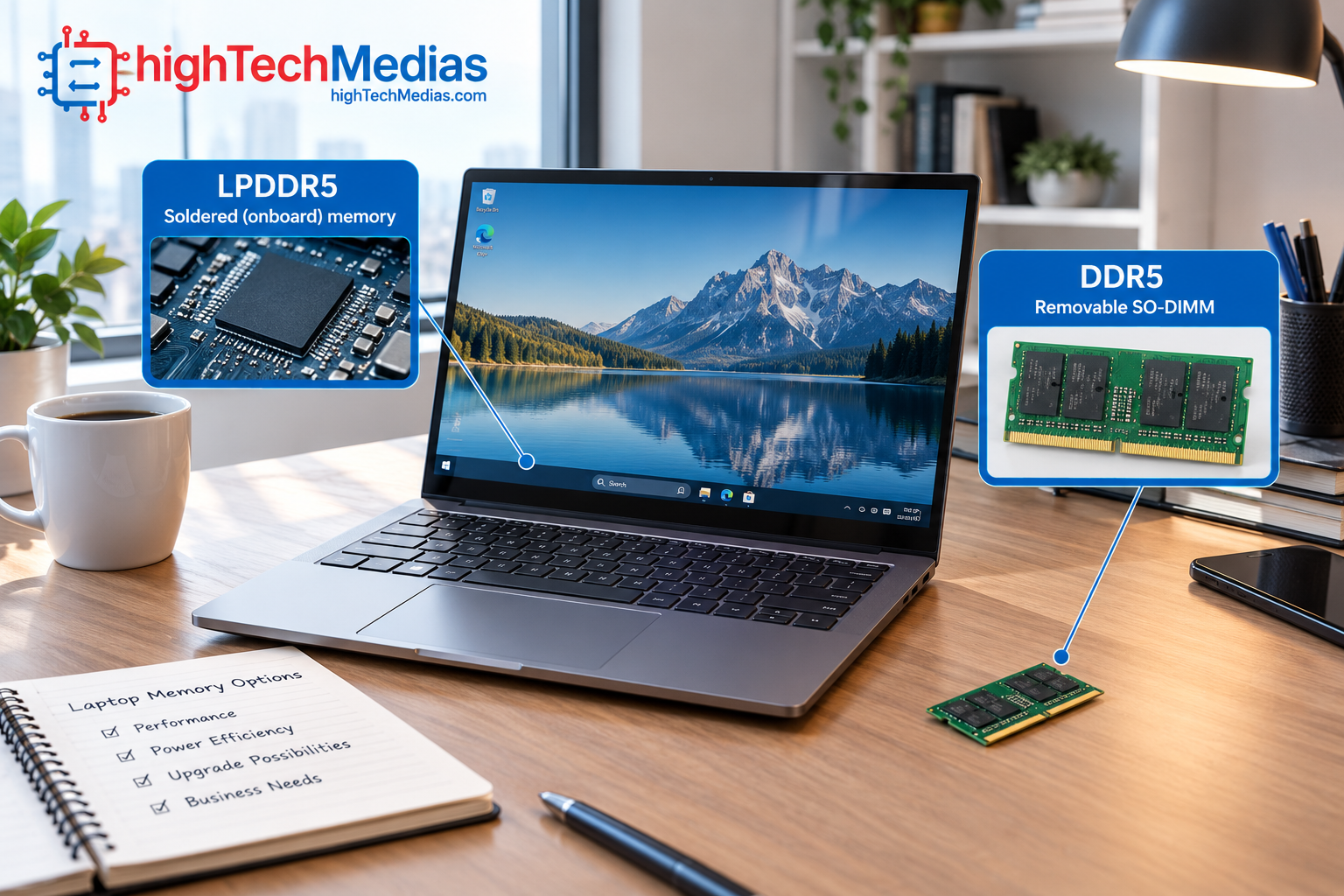
For email, spreadsheets, presentations, web-based business tools, and video conferencing, either LPDDR5 or DDR5 can be appropriate. For heavier workloads, including large spreadsheets, multiple virtual machines, software development, and complex datasets, capacity and upgrade options become more important.
Remote work and business travel
LPDDR5 can be a strong match for professionals who travel frequently and prefer thin, power-conscious laptops. A lightweight device with adequate memory may be more useful than a larger system with a higher transfer rate but poor portability.
Read our recommendations for the best laptops for remote work if battery life and mobility are priorities.
Developers and power users
Developers running virtual machines, containers, large integrated development environments, or memory-heavy tools should evaluate the maximum supported memory capacity and whether an upgrade is possible.
A removable DDR5 configuration may offer a practical advantage when future capacity increases are likely. However, a high-capacity LPDDR5X laptop may still be a good choice if its fixed memory capacity is sufficient for the expected workload.
See our best laptops for programming for more guidance on selecting hardware for development work.
11. Price and Value: Does LPDDR5 Cost More Than DDR5?
There is no universal price difference that applies to every LPDDR5 or DDR5 laptop.
The final laptop price depends on many factors, including the processor, graphics hardware, display, storage, chassis, cooling, memory capacity, and the manufacturer’s configuration choices. Premium thin laptops may include LPDDR5X as part of a more expensive overall design, while other systems offer DDR5 in affordable configurations.
A laptop with removable DDR5 memory may also have a lower initial memory capacity that you can expand later. A laptop with soldered LPDDR5X might require you to purchase a higher-capacity configuration upfront.
How to compare total cost
When evaluating two laptops, consider:
-
The price difference between their actual configurations.
-
The cost of a potential RAM upgrade.
-
Whether the laptop can support that upgrade.
-
The amount of RAM your applications require.
-
How long you intend to keep the computer.
Do not assume that LPDDR5 is inherently more expensive, or that DDR5 always delivers better value. Compare complete laptop configurations and their long-term suitability.
For price-conscious buyers, our guides to the best laptops under $700 and the best laptops under $1,000 provide useful starting points.
12. How to Choose the Right RAM for Your Next Laptop
The most reliable way to choose between LPDDR5 and DDR5 is to begin with your workload and ownership plans.
Choose LPDDR5 or LPDDR5X when:
-
You prioritize a thin, portable laptop.
-
Power efficiency is an important consideration.
-
The available memory capacity is sufficient for your workload.
-
You do not expect to upgrade the RAM later.
Choose a DDR5 laptop with removable SO-DIMM memory when:
-
You want the option of increasing RAM capacity later.
-
Your workload may grow more demanding over time.
-
You prefer a system with replaceable memory modules.
-
The laptop’s supported capacity and upgrade procedure meet your needs.
Before ordering, verify these five details:
-
The installed memory capacity.
-
The actual memory technology and rated transfer speed.
-
Whether the memory is soldered, removable, or a combination.
-
The maximum supported memory capacity.
-
The manufacturer’s warranty and upgrade instructions.
A good laptop should also have the right display, processor, cooling system, and storage. Our guides to OLED vs. IPS laptop displays and laptop cooling and thermal throttling can help you evaluate these other important factors.
13. Frequently Asked Questions
13.1 Is LPDDR5 better than DDR5 for laptops?
Neither is universally better. LPDDR5 is designed for low-power operation and is commonly used in compact laptops with onboard memory. DDR5 is widely used in laptops with removable memory modules. The best choice depends on the actual configuration, capacity, workload, and upgrade requirements.
13.2 Is LPDDR5X faster than DDR5?
LPDDR5X can support higher transfer rates than many DDR5 laptop configurations. However, the actual rates vary by processor and system design. A higher advertised transfer rate does not automatically mean better overall laptop performance.
13.3 Can I upgrade LPDDR5 laptop RAM?
If the memory is soldered onboard, you generally cannot upgrade it using a conventional RAM module. Check the exact laptop specifications before purchasing, because memory implementation varies by model.
13.4 Is DDR5 laptop RAM upgradeable?
Often, but not always. DDR5 laptops that use accessible SO-DIMM slots may support memory replacement or expansion. Other DDR5 implementations may be soldered or use a different physical design.
13.5 Does LPDDR5 improve laptop battery life?
LPDDR5 is designed for power-conscious operation and can help manufacturers build efficient laptops. Actual battery life still depends on the processor, display, battery capacity, software, workload, and other components.
13.6 Is 16GB of LPDDR5 enough for everyday use?
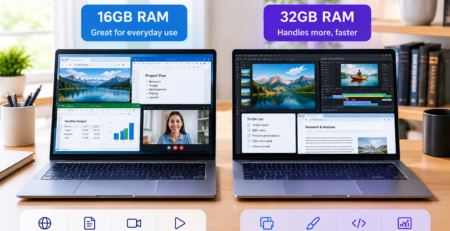
For many people, 16GB is sufficient for browsing, office work, streaming, and ordinary multitasking. Demanding creative applications, virtual machines, and larger professional workloads may benefit from 32GB or more.
13.7 Is DDR5 better for gaming?
Not automatically. Both LPDDR5X and DDR5 can support gaming laptops. Graphics hardware, cooling, memory capacity, and game-specific performance benchmarks are more useful indicators than the memory name alone.
13.8 Does faster RAM make a laptop boot faster?
Memory speed can affect certain workloads, but boot time also depends on firmware, storage, operating-system startup tasks, and background software. Faster RAM alone does not guarantee a noticeably faster boot.
13.9 What does MT/s mean in laptop RAM specifications?
MT/s means megatransfers per second. It describes the number of data transfers that can occur each second. It is more precise than using MHz as a shorthand for a memory’s effective data transfer rate.
13.10 Should I buy more RAM or faster RAM?
For many users, having enough memory capacity is the first priority. Once capacity meets the demands of your applications, memory bandwidth and other system specifications can help refine the choice.
14. Final Verdict: LPDDR5 vs DDR5 Laptop RAM
The choice between LPDDR5 and DDR5 comes down to what matters most in your next laptop: power efficiency, memory capacity, upgradeability, or overall system performance.
LPDDR5 and LPDDR5X are attractive options for thin, portable laptops designed around efficient onboard memory. They can deliver high memory bandwidth while supporting compact hardware designs. Their main drawback is that soldered memory generally cannot be upgraded after purchase.
DDR5 is an excellent option for buyers who want flexibility, particularly when the laptop uses removable SO-DIMM modules. It can make future memory upgrades easier, but not every DDR5 laptop has accessible memory slots.
For most students and everyday users, adequate memory capacity matters more than chasing the highest advertised transfer rate. Business professionals and developers should pay close attention to future memory requirements, while gamers should evaluate graphics performance, cooling, and independent game benchmarks alongside RAM specifications.
Our recommendation:
Choose LPDDR5X if you value a compact, efficient laptop and can afford the memory capacity you need upfront. Choose a laptop with upgradeable DDR5 if flexibility and future expansion are priorities.
Ultimately, the best laptop is the one that balances memory, processor performance, battery life, storage, display quality, and price for your specific needs. If you’re also considering Apple’s laptop lineup, our MacBook Air vs. Windows laptop comparison is a useful next read.








Leave a Reply