

Best Silent Mini PC in 2026: Top Picks for Home Office
If you’ve ever tried to finish a deadline while a desktop tower whines away like a leaf blower under your desk, you already know why silent mini PCs have become the default choice for anyone building a home office setup in 2026. Remote work isn’t going anywhere, and neither is the need for a workspace that doesn’t sound like a server room.
Find the Right Mini PC for Your Needs
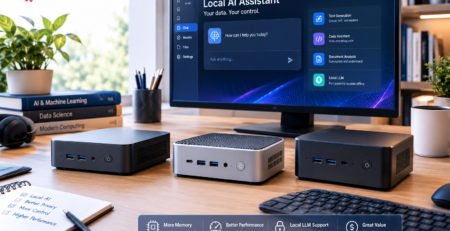
Choosing a Mini PC depends on your workspace, performance requirements, and budget. Explore our latest Mini PC guides covering affordable models, home office solutions, and detailed comparisons to help you make the right choice.

We’ve spent the last few months testing, reading through spec sheets, and talking to people who’ve actually lived with these machines day to day — not just unboxed them for a photo. What follows is a practical, no-nonsense guide to picking the right silent mini pc for your setup, whether you’re running spreadsheets all day, editing video on the side, or just want a work from home computer that disappears into the background, literally and figuratively.
Why Silence Actually Matters for Productivity
Let’s get the obvious question out of the way first: does a loud computer really affect how well you work? Turns out, yes — more than most people assume.
Constant low-level fan noise is a classic productivity killer. It’s not loud enough to make you consciously annoyed, but it’s loud enough to keep a low hum of stress running in the background of every call, every deep-focus writing session, every afternoon when you’re trying to think clearly. Add in video calls — where your microphone happily picks up every whir and click — and suddenly that “quiet enough” tower isn’t quiet enough at all.
A compact pc built around a silent or near-silent thermal design solves this in a way that noise-canceling headphones never quite can, because you’re not fighting the sound, you’re eliminating it.
Many modern mini PCs use efficient processors from companies like Intel, allowing manufacturers to balance performance, heat output, and quieter cooling solutions.
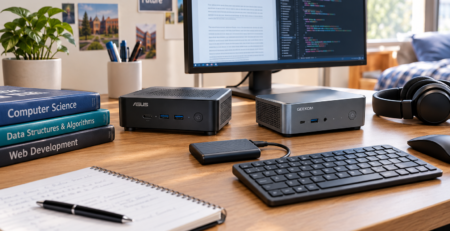
For anyone doing focused knowledge work, that’s a real, measurable difference — fewer interruptions, less fatigue by 4 PM, and calls where nobody asks “is that your computer?” For more workspace-focused recommendations, check our guide to the best mini PCs for home office in 2026.
There’s also the physical footprint. A traditional desktop tower eats real estate on or under your desk, which is one reason many users are now comparing compact desktops with other computing options in our guide: mini PCs vs laptops: which one should you choose? A mini desktop the size of a paperback book gives you that space back, which matters more than people expect once they actually try it. Cleaner desk, fewer cables in your eyeline, less visual clutter competing for your attention.
How We Picked the Best Silent Mini PCs of 2026
Before jumping into recommendations, it’s worth explaining the criteria, because “quiet” gets thrown around loosely in this category and not every machine marketed that way lives up to it.
Noise Level Under Load, Not Just At Idle
Plenty of mini PCs are whisper-quiet doing nothing, then spin up like a hair dryer the moment you open a dozen browser tabs and a video call at once. We weighted real-world, sustained-load noise far more heavily than idle specs.
Thermal Design, not Just Fan Count
Some machines achieve silence with genuinely clever heat pipe layouts and larger passive surface area. The processor platform also plays an important role, as modern efficient CPUs such as those from Intel help manufacturers balance performance, power consumption, and cooling requirements. Others just use smaller, cheaper fans that spin faster and get louder to compensate. The former ages well; the latter gets annoying by year two.
Everyday performance for real work. This guide is aimed at home office and remote work use — document editing, spreadsheets, video calls, browser-based tools, light photo or video editing, and multitasking across several apps.
Readers looking for productivity-focused recommendations can also explore our guide to the best mini PCs for home office in 2026. We’re not benchmarking gaming rigs here.
Expandability And Ports
A work from home computer needs to talk to monitors, docks, external drives, and peripherals without turning your desk into an adapter graveyard.
Value Over Time
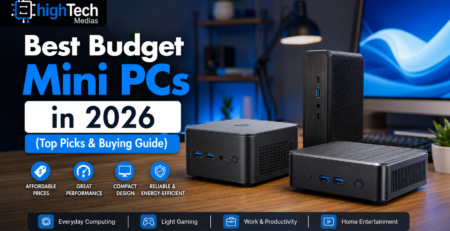
Price matters, but so does whether the machine still feels fast in two or three years. For users prioritizing affordability without sacrificing everyday performance, our best budget mini PCs in 2026 guide covers more cost-effective options.

Best Silent Mini PC Picks for 2026
After understanding what makes a computer truly quiet, the next question is the one most readers actually care about:

Which silent mini PC should you buy in 2026?
The answer depends less on finding the most powerful machine and more on matching the computer to your actual daily workload.
A writer who spends most of the day inside a browser, a remote employee attending video meetings, and a creator editing large files all have different needs.
The Two Camps: Fanless vs. Fan-Cooled Quiet Machines
Before naming specific machines, it helps to understand there are really two different approaches to “silent” in this category, and they suit different people.
Fanless (Passive Cooling) Mini PCs
These machines have no moving parts at all — heat is pulled away from the processor and dumped into an aluminum chassis that acts as one giant heatsink. The result is genuinely 0 dB operation, even under sustained load. There’s something almost eerie about using a computer that makes zero sound no matter what you throw at it.
The tradeoff is thermal headroom. A sealed fanless case can typically dissipate somewhere around 10 to 15 watts continuously, and a larger finned design can stretch that further, but there’s a hard physical ceiling. That’s why fanless machines lean on lower-power processors , think efficient chips built for everyday computing rather than heavy rendering or gaming. For users who want an affordable silent system for daily productivity, browsing, office applications, and lightweight workloads, our guide to the best budget mini PCs in 2026 highlights practical options that balance performance, efficiency, and price. Modern low-power processors from manufacturers such as Intel are designed to balance energy efficiency and everyday computing performance, making them suitable for compact silent systems.
Fan-Cooled but Engineered for Silence
The second camp uses an actual fan, but one paired with a thermal design good enough that it rarely needs to spin above a near-inaudible whisper.
The good news is that the silent mini PC market has matured significantly. Today’s best models are no longer just tiny computers designed for basic tasks. Many can comfortably replace traditional desktops for productivity, business, and professional workflows while taking up only a fraction of the space.
Below are the categories that matter most when choosing the right silent mini PC.
Best Overall Silent Mini PC for Most Users
The Best Balance: Quiet Performance for Everyday Productivity
For most people, the ideal silent mini PC is not a completely fanless system. It is a carefully engineered compact PC that delivers strong performance while keeping noise almost unnoticeable.

Best Budget Silent Mini PC in 2026
Affordable Quiet Computing Without Sacrificing Daily Performance
Not everyone needs a high-performance workstation.
For many users, a budget silent mini PC provides everything required for modern computing.
These machines are ideal for:
- home users
- students
- online learning
- basic office work
- entertainment systems

Typical specifications:
| Component | Recommended |
|---|---|
| Processor | Intel N100/N150 or equivalent, such as Intel’s efficient low-power processor platforms designed for compact computing systems. |
| Memory | 8GB–16GB RAM |
| Storage | 256GB–512GB SSD |
| Display | Dual monitor support |
| Connectivity | Wi-Fi 6 + Bluetooth |
The biggest advantage of this category is efficiency.
Low-power processors produce less heat, which means:
- slower fan speeds
- lower energy consumption
- quieter operation
For someone building an affordable home office setup, these machines often deliver better value than buying an oversized desktop computer. Readers looking for more affordable options can also explore our detailed guide to the best budget mini PCs in 2026.
However, buyers should avoid choosing extremely low-end models with limited memory or slow storage. Saving money today can create frustration later.
A budget silent mini PC should still provide enough performance to remain comfortable for several years. For professionals building a productivity-focused workspace, our guide to the best mini PCs for home office in 2026 provides additional recommendations.
Best Fanless Silent Mini PC for True Zero-Noise Operation
When Absolute Silence Matters Most
Some users do not want a quiet computer.
They want a computer that makes no sound at all.
That is where fanless mini PCs come in.
Because they have no moving cooling components, fanless systems can achieve completely silent operation.
They are especially attractive for:
- writers
- researchers
- libraries
- recording environments
- bedrooms
- minimalist offices
Advantages:
✅ Zero fan noise
✅ No moving cooling parts
✅ Extremely low power consumption
✅ Minimal maintenance
However, fanless designs have physical limitations.
Without active airflow, manufacturers must carefully control:
- processor power consumption
- heat output
- chassis design
This means fanless systems are usually better suited for:
- office applications
- browsing
- streaming
- communication tools
- lightweight productivity
They are not usually the best choice for:
- heavy video editing
- gaming
- 3D rendering
- long high-performance workloads
A fanless mini PC is perfect when silence is the priority.
Best Silent Mini PC for Home Office and Remote Work
Designed for Professionals Who Work From Home
Remote work has changed what people expect from a computer.
A work from home computer is no longer hidden inside an office corner. It is part of the living environment.
That makes size, noise, and appearance more important.
The best silent mini PC for home office use should focus on:
Reliable Performance
Remote workers need a machine that can handle:
- video conferences
- browser applications
- productivity software
- communication platforms
- multitasking
Quiet Operation
During an important client call, the last thing anyone wants is a loud cooling fan in the background.

Clean Workspace Design
A compact PC creates more flexibility:
- less desk clutter
- fewer visible cables
- more room for monitors and accessories
Many mini PCs can also be attached behind monitors using VESA mounts, creating an almost invisible workstation.
For professionals, this combination of performance and simplicity is one of the biggest reasons silent mini PCs are becoming increasingly popular.
Best Silent Mini PC for Professionals and Creators
More Power Without Returning to a Large Desktop
Some users need more than basic productivity.
Developers, designers, engineers, and creators often require additional performance.
For these workloads, the ideal silent mini PC should prioritize:
- stronger processors
- more memory
- faster storage
- better thermal management
Recommended specifications:
| Component | Professional Recommendation |
|---|---|
| CPU | Intel Core i7 / Core Ultra or AMD Ryzen 7 class |
| RAM | 32GB preferred |
| Storage | 1TB NVMe SSD |
| Displays | Dual or triple monitor support |
These systems are not always completely silent under maximum load, but high-quality designs keep noise levels much lower than traditional desktop towers.
For creative professionals, a slightly audible but stable system is usually better than a completely silent computer that slows down during demanding projects.
Silent Mini PC Comparison Table
| Category | Best For | Main Advantage | Limitation |
|---|---|---|---|
| Budget Silent Mini PC | Students, basic users | Affordable and efficient | Limited heavy workload performance |
| Fanless Mini PC | Noise-sensitive environments | Completely silent operation | Lower performance ceiling |
| Mid-Range Silent Mini PC | Remote workers | Best balance of price and performance | Not designed for extreme workloads |
| Premium Silent Mini PC | Professionals | Desktop-like productivity | Higher cost |

What We Would Choose Based on Different Users
For Remote Workers
Choose:
Mid-range silent mini PC
Look for:
- 16GB RAM
- 512GB SSD
- modern efficient CPU
- dual monitor support
This gives the best combination of comfort and productivity.
For Students
Choose:
Budget fanless or low-power mini PC
Prioritize:
- affordability
- low energy use
- quiet operation
For Professionals
Choose:
Premium quiet mini desktop
Prioritize:
- CPU performance
- memory capacity
- upgrade options
For Silence Enthusiasts
Choose:
Fanless silent mini PC
Prioritize:
- zero noise
- reliability
- simple workloads
Mini PC vs. Traditional Desktop: Is It Actually a Good Trade for Remote Work?
For years, the traditional desktop tower was considered the default choice for anyone who wanted a serious computer.
A large case usually meant:
- better performance
- more upgrade options
- stronger cooling
- more storage capacity
hese advantages were historically linked to desktop platforms powered by high-performance processors and expandable hardware ecosystems, such as those developed by companies like Intel.
That mindset made sense when desktop computers were the only practical way to get powerful hardware.
But the way people work has changed. Many users are now comparing different compact computing options, including mini PCs and laptops, to find the right balance between performance, portability, and workspace flexibility.
In 2026, many professionals are no longer building computers around gaming or maximum hardware expansion. Instead, they are looking for machines that support:
- remote work
- productivity
- video meetings
- cloud applications
- professional software
- comfortable home office setups
For professionals creating a modern remote workspace, choosing the right compact computer can significantly improve daily productivity. Our guide to the best mini PCs for home office in 2026 explores suitable options for different work requirements.
This shift has created a new question:

Size and Workspace: The Biggest Difference
The first difference is obvious the moment you place both systems on a desk.
A traditional desktop tower requires significant space.
Even a medium-sized PC case can take up:
- floor space under a desk
- room beside a monitor
- additional space for cable management
A mini desktop is completely different.
Most silent mini PCs are small enough to:
- fit beside a monitor
- sit behind a display
- mount under a desk
- disappear into a workspace
This matters more than many people expect.

Size and Workspace: The Biggest Difference
The first difference is obvious the moment you place both systems on a desk.
A traditional desktop tower requires significant space.
Even a medium-sized PC case can take up:
- floor space under a desk
- room beside a monitor
- additional space for cable management
A mini desktop is completely different.
Most silent mini PCs are small enough to:
- fit beside a monitor
- sit behind a display
- mount under a desk
- disappear into a workspace
This matters more than many people expect.
A cleaner workspace can improve comfort and reduce visual distractions, especially for people spending several hours every day at their desk.
For remote workers, the computer becomes part of the home environment. A smaller, quieter machine often creates a more professional and enjoyable workspace.
Noise Comparison: Silent Mini PC Has a Clear Advantage
Noise is one area where compact PCs designed for silence have a major advantage.
Traditional desktops often include:
- multiple case fans
- large CPU coolers
- powerful graphics card cooling systems
- higher airflow requirements
Even when they are not loud, they are usually noticeable.
A silent mini PC takes a different approach.
Manufacturers focus on:
- efficient processors
- optimized cooling systems
- smaller power consumption
- intelligent thermal management
The result is a computer that stays much quieter during normal workloads.
For remote meetings, this difference becomes obvious.
A silent mini PC allows your microphone to capture your voice instead of:
- fan noise
- background vibration
- cooling system changes
For professionals who spend much of their day in online meetings, this is a meaningful improvement.
Performance: Can a Mini PC Really Replace a Desktop?
This is where the comparison becomes more complicated.
A traditional desktop still has advantages when maximum performance is the priority.
Desktop computers can support:
- high-end graphics cards
- powerful processors
- large cooling systems
- extensive storage upgrades
For users who need:
- professional 3D rendering
- advanced gaming
- large AI workloads
- intensive video production
A desktop tower remains the stronger choice.
However, most office users are not doing these tasks.
For everyday productivity, modern silent mini PCs are surprisingly capable.
They can easily handle:
- Microsoft Office
- Google Workspace
- video conferencing
- programming
- web development
- content management
- business applications
- multiple browser sessions
For the majority of remote workers, the performance difference is much smaller than people assume.
Power Consumption: Mini PCs Are More Efficient
Energy efficiency is another area where compact PCs have an advantage.
Traditional desktops often use more electricity because they are designed around higher-performance components.
A silent mini PC typically uses:
- lower-power processors
- smaller cooling systems
- fewer components
This provides several benefits:
- lower electricity costs
- less heat generation
- quieter operation
- better environmental efficiency
For a computer that runs eight or more hours every day, efficiency becomes important.
A small computer designed for productivity can often provide everything a user needs without consuming unnecessary power.
Upgradeability: Where Desktop Computers Still Win
Traditional desktops have one major advantage:
flexibility.
A desktop tower usually allows users to upgrade:
- graphics cards
- processors
- cooling systems
- storage drives
- expansion cards
A mini PC is much more limited because of its size.


One of the biggest strengths of a silent mini PC is flexibility. Because it takes up very little space, you can design your workspace around your needs instead of designing your desk around a large computer tower.
Here is how to get the most out of your compact PC setup in 2026.
1. Create a Clean and Minimal Workspace
A cluttered desk creates unnecessary distractions.
Traditional desktop computers often require:
- large cases
- multiple cables
- additional space for cooling
- external accessories
A silent mini PC gives you more freedom.
Because of its small size, you can place it:
- behind your monitor
- under your desk
- beside your display
- on a small shelf
The goal is simple:
Your computer should support your workflow without becoming the center of attention.
A clean workspace can help create a better environment for:
- focused writing
- programming
- video meetings
- creative projects
- business tasks
For remote workers, this is especially important because your office is often part of your living space.

A dual-monitor setup allows you to work more efficiently by keeping multiple tasks visible at the same time.
For example:
Monitor One:
Main working area:
- documents
- spreadsheets
- coding environment
- creative applications
Monitor Two:
Secondary information:
- communication tools
- research materials
- video meetings
This reduces the constant switching between windows and improves workflow.
For professionals working from home, a silent mini PC paired with two monitors can create a workstation experience similar to a traditional office.

This creates several advantages:
✅ Cleaner desk
✅ Fewer visible cables
✅ More available workspace
✅ Better organization
A mounted mini PC almost disappears into the setup.
Your desk becomes focused on the things you actually interact with:
- monitor
- keyboard
- mouse
- notebook
- accessories
This is one reason compact PCs are becoming popular among designers, remote workers, and professionals who care about workspace aesthetics.
4. Invest in Comfortable Productivity Accessories
The computer itself is only one part of the setup.
For people working eight hours per day, accessories can significantly affect comfort.
Important upgrades include:
Ergonomic Keyboard
A comfortable keyboard can reduce fatigue during long writing sessions.
Precision Mouse
A quality mouse improves:
- navigation
- editing
- workflow speed
Adjustable Monitor Stand
Proper monitor height helps maintain better posture.
Quality Webcam and Microphone
For remote workers, communication quality matters.
A silent mini PC prevents distracting fan noise, but a good microphone ensures your voice remains clear during meetings.
5. Improve Cable Management
A compact computer is easier to organize, but cables can still become messy.
A professional setup should manage:
- power cables
- display cables
- USB accessories
- network cables
Simple improvements include:
- cable clips
- cable sleeves
- under-desk organizers
- wireless accessories
The result is not only better appearance.
A cleaner workspace is easier to maintain and creates a more comfortable working environment.
6. Keep Your Silent Mini PC Running Efficiently
Even a quiet computer benefits from good maintenance.
Recommended practices:
Keep Airflow Clear
Do not block ventilation areas.
Small computers have limited space, so proper airflow matters.
Update Software Regularly
Keep:
- operating system
- drivers
- firmware
updated for better security and stability.
Monitor Storage Space
An SSD performs better when it is not completely full.
Keeping some free space helps maintain long-term performance.
Avoid Unnecessary Background Applications
Too many startup programs can increase processor usage and create additional heat.
A quiet computer stays quiet when it is not constantly working unnecessarily.
Common Questions About Silent Mini PCs
Are silent mini PCs completely silent?
It depends on the design.
A true fanless mini PC can operate without any fan noise because it has no moving cooling components.
However, many of the best silent mini PCs are not completely fanless. Instead, they use efficient processors and advanced thermal designs that allow fans to operate at extremely low speeds.
Is a fanless mini PC better than a fan-cooled silent mini PC?
Not necessarily.
Fanless systems have one major advantage:
absolute silence.
They are excellent for:
- basic office work
- browsing
- media consumption
- quiet environments
However, fan-cooled silent mini PCs usually provide more performance because they can remove heat more effectively.
For professionals who multitask heavily, a quiet fan-cooled system is often the better choice.
Can a silent mini PC replace a desktop computer?
For many users, yes.
A modern silent mini PC can replace a desktop computer for:
- office work
- remote work
- programming
- online meetings
- business applications
- everyday productivity
However, traditional desktops still have advantages for:
- high-end gaming
- workstation applications
- professional graphics workloads
The right choice depends on your needs.
For most users, a well-designed quiet fan-cooled mini PC provides the best balance between silence and performance.
Are silent mini PCs good for remote work?
Yes.
A silent mini PC is especially well suited for remote work because it combines:
- quiet operation
- small size
- low power consumption
- professional performance
During video meetings, the lack of distracting fan noise creates a more professional experience.
For people working from home every day, this small improvement can make a noticeable difference.
How much RAM does a silent mini PC need in 2026?
For most users:
16GB RAM is the recommended starting point.
It is enough for:
- office applications
- multiple browser tabs
- video meetings
- multitasking
8GB can work for basic tasks, but it may feel limited over time.
Professional users should consider:
- 32GB RAM for development
- creative applications
- virtual machines
- advanced multitasking
Can silent mini PCs support multiple monitors?
Yes.
Many modern mini PCs support two or more displays.
Multiple monitors are particularly useful for:
- remote workers
- programmers
- financial professionals
- researchers
- content creators
A small computer does not mean a small workstation.
Are silent mini PCs good for video editing?
It depends on the level of editing.
For:
- basic video editing
- social media content
- short projects
many modern mini PCs work well.
For:
- professional 4K production
- advanced effects
- heavy rendering
a larger workstation with dedicated graphics may still be preferable.
How long can a silent mini PC last?
A quality silent mini PC can remain useful for several years.
The lifespan depends on:
- processor capability
- RAM amount
- storage capacity
- cooling design
- software requirements
Choosing a slightly better configuration today often provides better long-term value.

Final Thoughts: Which Silent Mini PC Should You Buy?
The best silent mini PC in 2026 is not necessarily the one with the highest specifications.
It is the one that fits your lifestyle and workload.
For most users, the ideal choice is a balanced compact PC with:
- efficient processor
- 16GB RAM
- fast SSD storage
- reliable connectivity
- quiet thermal design
Modern compact PCs achieve this balance through efficient processor platforms designed for lower power consumption and improved thermal management, including solutions from manufacturers such as Intel.
For remote workers and professionals, the biggest benefit is not just performance.
It is the experience of working in a quieter, cleaner, and more comfortable environment.
A silent mini PC removes many of the frustrations associated with traditional desktop computers:
- constant fan noise
- large physical footprint
- unnecessary power consumption
- cable clutter
For users who want strong value without unnecessary hardware costs, our list of the best budget mini PCs in 2026 highlights affordable options that still deliver reliable everyday performance.
If you are building a modern home office setup, improving productivity, or simply looking for a computer that stays out of your way, a silent mini PC is one of the most practical choices available in 2026. For professionals who want to compare suitable models, our guide to the best mini PCs for home office in 2026 provides additional recommendations.
The best computer is often not the one that demands attention.
It is the one that quietly helps you get things done.
Continue Your Technology Research
The best computer choice depends on your workflow, budget, and daily needs. Continue exploring HighTechMedias for expert comparisons, buying guides, and practical technology recommendations.



Comments (10)
[…] For users who prefer a quiet and compact desktop setup, exploring specialized Mini PC options can help identify models designed for productivity, remote work, and efficient performance. best silent Mini PCs in 2026 […]
[…] users. For entertainment and content creation, an OLED laptop can be much more appealing. And for remote work, factors such as brightness, reflections, battery life, and long-term comfort can matter more than […]
[…] option for a permanent home-office setup is a compact desktop, and our guide to the best silent mini PCs explores that […]
[…] heat transfer and airflow. If quiet operation is also important to you, check out our guide to the best silent mini PCs in 2026 for more options designed for quieter home and office […]
[…] if budget is your main concern, our best budget mini PC buying guide covers the category from a value […]
[…] you do not need a built-in display and primarily use your computer at a desk, a silent mini PC can also be an alternative worth considering, particularly for home-office and everyday […]
[…] For a quieter office setup, see our [best silent mini PCs guide]. Best Silent Mini PCs in 2026 […]
[…] Users who prioritize low acoustic output can also compare the hardware and design considerations discussed in our guide to silent mini PCs. […]
[…] For quiet-workspace buyers, see our best silent mini PCs guide. […]
[…] making your final decision, compare our guides to the best silent mini PCs for a home office and the best mini PCs for multiple monitors. The right computer should fit your workload today […]