
Best Laptops for Programming in 2026
Choosing a programming laptop is different from choosing a laptop primarily for browsing, streaming, or office work. Developers often spend hours inside an IDE or code editor while simultaneously running browsers, terminals, databases, local servers, containers, documentation, and testing tools.
The best laptops for programming in 2026 therefore need a balanced combination of processor performance, memory, fast SSD storage, a comfortable keyboard, a sharp display, reliable battery life, and enough connectivity for external monitors and peripherals.
For this comparison, we focus on two real models with specifications and pricing information that can be verified through their manufacturers: the Apple MacBook Air with M4 and the Lenovo ThinkPad E14 Gen 7 Intel. Apple introduced the M4 MacBook Air with a U.S. starting price of $999 (as of October 2026), while Lenovo’s U.S. listings provide detailed configurations of the ThinkPad E14 Gen 7.
If you are still deciding what type of computer you need, our guides to the Laptop Buying Guide 2026 and Laptop Processor Guide 2026 provide useful background before you buy.
1.1. Apple MacBook Air M4 — Best Overall for Programming
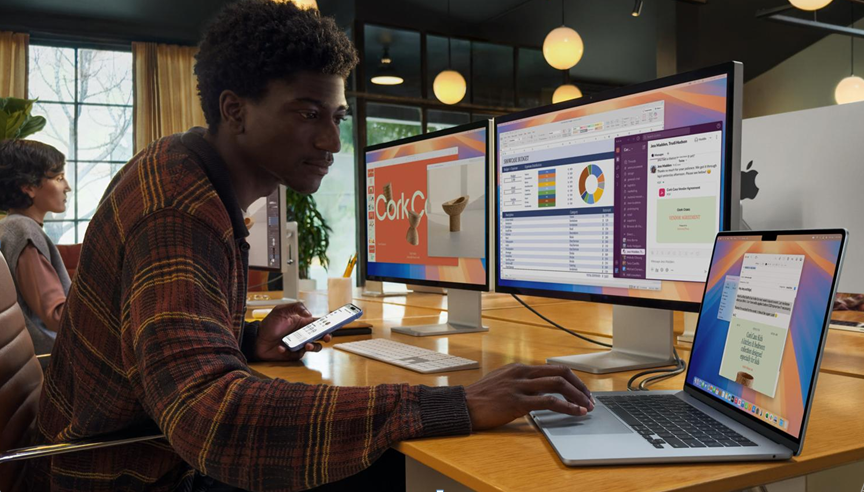
Best for: Students, web developers, Python developers, software engineers, remote developers, and professionals who prioritize portability and battery life.
U.S. starting price: $999 (as of October 2026) for the 13-inch model when introduced by Apple. Apple also introduced a 15-inch version starting at $1,199.
Key specifications
Specification |
MacBook Air M4 |
| Processor | Apple M4 |
| CPU | 10-core CPU |
| GPU | 8-core or 10-core GPU depending on configuration |
| Neural Engine | 16-core |
| Memory | 16GB unified memory standard |
| Optional memory | 24GB or 32GB |
| Storage | 256GB SSD standard |
| Optional storage | Up to 2TB on the 13-inch M4 configuration |
| Display | 13.6-inch Liquid Retina |
| Resolution | 2560 × 1664 |
| Brightness | 500 nits |
| Ports | 2 × Thunderbolt 4 / USB-C, MagSafe 3, 3.5mm headphone jack |
| Weight | About 2.7 lb for 13-inch |
| Operating system | macOS |
Apple’s specifications confirm the M4’s 10-core CPU configuration, 16-core Neural Engine, 16GB starting unified memory, and configurable 24GB or 32GB memory. The 13-inch model also has two Thunderbolt 4/USB-C ports and supports up to two external displays under supported configurations.
Why programmers should consider it
The MacBook Air M4 is particularly attractive for developers who value a quiet, portable machine that can handle a broad range of development workloads.
A programmer working with Python, JavaScript, TypeScript, Swift, web development frameworks, Git, terminals, browsers, and common IDEs can benefit from the combination of the M4 processor and unified memory.
The biggest advantage is portability. At approximately 2.7 pounds for the 13-inch model, the MacBook Air is easy to carry between a home office, classroom, coffee shop, or workplace.
Battery performance is another major advantage. Apple rates the M4 MacBook Air for up to 18 hours of video streaming and up to 15 hours of wireless web use under its testing conditions. Actual programming battery life will vary considerably depending on workload, applications, screen brightness, and peripherals.
The display is also well suited to development work. Its 2560 × 1664 resolution gives programmers plenty of screen space for code, terminals, documentation, and browser windows.
For developers who regularly use external monitors, Apple says the M4 MacBook Air can support up to two external displays simultaneously, depending on the display resolution and refresh rate.
Who should buy the MacBook Air M4?
The MacBook Air M4 is a strong choice for:
- College and university programming students
- Python developers
- Web developers
- Front-end developers
- iOS and macOS developers
- Freelance software developers
- Remote workers
- Developers who travel frequently
- Programmers who want long battery life
- Users already invested in the Apple ecosystem
It is especially compelling for someone who wants a lightweight developer laptop rather than a large workstation.
Pros
- Excellent portability
- Strong M4 CPU performance
- 16GB unified memory starting configuration
- Optional 24GB and 32GB memory
- High-resolution 13.6-inch display
- Excellent battery-life rating
- Two Thunderbolt 4 ports
- Support for multiple external displays
- Silent fanless design
- Strong build quality
Cons
- Only two Thunderbolt/USB-C ports
- 256GB base storage can be limiting for large development environments
- macOS is not ideal for every Windows-specific development workflow
- Some professional applications and tools remain platform-specific
- Higher-memory and higher-storage configurations become considerably more expensive
1.2. Lenovo ThinkPad E14 Gen 7 Intel — Best Windows Choice for Developers
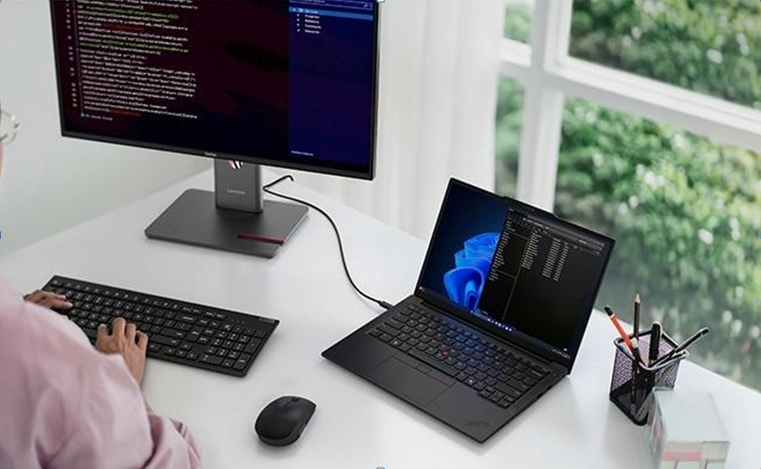
Best for: Windows developers, business users, IT professionals, students, enterprise developers, and programmers who want extensive connectivity and a traditional Windows development environment.
Recent U.S. listed price (as of October 2026): Lenovo has recently listed configuration 21SX0037US at $1,229 during a U.S. promotion, although Lenovo’s pricing can change with promotions and configuration.
Because laptop prices fluctuate frequently, readers should check Lenovo’s current product page before purchasing rather than treating the promotional figure as a permanent MSRP.
Key specifications
The verified Lenovo configuration 21SX0037US includes:
Specification |
ThinkPad E14 Gen 7 Intel |
| Processor | Intel Core Ultra 7 255H |
| CPU | 16 cores / 16 threads |
| Max P-core frequency | Up to 5.10GHz |
| Graphics | Integrated Intel Arc 140T |
| Memory | 16GB DDR5-5600 |
| Storage | 512GB PCIe Gen 4 SSD |
| Display | 14-inch WUXGA |
| Resolution | 1920 × 1200 |
| Panel | IPS |
| Brightness | 300 nits |
| Refresh rate | 60Hz |
| Battery | 48Wh |
| Wireless | Wi-Fi 6E |
| Operating system | Windows 11 Pro |
| Camera | 1080p FHD IR hybrid |
| Ports | USB-A, USB-C, Thunderbolt 4, HDMI, Ethernet and audio |
Lenovo’s current U.S. product listing confirms the Core Ultra 7 255H processor, 16GB DDR5 memory, 512GB PCIe Gen 4 SSD, Intel Arc 140T integrated graphics, 14-inch 1920 × 1200 display, and Windows 11 Pro configuration.
The ThinkPad E14 Gen 7 platform also supports a range of Core Ultra 5 and Core Ultra 7 processors depending on configuration. Lenovo’s technical documentation lists processors including the Core Ultra 5 225H/225U/235U and Core Ultra 7 255H/265U, with different core counts and integrated graphics capabilities.
Why programmers should consider it
The ThinkPad E14 Gen 7 takes a more traditional approach to programming.
Instead of prioritizing extreme thinness and minimal ports, Lenovo gives developers a broad collection of physical connections. The platform includes USB-A, USB-C, Thunderbolt 4, HDMI and Ethernet.
That matters for programmers who work with multiple monitors, wired networks, development boards, external storage, USB accessories, or office peripherals.
The 16GB DDR5 configuration is a reasonable starting point for everyday development, while the 512GB SSD provides more initial storage than the 256GB base storage on the entry-level MacBook Air.
The Windows environment is also important. Developers who depend on Windows-specific applications, enterprise tools, .NET development, PowerShell, Microsoft development environments, or corporate IT infrastructure may find the ThinkPad easier to integrate into their existing workflow.
Microsoft’s official documentation is available through Microsoft Learn, making it a useful resource for developers working with Windows and Microsoft’s development ecosystem.
Who should buy the ThinkPad E14 Gen 7?
This model makes the most sense for:
- Windows developers
- Business programmers
- IT professionals
- Computer science students
- Enterprise developers
- .NET developers
- Developers who need HDMI and Ethernet
- Users who connect multiple peripherals
- Programmers who prefer a traditional laptop keyboard
- Professionals who need Windows 11 Pro
Pros
- Strong Core Ultra 7 255H processor
- 16GB DDR5 memory
- 512GB PCIe Gen 4 SSD
- Thunderbolt 4
- HDMI
- Ethernet
- USB-A and USB-C
- Windows 11 Pro
- 14-inch 16:10 display
- Business-oriented design
- Upgrade-oriented configuration options on the platform
Cons
- Heavier than a MacBook Air
- Display resolution is lower than the MacBook Air’s
- 300-nit display is modest for demanding visual work
- Battery capacity is relatively small at 48Wh
Configured pricing can rise significantly with higher specifications.
2. MacBook Air M4 vs. ThinkPad E14 Gen 7: Which Is Better for Programming?
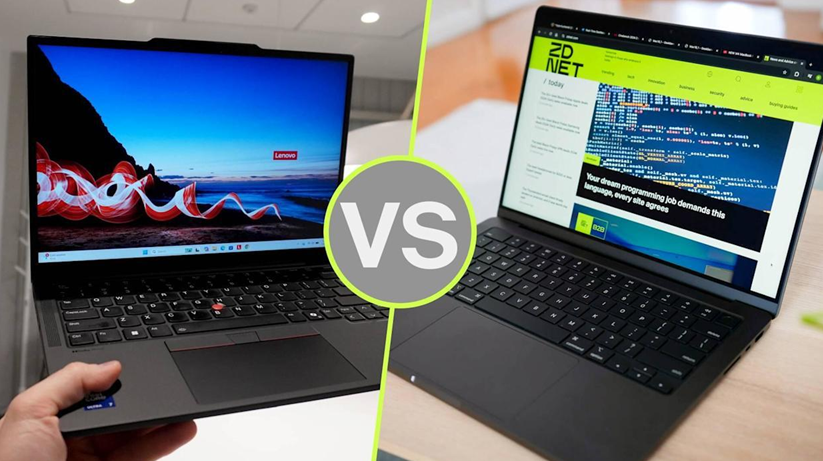
Both machines can serve as capable programming computers, but they target somewhat different users.
| Category | MacBook Air M4 |
ThinkPad E14 Gen 7 Intel |
| Best platform | macOS | Windows |
| Processor | Apple M4 | Core Ultra 7 255H |
| Starting memory | 16GB | 16GB |
| Storage in referenced configurations | 256GB | 512GB |
| Display | 13.6-inch, 2560 × 1664 | 14-inch, 1920 × 1200 |
| External displays | Up to two | Depends on configuration/dock |
| Thunderbolt | Yes | Yes |
| HDMI | No built-in HDMI port | Yes |
| Ethernet | No built-in Ethernet | Yes |
| Portability | Excellent | Good |
| Best for | Mobile development | Windows/business development |
The MacBook Air has the advantage in portability and display resolution. The ThinkPad has the advantage in physical connectivity and Windows compatibility.
For a developer who primarily writes Python, JavaScript, TypeScript, Swift, web applications, or cross-platform software, either can work well.
For a developer who needs Windows-specific enterprise applications, direct HDMI connectivity, Ethernet, or a broad collection of physical ports, the ThinkPad is the more practical option.
For Apple-platform development, the MacBook Air is the obvious choice because Xcode and Apple’s development ecosystem are built around macOS.
The decision is therefore less about declaring one processor universally faster and more about matching the laptop to the developer’s workflow.
3. CPU Performance Matters More Than Just Clock Speed
Programming workloads can range from lightweight text editing to demanding software builds and large development environments.
A good programming laptop should therefore have a modern processor with enough CPU cores and strong single-core and multi-core performance.
The Apple M4 uses a 10-core CPU configuration, while the referenced ThinkPad E14 Gen 7 configuration uses Intel’s Core Ultra 7 255H with 16 cores and 16 threads.
However, core count alone should not determine your purchase.
A compiler may behave differently from a browser-heavy workflow. Running a local database, Docker containers, an IDE, several browser tabs, and a virtual machine at the same time can create a different workload again.
For programming, look for a balanced processor rather than choosing a laptop solely because it has the highest advertised clock speed.
Developers working on large codebases, Android development, local containers, data processing, or frequent builds should prioritize stronger CPU performance.
For basic Python programming, web development, scripting, school assignments, and general software development, modern midrange processors are generally sufficient.
4. How Much RAM Does a Programming Laptop Need?
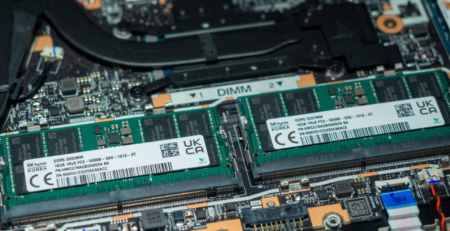
RAM is one of the most important specifications for developers.
A computer with insufficient memory can become frustrating when you have an IDE, browser, terminal, local database, Docker containers, communication applications, and documentation open simultaneously.
For most programmers in 2026, 16GB RAM is the practical starting point.
Both of the models examined here offer 16GB in their referenced configurations. Apple’s MacBook Air uses unified memory, while the ThinkPad E14 configuration uses DDR5 memory.
16GB
Good for:
- Web development
- Python
- JavaScript
- Java
- C/C++
- College programming
- General software development
24GB–32GB
Worth considering for:
- Docker-heavy workflows
- Virtual machines
- Android Studio
- Large development environments
- Data science
- Multiple IDEs
- Large projects
- Heavy multitasking
The MacBook Air M4 can be configured with 24GB or 32GB unified memory.
5. SSD Storage and Development Projects
Storage is another area where programmers should avoid going too low.
A 256GB SSD can work for basic programming, but operating-system files, IDEs, SDKs, Docker images, source repositories, development tools, media files, and backups can consume storage quickly.
For a new developer laptop, 512GB is a more comfortable target.
The referenced ThinkPad E14 configuration includes a 512GB PCIe Gen 4 SSD, while the base 13-inch MacBook Air M4 starts with 256GB and can be configured with higher capacities.
Developers who work with large datasets, virtual machines, local AI models, game-development assets, or video files should consider 1TB or more.
A fast NVMe SSD also helps reduce waiting when opening projects, installing packages, moving files, or loading development environments.
6. Display Quality and Keyboard Comfort
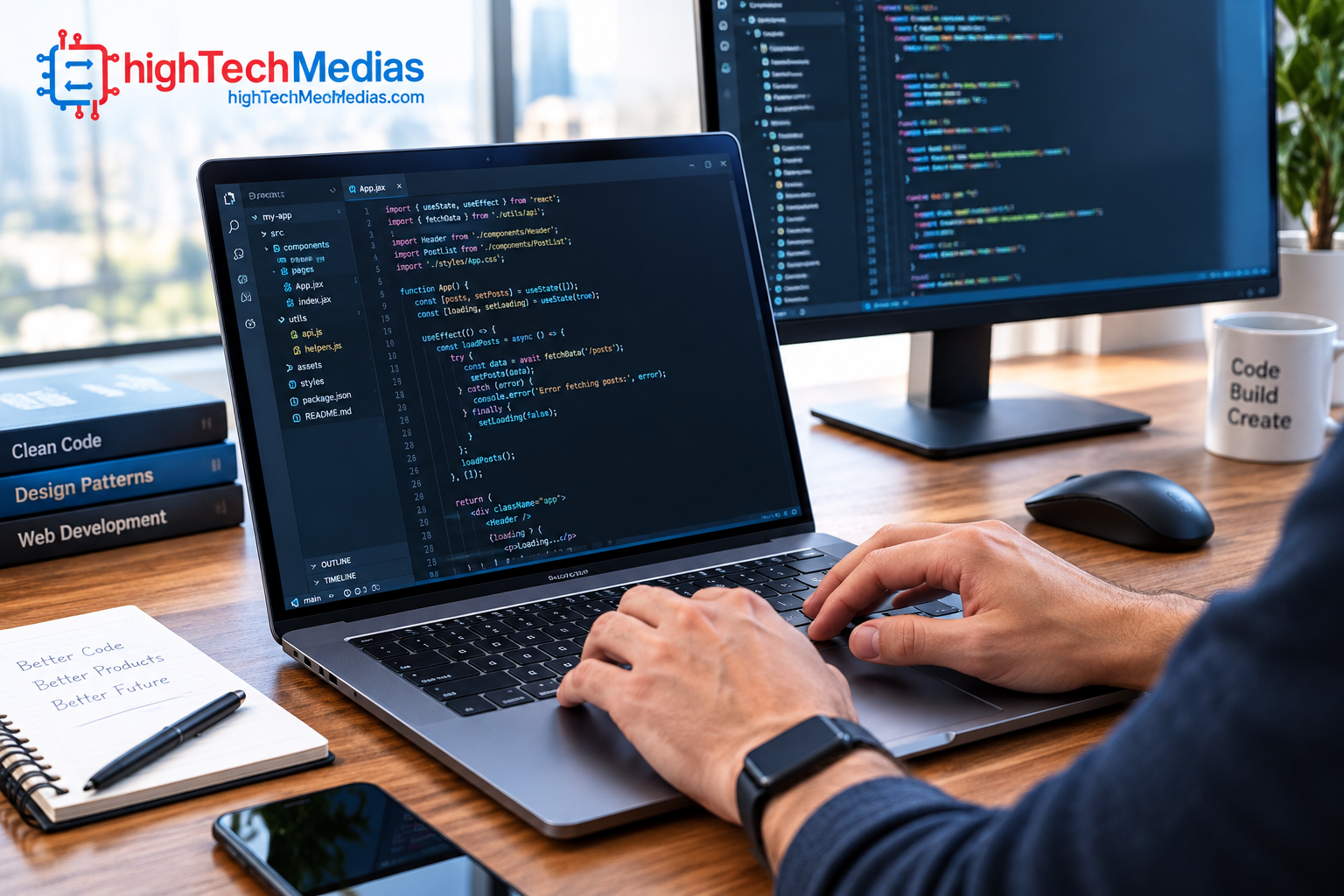
Programming is an unusually screen-intensive activity.
Developers can spend eight or more hours reading small text, navigating source code, reviewing documentation, and switching between applications.
Resolution therefore matters.
The MacBook Air M4 has a 13.6-inch 2560 × 1664 display with 500-nit brightness. The referenced ThinkPad E14 has a 14-inch 1920 × 1200 IPS display rated at 300 nits.
The ThinkPad’s 16:10 aspect ratio is useful for programming because it provides additional vertical space compared with traditional 16:9 displays.
Keyboard quality matters just as much.
For someone writing thousands of lines of code every week, key travel, layout, arrow keys, palm rest design, and typing comfort can have a greater effect on everyday satisfaction than small differences in processor performance.
7. Ports and External Monitor Support
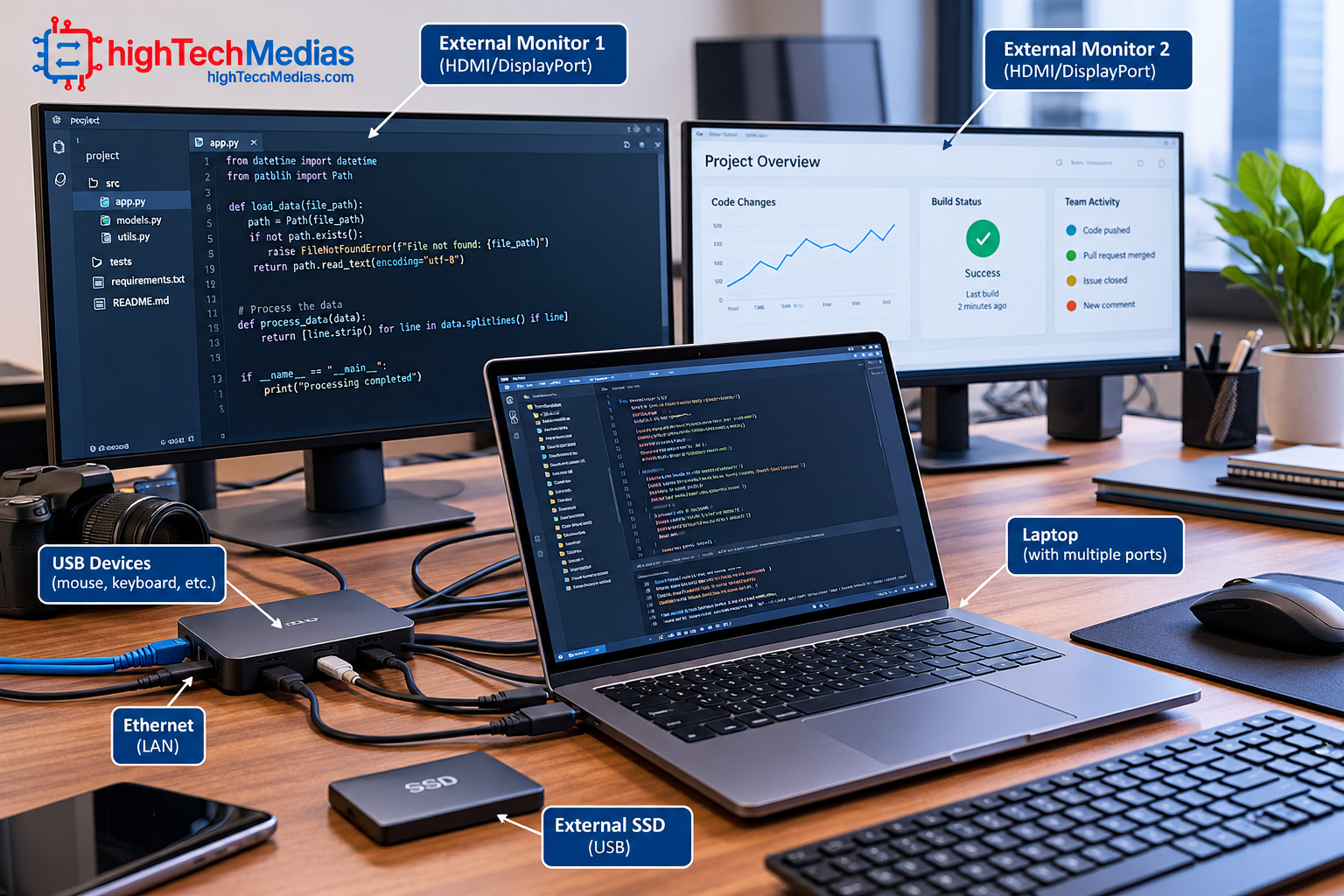
Modern developers frequently connect laptops to external monitors, docks, SSDs, keyboards, networking equipment, and other peripherals.
The ThinkPad E14 Gen 7 has a particularly useful selection of physical ports, including USB-A, USB-C, Thunderbolt 4, HDMI, Ethernet, and an audio jack.
The MacBook Air takes a more minimalist approach, with MagSafe, two Thunderbolt 4/USB-C ports, and a headphone jack.
That does not make the MacBook Air less capable, but it means programmers who use many traditional USB-A accessories or HDMI displays may need a hub or dock.
Apple’s current documentation confirms that the M4 MacBook Air can support up to two external displays simultaneously under supported resolution and refresh-rate combinations.
For programmers who regularly work with two or more monitors, port selection should therefore be part of the buying decision rather than an afterthought.
For a deeper explanation of laptop connectors, see our Laptop Ports Explained.
8. Windows, macOS, Linux and Developer Compatibility
The operating system can be more important than the laptop’s raw hardware.
macOS
macOS is particularly attractive for Apple developers because Apple’s development tools are designed for the platform.
It is also popular among web developers and programmers who prefer Unix-style command-line tools.
Windows
Windows remains an excellent development platform, particularly for enterprise development, Microsoft technologies, .NET, PowerShell, Windows applications, and organizations built around Microsoft infrastructure.
Microsoft Learn provides official technical documentation, tutorials, and learning resources for developers. Microsoft Learn
Linux
Linux remains an important choice for developers who want a highly customizable Unix-like environment.
Before buying, check compatibility with the exact laptop model, especially Wi-Fi, graphics, fingerprint readers, sleep behavior, and other hardware.
The best laptop for programmers is therefore not simply the laptop with the fastest CPU. It is the laptop that works naturally with the software ecosystem you use every day.
9. Battery Life and Thermal Management
Programming does not always produce the same thermal load.
Editing text in an IDE may be relatively light, while compiling a large project, running Docker containers, using virtual machines, or performing data processing can increase CPU utilization considerably.
Thermal management becomes particularly important during sustained workloads.
The MacBook Air’s fanless design gives it a very quiet operating experience, while a conventional Windows laptop such as the ThinkPad E14 uses active cooling.
Battery life should also be viewed realistically.
Manufacturer battery figures are useful for comparing products under standardized testing, but they should not be interpreted as guaranteed programming runtime.
An IDE, browser, Docker containers, external displays, high screen brightness, and wireless activity can all affect battery consumption.
Our Laptop Battery Life Guide 2026 explains the factors that influence real-world battery performance.
10. Which Laptop Is Better for Different Programmers?
Best laptop for coding students
The MacBook Air M4 is particularly attractive if the student wants excellent portability and long battery life.
The ThinkPad E14 Gen 7 is a better fit when Windows compatibility, Ethernet, HDMI, and traditional PC connectivity are priorities.
For more student-focused computer advice, see our Best Laptops Under $700 in 2026.
Best laptop for Python programming
Both machines are suitable for Python development.
The better choice depends more on the programmer’s preferred operating system, development tools, and workflow than on Python itself.
Best laptop for web development
Either laptop can handle modern web-development workflows involving HTML, CSS, JavaScript, TypeScript, frameworks, Git, browsers, terminals, and local development servers.
The MacBook Air is particularly appealing to developers who value portability.
Best laptop for professional software development
The ThinkPad E14 has an advantage for Windows-centric enterprise development because of its Windows 11 Pro environment and extensive physical connectivity.
The MacBook Air is highly attractive for developers working inside Apple’s ecosystem or who prioritize mobility.
Best laptop for computer science students
Either is capable, but the decision should take the student’s courses into account.
Students working with Windows-only applications should favor the ThinkPad.
Students interested in Apple’s development ecosystem or who prioritize battery life and portability may prefer the MacBook Air.
11. MacBook Air M4 vs ThinkPad E14 Gen 7: Final Buying Decision
The two laptops represent two different philosophies.
The MacBook Air M4 emphasizes portability, battery life, display quality, quiet operation, and Apple’s tightly integrated hardware and software experience. Its 16GB starting unified memory and M4 processor make it a strong choice for students and professionals who want a lightweight computer capable of serious development work.
The ThinkPad E14 Gen 7 Intel is more traditional. It offers Windows 11 Pro, a Core Ultra 7 255H configuration, 16GB DDR5 memory, a 512GB PCIe Gen 4 SSD, HDMI, Ethernet, USB-A, USB-C, and Thunderbolt 4.
Neither is universally better.
Your development environment should determine the winner.
Choose the MacBook Air M4 if you want:
- Maximum portability
- A high-resolution display
- Excellent battery-life potential
- macOS
- Apple development
- A quiet workstation
- A lightweight everyday computer
Choose the ThinkPad E14 Gen 7 if you want:
- Windows 11 Pro
- Strong physical connectivity
- HDMI
- Ethernet
- USB-A
- Thunderbolt 4
- A traditional business laptop design
- Windows-oriented enterprise development
Before purchasing, also compare your needs against our MacBook Air vs Windows Laptop guide and Laptop Size and Weight Guide.
Final Verdict: Best Laptops for Programming in 2026
The best laptops for programming in 2026 do not need to be the most expensive machines on the market. They need the right combination of processing power, memory, storage, display quality, keyboard comfort, connectivity, battery life, and operating-system compatibility.
For most students, web developers, Python programmers, and mobile professionals, the Apple MacBook Air M4 is the stronger all-around choice. Its M4 processor, 16GB starting unified memory, high-resolution display, excellent portability, and support for multiple external displays create a very capable development platform.
For Windows developers, IT professionals, enterprise programmers, and users who need a broad selection of physical connections, the Lenovo ThinkPad E14 Gen 7 Intel is the more practical choice. Its Core Ultra 7 255H configuration, DDR5 memory, PCIe Gen 4 SSD, Thunderbolt 4, HDMI, Ethernet, USB-A, and Windows 11 Pro make it particularly versatile.
If you are still deciding what hardware fits your programming workload, start with the Laptop Processor Guide 2026 and Laptop Buying Guide 2026 before making your final purchase.
Bottom line: the MacBook Air M4 is the better choice for portability and the Apple development ecosystem, while the ThinkPad E14 Gen 7 is the better fit for Windows-focused development and users who need extensive connectivity.



Leave a Reply