
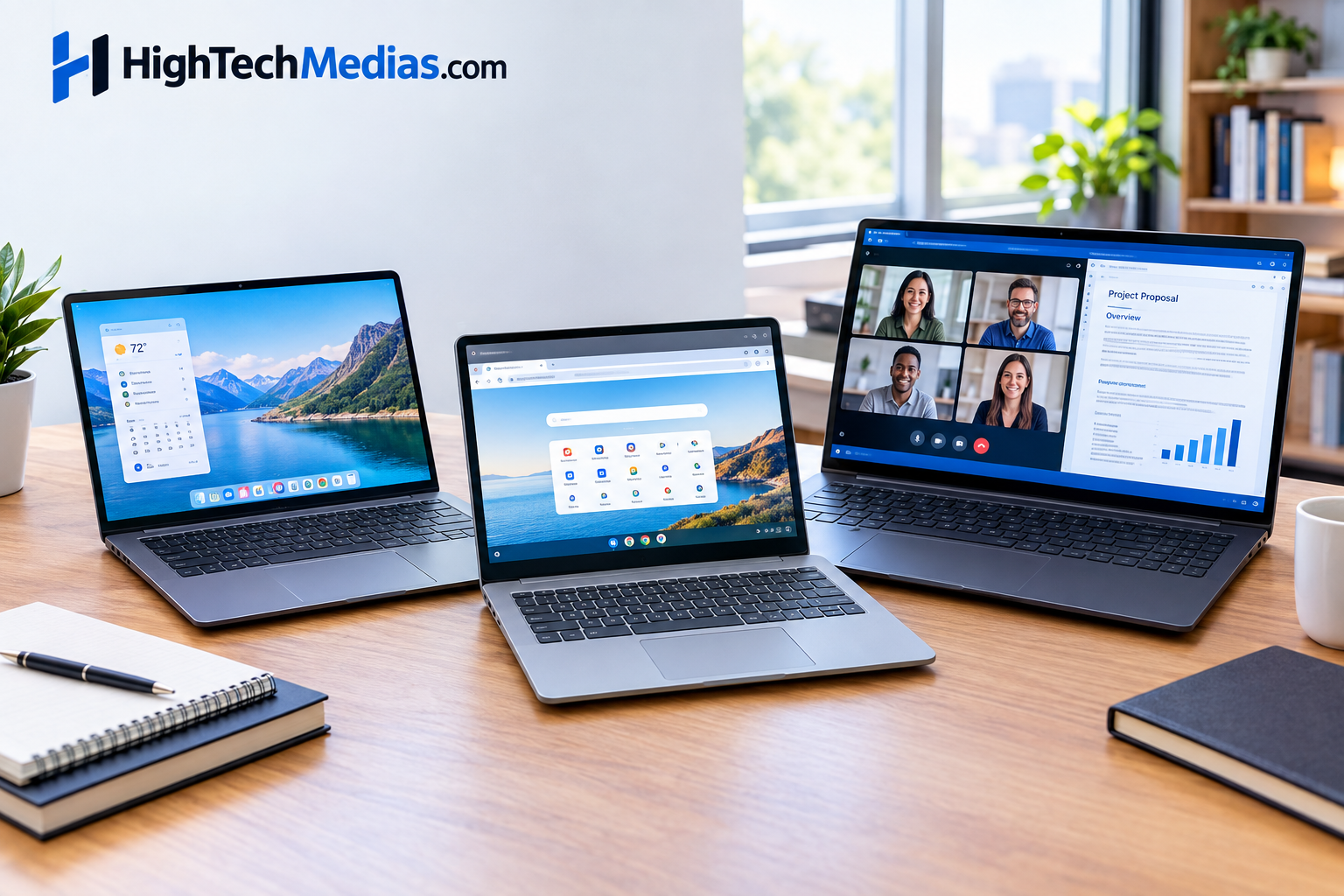
Best Laptops Under $700 in 2026: Top Budget Picks
Finding the best laptops under $700 is much easier in 2026 than it was a few years ago—but choosing the right one still requires some care. At this price, you can find Windows laptops with 16GB RAM and 512GB SSDs, capable AMD Ryzen or Intel processors, good Full HD or higher-resolution displays, and increasingly capable battery life.
-
The challenge is knowing which specifications actually matter.
Some inexpensive laptops look attractive because of a powerful-sounding processor but cut corners on memory, storage, display quality, or construction. Others offer excellent specifications but use older hardware or have compromises that become obvious after a few months.
This guide focuses on what actually matters when shopping for a laptop around the $500–$700 range, including Windows laptops, Chromebooks, student machines, work laptops, and everyday systems.
1. What Should You Expect From a Laptop Under $700?
A $700 laptop is firmly in the budget-to-mainstream category, but that does not mean you have to settle for a poor computer.
The current market includes machines capable of handling:
-
Web browsing
-
Microsoft 365
-
Google Workspace
-
Video conferencing
-
School assignments
-
Programming
-
Office productivity
-
Streaming
-
Photo editing
-
Light content creation
-
Everyday multitasking
You can also find laptops with relatively strong processors and 16GB of memory in this range.
Current retail listings show examples such as ASUS Vivobook systems with 16GB RAM and 512GB SSDs around the $600 range, Acer Aspire Go models with Ryzen processors and 16GB/512GB configurations around $600–$700, and HP systems offering similar memory and storage combinations. Prices fluctuate, so treat those figures as market snapshots rather than permanent prices.
The key is to prioritize the right specifications instead of simply buying the cheapest model.
2. The Best Laptop Under $700 Should Have the Right Balance
There is no single specification that determines whether a laptop is good.
A balanced laptop with a slightly less powerful processor, 16GB RAM, a 512GB SSD, a good display, and decent battery life can be a much better purchase than a machine with a faster CPU but only 8GB RAM and a poor screen.
For most buyers, I would prioritize the following:
| Specification |
What to look for |
| RAM |
16GB preferred |
| Storage |
512GB SSD preferred |
| Display | Full HD or better |
| CPU | Recent Intel Core/Core Ultra or AMD Ryzen |
| Operating system | Windows 11 or ChromeOS depending on needs |
| Battery | Look for strong real-world endurance |
| Weight | Around 3–4.5 lb for portability |
| Connectivity | USB-C plus useful USB-A/HDMI where needed |
| Webcam | 1080p preferred if possible |
| Build | Solid enough for daily use |
Do not treat these as absolute requirements. A Chromebook can be excellent with different hardware priorities, while a very portable Windows laptop might sacrifice upgradeability or ports.
3. Our Current Budget Laptop Shortlist
Because laptop prices change frequently, the following should be viewed as current examples of configurations worth considering, rather than permanent rankings.
ASUS Vivobook 15 — Intel Core 5, 16GB RAM, 512GB SSD
$599.00•(Official Price as of September 16, 2026) Affordable 15.6″ FHD laptop with 16GB RAM and SSD .
Acer Aspire Go 15 — Ryzen 7, 16GB RAM, 512GB SSD
$599.00•(Official Price as of September 16, 2026) Powerful Ryzen 7, 16GB RAM, 512GB SSD for multitasking.
Acer Aspire 16 — Intel Core Ultra 5, 16GB RAM, 512GB SSD
$629.00•(Official Price as of September 16, 2026) 16″ display with Intel Ultra 5, 16GB RAM, SSD.
HP OmniBook 3 16 — Snapdragon X, 16GB RAM, 512GB SSD
$679.00• (Official Price as of September 16, 2026) Snapdragon X, 16GB RAM, 512GB SSD, compact design.
HP OmniBook 5 16 — Intel Core Ultra 7, 16GB RAM, 512GB SSD
$699.99•(Official Price as of September 16, 2026) Next-gen Intel Ultra 7, 16GB RAM, SSD, long battery life.
Give feedback
These examples illustrate an important point about the 2026 market:
$600–$700 can now buy substantially more capable configurations than the typical budget laptop of several years ago.
However, processor architecture and operating-system compatibility still matter. For example, Windows 11 has specific hardware requirements, while Windows on ARM systems can have different application-compatibility considerations than traditional x86 Windows laptops. Microsoft’s current minimum requirements include a compatible 64-bit processor with at least two cores, 4GB RAM, and 64GB storage, but those are minimum requirements—not what I would recommend for a comfortable $700 laptop.
4. How Much RAM Should a $700 Laptop Have?
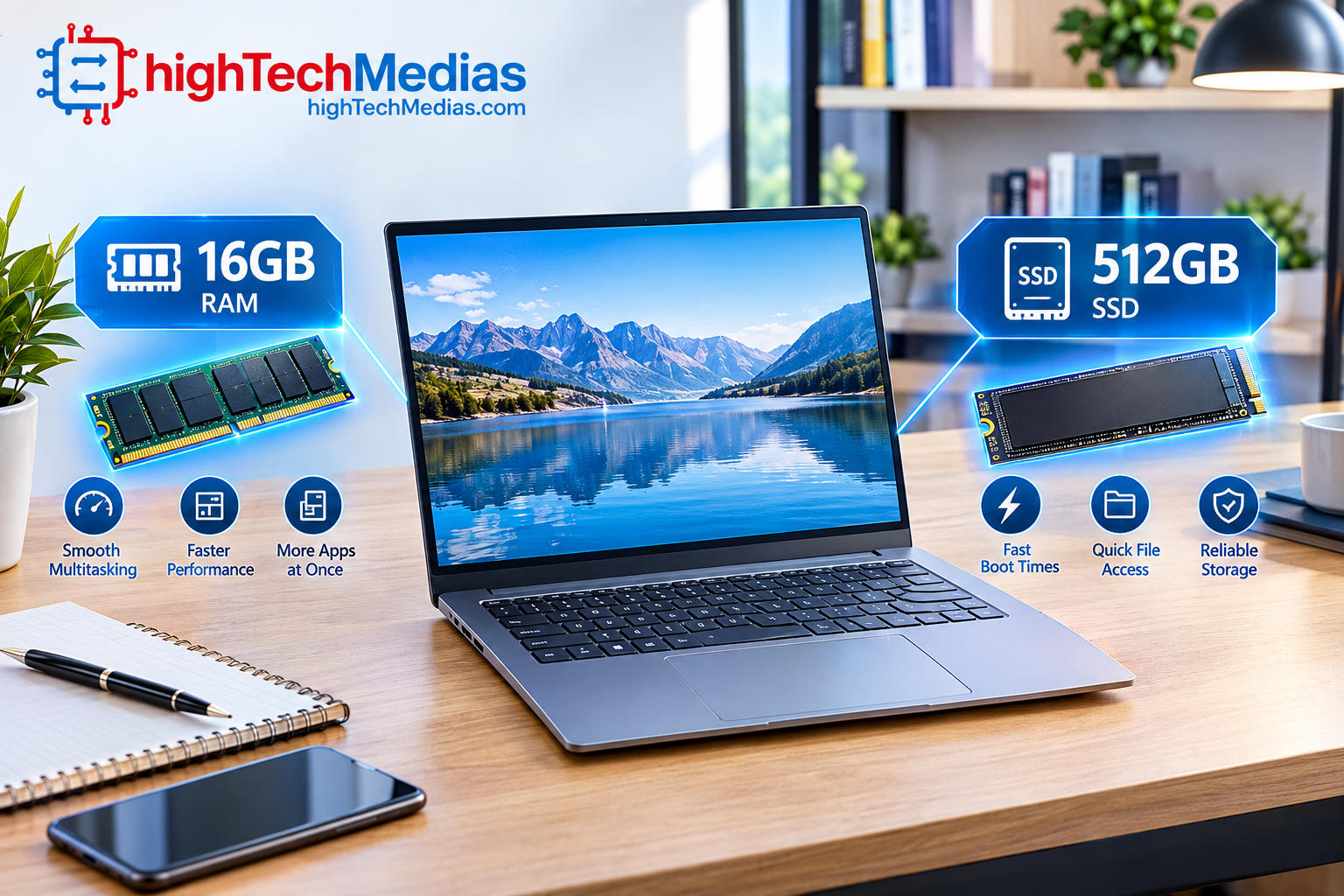
If your budget reaches $700, 16GB RAM should be one of your main targets.
8GB can still work for basic browsing, documents, streaming, and light productivity. But modern users increasingly keep dozens of browser tabs, communication applications, office software, cloud services, and media running simultaneously.
That makes 16GB much more attractive.
-
For a student, 16GB gives you more room for research, browser tabs, presentations, PDFs, video calls, and other applications.
-
For work, it gives you greater flexibility when switching between spreadsheets, email, browsers, collaboration tools, and documents.
-
For programming, 16GB becomes even more useful when working with development environments, local servers, containers, or virtual machines.
What about 32GB?
At this budget, 32GB is a bonus rather than a requirement.
If you find a 32GB configuration at a reasonable price without compromising the processor, display, storage, or build quality, it can be attractive.
But I would generally prefer a well-balanced 16GB laptop over a poorly designed machine that advertises 32GB as its main selling point.
5. Is a 512GB SSD Enough?
For most buyers, yes.
A 512GB SSD is an excellent target for a laptop in this price range.
It provides enough space for Windows, applications, documents, photos, school projects, and a reasonable collection of media.
A 256GB SSD can work, but it becomes restrictive much faster.
Remember that the advertised capacity is not the amount of free storage you will see after installing Windows, applications, updates, and recovery files.
If you regularly work with large video files, games, RAW photographs, or other large datasets, 1TB would be preferable.
But for general productivity, 512GB represents a good balance.
6. Intel Core vs AMD Ryzen: Which Should You Choose?
Both Intel and AMD offer strong laptop processors, so you should not choose based solely on the company logo.
Intel’s current laptop portfolio includes Core and Core Ultra families across different performance levels. Intel’s official comparison documentation also shows how laptop processors vary by generation, suffix, core configuration, and intended platform.
AMD’s current Ryzen laptop lineup ranges from mainstream productivity processors to higher-performance Ryzen AI platforms. AMD positions its mobile Ryzen processors across productivity, graphics, AI, gaming, and battery-life use cases.
For most buyers under $700, the important question is not:
Intel or AMD?
It is:
Which specific processor is inside this particular laptop, and how well does the entire laptop implement it?
A modern Intel Core/Core Ultra or AMD Ryzen processor can provide excellent everyday performance.
For detailed processor comparisons, see our Laptop Processor Guide 2026.
For official processor information, you can also check Intel’s official processor resources and AMD’s official Ryzen laptop information.
7. Best Windows Laptop Under $700
For most buyers who need maximum software compatibility, a Windows laptop remains one of the safest choices.
Windows gives you access to an enormous range of desktop applications, peripherals, accessories, productivity software, development tools, and games.
The strongest configurations under $700 increasingly include:
- 16GB RAM
- 512GB SSD
- Intel Core/Core Ultra
- AMD Ryzen
- Full HD or higher-resolution displays
- USB-C connectivity
- Wi-Fi 6 or newer
- Windows 11
One current example of the market is the HP OmniBook 3 14/16 family, where 16GB configurations can fall around this price range depending on the retailer and processor configuration. Another example is the Acer Aspire Go 15 with Ryzen 7, 16GB RAM, and 512GB storage. Current listings show how frequently prices and configurations move, so buyers should verify the exact SKU before purchasing.
8. Best Budget Laptop Under $700 for Students
Students usually need a computer that balances portability, battery life, keyboard comfort, reliability, and performance.
The ideal laptop for students does not need a workstation-class processor.
Instead, prioritize:
- 16GB RAM if possible
- 512GB SSD
- A comfortable keyboard
- Good battery life
- A reasonably bright display
- A good webcam
- USB-C charging where available
- A weight you can comfortably carry around campus
A 14-inch model is often a particularly good compromise.
It is large enough for documents and research while remaining easier to carry than a 16-inch machine.
If portability is particularly important, see our Laptop Size and Weight Guide.
9. Best Laptop for College
A laptop for college has to survive a much wider variety of tasks than a basic school computer.
A college student might use the machine for:
- Research
- Microsoft Office
- Google Workspace
- Zoom or other video conferencing
- Programming
- Presentations
- PDF textbooks
- Creative projects
- Streaming
- Light gaming
That makes Windows particularly attractive for students in technical majors.
Engineering, computer science, architecture, business, and creative programs can sometimes require specific desktop applications that may not be available on ChromeOS.
If you are studying primarily through browser-based applications, however, a Chromebook can be an excellent value.
10. Three Best Student Laptops Under $700 in 2026
Students need more than a fast processor. A good college laptop should be easy to carry, comfortable to type on, capable of handling multiple browser tabs and documents, and reliable enough for video classes, research, presentations, and everyday communication.
For this reason, I would prioritize 16GB of RAM, a 512GB SSD, a good display, reasonable battery life, and a weight that is practical for daily campus use.
Prices change frequently, so the following prices are current U.S. market snapshots rather than permanent prices.
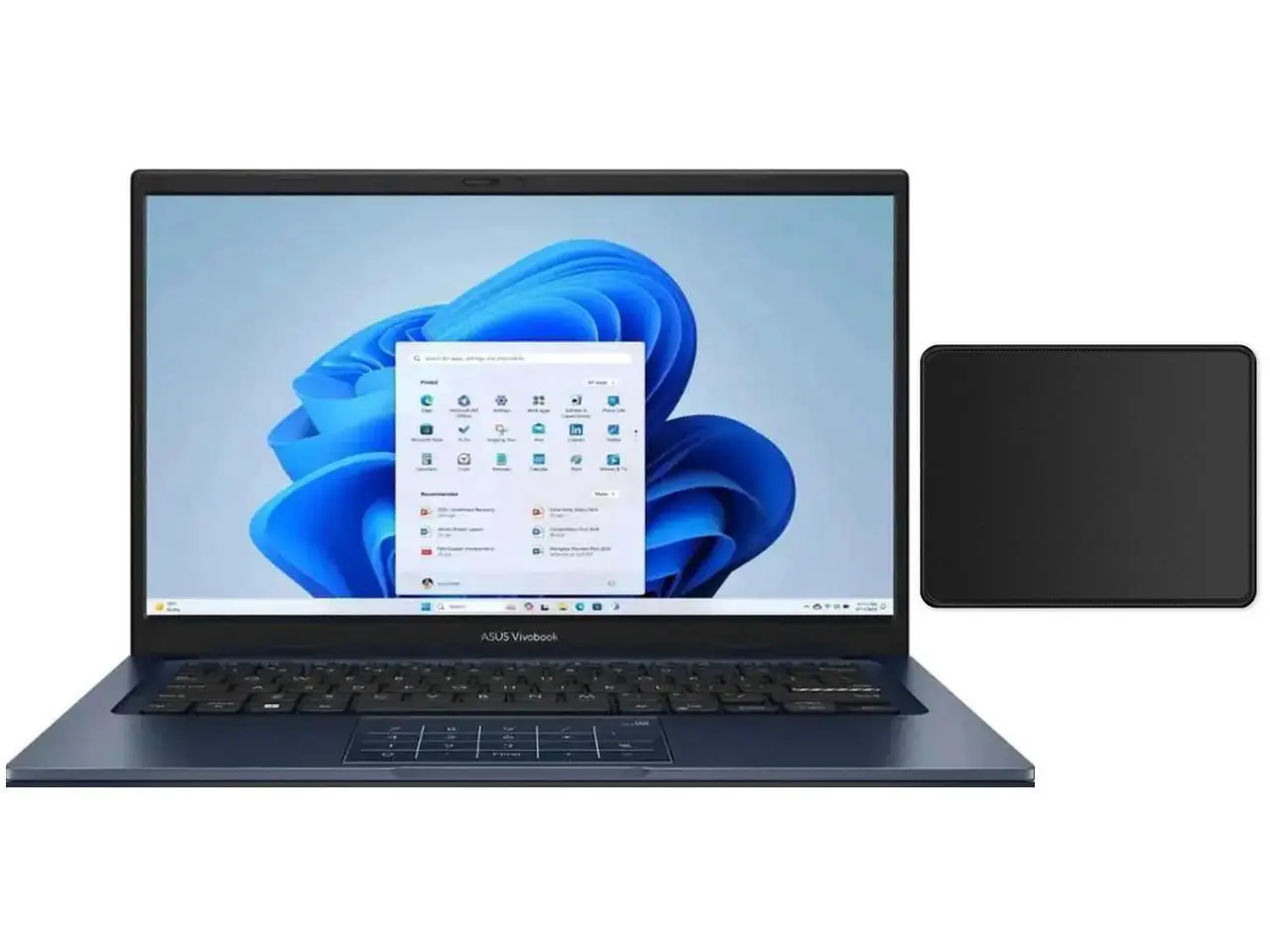
ASUS Vivobook 14 — Best Value for Students
ASUS lists the Vivobook 14 family with Intel Core i5-1334U processors, Full HD displays and 512GB SSD configurations, while current retail listings show 16GB/512GB configurations around the $599 range.
For students who need a traditional Windows laptop for documents, research, presentations, web browsing and video conferencing, this configuration provides a sensible balance without using the entire $700 budget.
Current price:
About $599 (Official Price as of September 16, 2026)
Key specifications:
- 14-inch Full HD display
- Intel Core i5-1334U
- 16GB RAM
- 512GB NVMe SSD
- Integrated Intel graphics
- Windows 11
- USB-C and USB-A connectivity
- Around 3.1 lb depending on configuration
Pros
- 16GB RAM is well suited to student multitasking
- 512GB SSD provides useful storage
- Compact 14-inch size is easy to carry
- Windows provides broad application compatibility
- Good selection of everyday ports
Cons
- Integrated graphics are not designed for demanding gaming
- Display brightness is relatively modest on some configurations
- Exact memory configuration varies by SKU
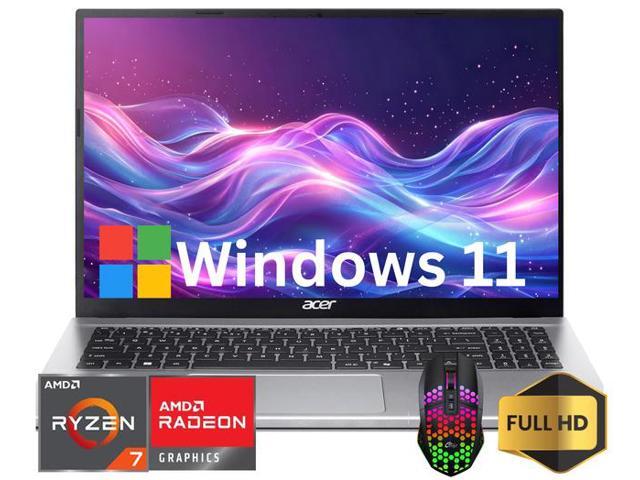
Acer Aspire Go 15 — Best for Students Who Want a Larger Screen
Current U.S. listings show Ryzen 7 7730U configurations with 16GB RAM and 512GB SSD storage around the mid-$600 range (Official Price as of September 16, 2026).
The larger 15.6-inch display is useful for students who spend a lot of time working with spreadsheets, PDFs, research tabs and side-by-side documents.
Current price:
About $630–$660 (Official Price as of September 16, 2026) .
Key specifications:
- 15.6-inch Full HD display
- AMD Ryzen 7 7730U
- 16GB RAM
- 512GB SSD
- Integrated AMD Radeon graphics
- Windows 11
- Wi-Fi 6
- Approximately 3.9 lb
Pros
- Strong CPU for everyday multitasking
- 16GB RAM and 512GB SSD
- Larger display than many 14-inch student laptops
- Good value when discounted
- Useful for school, office and home use
Cons
- Heavier than a typical 14-inch student laptop
- Basic integrated graphics
- Display quality varies by exact configuration
HP OmniBook 3 14 — Best Premium Student Option Near $700
HP’s official specifications list 16GB LPDDR5x memory, a 512GB PCIe Gen4 SSD, a 14-inch 1920 × 1200 OLED display, Wi-Fi 6E and a 1080p IR camera. HP also reports up to 41 hours and 45 minutes of video playback under its specific test conditions.
This is an especially interesting option for students who value portability, display quality and battery endurance.
The main consideration is Windows-on-ARM compatibility. Before buying, students who depend on specialized engineering, scientific or legacy Windows applications should verify that their software works correctly on the Snapdragon platform.
Current price:
About $699.99 (Official Price as of September 16, 2026)
Key specifications:
- 14-inch 2K OLED display
- Snapdragon X processor
- 16GB LPDDR5x RAM
- 512GB PCIe Gen4 SSD
- Qualcomm Adreno integrated graphics
- Windows 11
- Wi-Fi 6E
- 1080p IR webcam
- Approximately 3.13 lb
Pros
- Excellent OLED display
- 16GB RAM and 512GB SSD
- Very portable
- Strong battery-life potential
- 1080p IR webcam
- Good selection of modern connectivity
Cons
- ARM application compatibility requires checking
- Memory is onboard
- Some configurations exceed the $700 target depending on retailer
Student buying takeaway
For most students, the ASUS Vivobook 14 and Acer Aspire Go 15 are straightforward Windows choices because they use conventional x86 processors. The HP OmniBook 3 becomes particularly interesting if portability, display quality and battery endurance are more important than compatibility with specialized legacy software.
11. Best Laptop for Work Under $700
For a laptop for work, I would generally prioritize Windows unless you know your workplace is fully web-based.
A good work laptop in this range should have:
-
16GB RAM
-
512GB SSD
-
A comfortable keyboard
-
Full HD or better display
-
Good webcam
-
Reliable Wi-Fi
-
USB-C
-
Good battery life
-
A processor capable of sustained multitasking
A 14-inch laptop is ideal for workers who travel frequently, while a 15.6- or 16-inch model provides more screen space for spreadsheets and multitasking.
If your work requires Microsoft 365 or specialized Windows applications, check application compatibility before buying an ARM-based Windows laptop.
Microsoft’s own documentation makes clear that minimum Windows requirements are only a baseline; individual applications can have their own hardware and compatibility requirements.
For Microsoft’s broader technical resources, Microsoft Learn is the official documentation and training platform.
12. Three Best Business Laptops Under $700 in 2026
A business laptop has different priorities from a gaming or student laptop.
For work, keyboard comfort, webcam quality, connectivity, multitasking capability, reliability and compatibility with workplace software can matter more than raw graphics performance.
At this price, I would prioritize 16GB RAM and a 512GB SSD whenever possible.
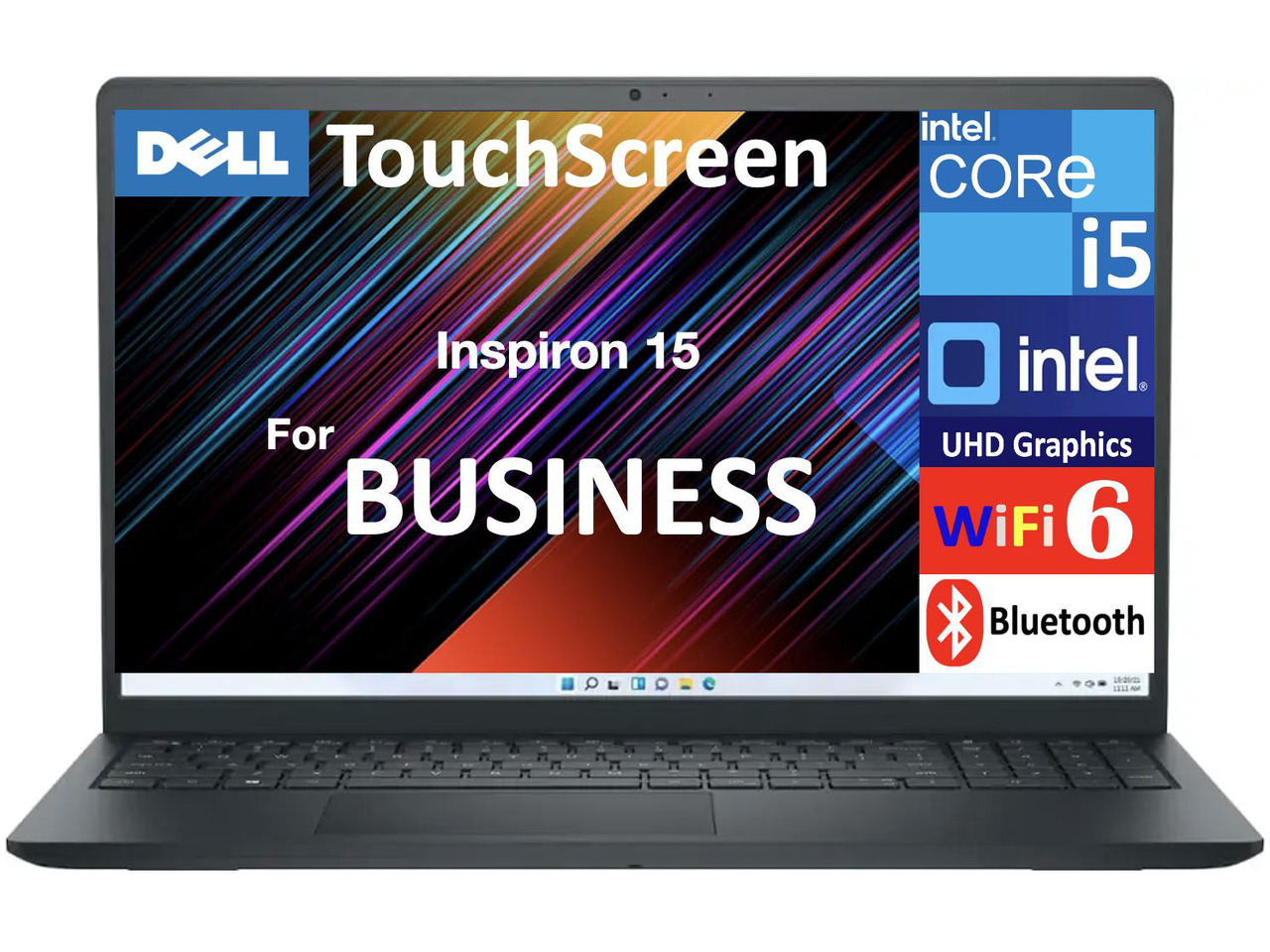
Dell Inspiron 15 — Best General Business Value
Current price:
About $629 (Official Price as of September 16, 2026)
Key specifications:
- 15.6-inch Full HD touchscreen
- Intel Core i5-1334U
- 16GB RAM
- 512GB SSD
- Intel integrated graphics
- Windows 11
- Wi-Fi 6
- USB-C and HDMI connectivity
Current U.S. listings show the 16GB/512GB configuration around $629.
The larger 15.6-inch screen makes this configuration particularly suitable for spreadsheets, email, document work and multitasking at a desk.
Pros
- 16GB RAM
- 512GB SSD
- Large 15.6-inch screen
- Touchscreen configuration available
- Good everyday office performance
- Broad Windows software compatibility
Cons
- Larger and less portable than a 14-inch business laptop
- Integrated graphics are not intended for serious gaming
- Display quality varies between configurations
HP 255R — Best AMD Business Option
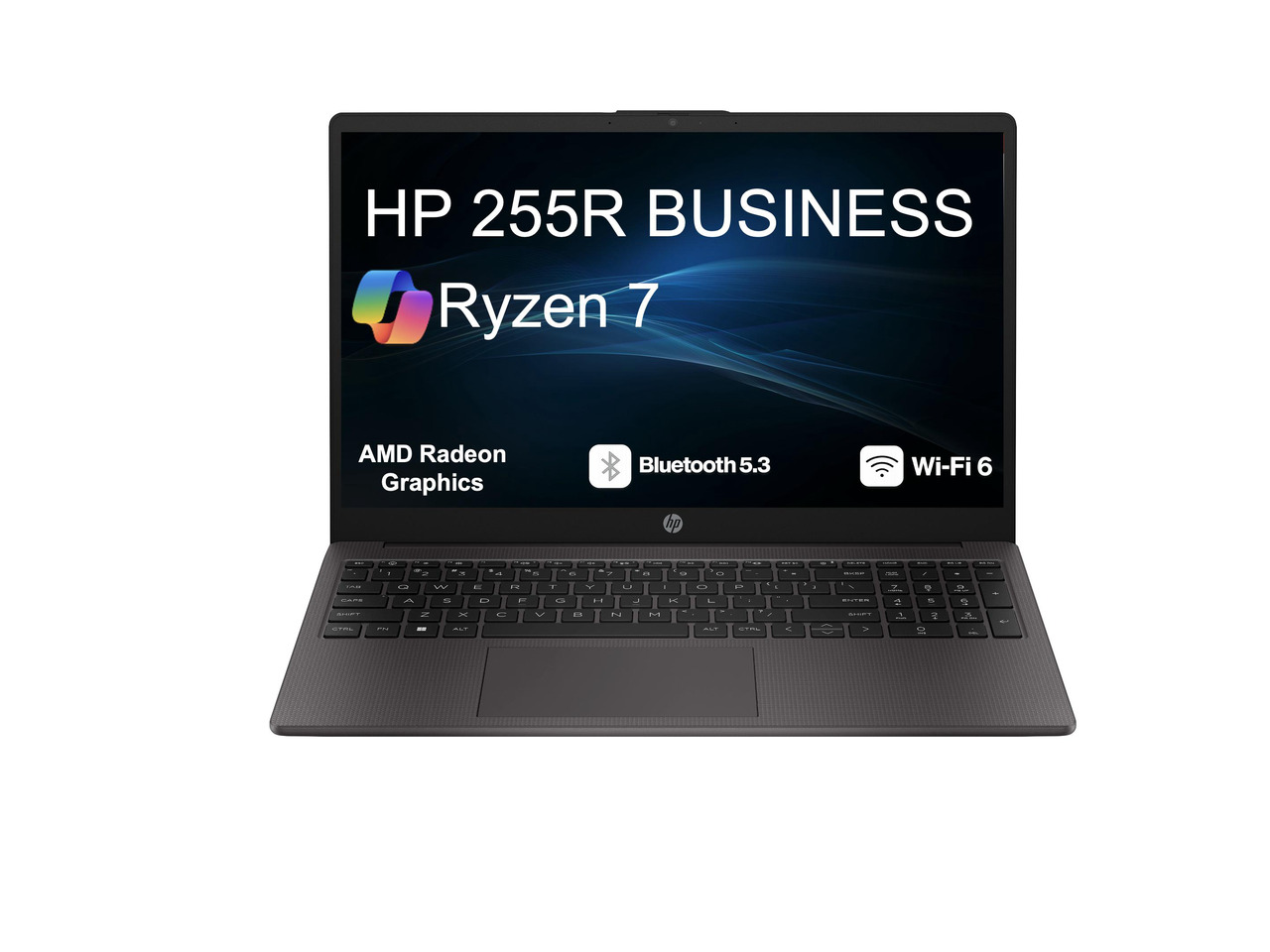
HP’s specifications confirm Ryzen 7 7735U configurations with eight cores and 16 threads, along with 16GB DDR5 memory and 512GB PCIe Gen4 SSD options.
For office workloads involving spreadsheets, browsers, documents, video conferencing and multiple applications, this is a practical configuration.
Current price:
About $699.99 (Official Price as of September 16, 2026)
Key specifications:
- 15.6-inch Full HD display
- AMD Ryzen 7 7735U
- 16GB DDR5 RAM
- 512GB PCIe Gen4 SSD
- Integrated AMD Radeon graphics
- Windows configuration available
- Wi-Fi 6
- HDMI and USB connectivity
Pros
- Ryzen 7 provides strong multitasking capability
- 16GB DDR5 RAM
- 512GB Gen4 SSD
- Large 15.6-inch display
- Good choice for office productivity
Cons
- Integrated graphics are not intended for serious gaming
- Display quality varies by configuration
- At approximately $700, it leaves little budget for accessories
Lenovo V14 G4 — Best Performance-Focused Business Pick
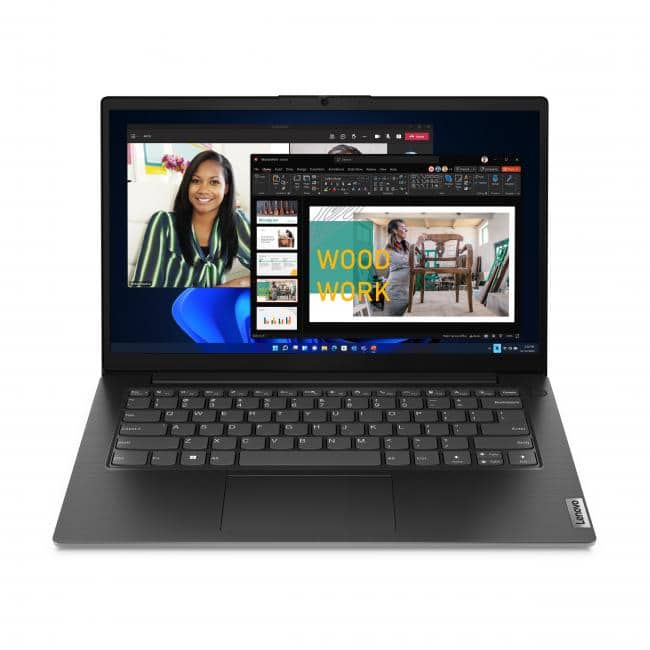
A current U.S. listing shows the 16GB/512GB configuration around $639.99. Lenovo’s specifications for the V14 G4 family show support for up to 16GB memory and M.2 SSD storage.
The main attraction here is the H-series Core i7 processor, which is a higher-performance class than the U-series chips commonly found in inexpensive office laptops.
Current price:
About $639.99 (Official Price as of September 16, 2026)
Key specifications:
- 14-inch Full HD display
- Intel Core i7-13620H
- 16GB RAM
- 512GB SSD
- Integrated Intel graphics
- Windows 11
- Approximately 3.15 lb in the listed configuration
Pros
- Strong CPU for demanding multitasking
- 16GB RAM
- 512GB SSD
- Compact 14-inch form factor
- Useful for heavier office workloads
Cons
- Display quality can be basic depending on configuration
- Integrated graphics limit gaming performance
- Higher CPU performance can mean more heat and power consumption
Business buying takeaway
For general office work, the Dell Inspiron 15 offers a familiar large-screen configuration. The HP 255R is an attractive AMD-based alternative, while the Lenovo V14 G4 makes more sense for users who prioritize CPU performance and a compact 14-inch design.
13. Display Quality Matters More Than Many Buyers Realize
A laptop can have an excellent processor and still feel cheap if the display is poor.
At this price, I recommend looking for at least a Full HD display.
However, do not stop at resolution.
Look at:
- Brightness
- Viewing angles
- Color coverage
- Contrast
- Refresh rate
- Screen size
- Panel technology
- Anti-glare treatment
For productivity, a good IPS display can be more important than an extremely high refresh rate.
For creative work, color accuracy becomes more important.
For gaming, refresh rate and response time matter more.
If you’re comparing display technologies, our OLED vs IPS laptop display guide provides a deeper explanation.
14. Battery Life: Don’t Trust the Number Alone
Battery life is one of the most difficult specifications to compare because manufacturers use different testing conditions.
A laptop advertised for “15 hours” may deliver substantially less under your actual workload.
Your usage matters.
Browsing with low brightness is very different from:
- Video editing
- Gaming
- Zoom meetings
- Maximum screen brightness
- External displays
- Heavy multitasking
A good everyday laptop should ideally provide enough real-world endurance to get through several hours of normal work without constantly searching for a charger.
Battery capacity, processor efficiency, display technology, software optimization, and thermal design all contribute.
Our Laptop Battery Life Guide 2026 explains the factors in greater detail.
15. What About a 2-in-1 Laptop?
A 2-in-1 can be an excellent choice for students and mobile professionals.
These machines combine conventional laptop functionality with touchscreen and tablet-style flexibility.
The trade-off is that you may pay more for the hinge, touchscreen, and convertible design.
If you do not actually need tablet functionality, a conventional laptop can provide better value.
But for note-taking, presentations, drawing, media consumption, and flexible working positions, a 2-in-1 can be worthwhile.
For a real-world example, see our coverage of the Ninkear S13 2-in-1 tablet laptop.
16. What About Gaming Laptops Under $700?
This is where expectations need to be realistic.
You can find gaming-capable laptops under $700, particularly during major sales, but compromises are common.
A gaming laptop in this price range may offer:
- Dedicated graphics
- Higher-refresh-rate display
- More powerful CPU
- Larger cooling system
But it may also be:
- Heavier
- Louder
- Less efficient on battery
- Bulkier
- Equipped with a lower-quality display
If gaming is your priority, do not spend the entire budget on CPU specifications.
The GPU is often the more important component.
For serious gaming, I would rather have a balanced system with a capable GPU, 16GB RAM, and a good processor than a machine with a high-end CPU but weak graphics.
Three Gaming Laptops Under $700 Worth Considering in 2026
Gaming is one of the areas where a $700 budget requires particularly careful shopping.
A gaming laptop needs more than a fast CPU. The dedicated GPU, cooling system, display refresh rate, RAM and storage all influence the experience.
Current market listings show that discounted RTX 3050 and RTX 4050 systems can sometimes fall below $700, although prices can move quickly.
For gaming, I would prioritize the GPU before spending extra money on a higher-end processor.
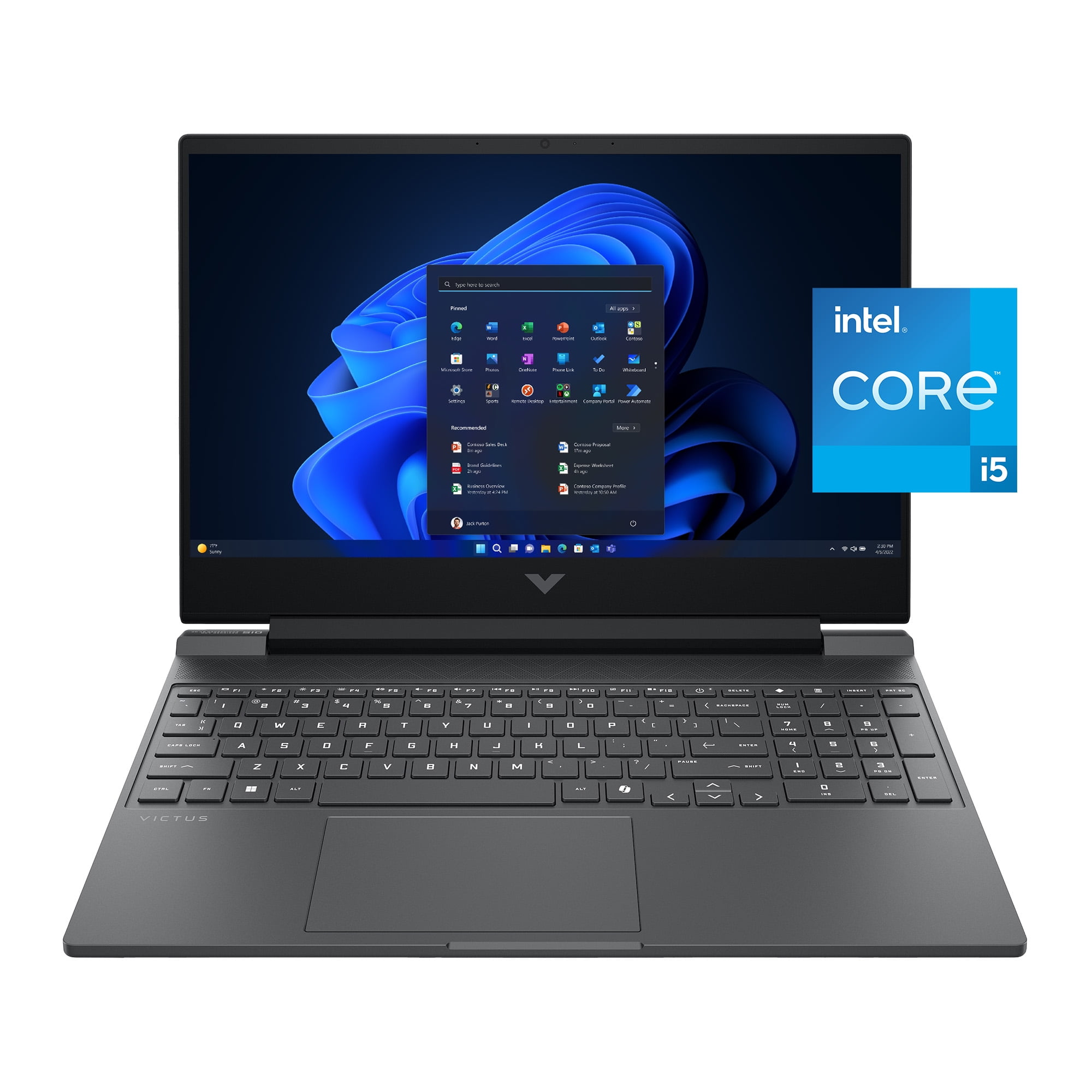
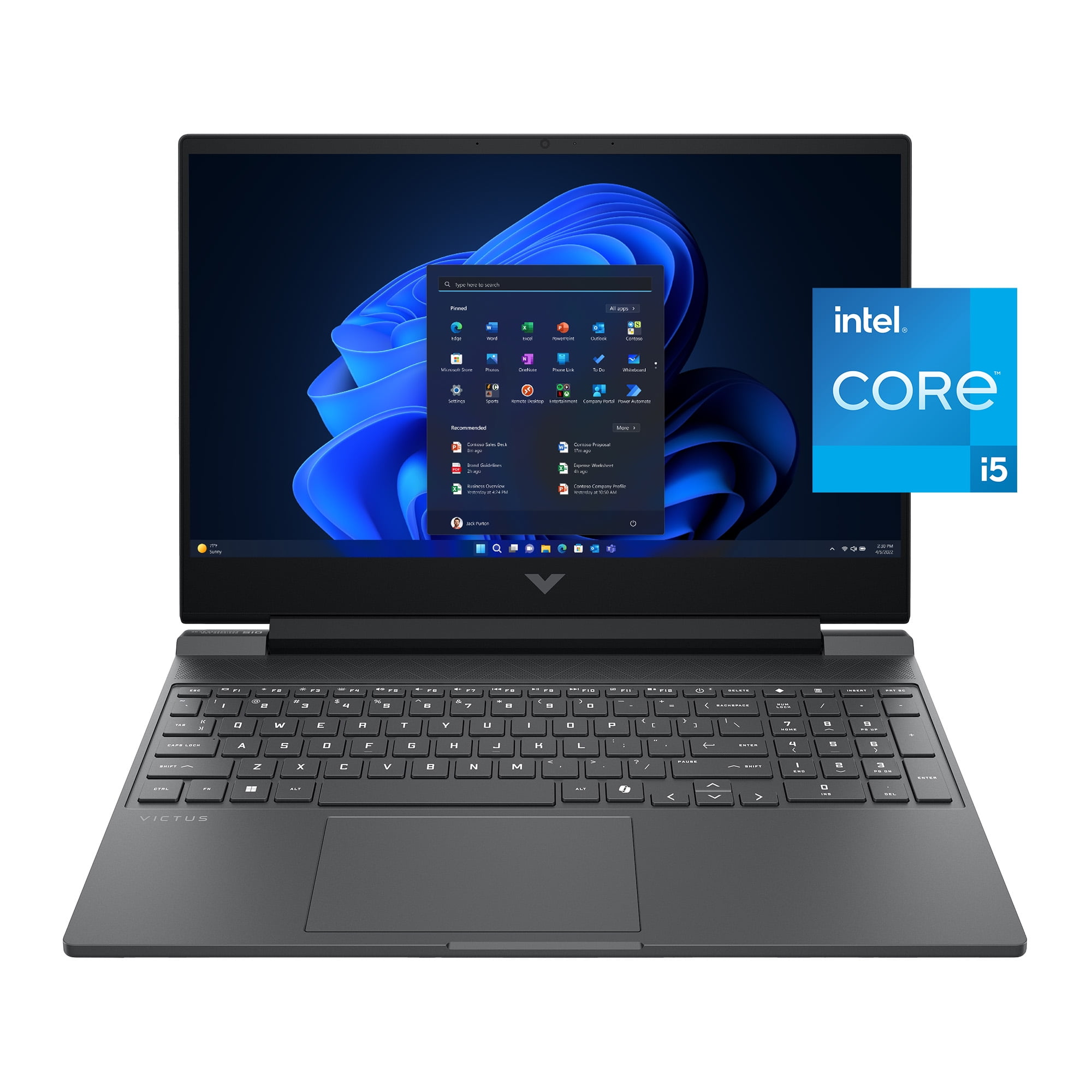
HP Victus 15 — RTX 4050 Value Pick
The HP Victus configuration is particularly interesting because a current listing has it below $600 with an RTX 4050 and 16GB/512GB configuration.
Current price:
— $598. (Official Price as of September 16, 2026)
Key specifications:
- 15.6-inch Full HD IPS display
- 144Hz refresh rate
- Intel Core i5-13420H
- NVIDIA GeForce RTX 4050
- 16GB RAM
- 512GB SSD
- Windows 11
A current U.S. retail listing shows this configuration at approximately $598.
The RTX 4050 gives this configuration a significant advantage over many older budget gaming laptops that rely on RTX 2050 or GTX-series graphics.
Pros
- RTX 4050 dedicated GPU
- 16GB RAM
- 512GB SSD
- 144Hz display
- Strong 1080p gaming potential
- Also useful for GPU-accelerated creative applications
Cons
- Gaming laptops are heavier than productivity laptops
- Fan noise increases during gaming
- Battery life is generally much weaker during demanding workloads
- Display color coverage is not the main strength of this class
ASUS TUF Gaming A15 RTX 3050
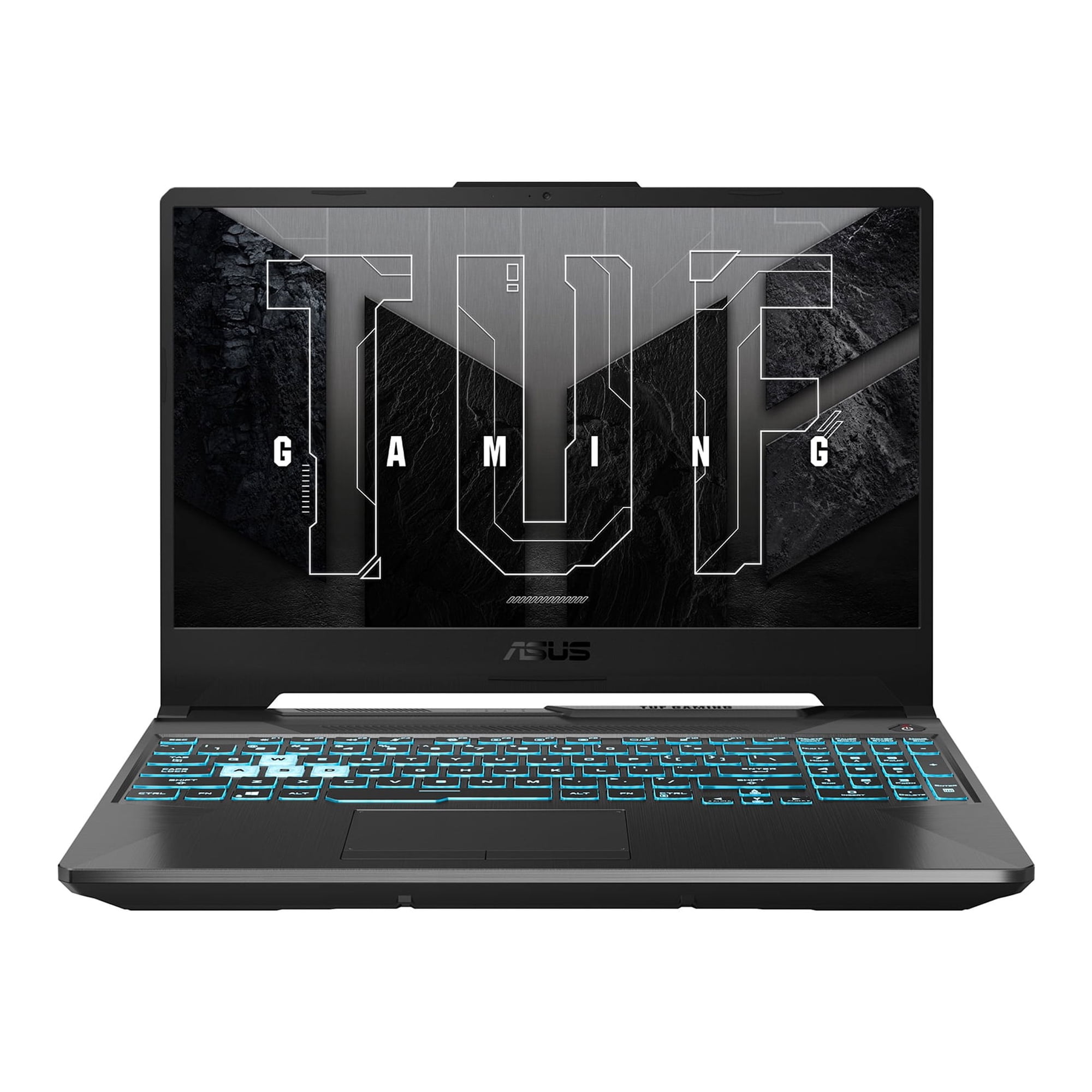
ASUS officially lists the TUF Gaming A15 FA506 with Ryzen 7 7435HS, RTX 3050 graphics and a 144Hz Full HD display. A current retail listing is around $549 for the Ryzen 7/RTX 3050 configuration.
The biggest caveat is memory. The configuration currently listed at this price has 8GB RAM, so buyers should check whether the specific SKU provides an upgrade path and consider moving to 16GB if possible.
Current price:
— $549. (Official Price as of September 16, 2026)
Key specifications:
- 15.6-inch Full HD display
- 144Hz refresh rate
- AMD Ryzen 7 7435HS
- NVIDIA GeForce RTX 3050
- 8GB RAM
- 512GB SSD
- Windows 11
Pros
- Ryzen 7 processor
- RTX 3050 dedicated graphics
- 144Hz display
- Competitive price
- TUF series is designed around gaming use
Cons
- 8GB RAM in the listed configuration
- RTX 3050 is below the RTX 4050 in newer systems
- Heavier than normal productivity laptops
- Battery life is not its main strength
MSI GF63 Thin — Affordable RTX 3050 Entry Point
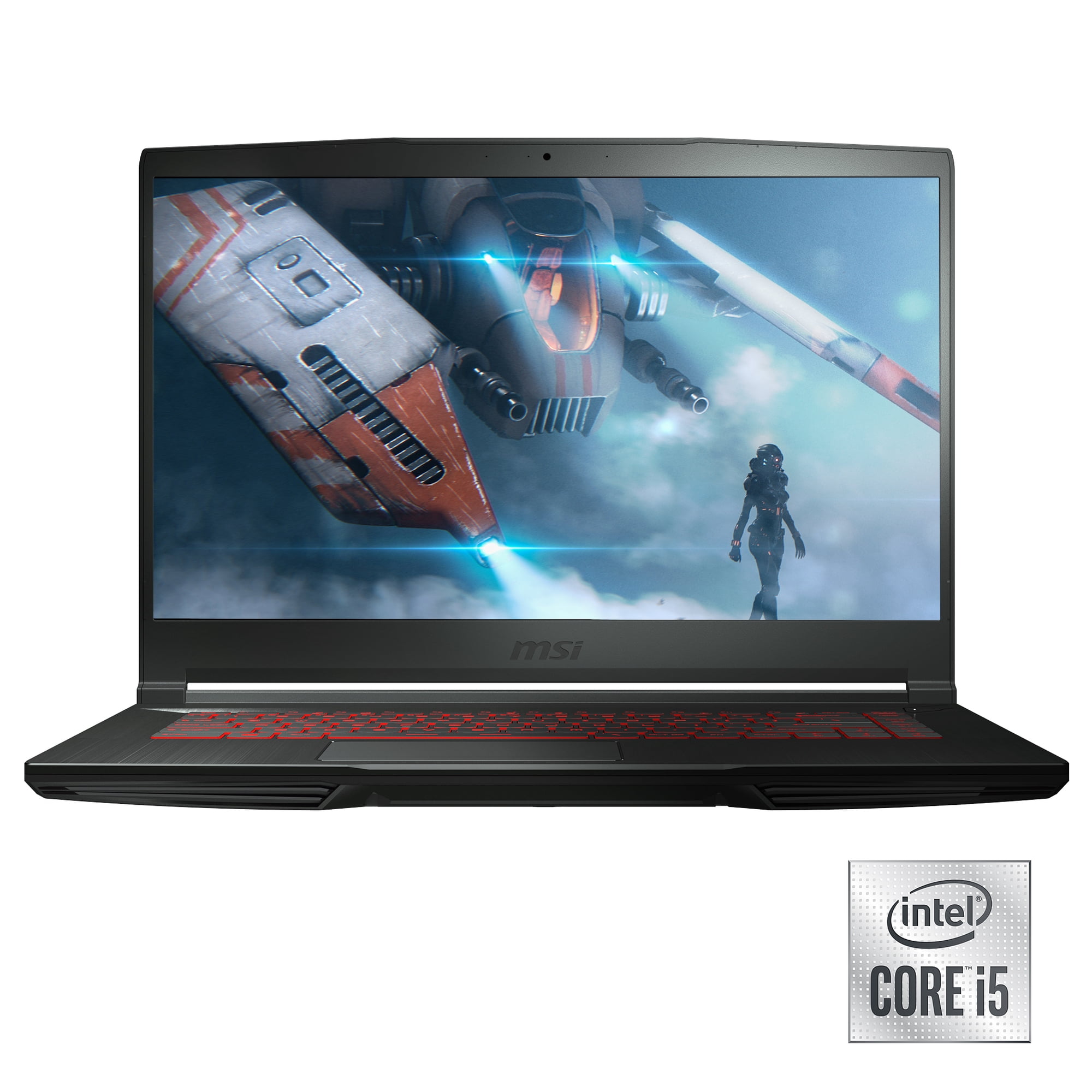
The currently listed configuration is approximately $599 and includes 16GB RAM and a 512GB NVMe SSD. MSI’s specifications confirm RTX 3050 configurations, 144Hz Full HD displays and 512GB NVMe storage options within the GF63 Thin family.
This model is aimed at buyers who want dedicated NVIDIA graphics without moving far beyond the $500–$600 range.
Current price:
— $599. (Official Price as of September 16, 2026)
Key specifications:
- 15.6-inch Full HD IPS-level display
- 144Hz refresh rate
- Intel Core processor
- NVIDIA GeForce RTX 3050
- 16GB RAM
- 512GB NVMe SSD
- Windows 11
Pros
- Dedicated RTX 3050 graphics
- 16GB RAM in the listed configuration
- 512GB NVMe SSD
- 144Hz Full HD display
- Competitive entry-level gaming price
Cons
- Older platform than newer RTX 4050 systems
- Basic chassis compared with more expensive gaming laptops
- Gaming performance varies substantially by game
- Battery life is not designed for long unplugged gaming
Gaming buying takeaway
The most important point is to compare the exact GPU configuration rather than simply buying a laptop because it is labeled “gaming.” At the current prices checked for this article, the HP Victus 15 configuration provides RTX 4050 graphics at a particularly low listed price, while the ASUS TUF Gaming A15 and MSI GF63 Thin provide less expensive RTX 3050 alternatives.
Because gaming laptop prices change quickly, verify the GPU, RAM, storage and display of the exact SKU before ordering.
17. Can You Get a Good Laptop for Under $500?
Yes—but this is where the compromises become more noticeable.
If your actual budget is $500, I would prioritize:
- 16GB RAM if available
- 512GB SSD
- AMD Ryzen 5 or comparable Intel Core processor
- Full HD display
- Windows 11 or ChromeOS depending on needs
- Good keyboard
- Decent battery life
You may need to accept a plastic chassis, average speakers, a dimmer display, or an older processor.
Chromebooks can become particularly attractive below $500 because ChromeOS is less demanding and inexpensive hardware can still deliver a responsive web-focused experience.
If you have exactly $500 and cannot go above it, do not buy a $450 laptop with 4GB RAM simply because it is cheap. It is often better to wait for a sale or choose a Chromebook if your software requirements allow it.
18. When Should You Spend the Full $700?
The extra money is worth spending when it buys a meaningful improvement.
Good reasons to move from $500 to $700 include:
- 8GB → 16GB RAM
- 256GB → 512GB SSD
- Weak processor → modern midrange CPU
- Poor display → better IPS panel
- Heavy laptop → lighter design
- Poor battery → more efficient platform
- Basic webcam → 1080p webcam
- Weak integrated graphics → stronger graphics
- Low-quality chassis → better build quality
Bad reasons include paying more simply because the processor has a larger model number.
Intel’s current laptop portfolio illustrates why model numbers alone can be misleading: Core and Core Ultra processors span multiple generations, suffixes, core counts, and performance classes.
19. Which Laptop Size Should You Choose?
The best size depends on how you use the machine.
13–14 inches
Best for:
- Students
- Travelers
- Remote workers
- Commuters
- Frequent business travel
15–16 inches
Best for:
- Office work
- Spreadsheets
- Multitasking
- Media consumption
- Home use
17 inches
Best for:
- Desk-based users
- Large-screen productivity
- Some gaming setups
The downside is portability.
A 16-inch laptop can be dramatically less convenient to carry around campus than a 14-inch model.
Again, our Laptop Size and Weight Guide can help you make that decision.
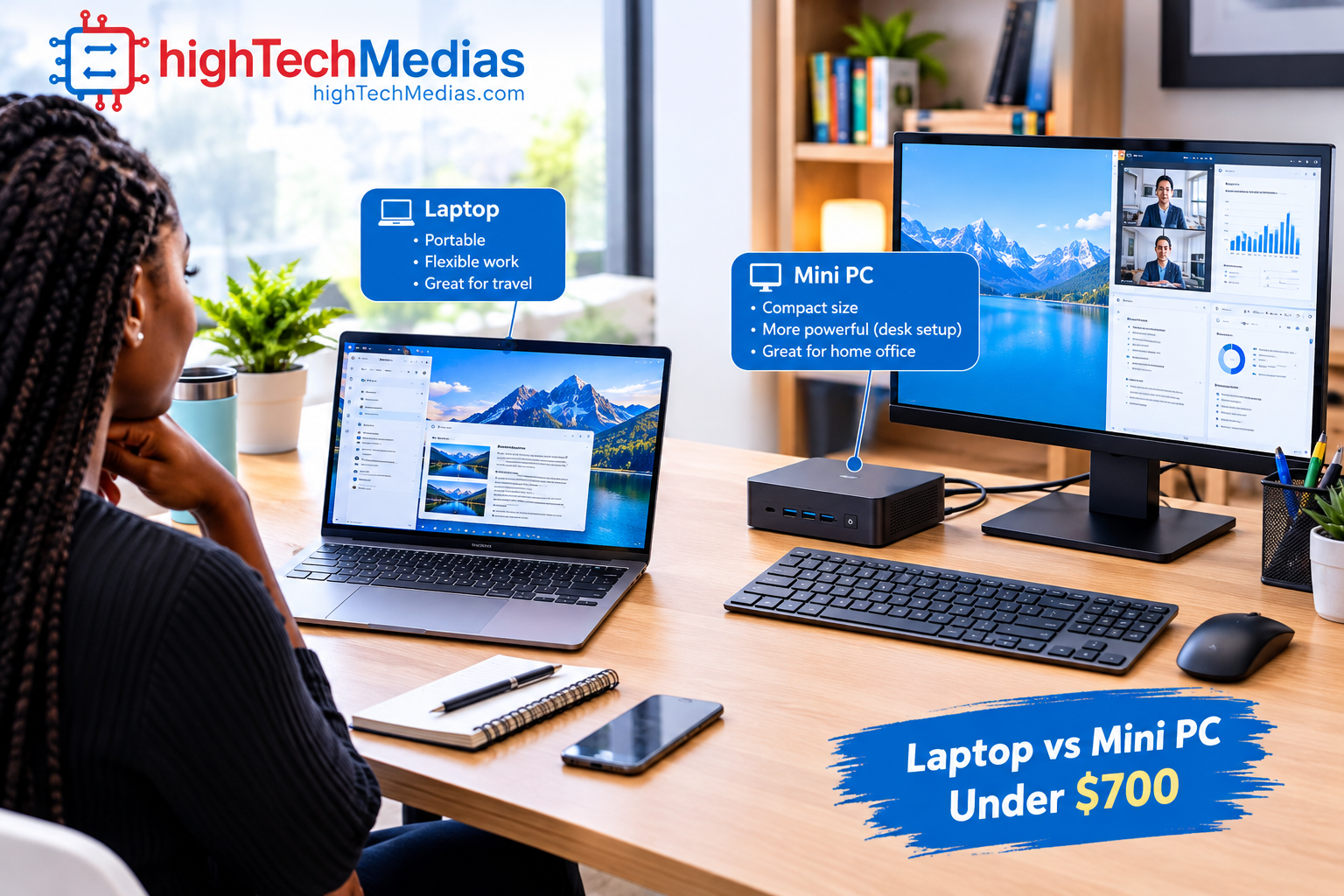
20. Should You Buy a Mini PC Instead?
If you rarely need to carry your computer, a mini PC can be an interesting alternative.
A mini PC can provide excellent performance per dollar because you are not paying for:
- A laptop battery
- Laptop display
- Laptop keyboard
- Laptop hinges
- Built-in trackpad
But you need an external monitor, keyboard, and mouse.
If portability is not important, compare the best mini PCs for home office use.
You can also see our best budget mini PC buying guide or best silent mini PCs if noise is a concern.
For a direct form-factor comparison, see Mini PCs vs Laptops.
21. What I Would Avoid in a $700 Laptop
A few specifications should immediately make you cautious.
4GB RAM
Avoid unless the laptop is an extremely specialized low-cost Chromebook.
64GB or 128GB storage
These capacities become restrictive quickly on a Windows laptop.
Low-resolution display
A cheap display can make an otherwise decent laptop frustrating to use every day.
Very old processors
A discount is not automatically a bargain.
8GB RAM with no upgrade path
This can be especially limiting if you plan to keep the laptop for several years.
Poor keyboard
You interact with the keyboard constantly. A mediocre keyboard can make a laptop feel worse than its specifications suggest.
Extremely heavy designs
If you’re buying a portable computer, portability should actually matter.
22. How to Choose the Right Laptop Under $700
Use this five-step process.
Step 1: Define your workload
Are you buying for school, work, browsing, programming, creative work, or gaming?
Step 2: Choose the operating system
Choose Windows if you need broad desktop software compatibility.
Choose ChromeOS if most of your work happens in a browser.
Step 3: Target 16GB RAM
If possible, make this one of your main requirements.
Step 4: Target 512GB SSD
This gives you considerably more breathing room than a 128GB or 256GB drive.
Step 5: Evaluate the complete laptop
Look at:
- Display
- Battery
- Weight
- Keyboard
- Ports
- Webcam
- Build quality
- Warranty
- Upgradeability
- CPU
- GPU
Do not let one impressive specification distract you from weaknesses elsewhere.
23. Frequently Asked Questions About Laptops Under $700
What is the best laptop under $700 in 2026?
There is no single model that is ideal for every buyer. For general Windows productivity, look for a current Intel or AMD processor, 16GB RAM, a 512GB SSD and a good Full HD or higher-resolution display. Students may prioritize portability and battery life, while gamers should put more of their budget toward a dedicated GPU.
Is $700 enough for a good laptop?
Yes. The current market includes Windows laptops with 16GB RAM and 512GB SSDs around this price, as well as discounted gaming laptops with dedicated NVIDIA graphics.
However, prices and configurations change frequently, so the exact model and retailer matter.
Should I buy a 16GB laptop or an 8GB laptop?
For a new Windows laptop that you expect to keep for several years, 16GB is the safer target.
Eight gigabytes can still handle basic tasks, particularly on lightweight operating systems or highly optimized systems, but 16GB provides more room for browser tabs, office applications, video calls and multitasking.
Is 512GB SSD enough for college?
For most students, 512GB is a very useful starting point.
It provides considerably more room than a 128GB or 256GB drive for applications, documents, photos, projects and local files.
Students working with large video files, games or extensive media libraries may want 1TB.
Is a gaming laptop under $700 worth buying?
It can be, particularly when you find an RTX 3050 or RTX 4050 configuration on sale.
However, gaming laptops under $700 normally involve compromises in weight, battery life, display quality, cooling noise or build materials.
For gaming, compare the GPU first.
Is RTX 3050 still good enough for gaming in 2026?
An RTX 3050 can still be useful for budget 1080p gaming, but it is no longer the newest NVIDIA laptop GPU tier.
If an RTX 4050 laptop is available for a similar price, compare the exact configurations carefully because the newer GPU can provide a more attractive performance and feature set.
Is a Chromebook better than a Windows laptop under $700?
It depends on your software.
A Chromebook can be excellent for browser-based schoolwork, Google Workspace, streaming and web applications.
Windows is generally more flexible if you need traditional desktop applications, specialized software, engineering tools, programming environments or Windows-only applications.
Are ARM Windows laptops good for students?
They can be excellent for students who primarily use web browsers, Microsoft 365 and mainstream applications.
However, students in engineering, computer science, scientific research or other specialized fields should verify that their required applications work correctly on the Snapdragon/ARM platform before purchasing.
What is more important: CPU or RAM?
Both matter, but they solve different problems.
The CPU affects processing performance, while RAM affects how comfortably the system can handle multiple applications and data at the same time.
For a $700 Windows laptop, a balanced configuration with a modern midrange CPU and 16GB RAM is usually more useful than an extremely powerful processor paired with only 8GB RAM.
Should I buy a 14-inch or 15.6-inch laptop?
Choose 14 inches if portability is important.
Choose 15.6 or 16 inches if you spend most of your time working with spreadsheets, documents, multiple windows or media.
Screen size should be considered together with weight and battery life.
Can a $700 laptop handle programming?
Yes.
A laptop with 16GB RAM, a 512GB SSD and a modern Intel or AMD processor can handle many programming workloads, development environments and local tools.
Developers working with virtual machines, containers, large projects or multiple development environments may benefit from more RAM and a stronger processor.
Can a $700 laptop handle photo editing?
Yes, for mainstream photo editing.
The display becomes particularly important here. Resolution, brightness and color coverage can matter more than simply choosing the fastest processor.
For professional color-sensitive work, verify the display specifications carefully rather than assuming every Full HD panel has accurate colors.
How long should a $700 laptop last?
A well-chosen laptop can remain useful for several years, but actual longevity depends on the processor, RAM, storage, battery health, software support, build quality and workload.
Choosing 16GB RAM and 512GB storage can provide more flexibility than buying a severely restricted configuration simply because it is cheaper.
Should I spend the entire $700 budget?
Not necessarily.
If a $550 laptop already gives you 16GB RAM, 512GB SSD, a suitable processor and a good display, there may be little reason to spend another $150.
Spend more when the additional money produces a meaningful improvement such as more RAM, a better display, a stronger GPU, better battery life, or a more durable design.
What should I check before buying a laptop under $700?
Check the exact processor model, RAM, SSD capacity, display brightness, resolution, refresh rate, battery capacity, weight, ports, webcam, wireless standard, warranty and upgradeability.
Most importantly, check the exact SKU.
Two laptops with almost identical product names can have very different processors, RAM, storage and displays.
Is a $500 laptop enough?
Yes, if your needs are basic.
At around $500, look carefully at RAM, storage and processor age. A Chromebook may provide excellent value for web-focused users, while a discounted Windows laptop can make sense when you need broader application compatibility.
What is the most important specification for a gaming laptop under $700?
For gaming, the dedicated GPU should receive the most attention.
After the GPU, consider cooling, RAM, display refresh rate, storage and CPU performance.
A laptop with a slightly slower CPU but a stronger GPU can provide a better gaming experience than a laptop with an expensive processor and weak graphics.
24. Final Verdict: What Is the Best Laptop Under $700?
The best laptops under $700 are no longer simply cheap machines designed for basic web browsing.
In 2026, this budget can buy surprisingly capable hardware.
For most Windows buyers, I would target
[ 16GB RAM, a 512GB SSD, a recent Intel Core/Core Ultra or AMD Ryzen processor, a Full HD-or-better display, and good real-world battery life].
For students and office users, a balanced 14- or 15-inch Windows laptop is likely to be the safest choice.
For browser-focused users, a Chromebook can provide excellent value while avoiding the need for expensive hardware. Google’s current policy also gives supported Chromebooks up to 10 years of automatic updates, although you should always check the specific model’s update schedule before buying.
For users who need professional desktop applications, Windows remains the more flexible option.
And if your budget is strictly $500, do not assume you have to buy the cheapest Windows laptop available. A well-equipped Chromebook or a sale-priced Windows machine can be a much smarter purchase.
My final recommendation is simple: don’t buy the laptop with the biggest specification number. Buy the most balanced system you can get for your money. At around $700, 16GB RAM, 512GB SSD, a capable modern processor, a good display, and dependable battery life are the combination I would prioritize for most buyers.
Still not sure which laptop is right for you?
Choosing between different processors, RAM configurations, displays, battery capacities, and laptop sizes can make a $700 budget surprisingly difficult to navigate. If you want to make a more informed decision before buying, our Laptop Buying Guide 2026 breaks down the key specifications and practical factors to check before you spend your money.







Comments (2)
[…] For more student-focused computer advice, see our Best Laptops Under $700 in 2026. […]
[…] tighter budgets, see our guides to the best laptops under $700 and the best laptops under […]