
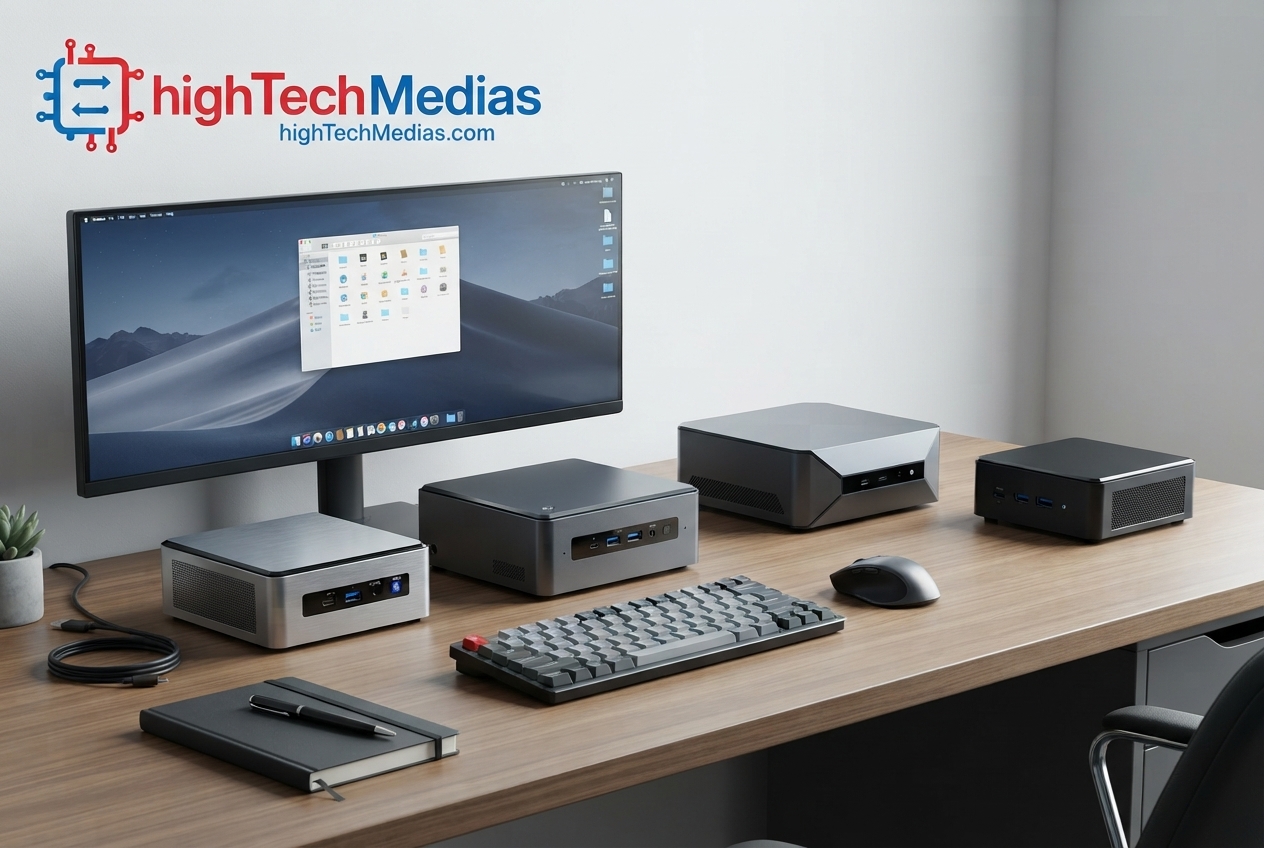
Best Mini PCs Under $500 in 2026: 5 Top Budget Picks
Introduction
A small desktop no longer has to mean a major compromise in everyday computing. In 2026, shoppers can find surprisingly capable systems in compact chassis, including models with modern AMD Ryzen processors, Intel Core processors, fast NVMe storage, high-speed networking, multiple display outputs, and upgradeable memory or storage.
This guide focuses on the Best Mini PCs Under $500 that are officially listed by manufacturers and can be checked directly through their official online stores. Instead of relying on vague specifications or inflated marketplace listings, we look at what each system actually offers, who it makes sense for, and where its limitations appear.
Prices can change with promotions, configuration, and availability, so the prices mentioned below are the official prices or starting prices shown by the manufacturers when this guide was prepared on September 28, 2026.
If you are replacing an older tower, building a compact home office, setting up a student workstation, or simply want a desktop that takes up very little space, these systems are worth examining.
1. Two Featured Mini PCs Under $500
The first two models deserve closer attention because they demonstrate two different approaches to the sub-$500 mini PC market. One emphasizes a newer, higher-performance Ryzen platform, while the other combines business-oriented hardware with strong connectivity and storage expansion.
1.1 GMKtec K8 Plus — Ryzen 7 8845HS
Official listed price: $399.99 starting price
Best for: Power users, multitasking, developers, enthusiasts, and buyers who want a stronger compact desktop platform.
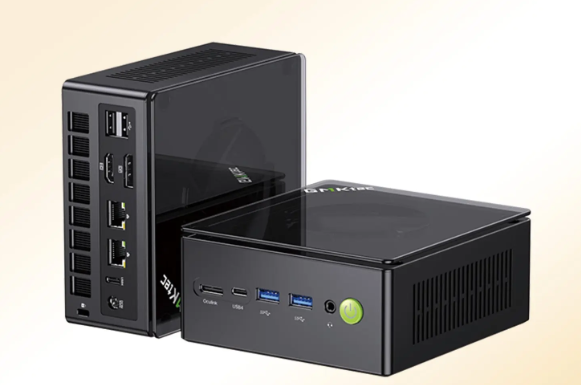
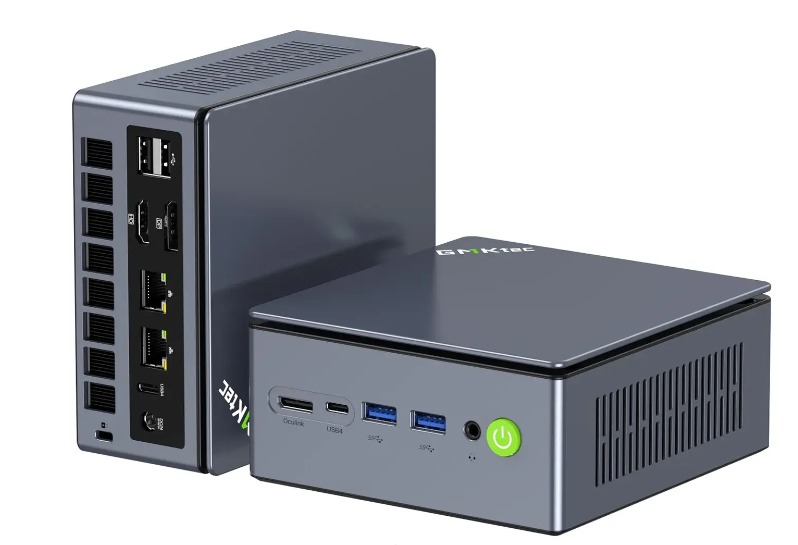
The GMKtec K8 Plus is one of the more performance-oriented systems in this price range. GMKtec’s U.S. store currently lists the K8 Plus at $399.99 starting price and offers a 32GB RAM + 1TB SSD configuration. The product page identifies the processor as AMD Ryzen 7 8845HS and lists Radeon 780M integrated graphics.
The important point is that the $399.99 figure is a starting price, so buyers should check the configuration selector before assuming that the advertised price includes 32GB of memory and a 1TB SSD. The official page currently identifies the 32GB + 1TB configuration separately.
Key specifications
Specification |
GMKtec K8 Plus |
| Processor | AMD Ryzen 7 8845HS |
| CPU | 8 cores / 16 threads |
| Architecture | Zen 4 |
| Integrated GPU | AMD Radeon 780M |
| Memory | DDR5-5600 |
| Standard memory listed | 32GB |
| Maximum memory | Up to 128GB |
| Storage | 1TB PCIe 4.0 NVMe SSD listed |
| Storage expansion | 2 × M.2 PCIe 4.0 slots |
| Networking | Wi-Fi 6E, dual 2.5GbE |
| Display support | Up to four displays |
| USB | USB 3.2 and USB4 |
| External GPU | OCuLink |
| Operating system | Windows 11 Pro / Linux supported |
| Dimensions | 132 × 125 × 58 mm |
These specifications come directly from GMKtec’s official product listing.
Who should buy the K8 Plus?
The K8 Plus makes the most sense for users who want more than basic web browsing and office work. It is a particularly interesting option for developers, advanced multitaskers, technical users, and enthusiasts who may eventually want to connect additional hardware.
The combination of an eight-core Ryzen 7 processor, Radeon 780M graphics, DDR5 memory, dual 2.5GbE networking, multiple display outputs, USB4, and OCuLink gives the machine considerable flexibility for a compact system.
It can also make sense as a desktop replacement for someone who does not need a conventional tower.
Why consider it?
The K8 Plus stands out because it is not designed simply as a low-power office computer. Its hardware platform gives buyers room for heavier multitasking, development work, content creation, and some graphics-oriented workloads.
The two M.2 storage slots are another practical advantage. Instead of treating the mini PC as a sealed appliance, buyers can plan for additional storage as their needs grow. GMKtec also lists OCuLink connectivity, which gives advanced users an option for external PCIe expansion.
Pros
- Ryzen 7 8845HS with 8 cores and 16 threads
- Radeon 780M integrated graphics
- DDR5-5600 memory
- Up to 128GB memory support
- Dual 2.5GbE networking
- USB4 connectivity
- Two M.2 PCIe 4.0 storage slots
- OCuLink support
- Windows 11 Pro and Linux support
Cons
- The advertised $399.99 price is a starting price rather than a guarantee that every configuration costs $399.99
- No discrete GPU is built into the system
- OCuLink is not hot-pluggable, according to the manufacturer
- Buyers should verify the exact RAM and SSD configuration before checkout
1.2 GMKtec M8 — Ryzen 5 PRO 6650H
Official listed price: $389.99 for the listed 16GB + 512GB configuration
Best for: Office professionals, multitasking, compact workstations, developers, and users who need strong connectivity.
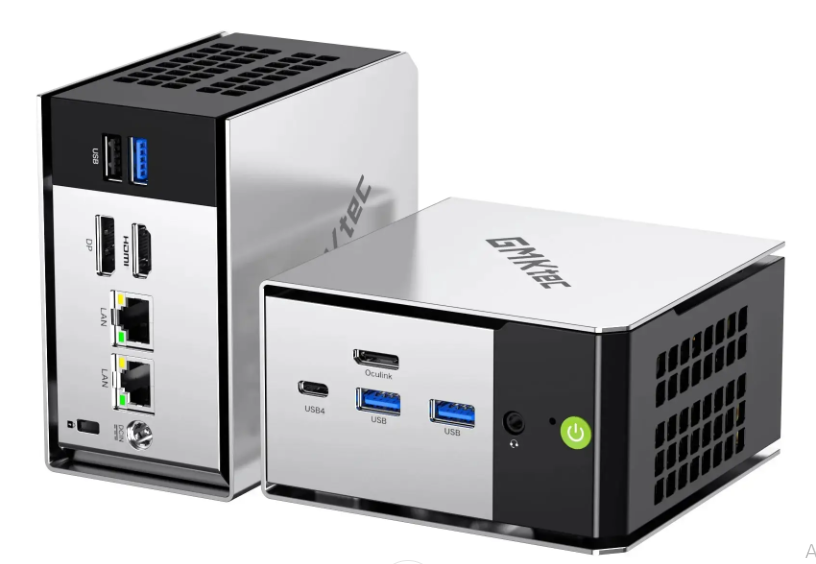
The GMKtec M8 takes a different approach. Instead of emphasizing the newest consumer processor, it uses AMD’s Ryzen 5 PRO 6650H and pairs it with 16GB of onboard LPDDR5-6400 memory.
GMKtec’s official U.S. product page currently lists the 16GB + 512GB configuration at $389.99. The same page lists a 16GB + 1TB option.
The Ryzen 5 PRO 6650H provides 6 cores and 12 threads, while Radeon 660M handles integrated graphics. The system also includes Wi-Fi 6E, dual 2.5GbE Ethernet, USB4, and an OCuLink connection.
Key specifications
Specification |
GMKtec M8 |
| Processor | AMD Ryzen 5 PRO 6650H |
| CPU | 6 cores / 12 threads |
| GPU | AMD Radeon 660M |
| Memory | 16GB LPDDR5-6400 |
| Memory upgrade | Onboard, non-upgradable |
| Storage | 512GB / 1TB options |
| Storage expansion | Two M.2 PCIe 4.0 slots |
| Networking | Wi-Fi 6E, dual 2.5GbE |
| Display | HDMI + DisplayPort + USB4 |
| USB4 | Yes |
| OCuLink | Yes |
| Operating system | Windows 11 Pro |
| Dimensions | 107 × 111 × 63 mm |
GMKtec’s official specification page confirms these details.
Who should buy the M8?
The M8 is a strong fit for professionals who value connectivity and expansion but do not necessarily need a high-end Ryzen 7 processor.
Its dual 2.5GbE ports make it particularly interesting for users working with fast local networks, small-office infrastructure, file transfers, or networking projects. The two M.2 expansion slots also make it more flexible than many inexpensive compact systems.
For a developer or technical professional, USB4 and OCuLink add useful expansion possibilities.
Why consider it?
The M8’s biggest advantage is its combination of compact dimensions and unusually broad connectivity. It is small enough for a clean desk but still provides multiple high-speed networking and storage options.
The main limitation is its memory. The 16GB LPDDR5-6400 memory is onboard and cannot be upgraded. That is important for buyers planning to run multiple virtual machines, large development environments, or memory-intensive applications.
Pros
- Ryzen 5 PRO 6650H
- 6 cores / 12 threads
- Fast LPDDR5-6400 memory
- Dual 2.5GbE Ethernet
- Wi-Fi 6E
- USB4
- OCuLink
- Two M.2 PCIe 4.0 storage slots
- Windows 11 Pro
Cons
- 16GB RAM is onboard and non-upgradable
- Radeon 660M is integrated graphics rather than a discrete GPU
- CPU platform is older than some newer Ryzen options
- Storage configuration should be checked before purchase
2. Three More Budget Mini PC Picks
The two systems above provide a useful starting point, but the sub-$500 market is broader. The following three models are worth considering for different priorities.
2.1 GMKtec M3 Pro — Intel Core i5-13500H
Official listed starting price: $329.99
Best for: Users who specifically prefer an Intel platform and need a compact productivity machine.
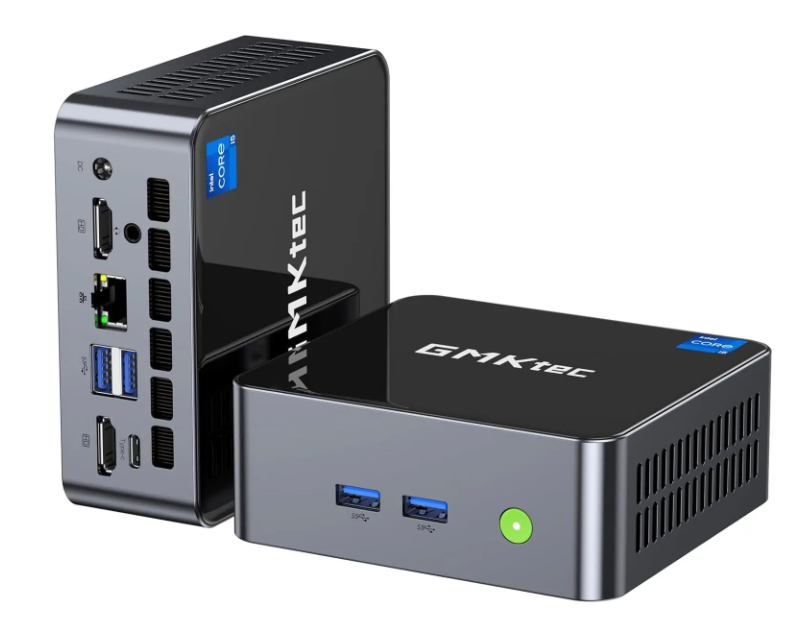
The GMKtec M3 Pro uses a 13th-generation Intel Core i5-13500H with 12 cores and 16 threads. GMKtec lists the system at a $329.99 starting price, while configurations include 16GB RAM + 512GB SSD and 32GB RAM + 1TB SSD. The page distinguishes the barebone configuration from the memory-and-storage configurations, so shoppers should verify the selected configuration before purchase.
The M3 Pro supports DDR4-3200 memory, with two SO-DIMM slots and up to 64GB according to GMKtec. Storage includes two M.2 slots, and the system can drive up to three 4K displays.
Key specifications
- Intel Core i5-13500H
- 12 cores / 16 threads
- Up to 4.7GHz turbo frequency
- Intel Iris Xe graphics eligibility with dual-channel memory
- Two DDR4 SO-DIMM slots
- Up to 64GB RAM
- 2 NVMe storage
- Two SSD slots
- 5GbE Ethernet
- Wi-Fi 6
- Triple-display support
- Windows 11 Pro
Who should buy it?
The M3 Pro is particularly relevant for office workers, students, developers who prefer Intel software compatibility, and users who want a compact Windows desktop with conventional upgradeable memory.
Its DDR4 platform is not as modern as DDR5 systems, but the two SO-DIMM slots provide a practical upgrade path.
Pros
- 12-core/16-thread Intel processor
- Upgradeable RAM
- Up to 64GB memory
- Two SSD slots
- 5GbE networking
- Three-display support
- Compact 114 × 106 × 42.5 mm chassis
Cons
- DDR4 rather than DDR5
- Integrated graphics only
The $329.99 figure is a starting price and configuration must be checked
2.2 GMKtec M7 Ultra — Ryzen 7 PRO 6850U
Official listed starting price: $379.99
Best for:
Professional users, multitasking, business applications, and buyers who want expandable storage.
The M7 Ultra uses AMD’s Ryzen 7 PRO 6850U with 8 cores and 16 threads. GMKtec’s official page lists a $379.99 starting price and offers 16GB + 512GB and 32GB + 1TB configurations in addition to the barebone option.
The hardware includes Radeon 680M integrated graphics, two DDR5 SO-DIMM slots, support for up to 64GB of RAM, and two M.2 PCIe 4.0 storage slots.
Who should buy it?
The M7 Ultra is a logical option for professionals who need more CPU resources than an entry-level system but do not want a traditional tower.
Its upgradeable memory and storage architecture also makes it more flexible for long-term use.
Pros
- Ryzen 7 PRO 6850U
- 8 cores / 16 threads
- Radeon 680M graphics
- DDR5 memory
- Up to 64GB RAM
- Two M.2 PCIe 4.0 slots
- Dual 2.5GbE networking
- Wi-Fi 6E
- Multiple display outputs
Cons
- Starting price does not represent every configuration
- Integrated graphics limits demanding 3D workloads compared with discrete-GPU desktops
Older processor platform than some newer Ryzen models.
2.3 ACEMAGIC S3A — Ryzen 7 H 255
Official listed price: $470 for the listed U.S. configuration
Best for:
Buyers who want a newer AMD platform, everyday productivity, home-office use, and a quieter compact setup.
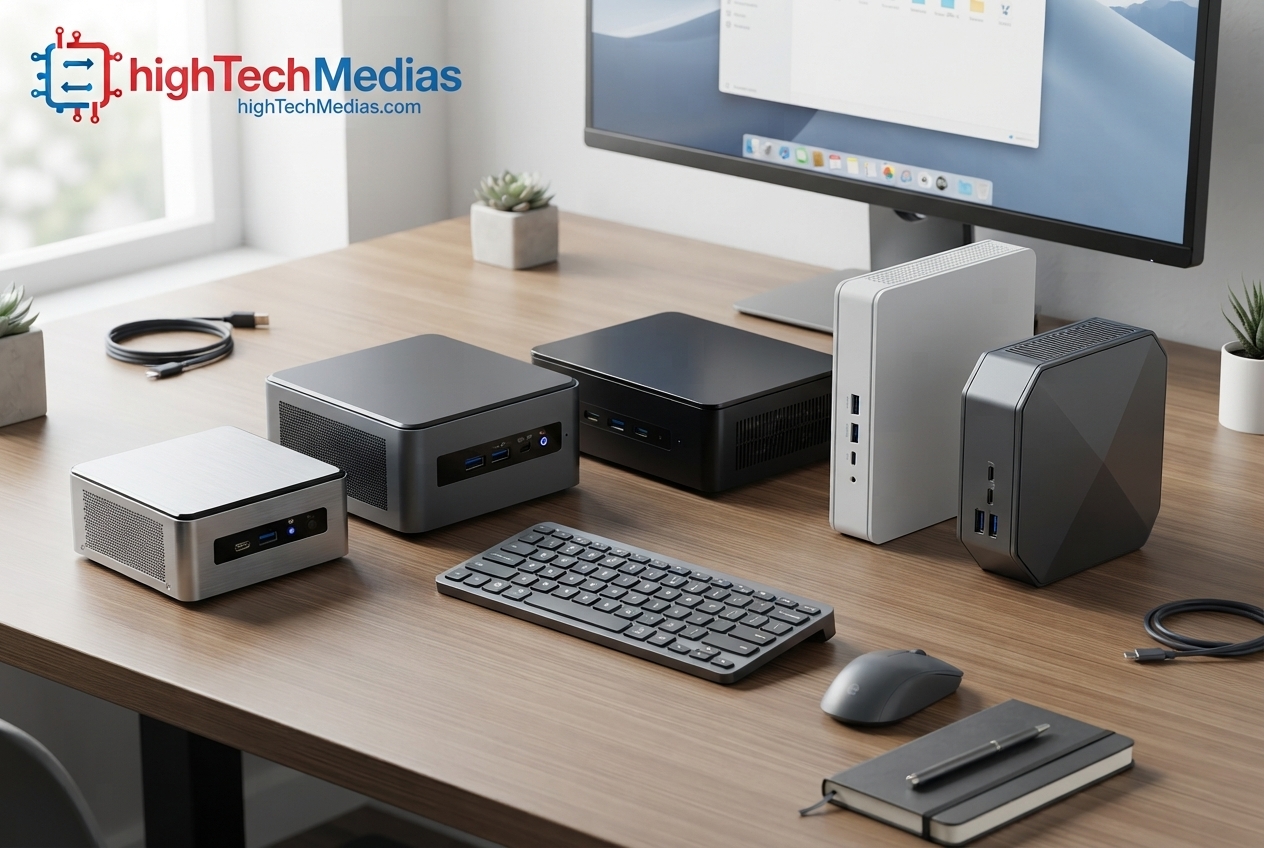
ACEMAGIC’s U.S. product page currently lists the S3A at $470 for a configuration with AMD Ryzen 7 H 255, 16GB LPDDR5 memory, and a 512GB SSD. The page also lists other processor and memory/storage configurations, so buyers should verify the exact variant at checkout.
The S3A also includes a silent mode designed for lighter tasks such as web browsing and media playback.
Who should buy it?
This is an interesting choice for a home-office user, student, or everyday desktop buyer who values a compact system and quiet operation.
It is less compelling for someone specifically looking for maximum upgradeability because the configuration and memory architecture should be checked carefully before buying.
Pros
- Ryzen 7 H 255 option
- 16GB LPDDR5 configuration listed
- 512GB SSD configuration listed
- Silent mode
- S. shipping option
- Compact form factor
Cons
- Configuration options vary
- Buyers should verify the exact processor and RAM combination
Not intended to replace a discrete-GPU workstation.
Section 3. How These Five Mini PCs Compare
A sub-$500 buying guide should not simply focus on processor names. The best choice depends on memory, storage, connectivity, upgradeability, and the workload you expect to run.
| Model | Official listed price* | Processor | Graphics | Memory approach | Best suited for |
| GMKtec K8 Plus | From $399.99 | Ryzen 7 8845HS | Radeon 780M | DDR5, upgradeable | Power users, developers |
| GMKtec M8 | $389.99 listed 16GB/512GB config | Ryzen 5 PRO 6650H | Radeon 660M | 16GB onboard | Office, networking, multitasking |
| GMKtec M3 Pro | From $329.99 | Core i5-13500H | Iris Xe eligible | DDR4, upgradeable | Intel users, office, development |
| GMKtec M7 Ultra | From $379.99 | Ryzen 7 PRO 6850U | Radeon 680M | DDR5, upgradeable | Professional multitasking |
| ACEMAGIC S3A | $470 listed U.S. config | Ryzen 7 H 255 | Integrated Radeon graphics | LPDDR5 configuration | Home office, everyday use |
*Prices are manufacturer-listed prices checked September 28, 2026. “From” means the manufacturer is showing a starting price and the final price depends on configuration.
The most important distinction is between ready-to-use configurations and barebone pricing. A barebone system may exclude RAM, SSD storage, and sometimes the operating system. A $300-or-$400 barebone price is therefore not directly comparable with a $400 system that already includes memory, storage, and Windows.
That distinction is particularly important when comparing mini PCs online.
Section 4. What Performance Should You Expect Under $500?
A budget mini PC does not automatically mean a slow computer. Modern mobile-class processors can provide enough CPU performance for office software, browser-heavy workflows, programming, media playback, remote work, and many creative applications.
The key is matching the processor to the workload.
A six-core or eight-core processor is generally more appropriate for heavy multitasking than an entry-level four-core chip. However, CPU core count alone does not determine performance. Architecture, power limits, cooling, memory configuration, and software all matter.
For everyday productivity, even a modest mini PC can handle web browsing, Microsoft Office, video calls, streaming, email, and document work.
For programming, more memory becomes increasingly important when working with IDEs, containers, databases, virtual machines, browser tabs, and development tools simultaneously.
For gaming, integrated graphics should be treated realistically. Systems such as the K8 Plus use Radeon 780M integrated graphics, but they do not have the same graphics capability as a desktop with a dedicated GPU.
Section 5. How Much RAM Do You Need?
Memory is one of the most important specifications to examine when shopping for a compact desktop.
For basic office work, 16GB is a sensible target. It provides enough room for normal productivity applications and browser-heavy workflows without forcing the system to rely heavily on storage.
For programming, content creation, professional multitasking, or long-term use, 32GB can be a more comfortable target.
The K8 Plus is particularly flexible because GMKtec lists two DDR5 SO-DIMM slots and support for up to 128GB.
The M3 Pro also provides two memory slots and support for up to 64GB, although it uses DDR4 rather than DDR5.
The M8 is different because its 16GB LPDDR5-6400 memory is onboard and non-upgradable.
This illustrates an important buying-guide rule: do not look only at how much RAM a mini PC has today. Check whether you can upgrade it later.
6. Storage: NVMe SSD Capacity Matters
Most buyers should look for an NVMe SSD rather than a system that relies on slow removable storage.
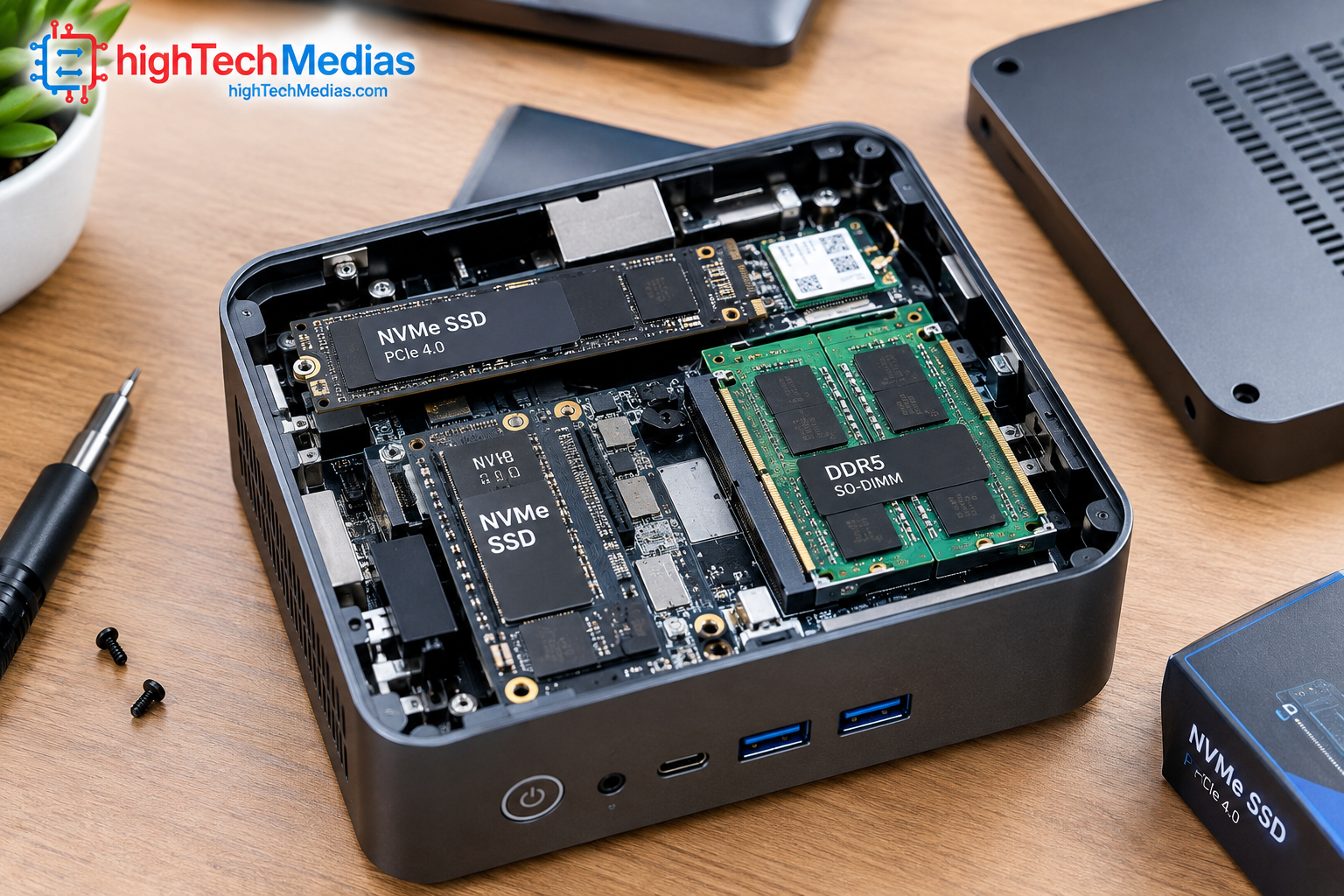
A 512GB SSD can be sufficient for office work and general use, but 1TB provides considerably more breathing room if you store applications, photographs, games, development projects, and large media files locally.
Storage expansion is another major difference between mini PCs.
The K8 Plus provides two M.2 PCIe 4.0 NVMe slots and supports expansion up to 16TB according to GMKtec.
The M8 also provides two M.2 PCIe 4.0 storage slots, giving it a useful upgrade path despite its non-upgradable memory.
The M3 Pro supports two SSD slots, including M.2 storage expansion.
For users building a small server, developer workstation, media library, or file-management system, storage expansion can be more important than having the fastest processor.
7. Connectivity and Multi-Monitor Support
One advantage of a modern small form factor PC is that it can provide surprisingly comprehensive connectivity.
The K8 Plus supports HDMI 2.1, DisplayPort 2.1, two USB4 ports, dual 2.5GbE Ethernet, and OCuLink. GMKtec lists support for up to four displays.
The M8 offers HDMI, DisplayPort, USB4, dual 2.5GbE networking, and Wi-Fi 6E.
The M3 Pro supports up to three 4K displays through its HDMI and USB-C display outputs.
For a home office, three displays may be unnecessary. For developers, financial professionals, content creators, and multitaskers, however, multiple displays can significantly change how useful a compact desktop becomes.
Before buying, check the exact ports rather than assuming every USB-C port supports the same features. USB-C can carry different combinations of data, power, and video depending on the implementation.
8. Mini PC vs. Traditional Desktop Tower
The main reason to buy a mini PC is not simply price. It is the combination of reasonable performance and minimal physical footprint.
A tower desktop generally offers more room for a discrete graphics card, large cooling systems, additional drives, and extensive expansion. A mini PC trades some of that flexibility for a much smaller footprint.
For a home office, the difference can be significant. A mini PC can sit behind a monitor, underneath a desk, or on a shelf depending on its mounting hardware.
If you are still deciding between a portable computer and a compact desktop, our guide to Mini PCs vs. Laptops explains the practical differences between the two form factors.
A laptop remains the better choice if you regularly work away from a desk. A mini PC is more attractive when your computer normally stays in one location.
9. Mini PC for Home Office and Remote Work
For remote workers, the processor is only one part of the equation.
A good home-office system should provide:
- Enough RAM for browser-heavy workflows
- Fast SSD storage
- Reliable Wi-Fi or Ethernet
- Multiple display outputs
- Enough USB ports for peripherals
- A compact physical footprint
- A cooling system suitable for long sessions
The K8 Plus and M8 are particularly interesting for users who want stronger networking and expansion options.
For a broader look at compact systems for this environment, see our guide to the best mini PCs for home office.
Users who prioritize low acoustic output can also compare the hardware and design considerations discussed in our guide to silent mini PCs.
10. Mini PCs for Students
Students usually have different priorities from developers or workstation users.
A student computer needs to handle web research, documents, video calls, online learning platforms, presentations, and entertainment without consuming much desk space.
A mini PC can be especially useful when paired with an existing monitor. Instead of buying a complete laptop, students who already have a display, keyboard, and mouse can build a compact desktop workstation.
The M3 Pro is an interesting option for users who prefer Intel and want upgradeable memory. The M8 can also make sense for students who want a compact Windows 11 Pro system with strong networking.
The important consideration is total system cost. Remember that a mini PC normally requires a separate monitor and peripherals, while a laptop includes the display, keyboard, touchpad, battery, and computer in one package.
11. Mini PCs for Programming and Development
Developers should pay particular attention to CPU cores, RAM capacity, SSD expansion, networking, and operating-system support.
A development machine may need to run an IDE, browser, database, Docker containers, local services, communication applications, and testing environments simultaneously.
For that reason, upgradeable RAM can be valuable.
The K8 Plus supports up to 128GB DDR5 according to GMKtec, while the M3 Pro supports up to 64GB DDR4.
The M8 takes another approach with fast onboard LPDDR5-6400 memory and two M.2 storage slots, but its memory cannot be upgraded.
For a deeper comparison focused specifically on development workloads, see Best Mini PCs for Programming and Development in 2026.
12. Are Mini PCs Good for Gaming?
The answer depends heavily on the type of gaming.
Integrated graphics can handle many lightweight and esports-oriented games, but buyers should not expect a $400 mini PC with integrated graphics to replace a dedicated gaming tower.
The K8 Plus is the most interesting model in this group for users who want additional graphics expansion because GMKtec provides an OCuLink interface. The company specifically identifies OCuLink as a PCIe Gen4 ×4 interface.
That does not turn the system into a gaming tower by itself. It simply provides an expansion path for users willing to build a more advanced setup.
For casual gaming and everyday entertainment, integrated Radeon graphics can be sufficient. For demanding modern AAA games at high settings, a dedicated GPU remains the more appropriate solution.
13. What You Should Check Before Buying a Mini PC
Before placing an order, check these seven points:
13.1 Confirm the exact configuration
A manufacturer’s “starting at” price may refer to a barebone model. Check RAM, SSD, and operating system before paying.
13.2 Check whether RAM is upgradeable
Two SO-DIMM slots provide a different long-term upgrade path from onboard memory.
13.3 Check the number of SSD slots
Two M.2 slots can be valuable for users who expect their storage requirements to grow.
13.4 Check the ports
Do not assume that every USB-C port is USB4. Check the official specification.
13.5 Check display support
If you plan to use two, three, or four monitors, confirm the exact output combination.
13.6 Check networking
2.5GbE can be valuable for fast local networks, NAS systems, and large file transfers.
13.7 Check the seller
For GMKtec products, the company identifies gmktec.com and de.gmktec.com as its official websites.
14. Mini PC Buying Guide: Which Type of User Should Choose Which Model?
User type |
Model to examine |
Main reason |
| Power user | GMKtec K8 Plus | Ryzen 7, DDR5, multiple expansion options |
| Office professional | GMKtec M8 | Strong connectivity and compact design |
| Intel-focused buyer | GMKtec M3 Pro | Core i5-13500H and upgradeable DDR4 |
| Professional multitasker | GMKtec M7 Ultra | Ryzen 7 PRO and expandable memory/storage |
| Home-office buyer | ACEMAGIC S3A | Ryzen 7 H 255 configuration and silent mode |
This table is not intended to suggest that one system is universally better than the others. The right choice depends on the configuration available at the time of purchase and the buyer’s workload.
For another perspective, compare these systems with our existing Best Budget Mini PCs in 2026 guide.
15. Frequently Asked Questions
What is the best mini PC under $500 in 2026?
The Best Mini PCs Under $500 include several different options depending on the user’s needs. The GMKtec K8 Plus is built around the Ryzen 7 8845HS and provides DDR5 memory, multiple storage slots, USB4, dual 2.5GbE, and OCuLink.
Is a $400 mini PC enough for everyday work?
Yes. A modern system in this price range can be suitable for web browsing, office applications, video calls, streaming, and general productivity. The exact experience depends on the processor, RAM, SSD, and configuration.
Is 16GB RAM enough for a mini PC?
For everyday computing, 16GB is generally a practical starting point. Developers, creators, and heavy multitaskers may benefit from 32GB or more.
Are mini PCs good for students?
Yes, particularly for students who already have a monitor and peripherals. A mini PC can provide a compact desktop workstation without occupying the space of a traditional tower.
Can a mini PC replace a desktop?
For office work, programming, web browsing, media consumption, and many productivity workloads, yes. A mini PC may not replace a full-size desktop for users who require a large discrete GPU or extensive PCIe expansion.
Are mini PCs upgradeable?
Some are highly upgradeable while others have soldered or onboard memory. Always check the manufacturer specifications before buying.
Is a Ryzen mini PC better than an Intel mini desktop?
Neither platform is automatically better for every buyer. Processor generation, core count, memory, cooling, graphics, ports, and software requirements matter more than the brand name alone.
16. Final Verdict
The market for compact desktops has become considerably more interesting, and shoppers no longer have to choose between a tiny computer and acceptable performance.
The Best Mini PCs Under $500 now cover a wide range of users. The GMKtec K8 Plus provides a particularly strong hardware platform with the Ryzen 7 8845HS, Radeon 780M graphics, DDR5 memory, multiple storage options, USB4, dual 2.5GbE networking, and OCuLink.
The GMKtec M8 takes a different approach with the Ryzen 5 PRO 6650H, onboard LPDDR5-6400 memory, dual 2.5GbE, USB4, OCuLink, and two M.2 storage slots.
The M3 Pro is worth considering for buyers who specifically want an Intel Core platform and upgradeable DDR4 memory, while the M7 Ultra provides another Ryzen 7 PRO option with expandable memory and storage.
The most important lesson is to look beyond the headline price. A $329 or $399 starting price may represent a barebone configuration, while a complete system with RAM, SSD storage, and Windows can cost more. Always select the exact configuration and verify the final checkout price before purchasing.
For shoppers who understand that distinction, a modern mini PC can deliver a remarkably capable desktop experience while occupying only a fraction of the space of a traditional tower.


Comments (2)
[…] students working with a tighter budget, our guide to the best mini PCs under $500 in 2026 highlights practical choices at lower price […]
[…] shoppers interested specifically in affordable models, HighTechMedias also has a Best Mini PCs Under $500 in 2026 guide. Best Mini PCs Under $500 in […]