
AMD vs Intel Mini PCs: Which Platform Is Better?
Mini PCs have moved well beyond being inexpensive boxes for basic web browsing. In 2026, a compact desktop can handle office work, programming, content creation, multiple displays, local AI workloads, and even serious 1080p gaming without taking up the space of a traditional tower. But the processor platform still matters, which is why the question of AMD vs Intel Mini PCs remains important for buyers.
AMD and Intel now offer very different approaches to compact computing. AMD’s latest Ryzen AI processors combine Zen 5 CPU cores, Radeon integrated graphics, and an XDNA 2 NPU, while Intel’s current Core Ultra processors combine hybrid CPU architectures with Arc graphics and dedicated AI acceleration.
The important point is that there is no universal winner. The better choice depends on whether you prioritize CPU-heavy multitasking, integrated graphics, gaming, AI workloads, connectivity, upgrade flexibility, power consumption, or long-term value.
This comparison looks at the platforms from a practical U.S. buyer’s perspective and uses two current mini PCs as real-world examples: the AMD-powered Beelink SER10 MAX and the Intel-powered Beelink GTi15 Ultra.
1: Two Real Mini PCs to Know Before Comparing AMD and Intel
Before comparing processor architectures in the abstract, it helps to look at two actual 2026 mini PCs.
The Beelink SER10 MAX represents the AMD side with the Ryzen AI 9 HX 470. The Beelink GTi15 Ultra represents Intel with the Core Ultra 9 285H.
These are not entry-level mini PCs. They are high-performance compact desktops designed for users who want considerably more than basic office computing.
1.1 Beelink SER10 MAX — AMD Ryzen AI 9 HX 470
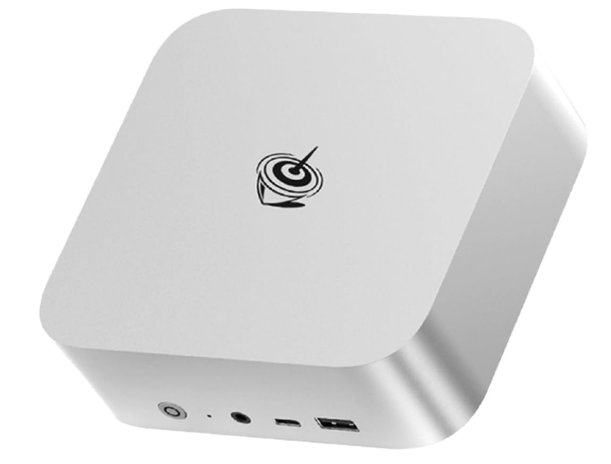
The Beelink SER10 MAX is currently listed at $1,349 (as of September 2026) for its 32GB DDR5-5600 and 1TB SSD configuration, with a higher-memory option also listed. Pricing and availability can change, and the current product page identifies the configuration as pre-sale.
Its processor is the AMD Ryzen AI 9 HX 470, a 12-core/24-thread Zen 5-based processor with a maximum boost frequency of up to 5.2GHz. AMD specifies Radeon 890M integrated graphics and up to 55 NPU TOPS, while the complete processor platform is rated for up to 86 TOPS of AI performance.
The SER10 MAX also provides dual PCIe 4.0 M.2 storage slots, DDR5-5600 memory, 10Gb Ethernet, Wi-Fi 6, Bluetooth 5.2, and three display outputs through DisplayPort, HDMI, and USB4.
Key specifications
| Feature | Beelink SER10 MAX |
| Platform | AMD |
| Processor | Ryzen AI 9 HX 470 |
| CPU | 12 cores / 24 threads |
| Max boost | Up to 5.2GHz |
| Integrated GPU | Radeon 890M |
| GPU architecture | RDNA 3.5 |
| NPU | Up to 55 TOPS |
| Total AI performance | Up to 86 TOPS |
| Memory | 32GB or 64GB DDR5-5600 |
| Storage | 1TB SSD; dual M.2 slots |
| Maximum internal storage | Up to 8TB according to Beelink |
| Ethernet | 10Gbps |
| Wireless | Wi-Fi 6, Bluetooth 5.2 |
| Display output | Up to three displays |
| OS | Windows 11 Pro |
| Current listed price | $1,349 (as of September 2026) |
Who should buy this?
The SER10 MAX makes the most sense for:
- Developers and programmers
- Content creators
- Users running demanding multitasking workloads
- Buyers who want strong integrated graphics
- Local AI enthusiasts
- Users with large storage requirements
- People who want 10Gb Ethernet
- Buyers who prefer AMD’s latest Ryzen AI architecture
It is considerably more computer than most students need. For a student whose workload is mainly Microsoft 365, web research, video calls, and school applications, a less expensive mini PC would provide better value.
For developers, creators, and power users, however, the combination of 12 CPU cores, 24 threads, Radeon 890M graphics, dual NVMe storage, and 10Gb Ethernet is much more compelling.
Why consider it?
The biggest attraction is balance. The SER10 MAX does not rely solely on CPU performance. It combines a powerful processor, capable integrated graphics, an NPU for AI workloads, fast networking, expandable storage, and a compact chassis.
That makes it particularly interesting for buyers who want one small desktop capable of handling several different types of work.
Pros
- 12-core/24-thread Ryzen AI 9 HX 470
- Radeon 890M integrated graphics
- Up to 55 NPU TOPS
- Up to 86 total AI TOPS
- Dual PCIe 4.0 M.2 storage
- 10Gb Ethernet
- DDR5-5600 memory
- Windows 11 Pro
- Compact design
- Strong fit for demanding productivity
Cons
- Premium price
- Current listed configuration is positioned above mainstream mini PCs
- Wi-Fi 6 rather than Wi-Fi 7
- High-end CPU capabilities are unnecessary for basic office users
- Current product listing indicates pre-sale availability
1.2 Beelink GTi15 Ultra — Intel Core Ultra 9 285H
The Intel representative is the Beelink GTi15 Ultra with Intel Core Ultra 9 285H.
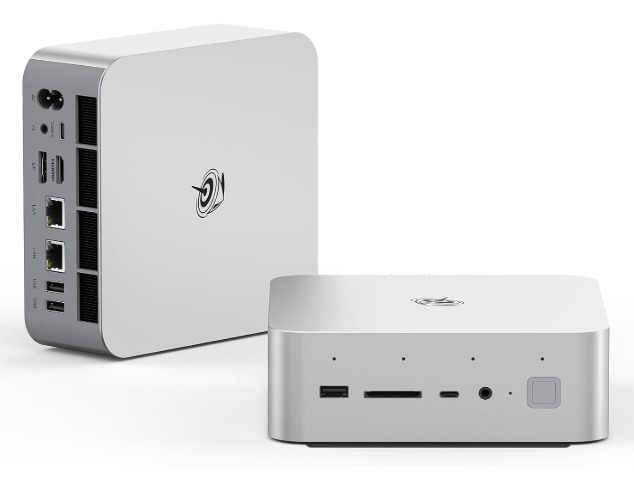
Beelink currently lists the model at $1,499 (as of September 2026) for the 64GB DDR5-5600 and 1TB SSD configuration. A 96GB/2TB configuration is also listed. The current page identifies the product as pre-sale.
The Core Ultra 9 285H has 16 CPU cores and 16 threads, a maximum turbo frequency of 5.4GHz, and 24MB of Intel Smart Cache. Intel specifies an Arc 140T integrated GPU, four-display support at the processor level, and a dedicated Intel AI Boost NPU.
The GTi15 Ultra adds features aimed at power users, including dual 10Gb Ethernet, Wi-Fi 7, dual M.2 PCIe 4.0 storage, an integrated 145W power supply, and PCIe 5.0 ×8 support for an external desktop GPU through Beelink’s EX Pro Docking Station.
Key specifications
| Feature | Beelink GTi15 Ultra |
| Platform | Intel |
| Processor | Core Ultra 9 285H |
| CPU | 16 cores / 16 threads |
| Max turbo | Up to 5.4GHz |
| Integrated GPU | Intel Arc 140T |
| GPU frequency | Up to 2.35GHz |
| NPU | Intel AI Boost |
| Total processor AI performance | Up to 99 TOPS |
| Memory | 64GB DDR5-5600 |
| Storage | 1TB SSD; dual M.2 slots |
| Maximum internal storage | Up to 8TB according to Beelink |
| Ethernet | Dual 10Gbps |
| Wireless | Wi-Fi 7, Bluetooth 5.4 |
| Display output | Three outputs on the listed system |
| OS | Windows 11 Pro |
| Current listed price | $1,499 |
Who should buy this?
The GTi15 Ultra is aimed at:
- Professionals with demanding workloads
- Developers
- Advanced office users
- Content creators
- Local AI users
- Enthusiast gamers
- Users who need very fast wired networking
- Buyers who want Wi-Fi 7
- Users interested in an external desktop GPU
It is overkill for basic schoolwork and ordinary web browsing. But for someone replacing a larger desktop workstation with a compact system, its connectivity and expansion options make considerably more sense.
Why consider it?
The GTi15 Ultra’s strongest argument is flexibility.
Its Core Ultra 9 processor provides 16 cores, while the Arc 140T integrated GPU gives the system a modern graphics engine. The dual 10Gb Ethernet ports and Wi-Fi 7 make it unusually well equipped for high-speed networking.
The external GPU capability is another major advantage. A mini PC with integrated graphics is inherently limited compared with a desktop tower with a large discrete GPU. The ability to connect an external desktop graphics card gives the GTi15 Ultra a potential upgrade path for users whose graphics requirements grow later.
Pros
- 16-core Core Ultra 9 285H
- Intel Arc 140T graphics
- Wi-Fi 7
- Dual 10Gb Ethernet
- Dual M.2 PCIe 4.0 storage
- Up to 96GB memory in listed configuration
- PCIe 5.0 ×8 external GPU support
- Built-in 145W power supply
- Windows 11 Pro
- Strong connectivity
Cons
- Higher current listed price than the SER10 MAX
- 16 cores but 16 threads
- Premium positioning
- Pre-sale availability on the current product page
- External GPU expansion adds additional cost
2. AMD vs Intel Mini PCs — CPU Architecture and Multitasking
Beelink currently lists the model at $1,499 (as of September 2026) for the 64GB DDR5-5600 and 1TB SSD configuration. A 96GB/2TB configuration is also listed. The current page identifies the product as pre-sale.
The Core Ultra 9 285H has 16 CPU cores and 16 threads, a maximum turbo frequency of 5.4GHz, and 24MB of Intel Smart Cache. Intel specifies an Arc 140T integrated GPU, four-display support at the processor level, and a dedicated Intel AI Boost NPU.
The GTi15 Ultra adds features aimed at power users, including dual 10Gb Ethernet, Wi-Fi 7, dual M.2 PCIe 4.0 storage, an integrated 145W power supply, and PCIe 5.0 ×8 support for an external desktop GPU through Beelink’s EX Pro Docking Station.
Key specifications
| Feature | Beelink GTi15 Ultra |
| Platform | Intel |
| Processor | Core Ultra 9 285H |
| CPU | 16 cores / 16 threads |
| Max turbo | Up to 5.4GHz |
| Integrated GPU | Intel Arc 140T |
| GPU frequency | Up to 2.35GHz |
| NPU | Intel AI Boost |
| Total processor AI performance | Up to 99 TOPS |
| Memory | 64GB DDR5-5600 |
| Storage | 1TB SSD; dual M.2 slots |
| Maximum internal storage | Up to 8TB according to Beelink |
| Ethernet | Dual 10Gbps |
| Wireless | Wi-Fi 7, Bluetooth 5.4 |
| Display output | Three outputs on the listed system |
| OS | Windows 11 Pro |
| Current listed price | $1,499 (as of September 2026) |
Who should buy this?
The GTi15 Ultra is aimed at:
- Professionals with demanding workloads
- Developers
- Advanced office users
- Content creators
- Local AI users
- Enthusiast gamers
- Users who need very fast wired networking
- Buyers who want Wi-Fi 7
- Users interested in an external desktop GPU
It is overkill for basic schoolwork and ordinary web browsing. But for someone replacing a larger desktop workstation with a compact system, its connectivity and expansion options make considerably more sense.
Why consider it?
The GTi15 Ultra’s strongest argument is flexibility.
Its Core Ultra 9 processor provides 16 cores, while the Arc 140T integrated GPU gives the system a modern graphics engine. The dual 10Gb Ethernet ports and Wi-Fi 7 make it unusually well equipped for high-speed networking.
The external GPU capability is another major advantage. A mini PC with integrated graphics is inherently limited compared with a desktop tower with a large discrete GPU. The ability to connect an external desktop graphics card gives the GTi15 Ultra a potential upgrade path for users whose graphics requirements grow later.
Pros
- 16-core Core Ultra 9 285H
- Intel Arc 140T graphics
- Wi-Fi 7
- Dual 10Gb Ethernet
- Dual M.2 PCIe 4.0 storage
- Up to 96GB memory in listed configuration
- PCIe 5.0 ×8 external GPU support
- Built-in 145W power supply
- Windows 11 Pro
- Strong connectivity
Cons
- Higher current listed price than the SER10 MAX
- 16 cores but 16 threads
- Premium positioning
- Pre-sale availability on the current product page
- External GPU expansion adds additional cost
2. AMD vs Intel Mini PCs — CPU Architecture and Multitasking
CPU architecture is the first major difference, but simply counting cores does not tell the entire story.
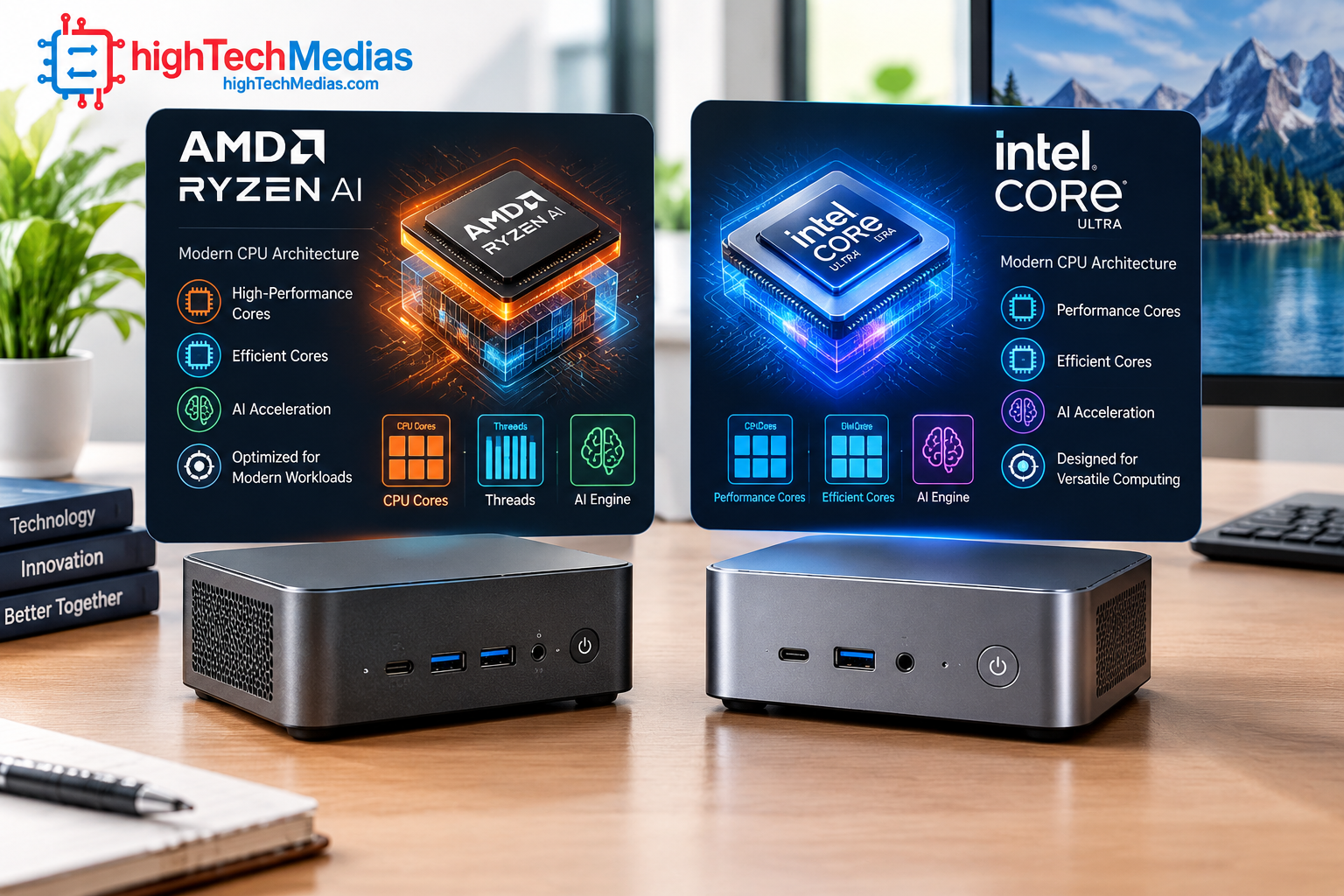
The AMD Ryzen AI 9 HX 470 uses a hybrid Zen 5/Zen 5c design with 12 cores and 24 threads. AMD specifies four Zen 5 cores and eight Zen 5c cores. Its maximum boost frequency reaches 5.2GHz.
Intel’s Core Ultra 9 285H uses 16 cores divided between Performance-cores, Efficient-cores, and Low Power Efficient-cores. Intel lists six P-cores, eight E-cores, and two LP E-cores, producing 16 total threads.
This creates an important distinction.
AMD’s design emphasizes 12 cores with simultaneous multithreading, giving the HX 470 24 threads. Intel provides more physical cores but 16 threads.
For heavily threaded workloads such as software compilation, rendering, compression, virtualization, and large multitasking sessions, the actual application and workload matter more than the headline core count.
A buyer should therefore avoid assuming that “16 cores automatically beats 12 cores” or that “24 threads automatically beats 16 threads.”
The right processor depends on how the software distributes work across CPU resources, how much sustained power the mini PC can provide, and how effectively the cooling system maintains performance.
If your workload includes dozens of browser tabs, office applications, communication tools, coding environments, virtual machines, and background processes simultaneously, both platforms are capable of serious multitasking.
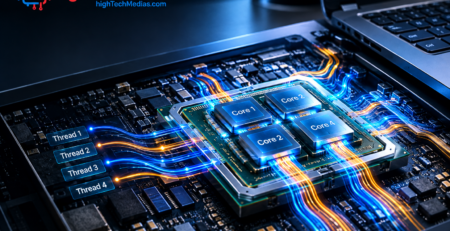
For a more general processor discussion, see our laptop processor guide covering Intel, AMD, and Apple silicon.
3. Integrated Graphics — AMD Radeon vs Intel Arc
Graphics is one of the most important areas when comparing mini PCs because many compact systems do not use a dedicated graphics card.
AMD’s Ryzen AI 9 HX 470 includes Radeon 890M graphics with 16 graphics compute units and RDNA 3.5 architecture.
Intel’s Core Ultra 9 285H uses Intel Arc 140T graphics. Intel lists eight Xe-cores and a maximum graphics frequency of up to 2.35GHz.
Both are significantly more interesting than the basic integrated graphics found in inexpensive office PCs.
For everyday productivity, either platform can comfortably handle Windows applications, video playback, browser workloads, and multiple displays when the complete system is properly configured.
Gaming is more complicated.
Integrated graphics performance depends on memory bandwidth, power limits, cooling, game engine, driver version, resolution, and graphics settings. A mini PC with fast dual-channel memory can behave very differently from a system with a restricted memory configuration.
This is one reason an integrated graphics mini PC should not be evaluated using the CPU model alone.
For casual gaming, esports titles, older games, and carefully configured 1080p gaming, both platforms can be viable. For demanding modern AAA games at high settings, neither should automatically be treated as a substitute for a powerful desktop GPU.
The GTi15 Ultra does have an additional advantage for future expansion because its design supports an external desktop GPU through the appropriate Beelink docking hardware.
For buyers who already know they want a discrete GPU, this can make Intel’s system more interesting even if the integrated GPU is not the deciding factor.
4. AI Performance and Local AI Workloads
AI is now a major part of the mini PC conversation.
Modern AMD and Intel processors contain dedicated AI hardware rather than relying entirely on CPU or GPU resources.
The Ryzen AI 9 HX 470 includes an XDNA 2 NPU rated by AMD at up to 55 TOPS. AMD also gives the processor an overall AI performance figure of up to 86 TOPS when CPU, GPU, and NPU capabilities are considered.
Intel’s Core Ultra 9 285H includes Intel AI Boost and Arc graphics. Intel lists up to 99 overall TOPS for the processor, with the NPU itself providing up to 13 TOPS.
These figures should not be interpreted as a universal real-world performance ranking.
TOPS is a theoretical throughput measurement, and software support matters enormously. An application must be optimized to use the relevant accelerator before the hardware advantage becomes useful.
For Windows users, AI acceleration can support tasks such as image processing, video effects, speech processing, background effects, and other supported workloads.
For advanced users running local AI models, the GPU, system memory, storage, and software stack become just as important as the NPU.
This is why the AI mini PC category is becoming broader than simply buying the system with the largest TOPS number.
AMD has a particularly attractive specification on the NPU side with the HX 470. Intel counters with a broader platform around the Core Ultra family and Arc graphics.
For local AI, choose based on the actual application you plan to run rather than an AI specification printed on the box.
5: Gaming — Which Mini PC Platform Makes More Sense?
Gaming is where platform selection becomes highly dependent on expectations.
Neither AMD nor Intel integrated graphics should be confused with a high-end discrete gaming GPU. A compact system can provide enjoyable gaming, but the settings and games matter.
AMD’s Radeon 890M is particularly relevant to buyers who want strong integrated graphics without immediately purchasing a separate GPU. Its RDNA 3.5 architecture gives the HX 470 a substantial graphics engine within the processor package.
Intel’s Arc 140T is also designed for modern graphics workloads and hardware acceleration.
The GTi15 Ultra adds another option that changes the equation: external desktop graphics support through PCIe 5.0 ×8 and compatible Beelink docking hardware.
That means Intel has a particularly compelling path for a buyer who starts with integrated graphics but may later want desktop-class GPU performance.
For someone who wants a compact gaming machine without adding external hardware, AMD is an attractive choice.
For someone who wants a compact workstation that can potentially grow into a much more powerful graphics system, the Intel-based GTi15 Ultra deserves serious consideration.
For casual gaming, either platform can work. For serious gaming, budget for a discrete GPU.
6: Power Efficiency, Thermals, and Sustained Performance
Mini PCs have one major physical limitation: there is less room for cooling hardware.
A desktop tower can use a large heatsink, multiple fans, and a full-size power supply. A mini PC has to fit the CPU, memory, SSD, cooling system, networking hardware, and power solution into a much smaller chassis.
That makes thermal design extremely important.
Both featured Beelink systems use vapor-chamber-based cooling designs. Beelink states that both systems are designed for sustained workloads at a 65W operating level and promotes approximately 32dB operation under specified conditions.
These are manufacturer claims rather than independent laboratory measurements, so they should not be treated as universal noise or temperature results.
The practical lesson is more important: the processor inside a mini PC does not operate in isolation.
Two mini PCs using the same AMD or Intel chip can deliver different sustained performance because of:
- CPU power limits
- Cooling design
- Fan curves
- Ambient temperature
- Memory configuration
- SSD temperature
- Chassis airflow
- BIOS tuning
For long rendering jobs, software compilation, AI workloads, or extended gaming, sustained performance matters more than a short burst of peak frequency.
7.Memory and Storage Can Change the Experience
A fast processor cannot compensate for an inadequate memory or storage configuration.
For integrated graphics, memory is particularly important because the GPU shares system memory rather than using dedicated VRAM.
That means buyers should pay attention to memory capacity and configuration instead of simply choosing the cheapest version.
The SER10 MAX uses DDR5-5600 memory and provides dual M.2 PCIe 4.0 storage support. The GTi15 Ultra similarly provides dual DDR5 SO-DIMM support and dual M.2 PCIe 4.0 storage.
This gives both systems a meaningful advantage over inexpensive mini PCs that ship with limited memory and a single storage slot.
For office work, 16GB can still be adequate depending on the workload. For professional multitasking, development, content creation, local AI, or virtualization, 32GB is a much more comfortable starting point.
Users working with large video files, virtual machines, datasets, or local AI models should also prioritize SSD capacity.
A fast PCIe 4.0 NVMe SSD improves application loading and file operations, but storage capacity remains just as important as raw sequential speed.
8.Connectivity and Multi-Monitor Support
Connectivity is another area where mini PCs can outperform laptops.
A well-equipped mini PC can provide several USB ports, high-speed networking, multiple video outputs, and high-bandwidth USB-C connections while remaining small enough to sit behind a monitor.
The SER10 MAX provides 10Gb Ethernet, USB4, HDMI 2.1, DisplayPort, Wi-Fi 6, and Bluetooth 5.2.
The GTi15 Ultra goes further with dual 10Gb Ethernet, Wi-Fi 7, Bluetooth 5.4, USB-C, HDMI, DisplayPort, and external GPU support.
For home-office users, the difference can be meaningful.
A programmer running three displays, a network storage device, external SSDs, webcam, keyboard, mouse, and audio equipment may quickly use many available connections.
For this type of setup, connectivity can be more important than a small difference in CPU performance.
If you are building a multi-display workspace, also consider whether your monitor resolution and refresh rate match the exact outputs provided by the mini PC.
9. AMD vs Intel Mini PCs for Students, Workers, and Professionals
Different users should make different choices.
Students
Students usually do not need a $1,300–$1,500 mini PC.
For research, Microsoft Office, browser-based learning, video conferencing, programming assignments, and streaming, a much less expensive AMD or Intel mini PC can be sufficient.
If a student is studying computer science, engineering, AI, video production, or another demanding field, a higher-end system may make sense.
Office workers
For Microsoft 365, email, web applications, accounting software, video meetings, and document management, both AMD and Intel platforms are excellent.
The deciding factors should be price, memory, storage, monitor support, and connectivity rather than brand loyalty.
Programmers
Developers can benefit from additional CPU resources, fast NVMe storage, plenty of memory, and Linux compatibility.
AMD’s 12-core/24-thread configuration is attractive for heavily parallel development workloads, while Intel’s GTi15 Ultra provides strong memory capacity and external GPU options.
For software development, we recommend prioritizing at least 32GB of RAM if your budget permits.
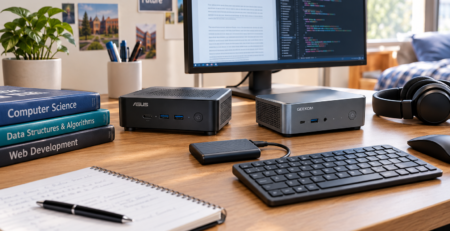
Our guide to the best mini PCs for programming and development provides a separate look at developer-focused systems.
Content creators
Video editors and creators should look beyond CPU specifications.
GPU acceleration, codec support, memory, SSD capacity, display support, and application compatibility all matter.
AMD’s Radeon 890M is attractive for integrated graphics workloads, while Intel’s Arc platform and external GPU option can make the GTi15 Ultra more flexible for users whose graphics demands eventually increase.
Home-office professionals
For a professional home office, the best platform may simply be the one that gives you the connectivity you need.
If you use multiple displays, network storage, wired high-speed networking, and several USB devices, a well-equipped mini PC can make a very clean desktop setup.
Our best mini PCs for home office in 2026 guide covers this use case in more detail.
10. Upgradeability and Long-Term Value
Mini PCs vary considerably in how easy they are to upgrade.
The two systems compared here both provide meaningful storage and memory options, but buyers should always check the exact configuration before ordering.
The SER10 MAX supports dual M.2 PCIe 4.0 SSDs and DDR5 memory.
The GTi15 Ultra provides dual SO-DIMM memory slots and dual M.2 PCIe 4.0 storage slots, with configurations reaching 96GB of memory according to Beelink.
This makes both systems more flexible than sealed compact computers.
However, processor upgrades are generally not an option in this class of mini PC. The CPU is integrated into the motherboard.
That means the most important long-term decision is buying enough processing power, memory, and connectivity at the beginning.
Storage is usually the easiest component to expand.
Memory can also be upgradeable on systems using SO-DIMMs, although some mini PCs use soldered memory.
Always check the exact SKU before buying.
11. Which Platform Is Better for Windows and Linux?
Both AMD and Intel have mature Windows support.
Windows 11 is the natural operating system for both of the featured Beelink systems.
Linux is also a practical option for many AMD and Intel mini PCs, particularly for developers and home-lab users.
The important consideration is not simply whether Linux boots. Hardware support for Wi-Fi, graphics acceleration, audio, sleep states, fingerprint readers, and other components can vary by model.
For a Linux server, development workstation, or home lab, research the exact mini PC model and its community support before purchasing.
Intel can have an advantage in some environments because of its long-standing presence across enterprise and Linux hardware. AMD, however, also provides strong modern Linux support and is increasingly common in developer-focused systems.
For most users, the operating system should not be the only reason to choose one platform over the other.
12. AMD vs Intel Mini PC Performance — What Really Matters?
There is no single benchmark that can determine the winner for every buyer.
The processor specifications show that these platforms take different approaches.
The Ryzen AI 9 HX 470 provides 12 cores and 24 threads, Radeon 890M graphics, and up to 55 NPU TOPS.
The Core Ultra 9 285H provides 16 cores and 16 threads, Arc 140T graphics, and a dedicated AI engine.
But a real mini PC adds another layer.
The manufacturer’s power limits, cooling solution, memory configuration, SSD, firmware, drivers, and operating system all influence real-world behavior.
That is why readers should be cautious with benchmark charts that compare processors in different systems.
A processor benchmark conducted in a laptop, for example, does not necessarily predict the performance of that same processor in a mini PC with different cooling and power limits.
For buyers, the most useful approach is to identify the workload first:
Office productivity: Either platform is more than capable.
Programming: Both are strong; prioritize RAM, storage, and Linux compatibility.
Integrated-graphics gaming: AMD is particularly attractive because of Radeon 890M.
External GPU plans: Intel’s GTi15 Ultra has a notable expansion advantage.
Local AI: Both provide dedicated AI hardware; software compatibility matters more than headline TOPS alone.
High-speed networking: Both featured systems are unusually well equipped.
Value: Compare the complete system configuration rather than CPU brand alone.
13. Which One Should You Buy?
The answer depends on your priorities.
Choose an AMD mini PC if you want:
- Strong integrated graphics
- High CPU thread count
- Ryzen AI features
- A capable compact gaming system
- Demanding multitasking
- Local AI experimentation
- Strong performance without immediately adding a discrete GPU
Choose an Intel mini PC if you want:
- Intel Core Ultra architecture
- Arc integrated graphics
- Wi-Fi 7 on suitable systems
- Strong connectivity
- External GPU possibilities
- A flexible enthusiast workstation
- A compact system that can potentially grow into a more powerful graphics platform
The featured Beelink systems demonstrate this difference clearly.
The SER10 MAX is currently less expensive at $1,349 and offers the Ryzen AI 9 HX 470 with Radeon 890M, 12 cores/24 threads, dual NVMe storage, and 10Gb Ethernet.
The GTi15 Ultra costs $1,499 and uses the Core Ultra 9 285H with Arc 140T graphics, Wi-Fi 7, dual 10Gb Ethernet, high memory capacity, and external desktop GPU support.
Neither is automatically better for every buyer.
14. Frequently Asked Questions
1.Is AMD or Intel better for mini PCs?
There is no universal winner. AMD is particularly attractive for integrated graphics and high-thread-count workloads, while Intel offers strong Arc graphics, Core Ultra features, and excellent expansion options in some systems.
2.Are AMD mini PCs good for gaming?
Yes. Modern Ryzen processors with Radeon integrated graphics can provide useful gaming performance, particularly for esports and less demanding games. Expectations should remain realistic because integrated graphics are not equivalent to a high-end discrete GPU.
3.Are Intel mini PCs good for productivity?
Yes. Modern Intel Core Ultra mini PCs can handle office applications, browser workloads, video meetings, programming, content creation, and demanding multitasking.
4.Which is better for AI, AMD or Intel?
It depends on the AI application. AMD’s Ryzen AI 9 HX 470 offers up to 55 NPU TOPS, while Intel’s Core Ultra 9 285H has Intel AI Boost. Software support and workload optimization are more important than TOPS alone.
5.Is an AMD mini PC better for programmers?
Not automatically. AMD’s high thread count can be attractive for compilation and parallel workloads, but a programmer should also consider RAM capacity, SSD speed, Linux compatibility, networking, and the specific development tools being used.
6.Can a mini PC replace a desktop?
For many users, yes. A modern mini PC can replace a traditional desktop for office work, programming, media, web applications, and moderate creative workloads. Users who need powerful discrete graphics, extensive expansion cards, or workstation-class cooling may still prefer a tower.
7.Should I buy 16GB or 32GB RAM?
For basic office work, 16GB can be sufficient. For development, content creation, virtualization, local AI, and heavy multitasking, 32GB is a much safer choice.
8.Are mini PCs good for multiple monitors?
Yes, provided the specific model has enough display outputs and supports the required resolutions and refresh rates. Always check the manufacturer’s specifications for the exact configuration.
15. Final Verdict
The AMD vs Intel Mini PCs debate is no longer about choosing the “better brand.” Modern AMD and Intel processors are both capable of turning a tiny computer into a serious workstation.
AMD has a particularly strong case when integrated graphics, CPU threading, and Ryzen AI capabilities are priorities. The Ryzen AI 9 HX 470 demonstrates how much processing, graphics, and AI capability can fit into a compact processor.
Intel remains highly competitive with Core Ultra. The Core Ultra 9 285H combines 16 cores with Arc 140T graphics and a dedicated AI engine, while systems such as the GTi15 Ultra add Wi-Fi 7, dual 10Gb Ethernet, and external GPU support.
For most mainstream buyers, the better purchase is determined by the complete mini PC rather than the CPU logo.
If you want the strongest all-around integrated-graphics proposition and high CPU thread count, AMD is the platform I would favor.
If you want broader enthusiast expansion and a mini PC that can evolve toward external desktop graphics, Intel deserves the edge.
For a typical student or office worker, however, neither of these premium systems is necessary. A less expensive mini PC can provide excellent value.
The best choice is ultimately the system that matches your workload, memory needs, storage requirements, graphics expectations, connectivity, and budget—not simply the processor brand printed on the chassis.
Recommended related reading
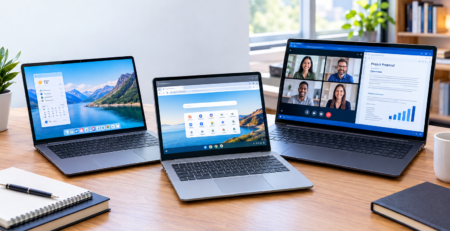
For readers comparing compact computers with portable systems, see our Mini PCs vs. laptops comparison.
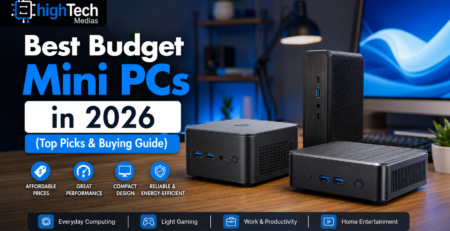
For buyers shopping at a lower price point, see our best budget mini PCs guide.
For quiet-workspace buyers, see our best silent mini PCs guide.




Leave a Reply