
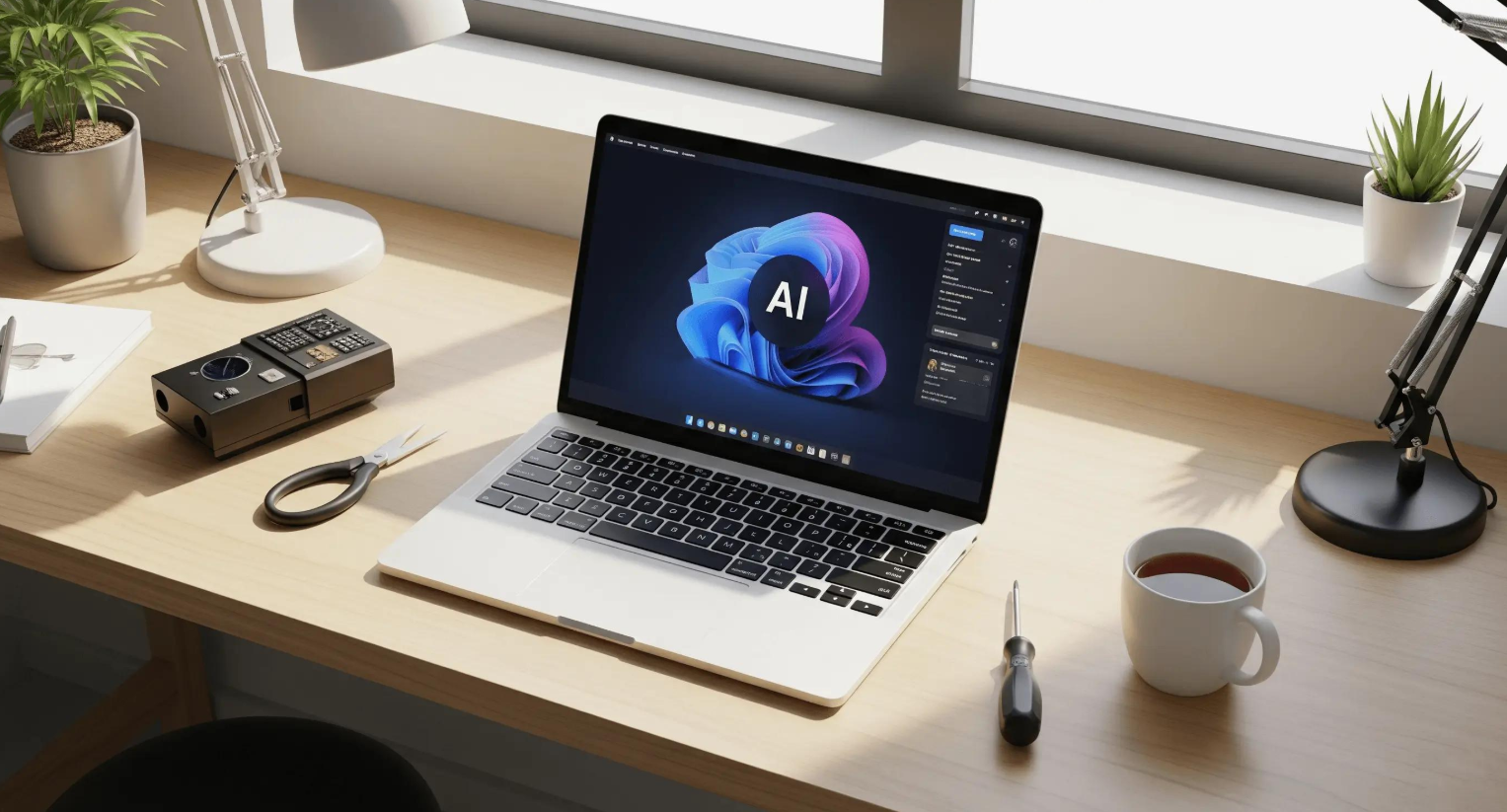
Best AI Laptops in 2026: Which PCs Are Worth Buying for Local AI?
AI laptops are becoming more capable, but the best AI laptops in 2026 are not necessarily the ones with the biggest AI marketing claims. For running language models locally, generating images, or developing AI applications, buyers need to look closely at memory capacity, GPU acceleration, software compatibility, cooling, and price.
An NPU can accelerate supported on-device features, while larger local generative AI workloads often depend heavily on available memory and GPU capability. A laptop may be excellent for cloud-based AI assistants yet struggle with a model that needs more memory than the system can provide.
This comparison examines three premium options for different workloads: Microsoft’s new Surface Laptop Ultra, ASUS’s ProArt P16 RTX Spark, and Apple’s MacBook Pro with M5 Pro. The recommendations are based on published specifications and product announcements, not independent hands-on testing. Product availability and prices should be rechecked before publication.
If you’re still deciding which computer suits your needs, start with our 2026 laptop buying guide.
1. Best AI Laptops in 2026: Three Models to Consider
These models target different buyers. The Surface Laptop Ultra and ProArt P16 RTX Spark are aimed at demanding local AI and creative workloads, while the MacBook Pro M5 Pro suits developers whose tools work well with Apple silicon and macOS.
1.1 Microsoft Surface Laptop Ultra — Best for High-Memory Local AI
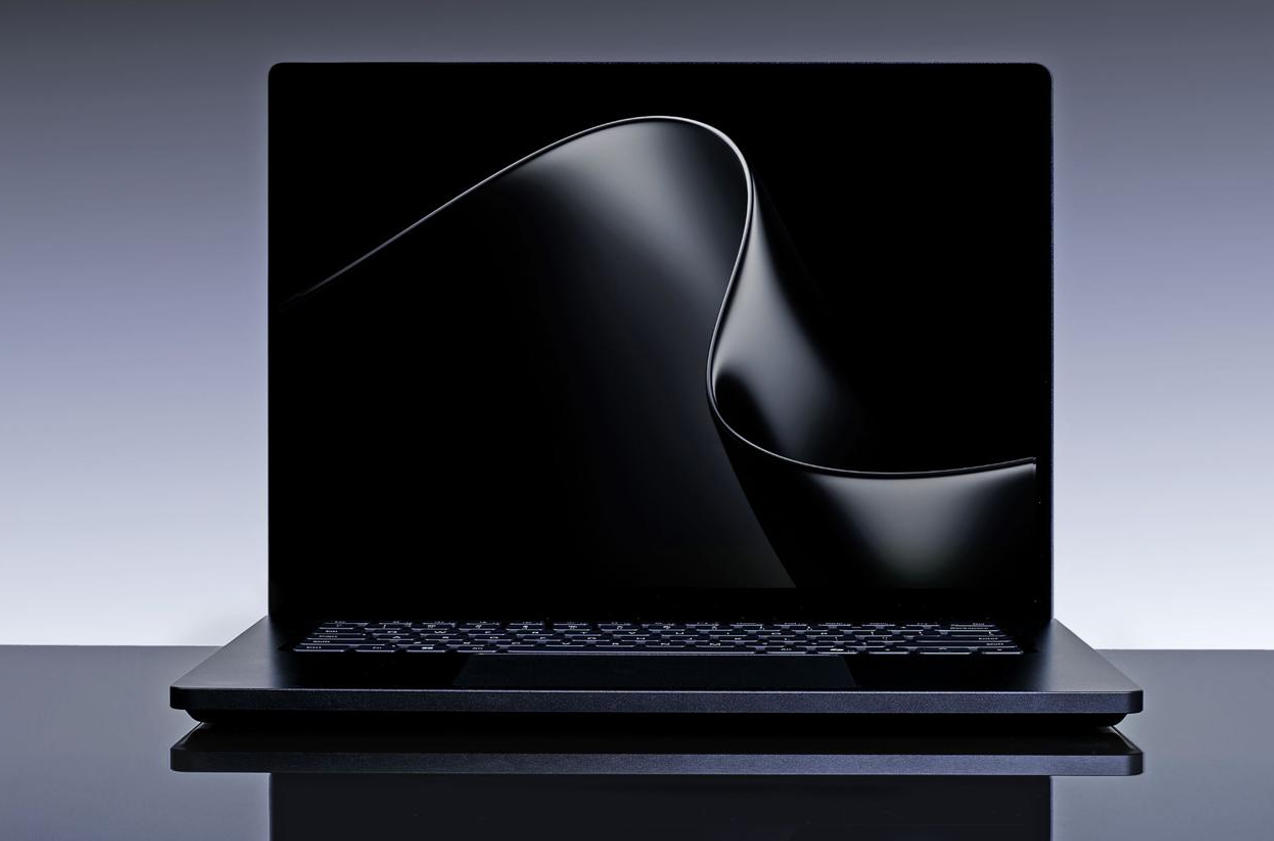
Starting price: $2,599 Availability: Announced for release beginning October 16, 2026 Best for: AI developers, technical professionals, and users who need a high-memory laptop for local models.
Key specifications announced
-
NVIDIA RTX Spark platform
-
18-core CPU in the entry configuration; higher configurations offer a 20-core CPU
-
Starting configuration with 24GB memory and 512GB storage
-
Configurations reaching up to 128GB unified memory
-
15-inch HDR touchscreen
-
Windows 11
-
USB-C, HDMI, USB-A, SD card reader, and 3.5mm audio
Microsoft’s new Surface Laptop Ultra is positioned around local AI, with higher configurations designed to accommodate substantially larger models than a typical 16GB laptop. Reported configurations range from $2,599 to $5,899.99 (as of October 2026), so buyers should compare the exact memory and storage options before purchasing.
Why consider it?
Memory capacity is particularly important when a model’s weights, context, and working data need to fit in available memory. A high-memory configuration can offer more room for experimenting with local language models and AI development tools.
However, a larger memory capacity does not guarantee that every model will run quickly. Performance depends on the model, quantization, context length, software support, and power limits.
Pros
-
Configurations with up to 128GB unified memory
-
Designed for demanding local AI workloads
-
Broad connectivity, including HDMI, USB-A, and an SD card reader
-
High-resolution touchscreen
-
Multiple memory and storage configurations
Cons
-
Premium starting price
-
The most capable configurations cost considerably more
-
New platform requiring independent real-world testing
-
Compatibility must be checked for specialist AI tools
Who should buy this?
Consider it if you develop AI applications, test local language models, or regularly work with memory-intensive creative tools. It is difficult to justify for someone who mainly uses web-based chatbots, office software, and occasional photo editing.
1.2 ASUS ProArt P16 RTX Spark — Best for AI Creators
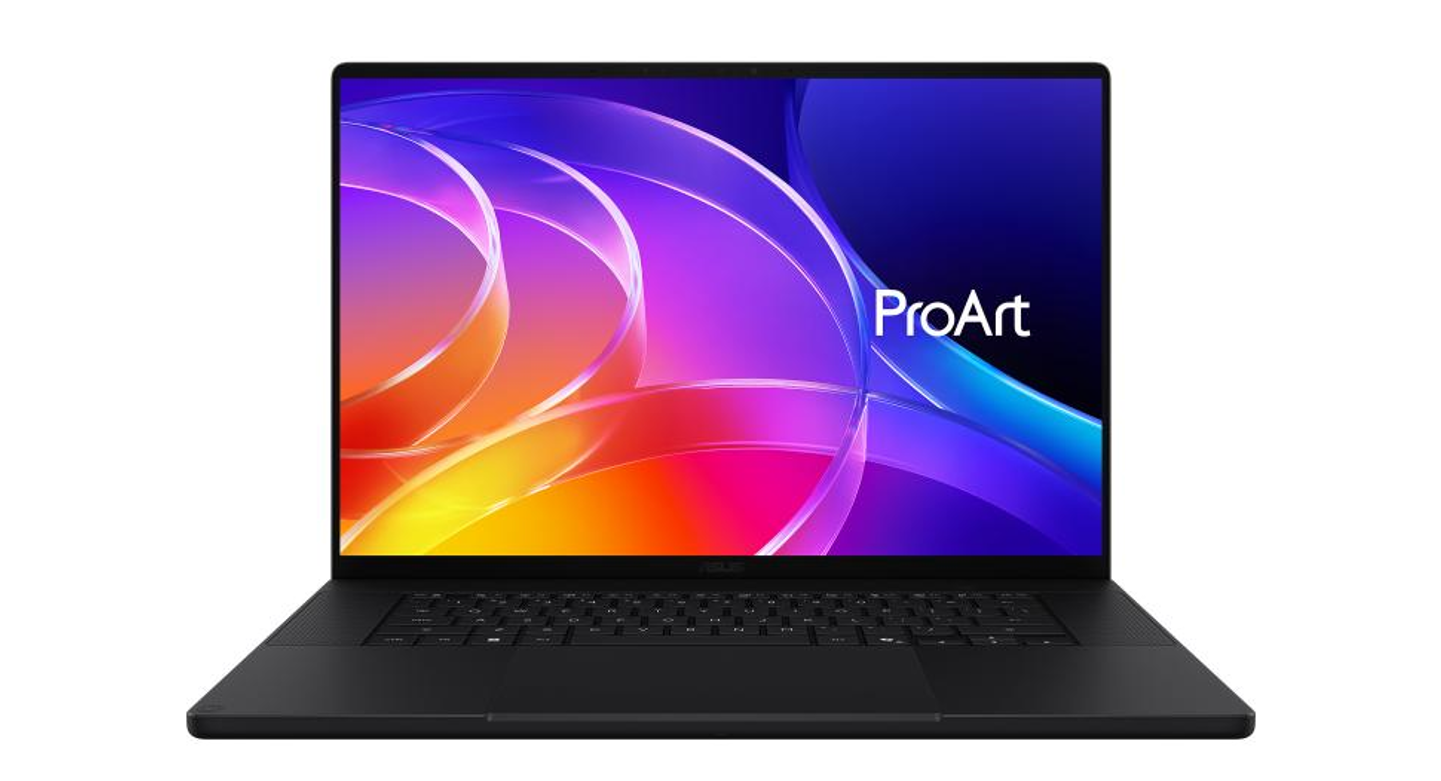
Price (as of October 2026): Check ASUS’s current U.S. listing; a confirmed U.S. MSRP was not stated in the announcement details available for this comparison. Best for: Content creators, designers, video professionals, and AI developers who want a creator-focused display with high-end local compute.
Key specifications announced by ASUS
-
Up to NVIDIA RTX Spark N1X
-
Up to 6,144-core NVIDIA Blackwell GPU
-
Up to 20-core NVIDIA Grace CPU
-
Up to 128GB onboard LPDDR5X memory
-
Up to 2TB M.2 NVMe PCIe 4.0 SSD
-
Up to 16-inch 4K OLED touchscreen
-
120Hz refresh rate
-
100% DCI-P3 color gamut
-
Wi-Fi 7 and Bluetooth 5.4
-
USB-C, HDMI 2.1, USB-A, and SD Express 7.0 card reader
These are maximum or configurable specifications; the exact configuration depends on the SKU.
Why consider it?
A creator-focused laptop needs more than raw AI compute. Display quality matters for photo editing, video production, design, and visual review. ASUS lists a 4K OLED option with wide color coverage, a high refresh rate, and HDR certification.
The potential 128GB memory configuration also makes the ProArt a candidate for demanding local AI experiments. However, buyers should confirm the memory, GPU, and storage combination for the exact product being sold rather than assuming every configuration includes every maximum specification.
Pros
-
High-resolution OLED display option
-
Up to 128GB onboard memory
-
High-end NVIDIA AI and graphics platform
-
Useful port selection for creators
-
Designed for creative and technical workloads
Cons
-
Final price and SKU details need checking
-
Onboard memory is not a user-upgradeable RAM module
-
High-end performance can mean more heat and fan noise under sustained loads
-
The display’s full potential may be unnecessary for general office work
Who should buy this?
Consider the ProArt if you combine local AI with video editing, image generation, photography, or other visually demanding work. If your main priority is the lowest possible price for running small language models, compare a less expensive laptop or desktop before paying for a premium creator display.
1.3 Apple MacBook Pro with M5 Pro — Best for macOS Developers
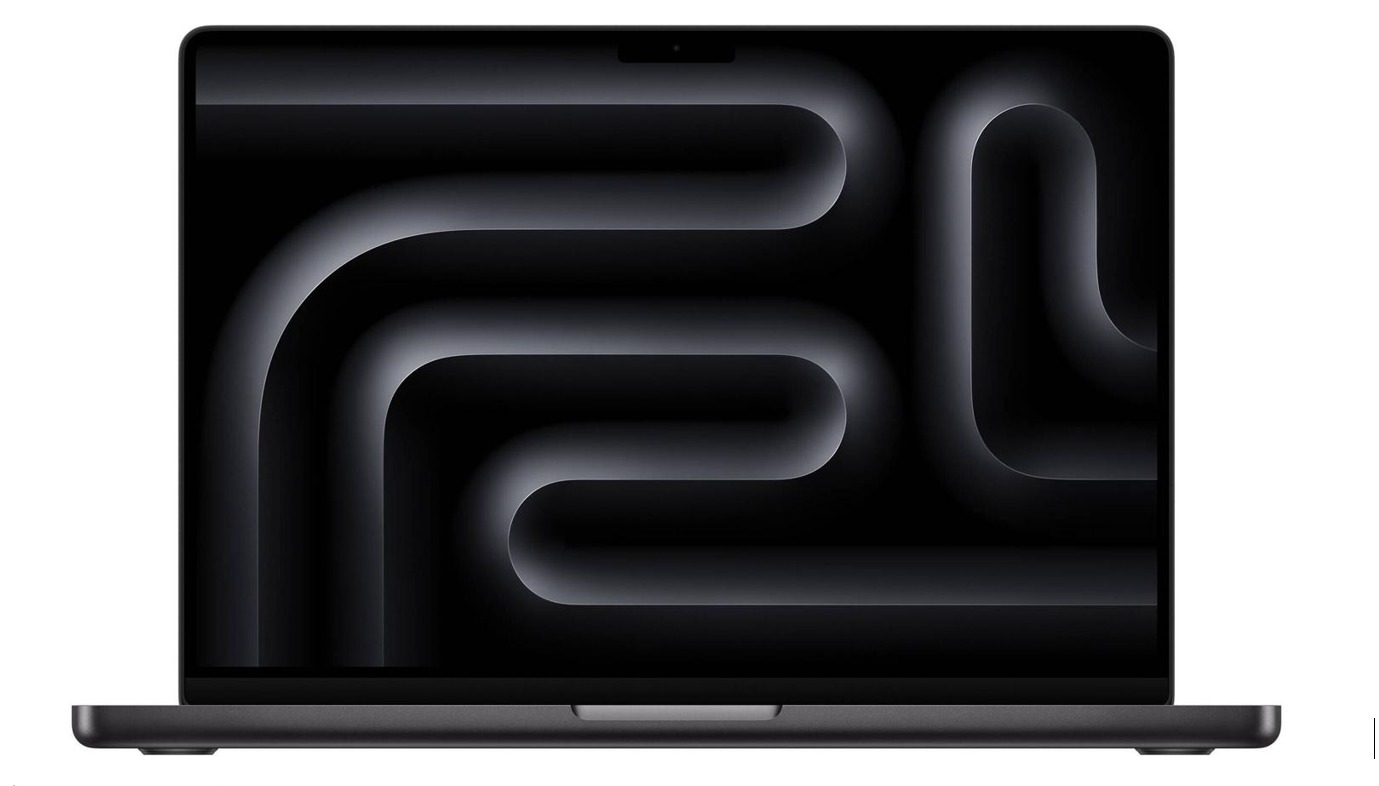
Starting price (as of October 2026): $2,199 for the 14-inch M5 Pro model Best for: macOS developers, programmers, creators, and professionals using Apple-native software.
Key specifications
-
Apple M5 Pro chip
-
14-inch or 16-inch MacBook Pro options
-
16-core Neural Engine
-
M5 Pro configurations with up to 64GB unified memory
-
Up to 307GB/s memory bandwidth on M5 Pro
-
Starting storage of 1TB for M5 Pro
-
Thunderbolt 5 connectivity
-
Liquid Retina XDR display
-
macOS with Apple Intelligence features
Apple also offers the M5 Max configuration, with up to 128GB unified memory and up to 614GB/s memory bandwidth. The M5 Max models cost more and are a different buying proposition from the M5 Pro option discussed here.
Why consider it?
The MacBook Pro combines CPU, GPU, and Neural Engine capabilities in Apple’s unified-memory architecture. It can be a good fit for developers who use macOS, supported machine-learning frameworks, and local AI tools optimized for Apple silicon.
Its main limitation is compatibility. Not all AI tools support macOS equally, and CUDA-dependent workflows cannot simply be assumed to run on an Apple GPU. Before buying, confirm that the local inference engine and models you want to use support the Mac.
Pros
-
Unified-memory options suitable for supported local AI workflows
-
High-quality display for creative work
-
Strong fit for macOS development
-
Thunderbolt 5 connectivity
-
Apple reports up to 24 hours of battery life for the new MacBook Pro lineup, depending on model and usage
Cons
-
Premium pricing
-
Memory is not user-upgradeable after purchase
-
Some AI developer tools prioritize NVIDIA CUDA
-
Large local models can still exceed the available memory or run more slowly than expected
Who should buy this?
Choose the M5 Pro MacBook Pro if your work already depends on macOS and your local AI software supports Apple silicon. If you specifically need CUDA, Windows-only software, or the largest possible local models, compare NVIDIA-based systems first.
1.4 Quick comparison: Which AI laptop fits your needs?
|
Laptop |
Starting price or price status |
Main advantage |
Best fit |
|---|---|---|---|
|
Microsoft Surface Laptop Ultra |
$2,599 MSRP |
Up to 128GB unified memory and NVIDIA RTX Spark |
Local AI development and large models |
|
ASUS ProArt P16 RTX Spark |
Verify current U.S. listing |
Creator display and high-end AI platform |
AI plus design, photo, and video workflows |
|
Apple MacBook Pro M5 Pro, 14-inch |
$2,199 MSRP |
macOS and Apple unified-memory architecture |
Developers and creators in the Apple ecosystem |
Important: Prices are U.S. manufacturer-announced starting prices where available. They are not necessarily the prices of the high-memory configurations discussed above. Confirm the exact SKU and price before purchase.
2. What Makes a Laptop Good for Local AI?
The best AI laptop is not necessarily the one with the highest advertised TOPS figure. Local AI performance depends on the entire system: processor, GPU, memory capacity, memory bandwidth, storage, cooling, and software support.
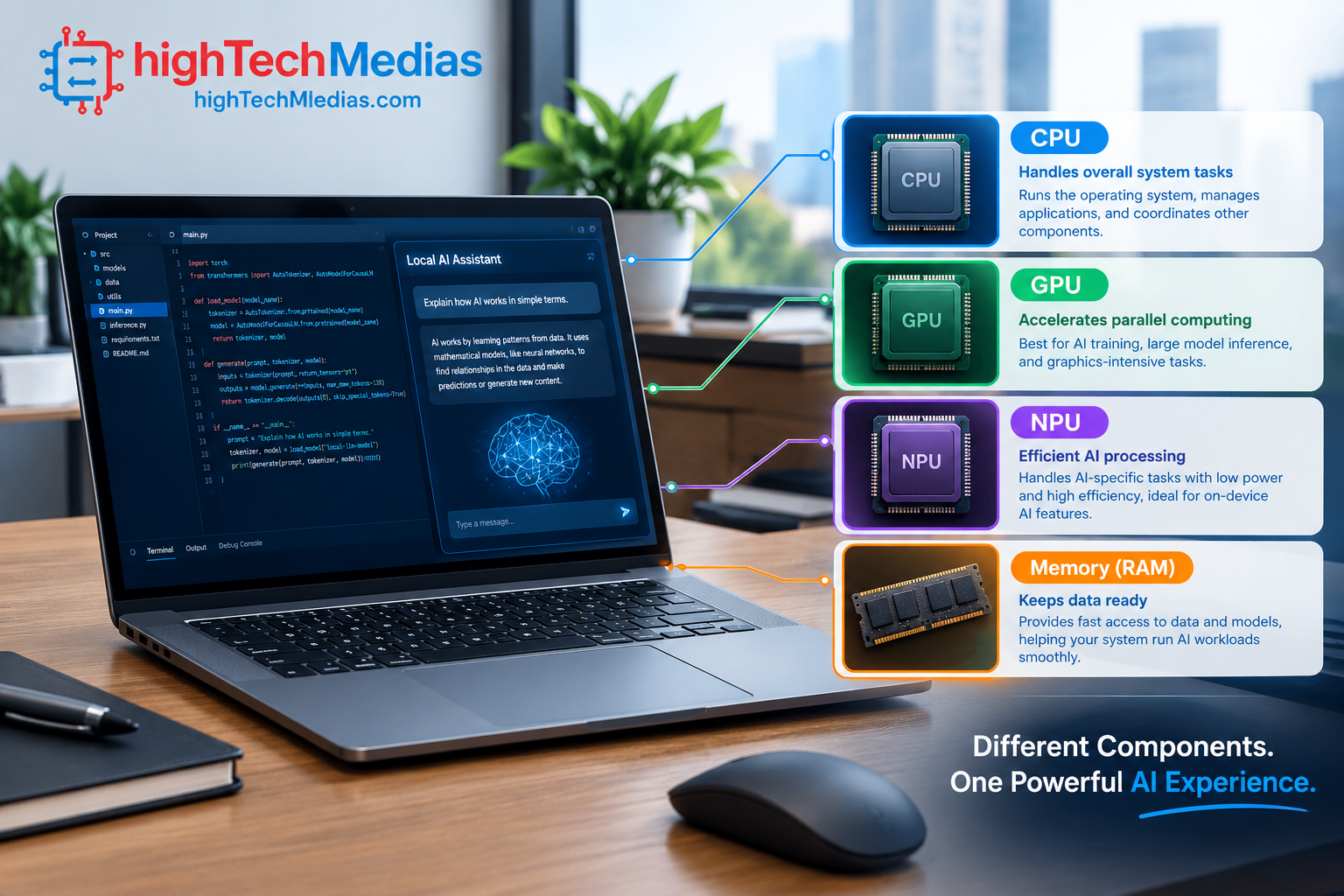
2.1 GPU: Often the key component for generative AI
A dedicated GPU can accelerate many local AI workloads, including supported large language model inference, image generation, and deep-learning development. NVIDIA GPUs are particularly relevant when your tools depend on CUDA or related NVIDIA software.
However, a powerful GPU is not enough on its own. A model must fit within available memory or use an approach that allows it to run within system limits. A GPU with limited VRAM may struggle with a large model even when its compute performance looks impressive.
2.2 NPU: Efficient acceleration for supported tasks
An NPU is designed to execute certain AI operations efficiently. It can help with supported features such as effects in video calls, local speech processing, image functions, and selected on-device AI applications.
Microsoft’s Copilot+ PC requirements include an NPU capable of at least 40 trillion operations per second (TOPS) for the applicable feature set. That requirement does not mean every 40-TOPS laptop can run large language models at the same speed.
2.3 Memory: Capacity can matter more than a marketing label
For local AI, memory requirements vary widely.
-
16GB: Suitable for everyday work and some lightweight, optimized AI applications.
-
32GB: A practical starting point for multitasking, development, and experimenting with smaller quantized models.
-
64GB: More comfortable for larger local models, development tools, and creative workflows.
-
128GB: Useful for more demanding model experiments, if the selected software and architecture can take advantage of it.
These are buying guidelines, not hard limits. Some small models can run with less memory, while larger models and long context windows can require considerably more.
2.4 Unified memory versus dedicated VRAM
Apple silicon and NVIDIA RTX Spark systems use unified-memory designs, although their architectures and software ecosystems differ. Many conventional gaming and creator laptops instead use system RAM plus dedicated GPU memory.
The key question is how much memory the specific AI runtime can use for the model. Do not compare unified memory and GPU VRAM by capacity alone without considering architecture, bandwidth, operating-system overhead, and software support.
3. How Much RAM Do You Need to Run AI Models Locally?
Memory is one of the most important buying decisions for local AI. A model’s parameter count alone does not tell you the full memory requirement: precision, quantization, context length, runtime overhead, and other applications all affect how much space is needed.
A quantized model uses a more compact numerical representation, which can reduce memory requirements. The trade-off may include changes in output quality or performance, depending on the model and quantization method.
For example, a laptop with 32GB of memory may be sufficient for experimentation with some smaller quantized language models. A larger model or a long context window can quickly increase demand. A 128GB configuration gives more headroom, but it does not guarantee that every model will run well.
Before buying, identify the models you want to run and check their recommended hardware requirements. If your intended workload includes fine-tuning, large datasets, or high-resolution image generation, you may need more memory and GPU capability than a general-purpose AI laptop provides.
For conventional storage planning, see our guide to 256GB vs. 512GB vs. 1TB laptop SSDs.
4. AI Laptop vs. Gaming Laptop: Which Is Better?
A gaming laptop can be an excellent local AI machine if it has a capable GPU, enough VRAM, adequate system memory, and compatible software. In many cases, a gaming laptop offers better value than a premium AI-branded device.
The trade-offs are weight, fan noise, battery life, and portability. GPU-heavy AI workloads can draw substantial power and create heat, so performance while plugged in may differ from performance on battery.
A purpose-built AI laptop may offer high memory capacity or specialized acceleration in a more portable chassis. But a label such as “AI PC” should never replace checking the actual GPU, memory, and supported software.
For more on thermal performance, read Laptop Cooling Explained: Heat Pipes, Fans, and Thermal Throttling.
5. Can You Run AI Completely Offline?
Yes, many AI models and tools can run locally without sending each prompt to a cloud service. But local processing requires compatible software, model files, and sufficient hardware. Some applications still require an internet connection for account verification, updates, retrieval, or features that depend on cloud services.
Offline AI can be useful when working with confidential documents, private notes, source code, or material that should not be uploaded to a third-party service. However, local execution is not automatically secure. Malware, unsafe plugins, weak device security, or careless model downloads can still create risks.
Before using a local model with sensitive data:
-
Download models and tools from reputable sources.
-
Check the application’s network behavior and privacy documentation.
-
Keep the operating system and AI software updated.
-
Avoid giving an AI agent unrestricted access to files or system commands.
-
Use separate accounts or isolated environments for experiments when practical.
6. Software Compatibility: Windows, macOS, and AI Development
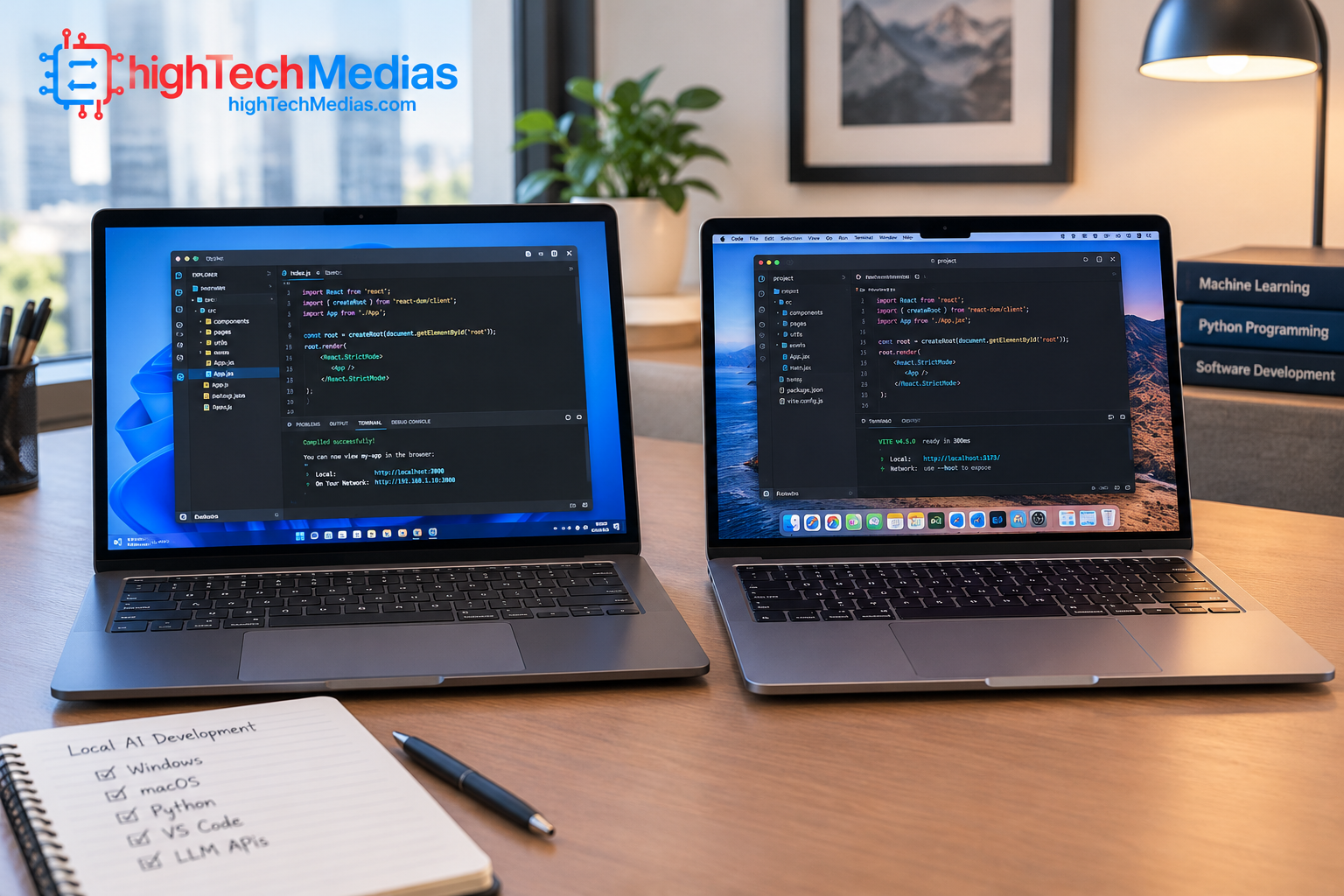
Hardware specifications matter, but the software stack determines what you can actually run.
Windows with NVIDIA GPU: Often a strong choice for CUDA-based development, GPU-accelerated inference, and software that targets NVIDIA hardware.
Windows on Arm: Can offer good efficiency, but developers should check compatibility for Python packages, native extensions, drivers, and specialized AI frameworks.
macOS on Apple silicon: A compelling option for software optimized for Apple’s architecture. Verify support for your intended model runner and development framework before committing.
If your work includes containers, Python, machine-learning libraries, and GPU acceleration, confirm the installation process for your specific laptop and operating system. A system with impressive hardware can still be a poor purchase if essential libraries do not support it.
For a broader look at processor platforms, see our Intel vs. AMD vs. Apple Silicon laptop processor guide.
7. Battery Life, Cooling, and Portability
Running an AI model continuously is different from browsing the web or editing a document. Sustained CPU and GPU activity can increase power consumption, generate heat, and trigger fan noise. The laptop’s cooling system and power limits therefore influence real-world AI performance.
If you work on the move, consider the laptop’s weight, charger size, battery capacity, and performance when unplugged. A powerful system that needs a large adapter may be less convenient for travel than a lighter laptop with a more modest AI workload.
For a portable workstation, also consider screen size and available ports. AI developers often connect external displays, storage drives, and other peripherals. Our laptop size and weight guide can help you compare portability trade-offs.
8. Is a Mini PC Better Than an AI Laptop?
If most of your AI work happens at a desk, a mini PC or desktop can offer better value. A laptop includes a screen, keyboard, battery, and portable chassis, while a desktop can focus more of the budget on compute, cooling, memory, and storage.
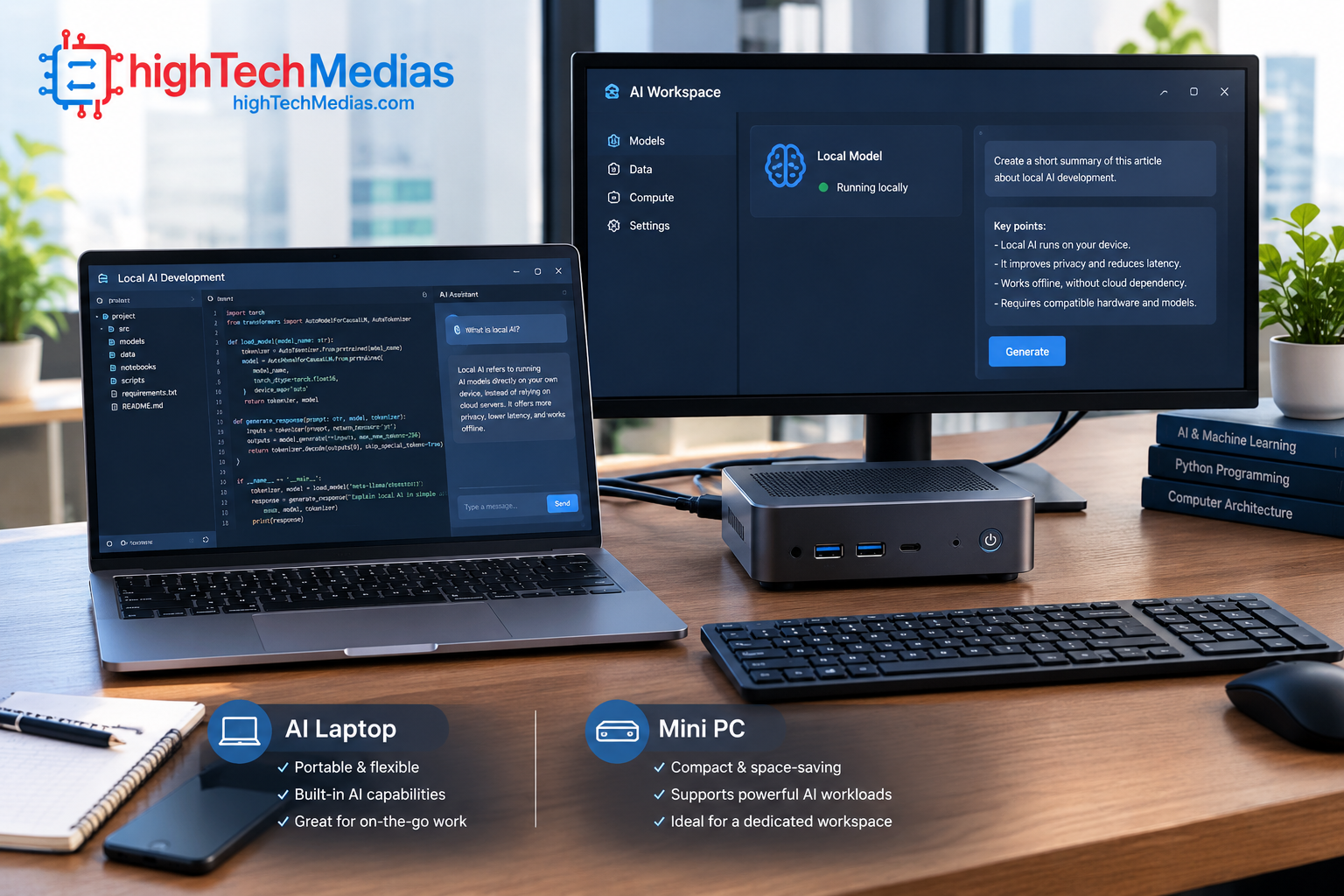
A mini PC with integrated graphics may be suitable for lighter local models and development, but many compact systems lack the GPU memory and sustained compute performance needed for demanding generative AI. Always check the exact platform before buying.
A laptop is the more practical choice if you need to work in different locations. A desktop is worth considering if you want a permanent AI development environment, and a high-end compact system can make sense when space is limited.
Compare the trade-offs in our guide to mini PCs vs. laptops. For a compact home setup, you can also explore our best mini PCs for home office.
9. How We Evaluated These AI Laptop Recommendations
These recommendations use publicly available manufacturer specifications, published pricing information, platform capabilities, and practical buying criteria. They are not presented as the results of independent laboratory tests.
We prioritized:
-
Memory capacity and architecture
-
GPU capability and software ecosystem
-
Processor and NPU features
-
Model compatibility and local inference use cases
-
Display and connectivity for professional work
-
Manufacturer-announced pricing and availability
-
Portability and the likely cost of higher-memory configurations
Readers should look for independent tests after new products reach retail. Useful tests include model load time, tokens generated per second, memory consumption, sustained performance, noise, battery life, and compatibility with common AI tools. Comparisons are meaningful only when they use the same model, quantization, context length, software version, and power settings.
10. Frequently Asked Questions
10.1 What is the best AI laptop in 2026?
For demanding local AI, the Microsoft Surface Laptop Ultra is a notable option because it offers an NVIDIA RTX Spark platform and configurations with up to 128GB unified memory. The best choice still depends on your budget, model size, and software requirements.
10.2 How much RAM is best for local AI?
For many buyers, 32GB is a practical starting point for smaller models and development. Consider 64GB or more for larger models, longer contexts, and more demanding workflows. Requirements vary significantly by model and software.
10.3 Is an NPU enough to run ChatGPT-like models locally?
Not necessarily. An NPU is useful for supported AI workloads, but large local language models may depend heavily on GPU performance and available memory. Check the model’s actual hardware requirements rather than relying on an NPU TOPS number alone.
10.4 Is a MacBook Pro good for local AI?
It can be, particularly when your tools support Apple silicon and macOS. The M5 Pro and M5 Max provide unified memory and Neural Engine capabilities, but some developer workflows depend on NVIDIA CUDA and may be better suited to an NVIDIA-based PC.
10.5 Can an AI laptop run models without the internet?
Yes, compatible models can run offline after the software and model files are installed. However, some features, updates, and services may still require a connection.
10.6 Should I buy a Copilot+ PC for local AI?
A Copilot+ PC can be a good choice for supported Windows AI features, but the label alone does not guarantee suitability for larger local models. Review the GPU, system memory, NPU, and compatibility with your intended AI applications. Microsoft’s Copilot+ PC guidance describes the 40-TOPS NPU requirement for applicable features.
10.7 Is 128GB memory worth the extra cost?
It is worth considering if you have a clear need for large models or memory-intensive workflows. For browser-based AI, ordinary productivity, and many lightweight local models, it may be unnecessary.
10.8 Is a laptop better than a desktop for AI?
A laptop wins on portability. A desktop or mini PC may provide better value for a fixed workstation, depending on its GPU, memory, cooling, and upgrade options. Compare the complete system rather than the form factor alone.
11. Final Verdict: Which AI Laptop Is Worth Buying?
The best AI laptops in 2026 are the ones that match your actual models and development tools—not simply the systems with the most impressive marketing claims.
The Microsoft Surface Laptop Ultra stands out for buyers who want a high-memory NVIDIA-based laptop for local AI development. The ASUS ProArt P16 RTX Spark is worth watching for creators who want high-end AI hardware and a professional OLED display. The Apple MacBook Pro with M5 Pro is a compelling choice for developers and creative professionals whose software is optimized for macOS and Apple silicon.
Before purchasing, confirm the precise configuration, current U.S. price, availability, and software support. For larger local models, memory capacity can be just as important as raw processing power, and a more affordable GPU laptop may offer better value if your models fit within its limits.
Still deciding? Explore our best laptops under $1,000 for more affordable options, review the best laptops for programming in 2026 for developer-focused alternatives, or compare best laptops for business in 2026 if your priority is professional productivity.



Comment (1)
[…] our Ultimate Gaming Setup Guide. If you’re still weighing a console against a computer, our best AI laptops in 2026 guide offers a starting point for exploring PCs designed for broader productivity and AI-related […]